

Ask Maps by Google
Google · Chatbot
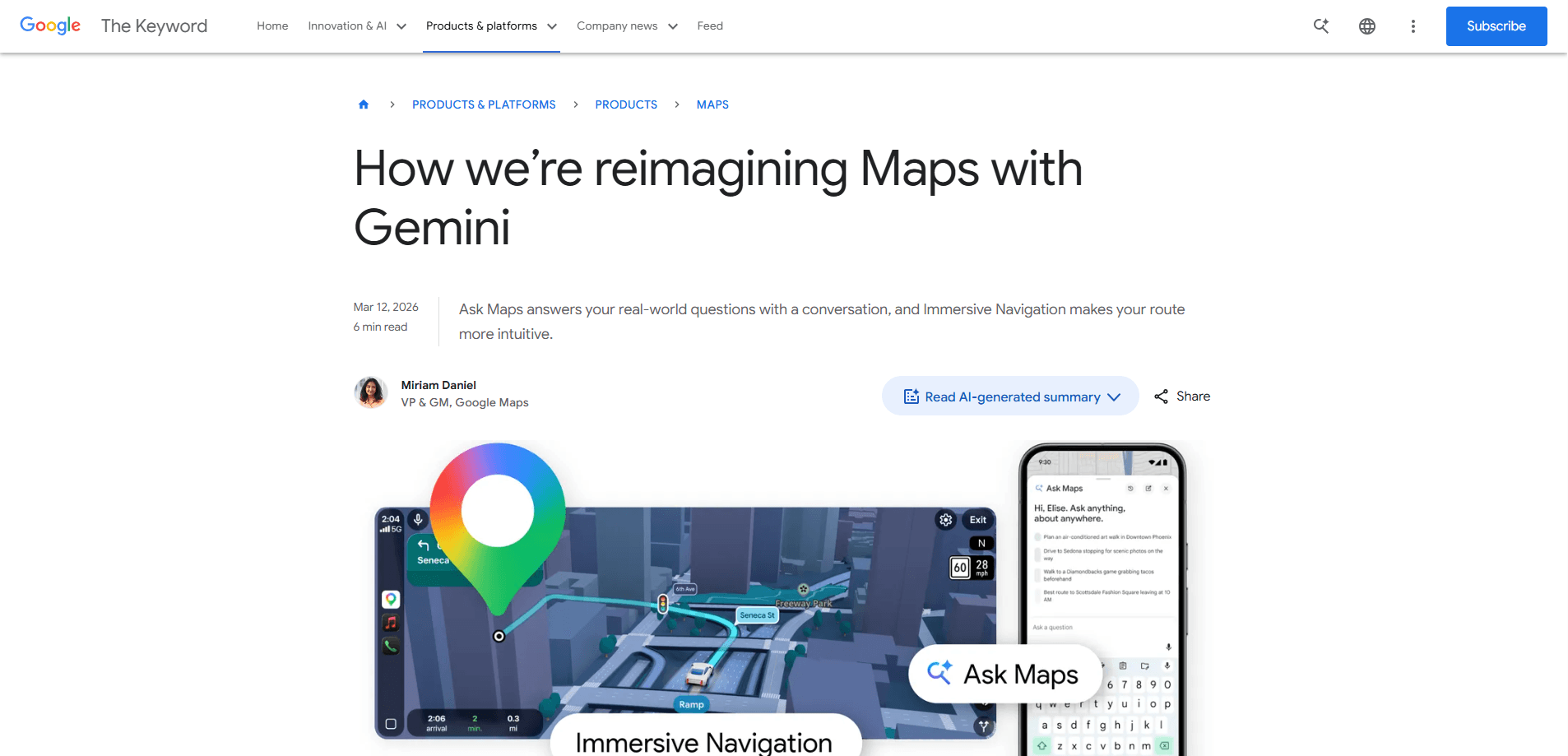
Ask Maps by Google is a conversational AI feature built into Google Maps that answers real-world questions a plain search bar can't handle. You tap the Ask Maps button, type or speak a question, and get a plain-language answer paired with a custom map so you can see your options. It runs on Gemini in Google Maps, mixing map data with your own saved places. Ask Maps works as an AI navigation assistant that makes recommendations feel personal instead of generic.
About Ask Maps by Google
What Is Ask Maps by Google
Ask Maps by Google is a chat layer inside Google Maps. Instead of typing a business name, you describe what you actually need and let the assistant work it out. Ask where to charge a dying phone without buying coffee first, or whether any lit public tennis courts are open tonight. The tool reads the question, weighs current map data, and replies in full sentences.
What separates it from a normal search is the follow-through. A response can include a custom map, a route with an ETA, or a shortlist of spots filtered by what you care about. From there you can book a table, save places to a list, share them, or start navigation. Google says the answers draw on over 300 million places and reviews from more than 500 million contributors.
The catch is scope. At launch Ask Maps works in English in the U.S. and India on Android and iOS, with desktop "coming soon" and Hindi support promised later. Google also states the answers stay within Maps data and don't pull from Gmail or other apps, so asking it about your inbox won't get you anywhere.
Getting Started
- Open Google Maps on an Android or iOS device in the U.S. or India and sign in to your Google account.
- Tap the Ask Maps button near the search bar to open the chat view.
- Type or speak a question in natural language, such as "cool cafes with outlets near my office for a 3pm meeting."
- Read the reply and the custom map, then save spots to a list, share them, or tap through to directions.
- Refine your request in the same thread if the first set of options isn't quite right.
Product Information
A quick look at Ask Maps by Google's pricing, supported platforms, and performance.
Best for
The users, tasks, and scenarios where this tool fits best.
Users
- Frequent travelers
- Local diners and shoppers
- Drivers
Tasks
- Comparing routes
- Scouting stops along a long drive
- Finding a place by vibe
Scenarios
- A dead phone battery on a busy street, when you need a charger without a mandatory coffee purchase.
- Planning a weekend outing with friends who are coming in from different parts of town.
- Last-minute dinner plans where seating, noise level, and dietary needs all matter at once.
Key features
Conversational Map Search
The core of Ask Maps is a chat box that understands full sentences. Ask a multi-part question and it handles each condition rather than dropping the ones it can't match. Why does that matter? Because you stop translating your need into search keywords. That shift is the whole point.
Personalized Recommendations
Results lean on what you've searched for and saved in Maps, so suggestions reflect your habits. If you save vegan spots, the assistant already knows to fold that filter in. Google is explicit that this personalization stops at Maps and Search data, not your wider Google account.
Custom Maps for Every Answer
A reply comes with more than words. Maps builds a view that plots the options the assistant found, which helps when you're weighing several places at once. Seeing them on a map is often what turns a good suggestion into a decision.
Answers From Real Reviews
Ask Maps pulls from contributor reviews and photos to judge things like how crowded or pleasant a place feels. The blog example is a table request that factors in atmosphere, not just availability. Not something a keyword search delivers.
Plans Into Action
Once you settle on a place, the feature lets you book a reservation, save it to a list, or share it with friends. Directions and turn-by-turn navigation are a tap away. The goal is simple. It shortens the gap between deciding and going.
Trip Itinerary Building
For longer routes, you can ask for recommended stops between destinations and get directions, ETAs, and tips in one place. Think of it as an AI navigation assistant for people planning a full day out rather than a single errand.
Pros and cons
Pros
- Handles messy, multi-part questions that a search bar fumbles
- Returns a custom map with the answer, not just a list
- Personalized using your saved and searched places in Maps
- Closes the loop with booking, saving, sharing, and directions
- Free to use inside the existing Google Maps app
Cons
- At launch it's limited to the U.S. and India in English only
- No desktop version yet, and Hindi support is still promised rather than shipped
- Answers stay within Maps and Search data, so it's not a general assistant
Frequently asked questions
It's a Gemini-powered chat feature inside Google Maps that answers conversational questions about places. You ask in plain language and get a written answer plus a custom map you can act on.
Related content
Explore related tools, skills, and articles for Ask Maps by Google.
Ask Maps by Google Alternatives

Knocket
Knocket (Tencent RTC team) · Productivity · Business · ChatbotKnocket is a free live chat and contact page tool that lets visitors message you from your website, app, or a shareable link, with every reply handled from Telegram or one inbox.
Agibot
Agibot · Productivity · AI Assistant · ChatbotAgibot is a personal AI agent for Mac that keeps running after you close the window, runs routines on a schedule, and works from Telegram or Slack with your own API keys.

Melete
Melete · Productivity · AI Assistant · ChatbotMelete is an AI workspace for teams where agents research, draft, and act in Slack, Notion, Linear, and GitHub. Shared memory and approval gates keep people in control.