

Astorie
StoryFlow AI, Inc. · Video
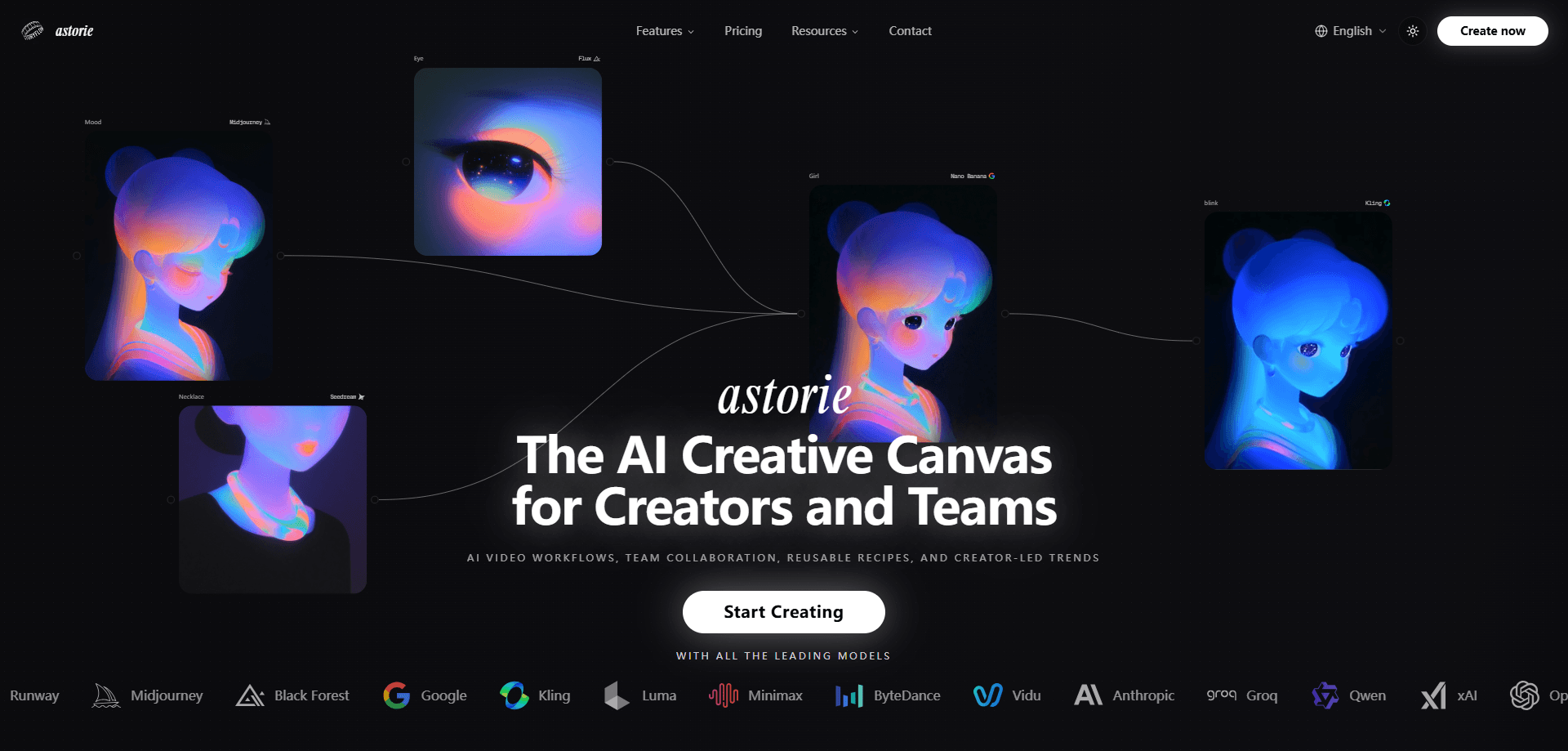
Astorie is an AI creative canvas and node-based AI workspace for studios and solo creators who juggle too many model subscriptions. Instead of opening Runway for video, Midjourney for images, and a separate tool for audio, you work on one infinite, node-based board where 100+ models from OpenAI, Google, Runway, Kling, Midjourney, Black Forest Labs, and others live side by side. You can compare outputs from several models at once, chain them into a workflow, refine the result with built-in editors, and save the whole pipeline as a reusable Recipe that your team can run again.
About Astorie
What Is Astorie
Astorie is a web-based AI creative canvas built by StoryFlow AI, Inc. (the company previously shipped it under the name Martini). The pitch is simple: one AI workflow builder for every generative model you'd normally pay for separately. You drag nodes onto a canvas, pick a model for each node, and connect them so the output of one step feeds the next.
The main problem it solves is fragmentation. Creative teams waste hours moving files between a dozen tabs, re-uploading the same reference image, and remembering which tool produced which look. Astorie keeps the models, the assets, and the revision history in one place, which matters most once a project needs more than a single prompt or a quick throwaway test of one model.
The catch is that you still pay per generation through a credit system, and the most capable models eat credits fast. Big ones do. If your work is mostly a single image or a quick clip, a dedicated app can be cheaper and simpler. Astorie earns its keep when you're running many models against many variations.
Getting Started
- Sign up at astorie.ai with an email or SSO account. The free plan needs no credit card.
- Pick a starting point, either a blank canvas or a template, then add your first node.
- Choose a model for the node and enter your prompt or upload a reference image.
- Run the generation, then branch or add nodes to compare other models or refine the output.
- Save the connected steps as a Recipe so you or a teammate can rerun the whole flow later.
Product Information
A quick look at Astorie's pricing, supported platforms, and performance.
Best for
The users, tasks, and scenarios where this tool fits best.
Users
- Creative studios and small teams
- Solo creators who test many models
- Marketing and social teams
Tasks
- Model comparison
- Chained generation
- Building repeatable pipelines
Scenarios
- Early concept exploration
- Client revisions
- Team handoffs
Key features
One Canvas for 100+ Models
Astorie pulls together models from OpenAI, Google, Runway, Midjourney, Black Forest Labs, Kling, Luma, Minimax, ByteDance, Vidu, Anthropic, Qwen, and xAI. That's a lot. You stop treating each model as its own subscription and start treating them as tools on one bench. For a studio, that means fewer logins, fewer bills, and a shorter path from idea to finished output.
Side-by-Side Model Comparison
The canvas is built for branching. Run the same prompt through several models, keep each result in view, and pick the one that fits. This AI model comparison saves the most money, because you only pay for the models you actually use on a given shot rather than a flat fee for all of them.\n\nIf you're weighing which AI image generator or AI video generator earns the shot, this side-by-side view answers that question faster than opening each separate tool, comparing by memory, and guessing at which one actually looked better.
Chained Workflows
The canvas is where it clicks. You drag a node, pick a model, and run it. Nodes connect, so the output of one step becomes the input of the next, and you don't touch a single export button along the way. Generate an image, then animate it, then upscale the clip without exporting and re-uploading anything. Chaining is where Astorie stops feeling like a gallery of tools and starts feeling like a production line.
Built-in Editing and Refinement
You don't have to leave the canvas to fix a result. Astorie includes editing and refinement tools so you can clean up an asset in place, then feed the improved version straight back into the flow without ever breaking your chain. For anyone who's tired of round-tripping between an image generator and a desktop editor, this is the quiet win.
Reusable Recipes
A Recipe is a saved set of connected nodes with the prompts and settings baked in. Set it once. Then you can rerun the whole look for the next project in a few clicks. Does that matter? It does once a team is involved. Teams use Recipes to keep output consistent across people, which is hard to do when everyone prompts in their own style.
Team Collaboration
Astorie has individual and team plans, and the team side adds shared workspaces plus higher concurrency limits across the board. Up to eight videos, eight images, and six characters can run at once on the top tier, compared with a single stream on a basic plan. That difference is what lets a small team work in parallel.
Pros and cons
Pros
- One workspace, one bill, instead of a stack of separate model subscriptions
- Side-by-side comparison makes it easy to pick the right model per shot
- Recipes turn a one-off experiment into a repeatable team workflow
- A free plan makes it possible to test the canvas before spending anything
Cons
- Credits drain quickly on the most capable video and image models, so heavy users will top up
- There's no public API yet, which rules it out for teams that need to trigger generations from their own code
- The learning curve is real if you've never worked on a node-based canvas; a single-purpose app is faster for one-off jobs
Frequently asked questions
Images, video clips, audio, and 3D assets, all from the same canvas. You start from a text prompt or a reference image, pick a model, and then chain or compare results as needed.
Related content
Explore related tools, skills, and articles for Astorie.
Astorie Alternatives

Vadu AI
Vadu AI · Image · VideoVadu AI is a web-based AI video generator that turns written prompts or still images into short clips, and it can also generate images on its own. You type what you want, pick a model and style, and the platform renders the result in minutes. A free plan covers light testing, while paid tiers run from $9 to $77.40 per month based on how many credits you burn.

Mykaraoke Video
MyKaraoke Video · VideoMykaraoke Video is an online karaoke video maker and lyric video maker that turns any song into a finished, lyrics-synced video right in your browser. It handles the slow part for you. The AI pulls vocals out of the mix and locks the lyrics to the beat, then lets you customize background, fonts, and colors before exporting in 1080p MP4. If you make lyric videos for social media, party nights, or music promotion, it skips the software installs and manual timing work entirely. Want a karaoke video generator that doesn't eat your whole evening? That's the pitch here.

Finalframe
Finalframe · VideoFinalframe is a set of free, browser-based tools for grabbing exact frames out of a video clip. Its best-known feature, the Final Frame Extractor, lets you extract the last frame of any video so you can use it as the starting image for AI video tools like Luma Dream Machine, Runway, or Kling. Want to keep a clip going? That last frame is your starting point. The tool runs locally in your browser, needs no sign-up, and costs nothing. A separate paid AI video-generation app from the same team is currently offline while it's rebuilt.