

Astra From Topaz Labs
Topaz Labs · Video
Astra from Topaz Labs is a web-based AI video upscaler. It rebuilds low-resolution footage up to 8x or 4K, using Creative mode for stylized results and Precise mode for faithful restoration.
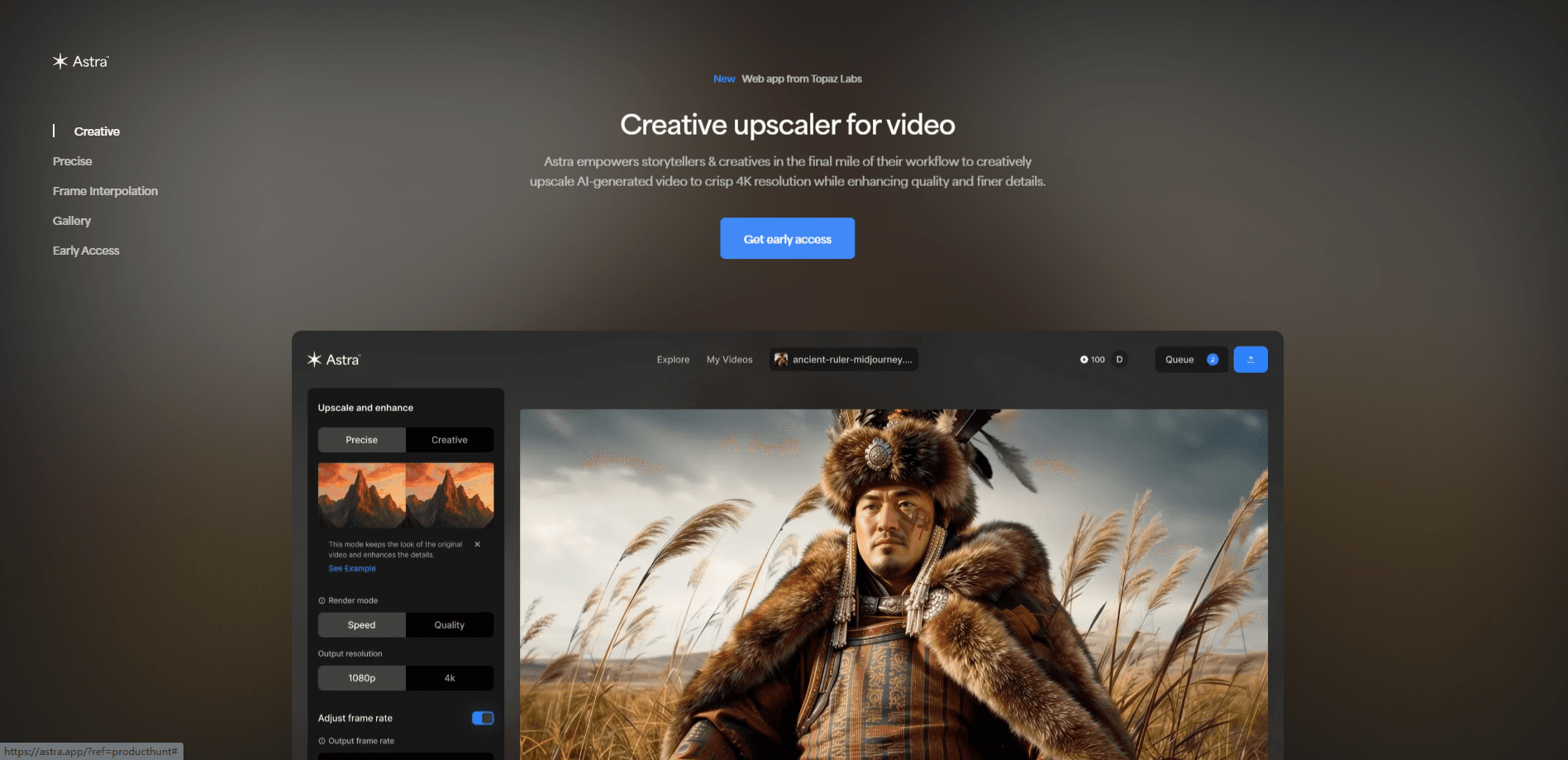
About Astra From Topaz Labs
What Is Astra From Topaz Labs
Astra is a cloud video app from Topaz Labs, the company behind Topaz Video, Topaz Photo and Gigapixel. You upload a clip in the browser, pick a mode and a model, and the render happens on Topaz servers. There's nothing to install and no graphics card to worry about, which is the point: the heavy models that would take hours on a laptop run in minutes in the cloud.
The product splits into two intentions. Creative mode changes how footage looks. It adds invented detail, shifts lighting and pushes a clip toward a cinematic or stylized finish. Precise mode does the opposite. It cleans noise, sharpens edges and recovers resolution while keeping the source's original character. Both run on the same upload, so the choice is about intent rather than a different app.
The limits are worth knowing before you commit. Rendering burns Cloud Credits, which cost money on top of a subscription, and some models cap how many frames a single job can hold. The prompt control, which steers style in Creative mode, also only works on short clips of roughly 15 seconds. Longer footage has to be split or run through scene detection.
Getting Started
- Sign in to the Topaz web app with your Topaz Labs account and open Astra
- Upload a clip in H264 MP4, or drag it onto the canvas
- Choose Creative mode for a new look or Precise mode to keep the original, then pick a model
- Set the output to 1080p or 4K, preview a short segment, then render
- Download the finished file, or let the app email you a link when the render completes
Product Information
A quick look at Astra From Topaz Labs's pricing, supported platforms, and performance.
Best for
The users, tasks, and scenarios where this tool fits best.
Users
- AI video creators
- Video editors and colorists
- Restorers and archivists
- Social and short-form creators
Tasks
- Upscaling to 4K
- Creative restyling
- Frame interpolation and slow motion
- Noise and grain cleanup
- Face and texture recovery
Scenarios
- An AI-generated clip looks soft
- Old family or archival video is unwatchable
- A laptop can't handle the render
- A reel needs dramatic slow motion
- A batch of low-res social clips needs a consistent master
Key features
Creative and Precise Modes
Astra gives you two ways to treat a clip, and they don't mix. Creative mode is for stylized results. It adds new detail, shifts mood, lighting and visual style, and pushes footage past what was actually filmed. Precise mode leaves the look alone and works on quality instead. It cleans and sharpens, yet keeps the original character. Choosing the mode is the first real decision, and it comes down to whether you want a different look or a better version of the same one.
The Starlight Model Family
Precise mode runs on Topaz's Starlight models, a diffusion-based approach the company says was the first built for restoring existing video rather than generating new footage. The lineup covers a range: Starlight Fast 1 and 2 for speed, Starlight Precise 2 for faces and fine textures, and Precise 2.5 for the highest detail recovery. Starlight Precise 2.6 adds better temporal consistency across frames and runs 15% faster. There's also Starlight Mini for fast motion and older low-resolution clips, plus specialized models like Proteus for general cleanup, Rhea for low-motion scenes, NYX for noise and Iris for faces.
Upscaling Up to 8x and 4K Output
Astra scales footage to true 4K, and the company markets up to 8x enlargement for AI-generated video. The claim is that it rebuilds detail rather than stretching pixels, which matters most on soft or synthetic source material. A 1080p clip or a low-res AI output comes back sharper and more defined, ready for a 4K screen or a larger deliverable. Output resolution is set to 1080p or 4K depending on the job and the plan.
Frame Interpolation and Slow Motion
Beyond resolution, Astra generates new frames to smooth motion or create slow motion. It can push footage to high frame rates, up to 120fps, which is the kind of smooth, deliberate slow-mo most AI video generators can't produce on their own. For choppy or low-frame-rate source clips, interpolation fills the gaps so movement reads as fluid instead of stuttering.
Creative Prompting and Creativity Controls
In Creative mode, Astra 2 exposes a set of controls for steering the result. Creativity and Sharpness each run on a 1 to 5 scale, and an optional prompt lets you describe the style you want, such as cinematic lighting or soft vintage tones. The trade-off is length: add a prompt and the job is capped at about 450 frames, or roughly 15 seconds. Drop the prompt and you can push the full frame limit. For anything longer, scene detection splits the video so you can apply prompts section by section.
Cloud Rendering With Credits
Every Astra render runs in the cloud and draws on Cloud Credits, so the work doesn't touch your hardware. That means a low-power laptop can finish a job it could never handle locally, and you can queue several videos at once. Credits are bought separately or bundled through a monthly plan, and cost depends on the output size and the model used. Topaz also runs a dedicated column for Astra on its cloud render page, where you top up credits or subscribe.
Scene Detection and Longer Videos
Astra doesn't expect every clip to fit the model limits. Scene detection breaks a video into smaller segments automatically, and each scene can be processed on its own. That's how longer clips get handled: rather than hitting a hard wall, you let Astra divide the footage and run the parts. It also pairs with the prompt rule, since per-scene prompts are allowed in Astra 2 even when the whole clip is too long for one.
Pros and cons
Pros
- Runs entirely in the browser, so no download, install or GPU purchase is needed
- Covers both stylized restyling and faithful restoration in one app, instead of forcing a single approach
- The Starlight model family gives fine-grained control over quality versus speed
- Frame interpolation up to 120fps produces slow motion that most AI video tools can't generate
- Cloud rendering lets you queue several jobs at once without tying up your own machine
Cons
- Credits are billed on top of the subscription, so heavy rendering adds up fast
- The prompt control only works on clips of about 450 frames, so long videos need scene detection or splitting
- A browser-only app means no offline workflow, which rules out work with confidential footage that can't leave the machine
- Several of the strongest models and the exact credit costs vary by plan, so the real price can be hard to pin down before you start
Frequently asked questions
Astra is a web-based AI video upscaler from Topaz Labs. It rebuilds low-resolution footage up to 8x or 4K, sharpens and cleans video, generates new frames for slow motion, and offers a Creative mode for stylized results alongside a Precise mode for faithful restoration.
Related content
Explore related tools, skills, and articles for Astra From Topaz Labs.
Astra From Topaz Labs Alternatives

ngram 2.0
ngram · Video · Marketingngram 2.0 is an AI video generator for teams. It turns a prompt, a screen recording, or a product URL into a narrated explainer, product demo, or AI avatar video, and every scene stays editable.

OpenScreen 2
OpenScreen (open-source project) · Video · ProductivityOpenScreen 2 is a free, open-source screen recorder and demo video editor for Windows, macOS, and Linux, with automatic zooms, styled frames, local captions, and agent edits.

Skreno
Skreno · Video · ProductivitySkreno is a browser screen recorder that captures a tab, a window or your whole display, then attaches AI transcripts, summaries and console logs to one share link.