

Autoclaw
Zhipu AI · Coding
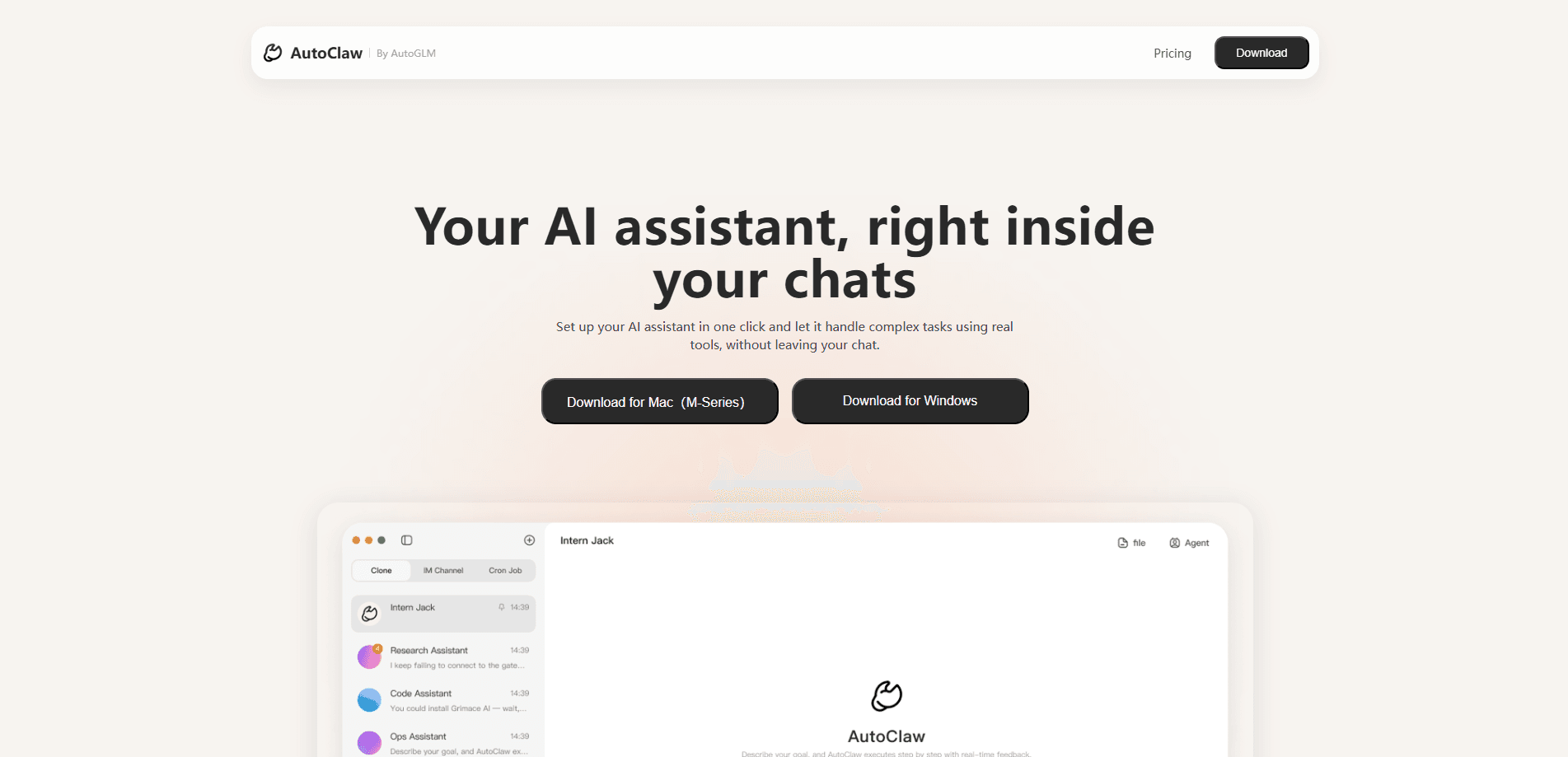
AutoClaw is a desktop AI agent from Zhipu AI that turns a personal computer into a always-on assistant. It packages the open-source OpenClaw agent framework into a normal install-and-run app for macOS and Windows, so you skip the terminal setup that scares most people away. You type a goal in plain language, and it breaks the work into steps, opens your browser and files, calls 50+ built-in skills, and hands back documents, reports, web pages or code. It's aimed at freelancers, small teams and office workers who want an AI digital worker without touching a shell.
About Autoclaw
What Is AutoClaw
AutoClaw is a local AI agent app built by Zhipu AI (the company behind the GLM models), released on March 10, 2026. Think of it as an OpenClaw desktop client: the packaged version of an open-source agent for PC users. It executes tasks rather than just answering questions. It reads and writes files, drives a browser, and runs multi-step workflows you describe in one message.
The real point is packaging. OpenClaw itself is powerful but needs Node.js, environment variables and API keys before it does anything. People were paying hundreds of dollars for someone else to install it. AutoClaw ships the same engine inside a client that installs like WeChat, and it wires up search, image generation and IM tools for you. For most buyers, it's simply the easiest AI agent for PC today.
The catch is that it's a desktop app tied to your machine. It only runs while your computer is on. The heaviest tasks still burn credits or model API tokens. Want fully cloud-hosted execution? This isn't that.
Getting Started
- Download the installer for macOS (12+) or Windows (10/11) from the official AutoClaw site and run it, just like any desktop app.
- Sign in with a Zhipu account. New users get welcome credits plus a batch of GLM-5.3-Flash tokens to try the agent.
- Pick a model. AutoClaw ships with Pony-Alpha-2, Zhipu's model tuned for agent work, and you can also plug in DeepSeek, Kimi or MiniMax through their APIs.
- Connect a chat tool such as Lark, Slack, Telegram or WhatsApp if you want to assign tasks from inside those apps instead of the main window.
- Type a goal in the chat box, approve any sensitive actions it flags, and let it work through the steps until you get the finished file or result.
Product Information
A quick look at Autoclaw's pricing, supported platforms, and performance.
Best for
The users, tasks, and scenarios where this tool fits best.
Users
- Freelancers and solo operators
- Office and operations teams
- Non-technical AI fans
Tasks
- Turning requirements into documents
- Browser-based research
- Multi-platform content production
- Scheduled monitoring
Scenarios
- Checking competitor pages every morning and sending a structured summary before the team starts work.
- Collecting market data, filings and industry news into a weekly research report, with backtests when you need them.
- Drafting meeting notes, charts and structured docs from a pile of raw files at the end of the week.
Key features
One-Click Local Install
The headline feature is how little setup it takes. You download the installer, double-click, sign in, and the agent is ready. No Node.js, no broken dependencies, no API keys to fight with. That's the difference between the original OpenClaw's afternoon of configuration and a few minutes of clicking.
50+ Built-In Skills
AutoClaw bundles more than 50 skills covering content creation, AI office automation, coding, marketing and investment research. Search, image generation and other APIs come pre-wired. No hunting for keys. No pasting config files.
Pony-Alpha-2 and Open Model Choice
The app ships with Pony-Alpha-2, a model Zhipu tuned for agent work, so tool calls and long-running tasks tend to hold together better than with a general chat model. At the same time, AutoClaw keeps the model door open: you can route it through DeepSeek, Kimi or MiniMax instead.
AutoGLM Browser Automation
Zhipu's AutoGLM browser automation tool fills a gap in the base framework by handling multi-step, cross-page web tasks. In practice it can log into a site, click through several screens and pull data back. The base agent often stops after one page. This one keeps going.
IM Integration
You can hand tasks to AutoClaw from Lark, Slack, Telegram or WhatsApp by mentioning the assistant in a chat. Results, files and progress updates flow back into the same thread, which keeps you out of a separate app window all day.
Cluster and Goal Modes
For bigger jobs, cluster mode splits a task across several agents working in parallel and then reviews the output. Goal mode is for longer efforts: you set a target and a completion standard, and the agent loops through plan, act, verify and iterate until it's done or you stop it.
Pros and cons
Pros
- Cuts the OpenClaw setup barrier to almost nothing, which matters most for users who aren't developers.
- Runs locally, so file work stays on your own machine and there's no monthly cloud server to rent.
- Ships with a tuned model and 50+ skills, so it's useful out of the box instead of a blank framework.
- Open model support lets you swap between GLM, DeepSeek, Kimi and MiniMax to control cost and quality.
Cons
- It's a desktop app, so nothing runs when your computer is off, unlike a hosted agent.
- Heavy tasks consume credits or model API tokens, so free allowance runs out and then you pay.
- Sensitive actions like deleting files or posting externally need manual approval, which slows long unattended jobs.
Frequently asked questions
It's a desktop AI agent app from Zhipu AI that wraps the open-source OpenClaw agent in a normal installable package. You describe a goal and it plans, executes and delivers results using your own computer.
Related content
Explore related tools, skills, and articles for Autoclaw.
Autoclaw Alternatives
Forefront
Forefront · CodingForefront is a web platform for building with open-source AI. It lets you fine-tune leading open-source language models on your own data, evaluate how they perform, and run them through an API or export them to host yourself. Developers who want the convenience of a closed-source platform but insist on owning their models and data are the target audience here.

Startkit
StartKit.AI · CodingStartkit is a boilerplate for building AI SaaS and AI wrapper products. Think of it as an AI startup boilerplate with the boring parts already wired up: authentication, Stripe and Lemon Squeezy payments, usage limits, transactional email, and an AI API starter that talks to OpenAI, Anthropic, Groq, or Llama. You clone the repo, set your price, and start on the part of your product that people actually pay for. It's Next.js under React and Tailwind, so most of the boilerplate code already feels familiar.
Testim
Tricentis · CodingTestim is an AI-powered test automation platform for building and running end-to-end tests across web, mobile, and Salesforce applications. It leans on machine learning to keep tests stable when an interface changes, so teams spend less time fixing broken selectors. Not bad for an automated testing tool you can start using today. You create tests by recording actions in a browser, then optionally add JavaScript when you need more control. It's a solid pick for busy QA teams.