
AutomaticShorts
AutomaticShorts · Video · Marketing
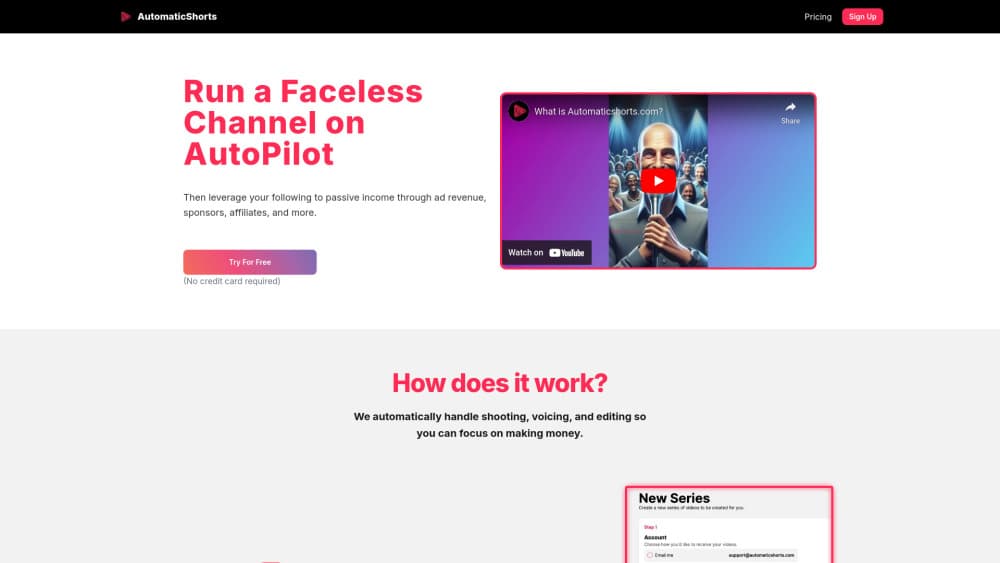
AutomaticShorts is an AI faceless video generator for hands-free growth: it writes, edits, and auto-posts short videos to your channel on a schedule.
About AutomaticShorts
What Is AutomaticShorts
AutomaticShorts is a web-based AI video maker for people who want a faceless channel without filming, voicing, or editing anything themselves. You pick a topic, connect your channel, and the AI builds a short video from a line of text. Then it schedules and posts for you. The pitch is simple. Consistency without the hours.
The product runs the whole pipeline. It writes the script, adds a voiceover, and drops background music in. The only thing you supply up front is a direction. Once a series is running, videos go out automatically. You watch engagement climb in your dashboard.
The catch worth knowing early: output is templated, and AutomaticShorts is built for volume and steady posting rather than a hand-crafted look that channels depending on a specific on-screen style will eventually hit as a limit. It's a subscription too, and the public site doesn't list per-tier prices before you start a trial, so faceless YouTube automation here rewards patience more than polish.
Getting Started
- Create an account and start the one-week free trial (the homepage notes you can cancel anytime).
- Choose a topic for your first series and connect the channel you want videos posted to.
- Let the AI draft the video, then review it and adjust the title, caption, or script as needed.
- Approve the video so it can auto-post on your schedule, then track engagement and tweak as you go.
Product Information
A quick look at AutomaticShorts's pricing, supported platforms, and performance.
Best for
The users, tasks, and scenarios where this tool fits best.
Users
- Solo creators
- Side-hustle builders
- Social media managers
Tasks
- Creating short videos from a topic
- Scheduling and auto-post workflows
- Reviewing and tweaking drafts
Scenarios
- Keeping a channel active while you're busy
- Testing a niche cheaply
- Running multiple faceless accounts
Key features
Topic-to-Video Generation
You start with a topic, not a timeline. The AI turns that direction into a finished short, writing the script and assembling the visuals so you skip the usual editing pass that eats most of a creator's day. It's the core of the product. That's why one person can produce dozens of videos.
Automatic Posting on a Schedule
Once you connect your channel and approve a series, AutomaticShorts posts for you. The tiers differ mainly in cadence, running from three times a week up to twice a day. Pick a rhythm and let it run. Consistency beats perfection when you're growing an audience.
Edit and Preview Before Publishing
Automation doesn't mean you lose control. You can review each video and adjust the title, caption, or script before it goes out. That's the guardrail that keeps a hands-free workflow from turning into a credibility problem.
HD Output With No Watermark
Videos render in HD with no watermark stamped on them, and you also get background music baked in so you're not hunting for tracks separately or paying for a second tool. For a channel you intend to monetize, that clean output matters more than any single editing feature.
Download Your Videos
Want to repurpose a video elsewhere or keep a backup? You can download it, which helps when the same clip could work on more than one platform or when you simply want a local copy sitting outside the platform.
Pros and cons
Pros
- Handles script, voiceover, editing, and posting in one place. You don't need several tools.
- Posts on a schedule you choose. That removes the biggest barrier to consistent output.
- One-week free trial with cancel-anytime terms keeps the initial risk low.
- HD resolution and no watermark suit channels headed toward monetization.
Cons
- Output is templated. Channels that need a distinctive on-screen style may look generic.
- Public pricing isn't listed per tier, so you have to start a trial to see the real cost.
- A single series per plan means running more than one theme needs juggling accounts.
- It's web-only. There's nothing to install and nothing works offline.
Frequently asked questions
It's an AI service that creates, edits, and auto-posts faceless short videos. You pick a topic and connect your channel. It then handles the script, voiceover, and editing, and posts on a schedule.
Related content
Explore related tools, skills, and articles for AutomaticShorts.
AutomaticShorts Alternatives

ngram 2.0
ngram · Video · Marketingngram 2.0 is an AI video generator for teams. It turns a prompt, a screen recording, or a product URL into a narrated explainer, product demo, or AI avatar video, and every scene stays editable.

OpenScreen 2
OpenScreen (open-source project) · Video · ProductivityOpenScreen 2 is a free, open-source screen recorder and demo video editor for Windows, macOS, and Linux, with automatic zooms, styled frames, local captions, and agent edits.

Skreno
Skreno · Video · ProductivitySkreno is a browser screen recorder that captures a tab, a window or your whole display, then attaches AI transcripts, summaries and console logs to one share link.