

Autopilot Shorts
Autopilot Shorts · Video
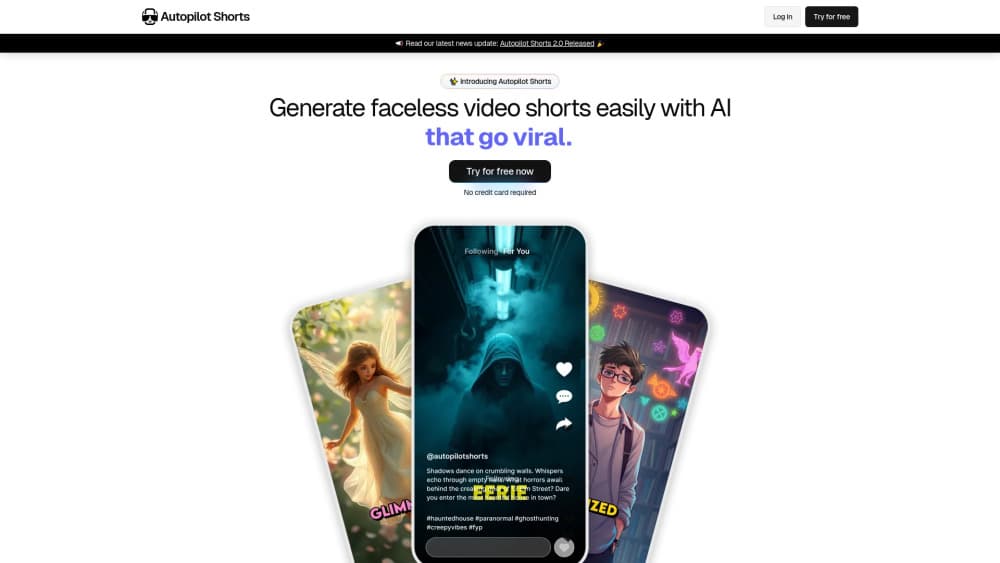
Autopilot Shorts is a web platform that generates, edits and schedules faceless video shorts for TikTok and YouTube from a single dashboard, so a channel can post without a camera.
About Autopilot Shorts
What Is Autopilot Shorts
Autopilot Shorts is a browser-based tool for creators who publish faceless short videos. You describe a channel or a topic once, and the platform turns it into a series of shorts with script, voiceover, on-screen text and visuals, then queues them to go out on a schedule. There is no filming and no editing timeline to learn. The product is aimed at the people who treat short-form video as a content operation rather than a hobby.
This Autopilot Shorts review looks at what the platform actually does and where it stops. The core idea is a recurring format: you set up an auto short series, the system produces episodes from that setup, and each one keeps the same look and pacing. The company behind it ships updates often and takes feature requests from its user base, which is how the AI Media Editor, Zap Credits and Kling AI support arrived in version 3.0.
Two facts are worth knowing before you sign up. It runs in the cloud, so you always work through the browser and pay a monthly subscription. And the AI video features, like turning images into motion, draw on a separate credit system rather than the base plan, which changes what a given month actually costs.
Getting Started
- Create an account and pick a niche or channel theme for your auto short series
- Generate a script and let the platform produce the first episode with voiceover, captions and visuals
- Open the AI Media Editor to swap in generated images or video clips and adjust the look
- Connect your TikTok or YouTube account so finished shorts publish on your schedule
- Review the queue, tweak any episode you want, and let the series keep running
Product Information
A quick look at Autopilot Shorts's pricing, supported platforms, and performance.
Best for
The users, tasks, and scenarios where this tool fits best.
Users
- Faceless channel creators
- Solo operators managing several channels
- Social media managers
- Marketers testing short-form reach
Tasks
- Auto short series creation
- Script and voiceover generation
- AI media editing
- Scheduled publishing
- Bulk variation
Scenarios
- A creator wants daily uploads but has no time to edit
- A niche idea needs a quick test
- A social media manager covers multiple brands
- Stock or quote channels
- Repurposing a topic into volume
Key features
Auto Short Series
The series is the foundation of the platform. You set up a channel or topic, choose how the shorts should look and sound, and the system generates episodes from that blueprint. Each one keeps the same structure, so a viewer recognizes the format across uploads. This is the part that separates Autopilot Shorts from a one-off AI video generator, where you build every clip from scratch. You define the format once and let it repeat.
AI Media Editor
The AI Media Editor replaced the older image editor in the version 3.0 update. It generates both images and video clips, and you use it inside a series to change the visuals of an episode. The company positions it as an upgrade for creators who wanted more control over what appears on screen. You can generate a fresh visual for a scene without leaving the platform, which keeps the whole workflow in one place instead of bouncing between separate image and video tools.
Zap Credits and AI Video Models
Zap Credits are a separate currency for the newer AI video features. They unlock technologies like Kling AI, Google Veo, Luma Ray and Pixverse, and you use them to turn a still image into a moving clip. Kling AI 1.6 was the first model added, and the company says its renders average around three minutes. The trade-off is that these features sit outside the base plan, so heavy use of AI video costs more than running standard episodes. The company also states it plans to add more models over time.
Scheduled Publishing
Finished shorts queue up and publish to your connected TikTok and YouTube accounts on a schedule you set. This is the autopilot half of the product: once a series is running, you are not uploading each short by hand. For a creator running several channels, the schedule is what keeps output steady during weeks when there is no time to sit down and post. You still review the queue, so nothing goes out without your setup behind it.
Niche-to-Video Pipeline
The workflow leans on picking a niche and letting the platform do the production steps. Script, voiceover, captions and visuals are generated in that sequence, and captions are added automatically rather than typed in. That combination matters for short-form, where most viewers watch on mute and depend on on-screen text. The pipeline is what makes the platform usable for someone with no editing background, but it also means the look is closer to a template than a custom edit.
Cloud Workflow and Account Connection
Everything runs in the browser, so there is nothing to install and your series lives on the account rather than a local drive. You connect your social accounts once and the platform publishes on your behalf. Because it is a subscription product, the cost is recurring rather than one-time, and access depends on keeping the plan active. The cloud model is also what lets the company ship updates and new AI models to every user at once.
Pros and cons
Pros
- Covers the full path from idea to published short inside one dashboard
- Auto short series make a repeatable format, so channels stay consistent across uploads
- Scheduling to TikTok and YouTube cuts out manual uploading for every short
- The AI Media Editor generates images and clips without extra tools
- Active update cycle, with version 3.0 adding features shaped by user requests
Cons
- No free plan, so the spend starts before you know whether a niche works
- AI video features run on Zap Credits outside the base plan, which makes costs harder to predict
- Output follows the format you set, so results look templated rather than fully custom
- The supported AI video model list is still short, with Kling AI the main one at launch
Frequently asked questions
Autopilot Shorts is a web platform that generates and publishes faceless video shorts for TikTok and YouTube. You set up an auto short series from a niche or topic, and the platform produces episodes with script, voiceover, captions and visuals, then publishes them on a schedule.
Related content
Explore related tools, skills, and articles for Autopilot Shorts.
Autopilot Shorts Alternatives
Griffin by Tavus
Tavus · Voice & Language · Video · ChatbotGriffin by Tavus is the first Human Interaction Model: a full-duplex, video-to-video system that watches, listens, and answers during a live video call in real time.

Syllaby AI Avatar 2.0
Syllaby · Video · MarketingSyllaby AI Avatar 2.0 turns a script into a presenter-led video with a reusable AI avatar, natural voice, B-roll and automatic subtitles, all in one browser workflow.

Vitra.ai
Vitra.ai · Voice & Language · Video · MarketingVitra.ai is an agentic content platform that creates, translates, reviews, and publishes video, images, documents, and app content in 120 languages from one shared brief.