

AutoPod
AutoPod · Video
AutoPod is an AI plug-in suite for Adobe Premiere Pro that automates video podcast editing, from multi-camera cuts to social clips.
About AutoPod
What Is AutoPod
AutoPod is a set of plug-ins that runs inside Adobe Premiere Pro and DaVinci Resolve, and it handles the repetitive parts of video podcast editing: switching between cameras, cutting out dead air, and chopping long episodes into short social clips. If you publish a weekly show and already edit in Premiere, this is built for your workflow.
The suite started as a tool for multi-camera shows and grew into a small pack. AutoPod Multi-Camera Editor watches who's talking on each track and cuts between the angles the way a human editor would. Social Clip Creator pulls vertical snippets from a full episode. The Jump Cut Editor removes pauses and stumbles in one pass.
The main catch is that it's not a standalone app. You need Adobe Premiere Pro 2023 or newer, a multi-camera setup, and separate audio tracks for each speaker. A single-camera or single-speaker recording won't give AutoPod enough to work with. No audio separation, no automated cut.
Getting Started
- Buy a license key from the AutoPod site and download the installer for Premiere Pro or DaVinci Resolve.
- Run the installer, then close and reopen Premiere Pro.
- Open an actual project file, not the landing page, and go to Window > Extensions to open an AutoPod panel.
- Import your multi-cam footage with separate audio tracks and run Multi-Camera Editor to generate the cut.
- Review the timeline, tweak anything that looks off, and use Social Clip Creator to export vertical clips.
Product Information
A quick look at AutoPod's pricing, supported platforms, and performance.
Best for
The users, tasks, and scenarios where this tool fits best.
Users
- Podcast editors
- Solo creators running a small studio
- Production teams
Tasks
- Multi-camera editing
- Creating social clips
- Removing jump cuts
Scenarios
- Weekly podcast production
- Repurposing long episodes
- Tight deadline publishing
Key features
Multi-Camera Editor
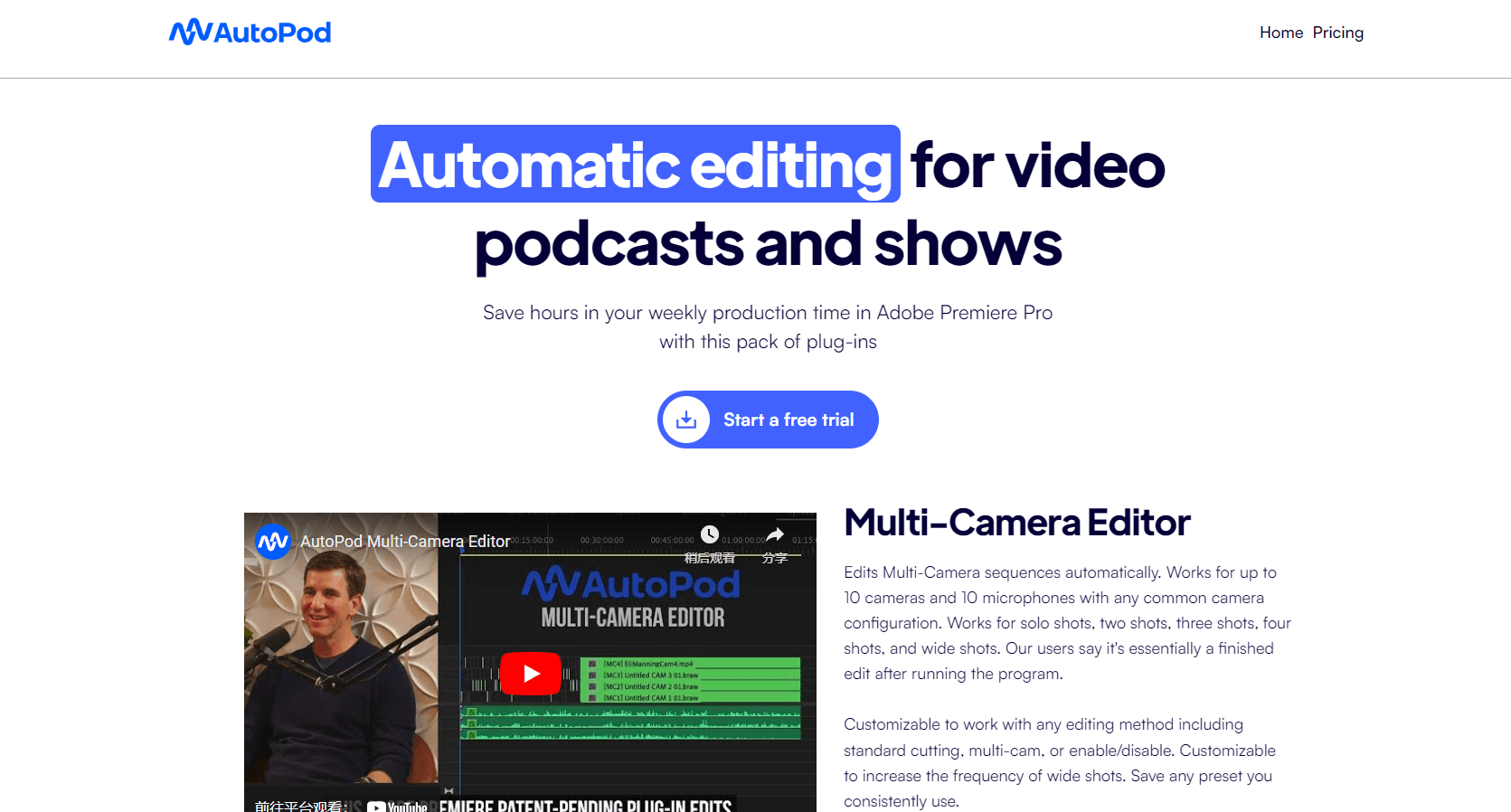
This is the core plug-in, and it's the reason most editors buy AutoPod in the first place. It reads who is speaking on each audio track and cuts between your camera angles using the conventions a human editor would follow. Want an edit done without mousing through every camera angle yourself? That's the pitch here. It supports up to 10 speakers with any mix of single, two, three, and wide shots.
Social Clip Creator
After the main edit, Social Clip Creator pulls vertical clips out of a long episode for shorts-style platforms. Instead of scrubbing through an hour of footage to find the good moments, you get ready-to-post snippets that fit a vertical frame. Aimed at creators. It's for anyone who has to feed social channels on top of their main show.
Jump Cut Editor
The Jump Cut Editor strips out pauses, ums, and stumbles in one pass along the timeline. Anyone who's edited a talking-head video knows the pain of manually finding every silence, and this handles that chore automatically, which is exactly the kind of grunt work that eats an afternoon before you even touch the creative side. You still review the result, but the bulk of the trimming is done for you.
DaVinci Resolve Support
AutoPod isn't locked to Premiere Pro. You can buy the same key through the usual portal and download a separate installer for DaVinci Resolve. That matters if your studio runs Blackmagic's editor or you're migrating away from Adobe. Just know the support came later, and Premiere remains the primary platform.
Multi-Camera Logic Based on Real Footage
The editing decisions aren't a generic rule set. According to AutoPod, the Multi-Camera Editor is trained on thousands of hours of podcast footage, so its cuts mirror how a conventional human editor would switch angles. The practical result is fewer mechanical-looking cuts and less manual cleanup after the automated pass. Big difference on a three-hour shoot.
Layout Flexibility
AutoPod works with any common camera layout, which takes a lot of the guesswork out of setup. If your show mixes static wide shots with tighter singles, you don't need to reconfigure your whole rig to fit the plug-in. The main requirement is that it needs multiple cameras and multiple unique audio tracks, not a single-source recording. Simple as that.
Pros and cons
Pros
- Cuts hours off weekly podcast editing by automating camera switching and silence removal.
- Handles up to 10 speakers and most common shot layouts.
- Available for both Adobe Premiere Pro and DaVinci Resolve.
- Social Clip Creator covers the repurposing step most editors do separately.
- Editing logic is modeled on real human editor behavior, not fixed rules.
Cons
- Needs Adobe Premiere Pro 2023 or newer, so older setups are out.
- Won't work with single-camera or single-speaker recordings, since it depends on multiple audio tracks.
- Each license activates on one computer, so switching machines requires going through AutoPod's switch process.
- No free tier, which makes it hard to test before committing.
Frequently asked questions
AutoPod automates the repetitive parts of video podcast editing inside Adobe Premiere Pro and DaVinci Resolve. It switches between camera angles based on who's speaking, removes jump cuts and dead air, and pulls short vertical clips from long episodes.
Related content
Explore related tools, skills, and articles for AutoPod.
AutoPod Alternatives

ngram 2.0
ngram · Video · Marketingngram 2.0 is an AI video generator for teams. It turns a prompt, a screen recording, or a product URL into a narrated explainer, product demo, or AI avatar video, and every scene stays editable.

OpenScreen 2
OpenScreen (open-source project) · Video · ProductivityOpenScreen 2 is a free, open-source screen recorder and demo video editor for Windows, macOS, and Linux, with automatic zooms, styled frames, local captions, and agent edits.

Skreno
Skreno · Video · ProductivitySkreno is a browser screen recorder that captures a tab, a window or your whole display, then attaches AI transcripts, summaries and console logs to one share link.