

AutoShorts.ai
AutoShorts.ai · Video · Marketing
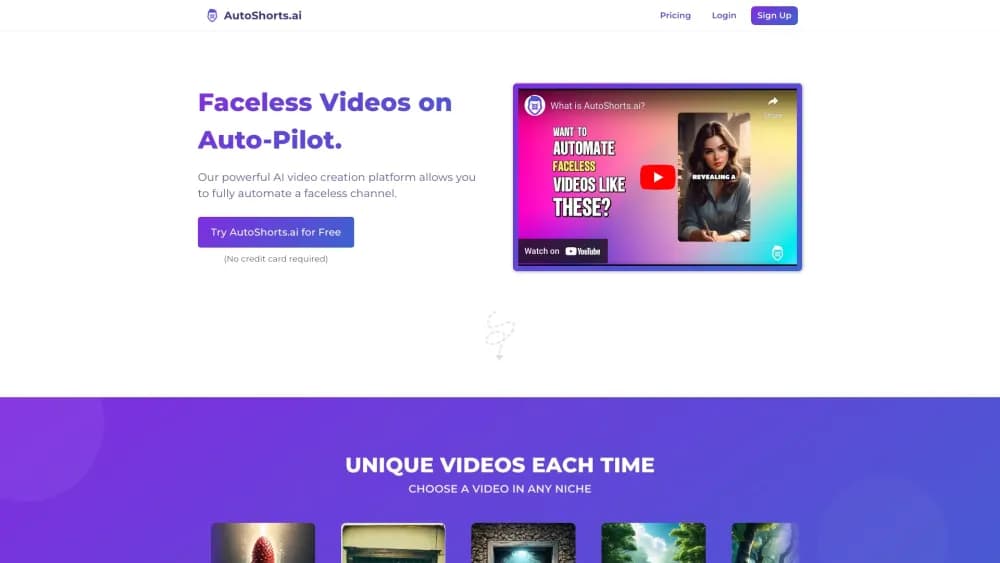
AutoShorts.ai is an AI faceless video generator that writes scripts, voices, and visuals, then schedules and auto-posts short videos to TikTok, YouTube, and Instagram on its own.
About AutoShorts.ai
What Is AutoShorts.ai
AutoShorts.ai is a web platform for running faceless channels without a camera, a microphone, or an editing timeline. It sits in the same space as other faceless YouTube automation tools, but it centers on recurring output rather than one-off clips. You set up a Series once: a topic, a narration voice, a visual style, a language, and a posting schedule. The platform then writes a fresh script for every episode, generates the voiceover, pulls matching scene visuals, burns in captions, adds music, and renders a vertical video.
The problem it solves is consistency. Most short-form creators quit because producing a single good video takes hours, and a channel needs new ones every day. AutoShorts.ai turns that grind into a repeating job that runs in the background, so the effort is front-loaded instead of repeated for every clip.
The main limit is creative control. You pick the direction, but the script and visuals come from templates and AI models, so a Series tends to look and sound like itself over time. Creators who want every frame hand-tuned will find the automation faster but less flexible than a full editor.
Getting Started
- Sign up with an email or a social login. The free plan needs no credit card.
- Create a Series: choose a niche or write a custom prompt, then set the voice, art style, language, video duration, and background music.
- Connect a TikTok, YouTube, or Instagram account you want the videos posted to.
- Set a posting schedule and let the Series generate episodes ahead of time.
- Preview each upcoming video and edit the script, title, or music if you want, then let it publish on autopilot.
Product Information
A quick look at AutoShorts.ai's pricing, supported platforms, and performance.
Best for
The users, tasks, and scenarios where this tool fits best.
Users
- Solo creators who want to run a faceless TikTok or YouTube Shorts channel without appearing on camera, as long as they can supply a topic and a schedule.
- Social media managers producing recurring content for client accounts, provided they review each video before it goes live.
- Content marketers testing a niche before investing in hands-on production, since the free plan and low starter tier keep the entry cost down.
Tasks
- Writing and narrating short scripts on a repeatable topic like scary stories, history, or facts, with captions and music added automatically.
- Keeping a posting calendar full without editing
- Adapting the same format across three platforms, because one Series can push to TikTok, YouTube, and Instagram at once.
- Batching a week of content in one sitting by previewing and adjusting upcoming videos before they post.
Scenarios
- Launching an anonymous channel as a side project while working a full-time job, where daily output matters more than perfect production.
- Running several themed channels in different niches, each with its own Series and voice.
- Filling a content gap for a brand that needs a steady stream of short vertical videos but has no camera crew.
Key features
Series Automations
A Series is the core unit of the platform. Instead of generating one video at a time, you define a topic and creative settings once, and the Series keeps producing new episodes on your schedule. This is the feature that separates AutoShorts.ai from one-off generators, since the work happens in the background after a single setup. You can run several Series side by side to cover different niches or languages.
Script, Voice, and Visuals in One Pass
Every production step is handled inside the platform. AutoShorts.ai writes the script for the topic, generates a natural narration voice, selects or creates scene visuals that match the lines, adds captions and background music, and renders the finished file. You do not need to record audio, film footage, or open a separate editor, which is what makes a camera-free workflow realistic.
Scheduled Auto-Posting
You connect an eligible TikTok, YouTube, or Instagram account and set the times you want videos to go out. As an auto posting tool, the platform then publishes finished episodes automatically, so your posting cadence stays steady even on days you do not log in. Because the videos leave the editor already formatted vertically, they match the native shape of Shorts, Reels, and TikTok.
Review Before Publishing
Automation doesn't mean you lose the final say. You can preview upcoming videos and change the script, title, or background music before the scheduled time. This review step is useful when a topic is sensitive or when you want a hook worded a certain way, and it keeps a scheduled post from going out unfiltered.
Flexible Creative Direction
To make a channel recognizable, you choose the voice, art style, language, video duration, and soundtrack once, and every episode inherits them. You can start from a popular niche or write a custom prompt for a format that does not exist yet. The consistency is deliberate: viewers learn what your channel sounds and looks like.
Built-In Idea Library
The platform ships with proven niches such as scary stories, history and mythology, motivation, educational explainers, Reddit-style stories, facts and trivia, and personal finance. These act as starting points, so you don't need a content strategy on day one. A custom prompt path covers anything outside the built-in list.
Pros and cons
Pros
- Automates the full pipeline, from script and voiceover to captions, music, and rendering, so no camera or editing skills are required.
- The Series model keeps a channel posting on a schedule with a single setup, which suits creators who want passive output.
- Auto-posting reaches TikTok, YouTube, and Instagram from one dashboard, cutting down on manual uploads.
- Pricing starts with a free plan, and the paid tiers climb gradually from $19 to $69 per month, so you can test before committing.
- You can preview and edit each video before it publishes, which keeps a human in the loop on scheduled content.
Cons
- There is no public API, so you can't drive generation or posting from your own scripts or automation stack.
- Creative control is bounded by templates and AI models, which means videos from the same Series can start to feel alike over time.
- The free plan carries a watermark and limits you to a single Series, so serious output needs a paid tier.
- Some features depend on connecting a social account, so a channel set up only for local downloads loses part of the automation value.
Frequently asked questions
AutoShorts.ai creates faceless short videos and posts them for you. You define a recurring Series with a topic and creative settings, and the platform writes, narrates, edits, and publishes new episodes on your schedule.
Related content
Explore related tools, skills, and articles for AutoShorts.ai.
AutoShorts.ai Alternatives

ngram 2.0
ngram · Video · Marketingngram 2.0 is an AI video generator for teams. It turns a prompt, a screen recording, or a product URL into a narrated explainer, product demo, or AI avatar video, and every scene stays editable.

OpenScreen 2
OpenScreen (open-source project) · Video · ProductivityOpenScreen 2 is a free, open-source screen recorder and demo video editor for Windows, macOS, and Linux, with automatic zooms, styled frames, local captions, and agent edits.

Skreno
Skreno · Video · ProductivitySkreno is a browser screen recorder that captures a tab, a window or your whole display, then attaches AI transcripts, summaries and console logs to one share link.