

Ava Studio
Ava Studio · Video
Ava Studio is an agentic AI video production platform built for turning a brief or prompt into dozens of polished, ready-to-run video ads. It handles the parts most teams hate: creative strategy, high-velocity generation, and post-production editing. Marketing teams, agencies, and solo founders use it when they need volume without hiring a full production crew. If your bottleneck is the sheer amount of ad creative you can ship each month rather than the polish of any single video, this platform is built for exactly that problem.
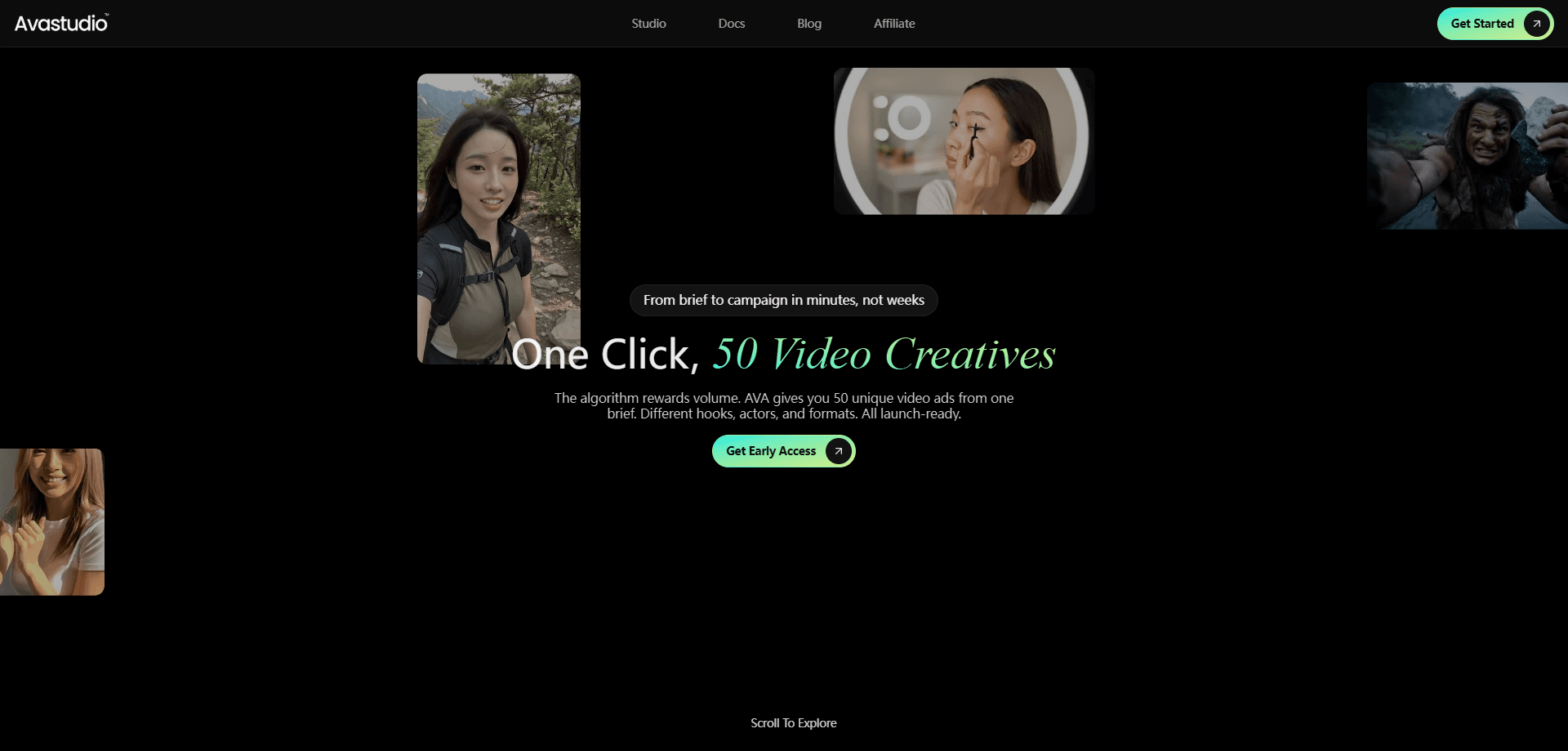
About Ava Studio
What Is Ava Studio
Ava Studio sits between a script and a finished ad. You feed it a brief or a prompt, and it plans the creative angle, generates the video assets, then edits them into versions you can publish. The point isn't one hero video. It's dozens of variants you can test across channels. So what sets it apart from a plain editor is the agentic planning layer that runs before any rendering happens at all.
The platform fits teams that already know their product but can't scale production fast enough. Traditional video ads mean scripting, shooting, editing, and shipping one version at a time, and by the time that version is live the campaign window has usually moved on. Ava Studio compresses that loop so a marketer can run a full ad set before the opportunity closes.
There are limits worth knowing up front. Your output quality depends on how specific your brief is, and generated ads still need human review before they go live. If you need full cinematic control or a shot list you walk through frame by frame, this isn't a replacement for a production studio. So why would a marketing team hand creative direction to an agent at all? Because the alternative, producing one ad at a time by hand, can't keep pace with how fast ad platforms burn through fresh creative.
Getting Started
- Create an account on the Ava Studio site and confirm your email.
- Write a brief or prompt: product, audience, angle, and the action you want viewers to take.
- Let the agent generate a batch of concepts and video drafts.
- Refine the winning cuts with the built-in editing tools.
- Export the versions you want and launch them on your ad channels.
Product Information
A quick look at Ava Studio's pricing, supported platforms, and performance.
Best for
The users, tasks, and scenarios where this tool fits best.
Users
- Performance marketers
- Small agencies
- Solo founders
Tasks
- Generating dozens of video ad variations from one brief, so you can find the winners faster.
- Turning a plain product description into a scripted, edited video ad.
- Refreshing tired creative on social channels without a new shoot.
Scenarios
- Running a paid social campaign
- Testing a new product angle
- Keeping an always-on ad account stocked when your team is small.
Key features
Agentic Creative Strategy
Ava Studio plans the creative itself. Give it a brief and it decides on angles, hooks, and structures before generating anything. You get concepts instead of a blank canvas.
High-Velocity Generation
The whole selling point is volume. One prompt can become dozens of video ads in a single pass, which is what separates a true video ad generator from a tool that just makes one clip at a time. That matters when you're running a test-and-learn campaign and need a batch of options rather than a single polished spot. Creative automation at this scale is the reason teams can test more angles in a week than they used to test in a quarter.
Built-In Post-Production
Editing is part of the platform, not a separate export step. Video editing AI lives inside the same workspace where the ads were generated, so you can take a raw cut and trim, reorder, and refine it into something you'd actually publish. Fewer tools to stitch together, and no round trip through a separate editor.
Brief-to-Ad Workflow
The pipeline runs from brief to final ad without leaving the product. You describe the goal once and move through strategy, generation, and edits in the same place.
Variant Testing at Scale
Because output is cheap and fast, you can produce enough variants to run a real A/B test. Small teams that used to test two ads a month can test twenty. When you can generate twenty variants from the same brief and let the ad platform pick the winner on real signals, the whole testing cadence changes.
Pros and cons
Pros
- Turns a single brief into dozens of ad variants, which is the hard part of scaling creative.
- Strategy, generation, and editing live in one platform, so you're not juggling three tools.
- Built for speed, which suits campaigns with tight turnarounds.
- Low barrier for marketers without video production backgrounds, and built-in post-production means you can refine a generated cut without opening a separate editor or exporting files between tools.
Cons
- As of the latest information available, there's no free plan, so you have to pay before you know if the output fits your brand.
- Quality tracks your brief. Vague inputs produce generic ads, so the tool rewards teams who can write clear direction.
- No public API means you can't wire it into an automated pipeline.
- You still need human review before anything goes live, so it doesn't remove editorial work.
Frequently asked questions
It turns a brief or prompt into finished video ads. The platform handles creative strategy, generates the video assets, and edits them into versions you can publish. You're not assembling a video from scratch.
Related content
Explore related tools, skills, and articles for Ava Studio.
Ava Studio Alternatives

ngram 2.0
ngram · Video · Marketingngram 2.0 is an AI video generator for teams. It turns a prompt, a screen recording, or a product URL into a narrated explainer, product demo, or AI avatar video, and every scene stays editable.

OpenScreen 2
OpenScreen (open-source project) · Video · ProductivityOpenScreen 2 is a free, open-source screen recorder and demo video editor for Windows, macOS, and Linux, with automatic zooms, styled frames, local captions, and agent edits.

Skreno
Skreno · Video · ProductivitySkreno is a browser screen recorder that captures a tab, a window or your whole display, then attaches AI transcripts, summaries and console logs to one share link.