

AVCLabs Video Enhancer AI
AVCLabs Inc. · Image · Video
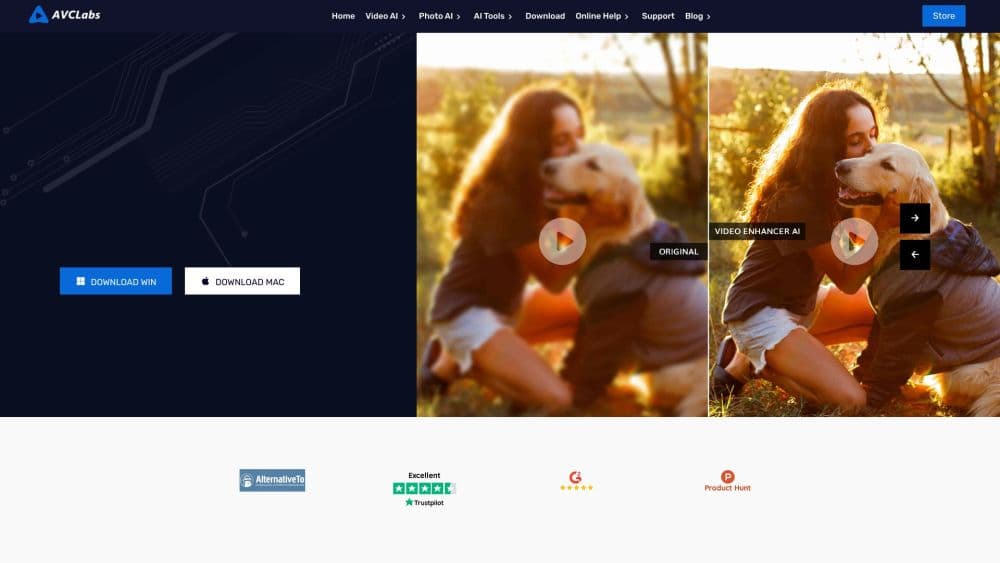
AVCLabs Video Enhancer AI is desktop software that sharpens blurry footage, removes noise, upscales clips to 4K or 8K, colorizes black-and-white video, and stabilizes shaky shots on your own machine.
About AVCLabs Video Enhancer AI
What Is AVCLabs Video Enhancer AI
AVCLabs Video Enhancer AI is Windows and macOS video enhancement software for people who want cleaner video without learning a full editing suite. You drop in a clip, pick an AI model, choose an output resolution, and the app processes the file on your own hardware. The same window covers upscaling, denoising, deblurring, face recovery, colorization, frame interpolation, stabilization, and object blurring.
The appeal is local processing. Nothing gets uploaded, so long files and private footage don't hit cloud file size limits. That also means the speed depends on your graphics card, and the app asks for a reasonably recent machine with 16GB of RAM and a dedicated GPU for the heavier 4K and 8K models.
The tradeoff is scope. This is a repair and upscale tool, not an editor. You won't find timeline editing, transitions, or audio mixing here. Plan on finishing your cut in another program, then running the final file through AVCLabs for cleanup.
Getting Started
- Download the trial from the AVCLabs site and install it on Windows 11, Windows 10 (64-bit), or macOS 12 through macOS 26.
- Add a video file, then drag the playhead to a section that shows the problem you want to fix.
- Pick an AI model for the job: upscaling, denoising, colorization, frame interpolation, stabilization, or blurring. Set the target resolution and export format.
- Preview a short range, adjust the settings if the result looks over-sharpened, then export the full clip to MP4, MKV, MOV, or AVI.
Product Information
A quick look at AVCLabs Video Enhancer AI's pricing, supported platforms, and performance.
Best for
The users, tasks, and scenarios where this tool fits best.
Users
- Family archivists
- Solo video creators
- Documentary and archive researchers
Tasks
- Upscaling old footage
- Cleaning low-light video
- Colorizing black-and-white film
- Fixing handheld shake
Scenarios
- Restoring a family archive before a reunion
- Preparing client footage under a confidentiality agreement
- Making old game captures or anime look current
Key features
AI Video Upscaling to 4K and 8K
The upscaler rebuilds resolution rather than stretching pixels, which is why people use it to upscale video to 4K without the mush you get from a basic resize. You can push a clip up to 400% of its original size, landing at 1080p, 4K, or 8K, and the model adds edge detail and texture as it goes. Results depend on source quality: clean DVD footage responds well, while heavily compressed social media downloads leave less to work with.
Separate AI Models for Different Jobs
Instead of one generic filter, the app ships a set of models for upscaling, denoising, deblurring, face recovery, colorization, frame interpolation, and stabilization. Each has standard and high-quality variants, so you can trade speed for detail on a slower machine. Anime and animation sources get their own models, which avoid the plastic look that general models produce on line art.
AI Video Denoiser and Deblurring
The denoiser removes low-light noise, film grain, compression artifacts, and low-bitrate distortion. Separate deblurring handles soft focus and motion blur. Both work on the same pass, and a Detail Balance control lets you pull back over-sharpening when faces start to look waxy.
AI Video Colorization
The colorizer analyzes each frame's content, lighting, and objects, then applies tones that fit the scene. The Premium model processes 16 frames at once, which reduces flicker and color shifts in moving shots. A Render Factor slider from 8 to 32 controls how strong the color treatment gets, and AVCLabs recommends 8GB of VRAM or more for that model.
Frame Interpolation and Slow Motion
The app inserts intermediate frames to raise a 24FPS or 30FPS clip to 60FPS or 120FPS. That smooths stutter in panning shots and makes slow motion cleaner, since the software builds new frames from motion vectors instead of just repeating existing ones. Fast action benefits most, and the output holds up better than a simple speed change.
Video Stabilizer and Object Blurring
Motion-aware stabilization corrects shake frame by frame without cropping the image. The bundled Video Blur tool detects and blurs faces, license plates, and other objects, and it can track moving subjects automatically. You can also import a face for repeated recognition, which helps when anonymizing footage of the same person across a long recording.
Pros and cons
Pros
- Runs entirely on your own computer, so there are no upload limits and no cloud storage of private footage.
- Covers upscaling, denoising, colorization, frame interpolation, stabilization, and blurring in one program.
- GPU acceleration works with NVIDIA, AMD, Intel, and Apple M series chips, and AVCLabs claims up to 3x faster processing on supported hardware.
- Free trial lets you test the models on your own files before paying.
- Handles a wide input list, including MP4, MKV, MOV, AVI, MTS, VOB, WMV, and WEBM.
Cons
- 4K and 8K work needs a strong GPU. On a laptop with integrated graphics, exports can take hours.
- There's no timeline editor, so the app fits a cleanup step rather than replacing your editing software.
- The interface packs a lot of model options into one screen, and picking the right one takes some trial and error.
- No API, which rules out automated batch pipelines for teams that need one.
Frequently asked questions
There's a free trial that covers the full feature set, including upscaling, restoration, colorization, face recovery, and slow motion. Trial output is usually limited, so you'll need a license to export finished files at full quality.
Related content
Explore related tools, skills, and articles for AVCLabs Video Enhancer AI.
AVCLabs Video Enhancer AI Alternatives

X Ray Interpreter
X-ray Interpreter · ImageX Ray Interpreter is a web-based AI radiology tool that turns X-rays, CT scans, MRI, ultrasound, and PET images into plain-language reports. You upload a scan, get a preliminary X-ray interpretation in moments, then ask follow-up questions if something needs explaining. It works as a second opinion and a learning aid, not as a medical diagnosis.

Aieasypic
AIEasyPic · ImageAIEasyPic is an AI image generator that turns plain text prompts into finished artwork in seconds. You can also train custom models on your own photos, swap faces in existing images, and create short video clips from text, all from a browser. It suits casual creators who want quick visuals and hobbyists who want to build a personal model without touching any code.

Chargen
Chargen · ImageChargen is an AI character generator and worldbuilding toolkit built for Dungeons & Dragons and other tabletop RPGs. It turns a one-line idea into a painted character portrait, spins up NPCs, monsters, maps and encounters from the same session, and keeps every creature's details close at hand. The tabletop RPG art side runs on a credit system called Gold, while the text generators stay free for everyone.