

Mayson
Mayson · Coding
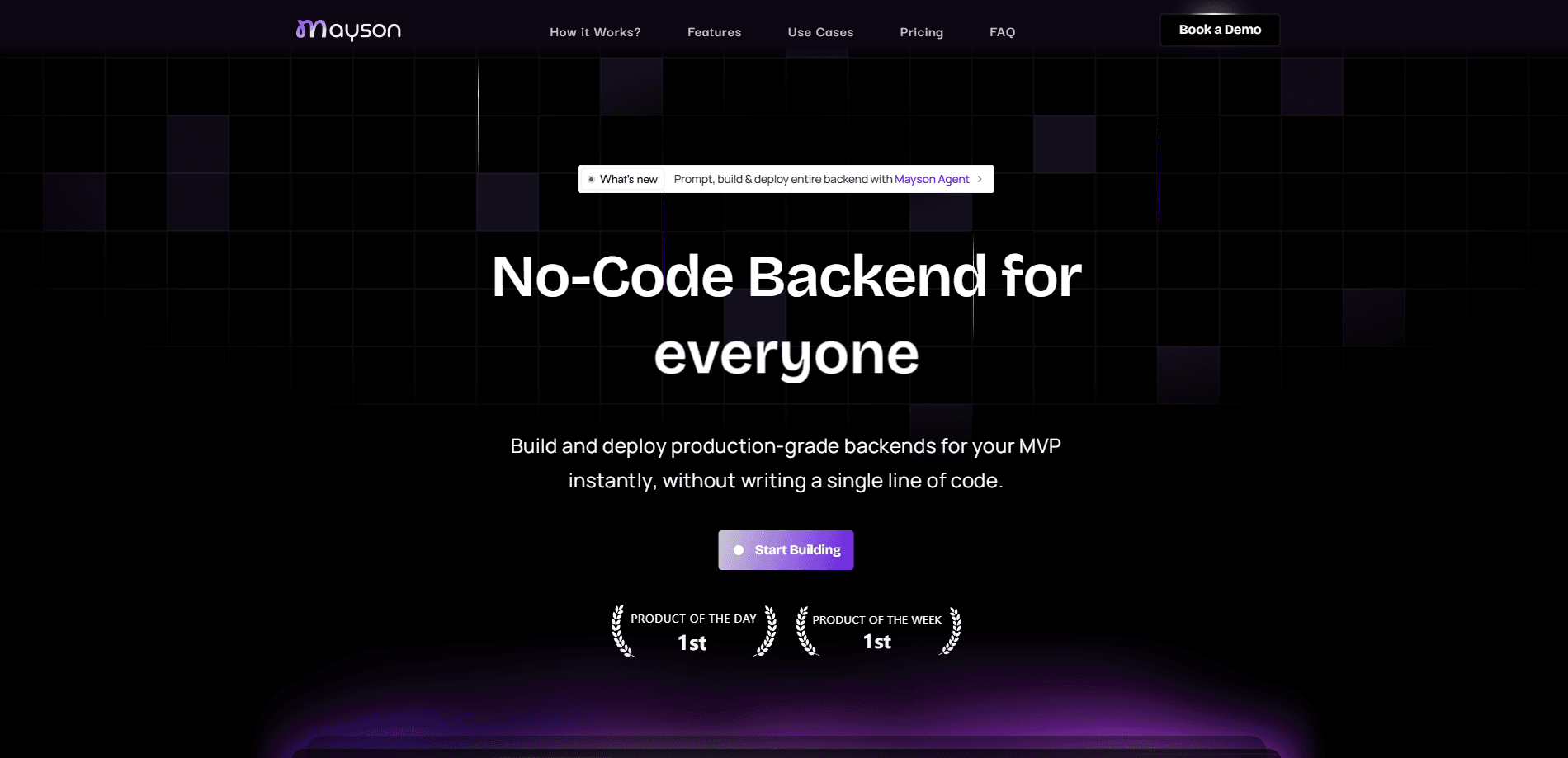
Mayson is a full-stack AI app builder that turns one prompt into a deployed app with a real database, authentication, payments, and a frontend you can actually ship.
About Mayson
What Is Mayson
Mayson is a web-based AI app builder from a team based in Noida, India. You describe the app you want in plain language, and it generates the whole thing at once: interface, backend, database, login system, and a payment flow. Everything gets deployed to infrastructure built to take live traffic, so there's no separate setup step after the build finishes.
The pitch is aimed at founders and small teams who need software that holds up in production but don't want to staff an engineering team to get it. It sits in the vibe coding category of tools, where you describe software and let a model write it. Most tools in this space hand you a good-looking frontend sitting on top of fake data. The moment you need real accounts or data that persists correctly, you're stuck. Mayson tries to close that gap by generating the backend alongside the interface rather than leaving it as an exercise for later.
The honest limits matter here. Mayson's own engineers say the company is still pre-seed with a small early customer base, so documentation, community answers, and edge-case coverage are thinner than what you'd get from a mature platform. More involved logic, like multiple user roles with different permissions, takes patient iteration even with the infrastructure handled for you. And if you need to control exactly which region your database lives in for compliance reasons, an automated deployment model trades that control away by design.
Getting Started
- Sign up at mayson.dev. The free tier needs no credit card and gives you 10 build credits to test an idea.
- Describe the app you want in the prompt box. Be specific about the core action and who uses it, since a vague first pass usually returns something generic.
- Watch Mayson generate the frontend, database schema, authentication, and backend in one pass, then preview the result.
- Iterate by rewriting your instructions in plain language, like asking for a different default value or a new field, instead of hunting through settings panels.
- Claim a custom domain, set environment variables, and switch payments from test mode to live mode when you're ready to go.
- Own the output. The code and repo come with the account, so you can hand it to a developer or migrate it later.
Product Information
A quick look at Mayson's pricing, supported platforms, and performance.
Best for
The users, tasks, and scenarios where this tool fits best.
Users
- Non-technical founders
- Solo indie builders
- Small agencies and teams
Tasks
- Building a client tracker or internal tool
- Launching a booking or directory site
- Setting up a small subscription product
- Prototyping an idea under real conditions
Scenarios
- Testing an idea before paying
- Shipping without an engineering team
- Matching a funded team's pace on your own
Key features
One-Prompt Full-Stack Generation
A single description produces the frontend, database, authentication, and backend APIs together, not a frontend with mock data bolted on. It works as both an AI app generator and an AI backend builder, since the backend is generated rather than assumed. You get the connected pieces that most tools leave you to assemble yourself.
Deterministic Build Engine
Mayson maps your intent into a structured builder state instead of asking a language model to guess your architecture. The company says the same prompt produces the same output every time, which is the reliability claim the whole product rests on.
Real Database and Authentication
Generated apps ship with a database that keeps your data after you close the tab, and a login system that actually checks a password against a stored record. The company's own testing shows records surviving a closed session and wrong passwords being rejected.
Payments Through Stripe
The payment flow runs through Stripe's own systems rather than showing a fake success screen. A working integration, even in test mode, creates a real transaction you can find in the Stripe dashboard.
Automatic Deployment
Deployment happens inside the same generation process, so there's no separate step to perform afterward. This is what lets you deploy an app without code deploys of your own to manage. Mayson provisions the database, configures authentication, and puts the app on infrastructure built to serve live traffic.
Code Ownership and Custom Domains
The code and repo belong to whoever prompted the app, so you can hand it to a developer or migrate it if your needs change. Paid tiers add a custom domain, model selection, backups, and an always-on backend.
Pros and cons
Pros
- Generates a real backend, database, and authentication in the first pass, not a frontend mockup.
- Own the code and repo, so you're not locked into the platform if you outgrow it.
- Free tier with 10 build credits and no credit card is enough to test whether an idea holds up.
- Iterating means rewriting your instructions in plain language, not learning a tool's internal logic.
- Deployed apps are built to handle real users from day one, without a rebuild when traffic arrives.
Cons
- Multi-role permissions and complex conditional logic still take slow, careful iteration to get right.
- Still pre-seed with a small customer base, so documentation and community answers are thin.
- Automated deployment trades away granular control, such as picking a specific database region for compliance.
- A vague first prompt produces generic results, so expect at least a second, more specific pass.
Frequently asked questions
Mayson builds and deploys full-stack web apps from a written description. You describe the app, and it generates the interface, database, authentication, payments, and backend, then puts it online at a URL.
Related content
Explore related tools, skills, and articles for Mayson.
Mayson Alternatives
Forefront
Forefront · CodingForefront is a web platform for building with open-source AI. It lets you fine-tune leading open-source language models on your own data, evaluate how they perform, and run them through an API or export them to host yourself. Developers who want the convenience of a closed-source platform but insist on owning their models and data are the target audience here.

Startkit
StartKit.AI · CodingStartkit is a boilerplate for building AI SaaS and AI wrapper products. Think of it as an AI startup boilerplate with the boring parts already wired up: authentication, Stripe and Lemon Squeezy payments, usage limits, transactional email, and an AI API starter that talks to OpenAI, Anthropic, Groq, or Llama. You clone the repo, set your price, and start on the part of your product that people actually pay for. It's Next.js under React and Tailwind, so most of the boilerplate code already feels familiar.
Testim
Tricentis · CodingTestim is an AI-powered test automation platform for building and running end-to-end tests across web, mobile, and Salesforce applications. It leans on machine learning to keep tests stable when an interface changes, so teams spend less time fixing broken selectors. Not bad for an automated testing tool you can start using today. You create tests by recording actions in a browser, then optionally add JavaScript when you need more control. It's a solid pick for busy QA teams.