

Banana Pro
Banana Pro · Video
Banana Pro is an AI image and video generator that runs on Google's Nano Banana Pro model, wrapping it in a single browser workspace for stills and motion clips. It handles 2K and 4K output, renders readable text in dozens of languages, and keeps characters and objects consistent across scenes. Pricing starts free to try and scales through Basic, Pro, Max and Ultra plans for heavier workloads.
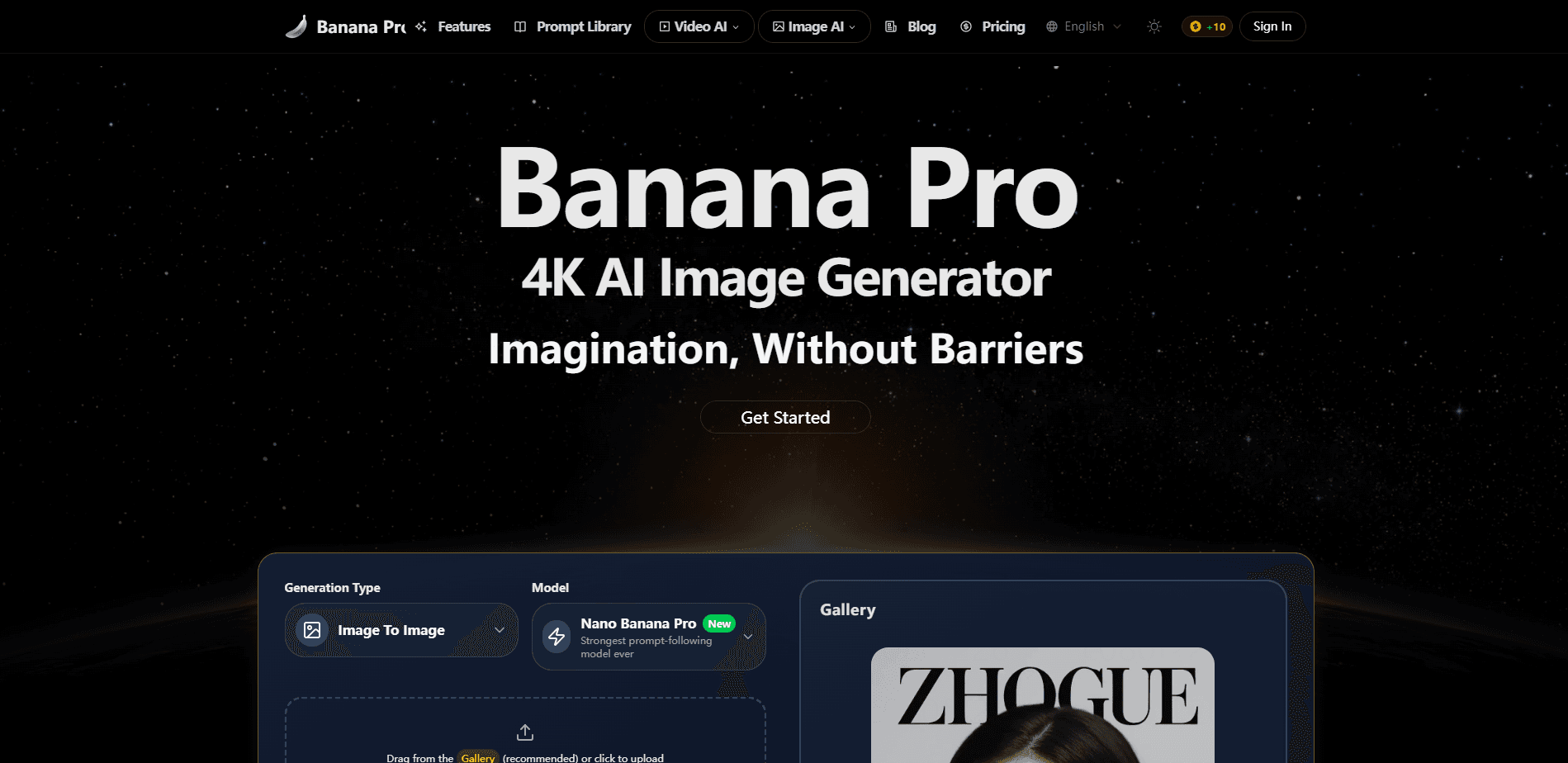
About Banana Pro
What Is Banana Pro
Banana Pro is a web platform for generating and editing images and short videos with AI. It sits on top of Google's Nano Banana Pro model, which is known for reasoning about a scene before drawing it. That matters if you've ever typed a prompt and gotten a result that ignored half of what you asked for.
The product targets a wide crowd. Casual users get a plain-English editor that needs no prompt engineering, while teams get batch jobs, API access and a commercial license on the higher tiers. Outputs arrive watermark-free, so you can publish them without a cleanup pass.
The main limitation is credits. Everything runs on a credit budget that varies by plan, and heavier 4K or video work burns through them faster than standard stills. If you generate in volume, the cost math is the first thing worth checking, not the last. Credits are the real constraint here.
Getting Started
- Create an account on the Banana Pro site using your email or a linked login.
- Pick a plan or top up a one-time credit pack to get generation credits.
- Open the creation hub and choose an image or video model.
- Describe your idea in the prompt box, then let the AI Optimizer expand it into a detailed brief.
- Refine the result through follow-up messages, then download it as JPG, PNG or WebP.
Product Information
A quick look at Banana Pro's pricing, supported platforms, and performance.
Best for
The users, tasks, and scenarios where this tool fits best.
Users
- Casual creators
- Professional designers
- Marketing teams
- Indie video makers
Tasks
- Social media visuals
- Product mockups
- Storyboarding
- Localized campaigns
- Photo editing
Scenarios
- You need a quick ad image and don't want to open a full design suite.
- A campaign requires the same mascot across twenty scenes.
- You're prototyping a video and want reference frames first.
- A client asks for print-ready resolution on a tight deadline.
Key features
Google Nano Banana Pro Model Access
Banana Pro runs on Google's Nano Banana Pro model, a system built to reason about context before generating. That shows up as fewer prompts that miss the mark and more usable first drafts. The model handles both photo-realism and illustration, so one tool covers several styles without switching apps. Fewer retries, less wasted time.
Text Rendering Across Languages
Getting AI images to spell words correctly has been a long-running headache. Banana Pro renders text in the prompt directly into the image, from English to Chinese characters and beyond. For logos, posters or memes, this cuts out the awkward step of patching text in afterward. It just works, most of the time.
Character and Scene Consistency
The platform holds facial features, clothing and styling steady across multiple scenes and reference images, which means a recurring character keeps the same face no matter how many panels you build. If you're building a comic panel sequence or a brand asset set, you get a cohesive look without manually retouching every frame. It's a feature that quietly saves hours on multi-part projects.
4K Image Generation and Flexible Aspect Ratios
Outputs reach 2K and 4K depending on your plan, with aspect ratios tuned for social, print or widescreen. High-resolution files mean assets hold up in large-format printing, not just on a phone screen. Just remember that higher resolution draws more credits. If you need 4K image generation at volume, budget for it before you start.
Image and Video in One Hub
Banana Pro combines still generation and short video in a single workspace. You can sketch a concept as an image, then animate it without exporting to another service. That consolidation is the difference between a five-minute idea test and a full afternoon of tool-hopping. One tab. That's the pitch.
AI Prompt Optimizer
The Optimizer turns a rough idea into a detailed prompt, filling in the specifics an experienced user would add by hand. Beginners get a strong starting point, and veterans get a faster way to explore variations. It removes most of the guesswork about what wording the model responds to.
Precision Editing and Conversational Refinement
You can edit an existing image while keeping its original composition and lighting intact, then iterate by simply describing what you want changed instead of rewriting a prompt from the ground up. There's no need to restart from scratch when a detail is off. Think of it as talking a concept into shape rather than rebuilding it each round.
Watermark-Free AI Art
Every paid tier delivers watermark-free AI art, so what you download is what you publish. No post-processing. No logo stamped over the corner of your poster. That matters most when an image heads straight to a client or a campaign page.
Pros and cons
Pros
- Text rendering actually works, which fixes a common weakness in AI image tools.
- Character consistency across scenes is strong enough for storyboards and brand assets.
- Watermark-free output on every paid tier, so assets are publish-ready.
- Image and video share one workspace, cutting time spent jumping between apps.
- API access on the Ultra plan opens the door to automated pipelines.
- The AI Optimizer lowers the entry bar, so beginners don't need to learn prompt tricks.
Cons
- No free plan, so you can't test the model without paying first.
- Credit budgets run out fast on 4K and video work, which pushes heavier users to higher tiers.
- Commercial licensing sits behind the Pro tier, so casual Basic users can't sell their output.
Frequently asked questions
No. There's no free plan, and generation runs on credits tied to a paid subscription or one-time pack. The cheapest entry is the Basic tier at $7.42/mo when billed annually.
Related content
Explore related tools, skills, and articles for Banana Pro.
Banana Pro Alternatives

ngram 2.0
ngram · Video · Marketingngram 2.0 is an AI video generator for teams. It turns a prompt, a screen recording, or a product URL into a narrated explainer, product demo, or AI avatar video, and every scene stays editable.

OpenScreen 2
OpenScreen (open-source project) · Video · ProductivityOpenScreen 2 is a free, open-source screen recorder and demo video editor for Windows, macOS, and Linux, with automatic zooms, styled frames, local captions, and agent edits.

Skreno
Skreno · Video · ProductivitySkreno is a browser screen recorder that captures a tab, a window or your whole display, then attaches AI transcripts, summaries and console logs to one share link.