

Banana Prompts
Banana Prompts · Image · Prompts
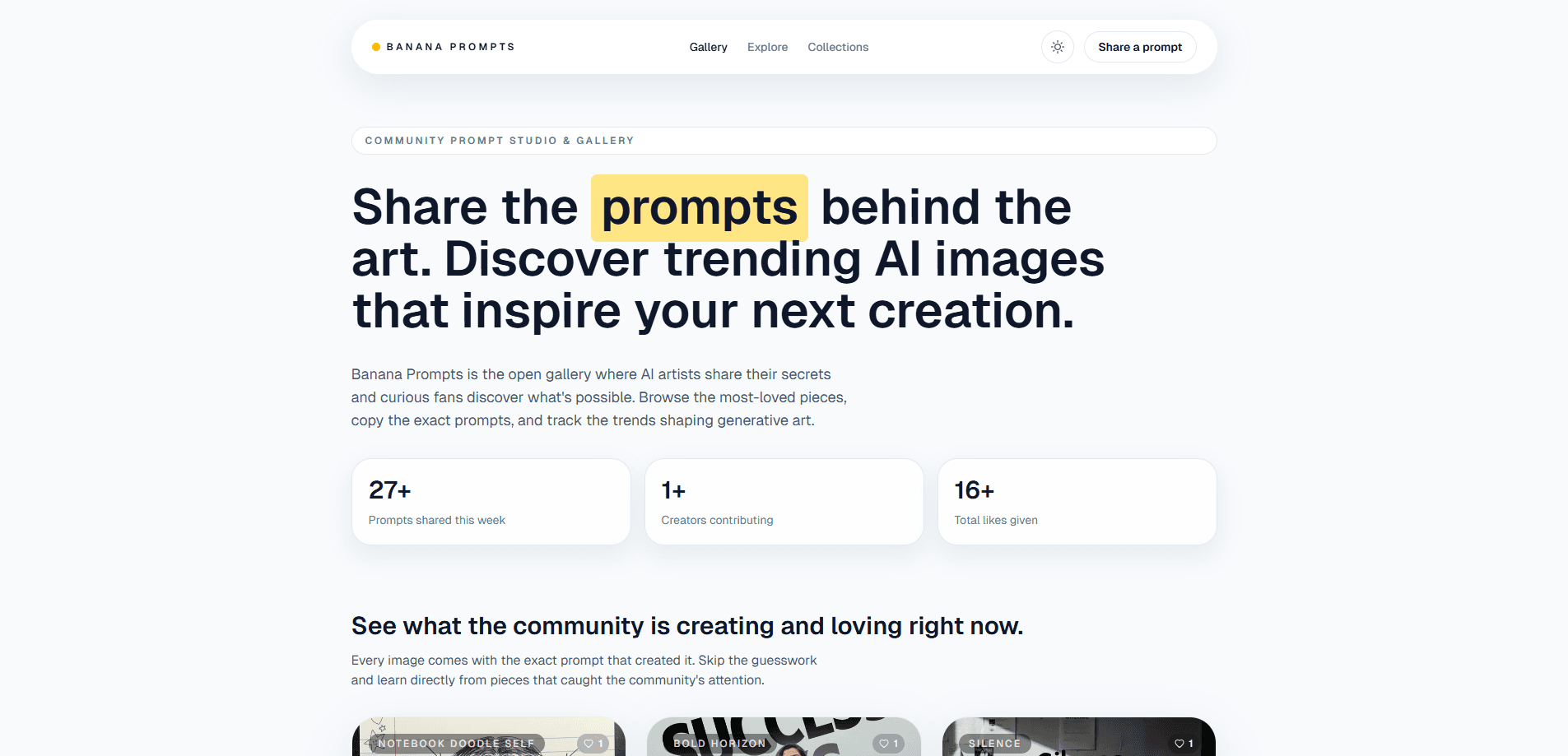
Banana Prompts is a community prompt studio and gallery where AI artists share the exact prompts behind their image and video work. You browse cinematic AI art, copy the recipe that made it, tweak the settings, and remix the result with your own model. It sits somewhere between a portfolio site and a working library of prompt templates. Simple premise. Big payoff.
About Banana Prompts
What Is Banana Prompts
Banana Prompts is a web-based gallery built around one idea: the prompt matters as much as the picture. Instead of showing finished artwork alone, it shows the wording, seeds, CFG ratio, and negative prompt that produced each piece. That turns every gallery entry into something you can actually reuse rather than just admire. For a growing number of creators, that visible recipe is the difference between copying a look and never quite matching it.
The platform serves AI creators who want to reverse-engineer good results without guessing. If you have ever stared at a striking generated image and wondered how someone wrote the prompt for it, this is the place built to answer that question. It also functions as a small social layer, since creators build profiles, collect followers, and track how often their prompts get remixed.
The biggest limit is scope and polish. It runs on community submissions, so quality is all over the map. The tool is young. There is no team to vet every prompt, and the collection is thinner than larger prompt sites. Treat it as a helpful starting point, not a complete reference.
Getting Started
- Visit bananaprompts.xyz and browse the explore gallery, filtering by image or video prompts.
- Open any entry to read the full prompt, seeds, CFG ratio, and negative prompt behind the artwork.
- Copy the prompt recipe and adapt it to your own model, swapping in your subject or style.
- Create a free profile if you want to post your own prompts, follow creators, and track remix activity.
- Remix a prompt on the platform, or export the recipe and run it in your preferred AI image generator.
Product Information
A quick look at Banana Prompts's pricing, supported platforms, and performance.
Best for
The users, tasks, and scenarios where this tool fits best.
Users
- AI artists
- Beginners learning prompting
- Prompt writers building a following
Tasks
- Prompt sharing
- Reverse-engineering a look you liked
- Building a prompt library
- Studying image-to-video workflows
Scenarios
- When you're stuck on wording for a specific aesthetic
- When you want to credit and learn from other creators
- When testing a new model
Key features
Exact Prompt Recipes
Every entry shows the full prompt text plus the seeds, CFG ratio, and negative prompt behind it. So why does that matter? Because you can reproduce a result closely instead of guessing at settings. For anyone learning to write prompts, it's a shortcut to seeing what actually works. No more trial and error.
Image and Video Prompt Coverage
The gallery covers both still image prompts and video prompts, so you can study how motion and camera direction get written differently from static scene descriptions. Video prompts are harder to find in one place. That makes this coverage more useful than a pure image gallery.
Built-In Generation and Remix
You can run prompts on the platform itself rather than copying them somewhere else, then remix existing entries with your own adjustments. The workflow keeps browsing and creating in the same tab. It saves the friction of juggling a gallery and a separate generator. That alone makes quick experiments easier. Less tab switching, more making.
Creator Profiles
Creators get a profile that collects their posted prompts, followers, and remix analytics. If you're building a name as a prompt writer, that's a place to publish and see which recipes land. It also makes it easier for others to find and credit your work. Want a following for your style? Publish here.
Parameter Transparency
Seeds, CFG ratio, and negative prompts aren't hidden behind a paywall or buried in comments. They're shown as part of each entry by default. That openness is the main reason the gallery works as a learning tool instead of plain portfolio browsing. Rare, honestly.
Pros and cons
Pros
- Shows the full recipe behind each artwork, including seeds and CFG ratio, not just the final image.
- Covers both image and video prompts in one gallery.
- Free to browse and use, with no paywall on the prompt details.
- Creator profiles and remix tracking give prompt writers a reason to contribute.
- Built-in generation and remixing keep the workflow in one place.
Cons
- Community-submitted entries vary in quality, so you'll sift through some weak prompts to find good ones.
- The collection is smaller than established prompt libraries. Niche styles may not be covered at all.
- It's a young platform with no API, which blocks anyone wanting to automate prompt pulls.
- No mobile app, so the whole experience is tied to a browser.
Frequently asked questions
It's a gallery for finding and sharing the prompts behind AI-generated images and videos. You browse entries, read the exact prompt and settings, then copy or remix the recipe to make your own work.
Related content
Explore related tools, skills, and articles for Banana Prompts.
Banana Prompts Alternatives

X Ray Interpreter
X-ray Interpreter · ImageX Ray Interpreter is a web-based AI radiology tool that turns X-rays, CT scans, MRI, ultrasound, and PET images into plain-language reports. You upload a scan, get a preliminary X-ray interpretation in moments, then ask follow-up questions if something needs explaining. It works as a second opinion and a learning aid, not as a medical diagnosis.

Aieasypic
AIEasyPic · ImageAIEasyPic is an AI image generator that turns plain text prompts into finished artwork in seconds. You can also train custom models on your own photos, swap faces in existing images, and create short video clips from text, all from a browser. It suits casual creators who want quick visuals and hobbyists who want to build a personal model without touching any code.

Chargen
Chargen · ImageChargen is an AI character generator and worldbuilding toolkit built for Dungeons & Dragons and other tabletop RPGs. It turns a one-line idea into a painted character portrait, spins up NPCs, monsters, maps and encounters from the same session, and keeps every creature's details close at hand. The tabletop RPG art side runs on a credit system called Gold, while the text generators stay free for everyone.