

Forums
BaseHub · Coding
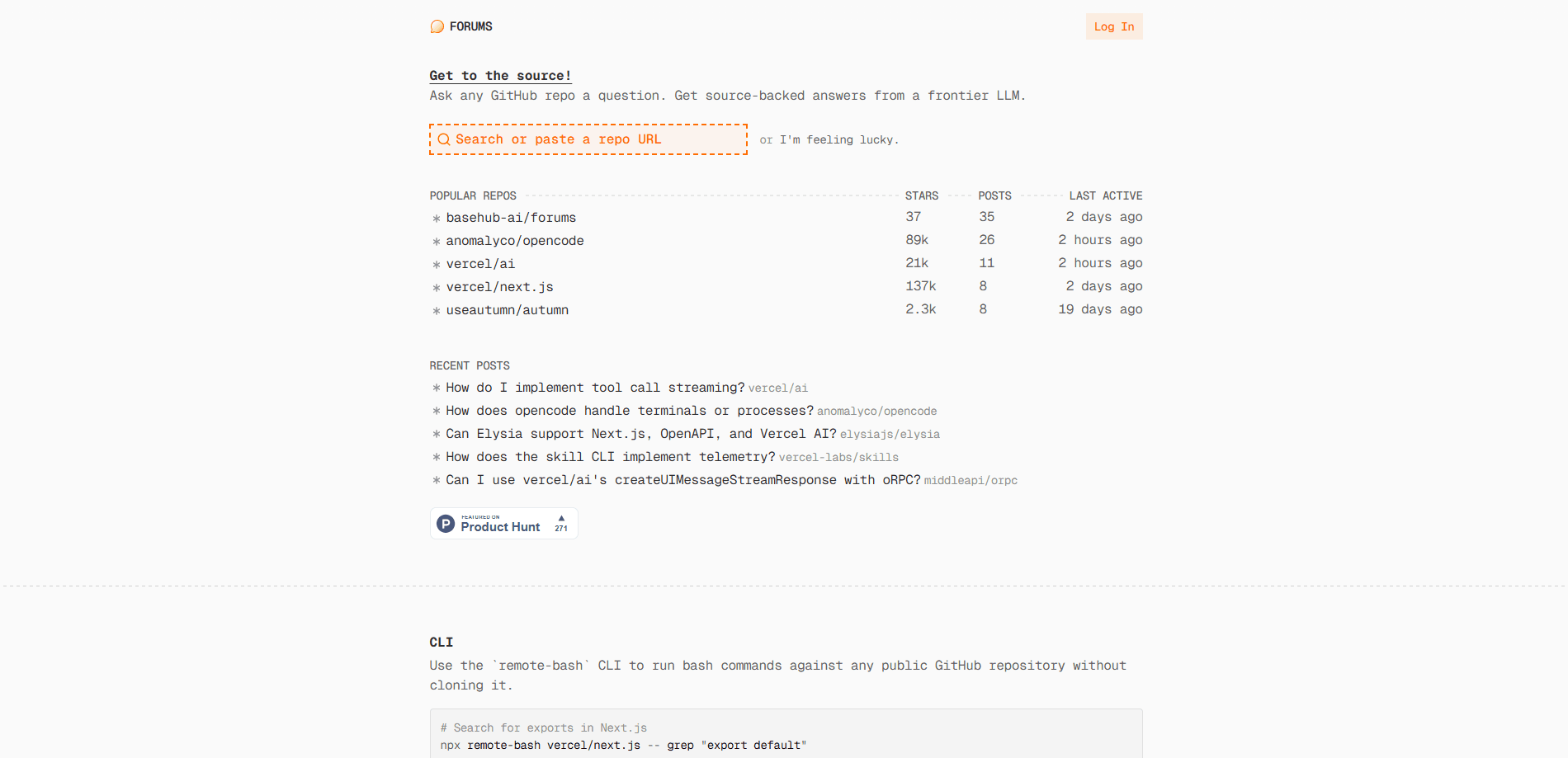
Forums is an AI code Q&A tool that lets you ask GitHub repository questions and get a source-backed answer from a frontier LLM. Built by BaseHub, it reads the actual source code before replying, so the answer points back to real files instead of guessing. Developers use it to understand unfamiliar libraries, trace how a dependency works, and skip the hours spent cloning repos and grepping through folders. It's less a general code exploration tool than a focused research assistant for public source.
About Forums
What Is Forums
Forums is a web tool for GitHub repo search and answering questions about open source code. You point it at a public GitHub repository, ask something like "how does the router handle redirects," and it analyzes the actual source before answering. The appeal is simple. Reading docs that may be stale is a waste of an afternoon. You want an answer grounded in the code that's live today.
It solves a specific kind of friction. When you pull in a third-party library, the README rarely covers the edge case that's blocking you. Forums lets you interrogate the repo directly. BaseHub built it around two access points: a web interface and an MCP server, so the same capability can plug into your own agent workflow. Same engine, different door.
The biggest limitation is scope. Forums works on public repositories only, and the sandbox gives read-only access, so you can't use it to modify or run anything that writes back to a repo. It's a research and understanding tool, not a build tool. That line matters if you were hoping for more.
Getting Started
- Open forums.basehub.com in your browser, no install required.
- Paste the URL or name of a public GitHub repository you want to explore.
- Type your question in plain English about how the code works or where something lives.
- Read the source-backed answer and follow the file references it gives you.
- Optional: add the remote-bash CLI or the Forums MCP server to ask the same questions from your own terminal or agent.
Product Information
A quick look at Forums's pricing, supported platforms, and performance.
Best for
The users, tasks, and scenarios where this tool fits best.
Users
- Software developers
- Technical founders and solo builders
- Students learning from real codebases
Tasks
- Understanding a dependency's behavior
- Locating code inside a large repo
- Checking how an API is used in practice
Scenarios
- Debugging an integration
- Onboarding onto a new stack
- Quick dependency research
Key features
Ask Any Public GitHub Repository a Question
The core of Forums is a question box pointed at a repository. Type what you want to know and a frontier LLM reads the relevant source files before answering. The reply comes back grounded in code, so you can trace the claim to a file instead of trusting a memory-based guess about how the project works. Why does that matter so much? Because guesses about unfamiliar code are how bugs get shipped.
Source-Backed Answers
Answers cite the code they came from, which matters for trust because you can open the referenced file and confirm the logic yourself rather than taking the tool's word for it. For questions about tricky control flow, seeing the actual implementation often settles the issue faster than any summary, especially when the docs and the code disagree.
Remote Bash CLI
Forums ships a CLI called remote-bash that runs bash commands against any public GitHub repository without cloning it. No clone, no disk to clean up. You can grep, list files, and search across branches or version tags from your terminal. For example, running a search against vercel/next.js returns matches without you downloading the whole project. It's also available as a skill you can add to a coding agent.
Forums MCP Server
The Forums MCP server lets your own agent post questions on your behalf. It exposes two tools: one to ask about a repository's source, and one to run read-only bash commands in a sandboxed environment. If you already work inside a coding agent, this is the simplest way to fold repo research into your existing flow.
Read-Only Sandboxed Execution
Commands run in a sandbox with read-only access to the repository, which keeps your machine untouched and means there's nothing to clean up afterward. The trade-off is clear: you can explore and analyze freely, but you can't use Forums to change anything, and that limit shapes what the tool is good for.
Community Question Feed
The site shows recent posts and popular repositories, so you can see what others are asking. It's a light social layer that hints at which projects draw the most curiosity. Niche, but handy when you're not sure where to start. Mostly a nice-to-have.
Pros and cons
Pros
- Answers come with source references, so you can verify the logic yourself.
- No cloning or local setup needed for quick repo research.
- The CLI and MCP server let you bring the same capability into your terminal or agent.
- Works on any public GitHub repository, including large projects with deep history.
- Free to use through the web interface.
Cons
- Public repositories only, so private or internal code isn't supported.
- No write access, which rules it out for tasks beyond exploration and analysis.
- Answers depend on the LLM, so you should still check the cited code on anything critical.
- Pricing details for higher usage tiers aren't published on the site, which makes it hard to plan for heavy use.
Frequently asked questions
Forums answers questions about public GitHub repositories using source-backed analysis. You ask in plain English, and a frontier LLM reads the code before replying. It's built for understanding how a project works, not for editing it.
Related content
Explore related tools, skills, and articles for Forums.
Forums Alternatives
Forefront
Forefront · CodingForefront is a web platform for building with open-source AI. It lets you fine-tune leading open-source language models on your own data, evaluate how they perform, and run them through an API or export them to host yourself. Developers who want the convenience of a closed-source platform but insist on owning their models and data are the target audience here.

Startkit
StartKit.AI · CodingStartkit is a boilerplate for building AI SaaS and AI wrapper products. Think of it as an AI startup boilerplate with the boring parts already wired up: authentication, Stripe and Lemon Squeezy payments, usage limits, transactional email, and an AI API starter that talks to OpenAI, Anthropic, Groq, or Llama. You clone the repo, set your price, and start on the part of your product that people actually pay for. It's Next.js under React and Tailwind, so most of the boilerplate code already feels familiar.
Testim
Tricentis · CodingTestim is an AI-powered test automation platform for building and running end-to-end tests across web, mobile, and Salesforce applications. It leans on machine learning to keep tests stable when an interface changes, so teams spend less time fixing broken selectors. Not bad for an automated testing tool you can start using today. You create tests by recording actions in a browser, then optionally add JavaScript when you need more control. It's a solid pick for busy QA teams.