

Bestlook AI
Ideal Match Inc. · Leaning
Bestlook AI is a web based simulator that previews facial cosmetic work on your own photo, with manual edits plus an AI prediction built on millions of beauty votes.
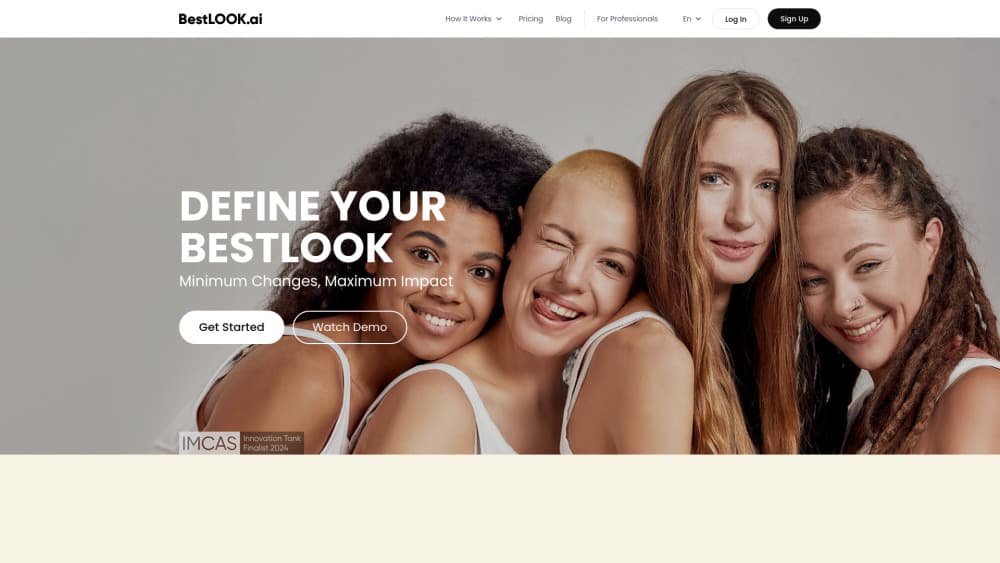
About Bestlook AI
What Is Bestlook AI
Bestlook AI is a browser tool for people who want to see a change before they commit to it. You upload a photo of your face, pick the areas you're curious about, and the app shows a version of you with a narrower jaw, a straighter nose, or fuller lips. The company behind it is Ideal Match Inc., a Delaware corporation based in New York.
The product sits between a mirror and a surgeon's office. Most people considering filler or a rhinoplasty have no picture of the result in their head, and a consultation can turn into a guessing game of adjectives. Showing a rendered image makes that conversation concrete. Virtual plastic surgery previews and cosmetic consultation software like this don't replace a doctor. They give you something to point at.
The limits matter as much as the feature list. The simulator works on face shape, nose, and lips only, so anything below the neck is out of scope. The output is an illustration of a possible look, not a clinical forecast. And the $14.99 individual plan includes a single AI prediction, which goes fast if you want to compare several directions.
Getting Started
- Sign up at bestlook.ai with an email address. The account area holds your simulations and your saved predictions. You must be 18 or older to use the service.
- Upload a photo. The site asks for a straight-on shot in decent light, since the model reads your proportions from that single frame.
- Choose the areas to work on. Face shape, nose, and lips are adjustable, and manual simulations are unlimited on both paid plans.
- Run an AI prediction if you want the app's own recommendation. It compares thousands of generated variants and returns the one its virtual panel rates highest.
- Save the before and after preview, or hand the enhancement guide to your cosmetologist or surgeon as a reference for the consultation.
Product Information
A quick look at Bestlook AI's pricing, supported platforms, and performance.
Best for
The users, tasks, and scenarios where this tool fits best.
Users
- People researching a first cosmetic procedure
- Cosmetologists and small clinics
- Anyone weighing a subtle change
Tasks
- Rhinoplasty simulation before a consultation
- Testing lip filler volume
- Setting patient expectations in a clinic
Scenarios
- Sitting on a decision for months
- A clinic handling walk-in questions
- Comparing two directions on the same face
Key features
Plastic Surgery Simulator
The core tool takes one frontal photo and lets you reshape the jawline, nose, and lips with sliders and preset options. Manual simulations are unlimited, so you can walk a change back and forth until it looks plausible. That matters more than it sounds. Most people overshoot on the first pass, and being able to dial it down is what makes the preview useful.
AI Photo Selection
This mode does the choosing for you. You upload a photo, select the enhancements you're considering, and the system returns the version it expects most people to prefer, along with a written summary of the changes and the numbers behind them. You can share that guide with a cosmetologist, which turns a vague request into a specific one.
The 3 Million Face Panel
Bestlook's prediction doesn't come from one model guessing. The company describes a panel of roughly 3 million virtual judges, each with its own taste profile, rating thousands of generated variants of your face. The variant with the strongest overall response becomes your recommendation. Treat the claim as the vendor's own framing, and treat the result as a popularity signal rather than a promise.
Before and After Preview
The comparison view puts your original photo next to the simulated result in one frame. Small changes are hard to judge from memory, so the side by side layout is doing real work here: a two millimeter shift in the tip of the nose is obvious in a split view and invisible in a description. You can save the pair and reopen it later.
Tools for Clinics
The Professional plan is aimed at cosmetologists and small practices rather than individuals. It lifts the simulation cap, includes 20 AI predictions per month, and adds a demo request path for teams that want to see the workflow before subscribing. The pitch is time: a forecast in under five minutes, fewer repeat consults, and a shared reference the patient already agreed to.
Two Modes, One Price Sheet
Bestlook separates manual editing from AI prediction, and the difference shows up in billing. The $14.99 individual plan gives you unlimited manual work and one prediction. The $799 per month professional plan gives you 20 predictions a month. Enterprise pricing is quoted on request with a custom prediction count and priority support.
Pros and cons
Pros
- Manual simulations are unlimited even on the cheapest plan, so you can explore several directions without watching a counter.
- The shared enhancement guide gives a surgeon something specific to react to, including the numbers behind each change.
- Face shape, nose, and lips are covered in one place, which covers the three most requested facial tweaks.
- The clinic plan is priced for a small practice, not a hospital group, and includes enough predictions for a steady patient flow.
- The interface runs in English and Russian, which is rare for this category.
Cons
- The $14.99 plan includes one AI prediction. If you want to compare a conservative nose against a bolder one, you're paying again or switching to manual mode.
- No body procedures. Jaw, nose, and lips only, so anyone researching a facelift, chin implant, or breast augmentation gets nothing here.
- A rendered face is not a surgical forecast. Skin healing, tissue behavior, and the surgeon's own technique decide the real result.
- No free plan and no trial listed on the pricing page. You commit before you see your own photo rendered.
Frequently asked questions
Bestlook AI previews facial cosmetic changes on your own photo. You upload a picture, adjust face shape, nose, or lips, and compare the result with the original. It's a planning aid for a consultation, not a medical device.
Related content
Explore related tools, skills, and articles for Bestlook AI.
Bestlook AI Alternatives
Coddy
Coddy · Coding · LeaningCoddy is a gamified platform to learn to code through short interactive lessons in 20+ languages, with a browser editor, an AI tutor and free certificates.

Marv
Cameron (independent developer) · Coding · Productivity · LeaningMarv is an AI cursor companion for Windows and Mac. It sees your screen, answers out loud, and draws arrows and highlights that show you the next click.

Teachoo
iAsk AI · Leaning · ChatbotTeachoo is a free AI homework helper that walks students through math, science, writing and coding problems one step at a time, with photo input, hints and flashcards.