

Bettermode
Bettermode · Marketing
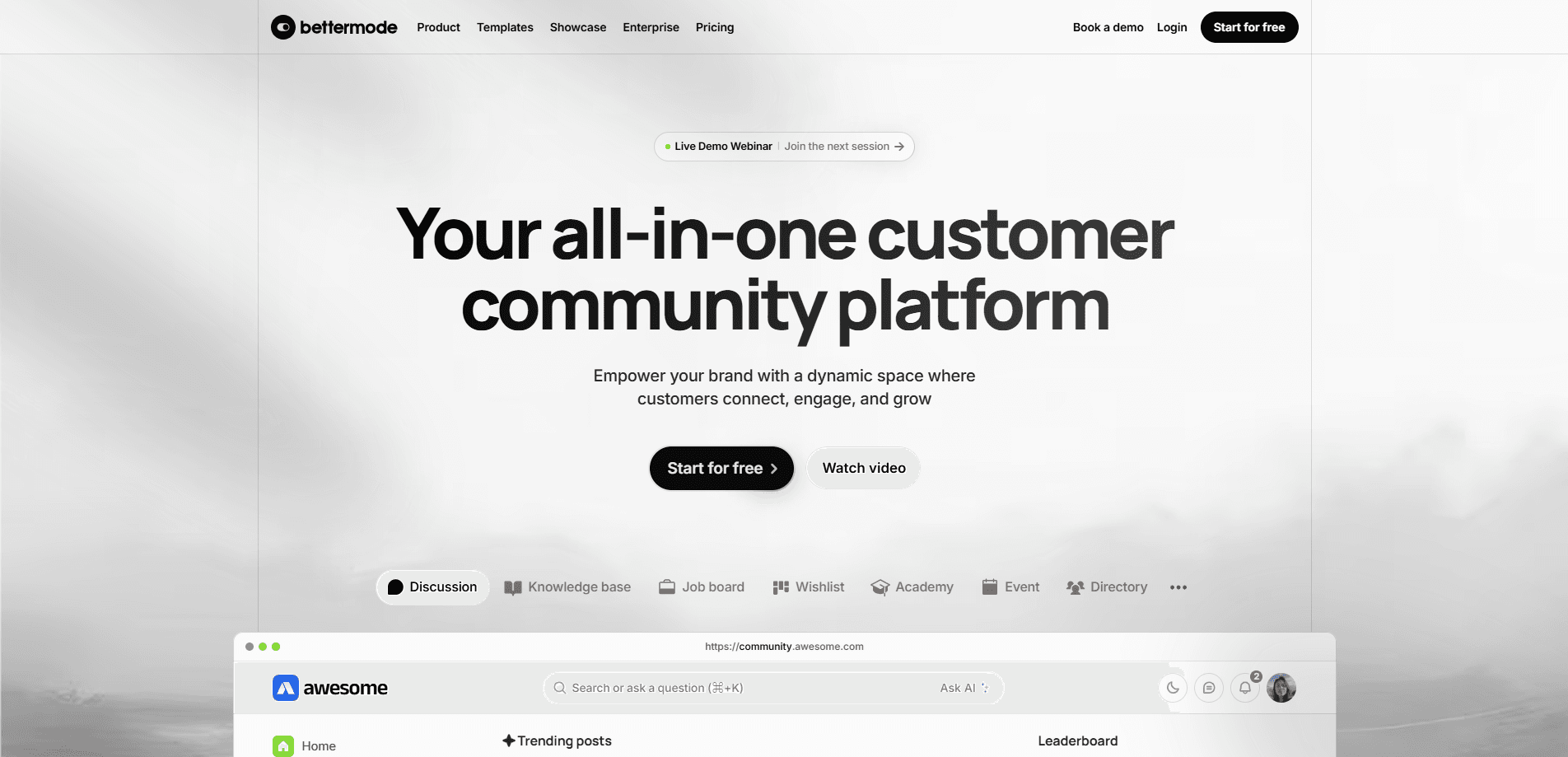
Bettermode is an all-in-one customer community platform and online community builder. Teams build branded forums, help centers, and feedback hubs without code, then connect them through integrations and APIs.
About Bettermode
What Is Bettermode
Bettermode is community software for companies that want their customers talking to each other on their own domain, not inside a Slack or Discord group they don't control. Customer community software usually means one of two things: a forum you install, or a hosted hub that looks generic. Bettermode leans the other way. It packs discussions, events, a knowledge base, a wishlist, and analytics into one branded home, and you assemble the pieces in a visual editor instead of hiring engineers for a rebuild.
The problem it addresses is scattered support. When questions live in five channels, the same answer gets typed again and again, and no one can see what customers actually want next. Bettermode pulls those conversations into searchable spaces, so members find past answers before they post and product teams get a readable list of feature requests. More than 4 million people across 2,000 enterprise communities use it, according to Bettermode.
The catch is the price and the audience. This is a paid tool aimed at companies running a real community, not individuals. The Starter plan starts at $149 a month, and the free tier is limited to a sandbox rather than a production launch. If you just want a chat group for a hobby project, it's overkill.
Getting Started
- Sign up on Bettermode and pick a plan, or start with the trial to explore the builder.
- Set up your community domain and choose the spaces you need, such as discussions, a help center, or a roadmap.
- Brand the layout in Design Studio, then turn on login options like email, Google, or company SSO.
- Invite members, connect tools such as Slack or Zendesk, and watch the activity feed to see what gets traction.
Product Information
A quick look at Bettermode's pricing, supported platforms, and performance.
Best for
The users, tasks, and scenarios where this tool fits best.
Users
- Community managers
- Product and support teams
- SaaS companies and enterprises
Tasks
- Launching a branded customer forum
- Running a self-service help center
- Collecting and prioritizing feedback
- Connecting the community to your stack
Scenarios
- A growing SaaS product needs one place for support, feature requests, and release notes as its user base scales past a chat app.
- A support team wants to cut ticket volume by letting customers answer each other and search past threads.
- An enterprise rolling out a customer hub that must pass a security review before IT signs off.
Key features
Design Studio Without Code
Design Studio is a visual builder, not a theme picker. You arrange blocks like hero banners, feeds, and post layouts, set your colors and fonts, and preview the result before it ships. Everything runs without developers, which means a community manager can change the look the same day a campaign starts.
AI Search and Answers
AI search lets members find answers across every space, and an "Ask AI" bar surfaces results from past threads and help articles. That cuts down on repeat questions, which is the main reason communities go stale. It matters most once a community has enough history that plain keyword search starts missing things.
Spaces, Collections, and CMS
Spaces are flexible containers with their own posting rules, so a help center, an idea board, and a job board can live side by side without merging into noise. Collections group spaces in the order that makes navigation easiest, and built-in CMS fields let you structure content like articles. The structure is what keeps a busy community readable.
Gamification and Member Directory
Badges, leaderboards, and points reward the members who answer questions and post useful content. A member directory makes it easy to find peers by role or interest. Together these turn occasional visitors into regulars, which is the harder half of running a community.
Apps and Integrations
The App Store covers Slack, Zendesk, Salesforce, HubSpot, Jira, Intercom, Zapier, and analytics tools like Amplitude and Mixpanel. Notifications flow to Slack, Jira tickets get created from community posts, and member data syncs to your CRM. Most installed apps are free, but some need their own subscriptions, according to Bettermode.
Developer Platform with API and Webhooks
A developer portal exposes REST APIs, webhooks, an SDK, and a template engine, so teams can build custom apps or sync community data with their own database. One customer told Bettermode they launched an integrated community inside their mobile app in six weeks using the APIs. This is the layer that separates a hosted forum from a platform you can wire into a product.
Enterprise Security and SSO
The enterprise tier adds SSO via OAuth, JWT, or custom setups, plus role-based permissions and moderation tools. Members can log in once and land in the right space with the right access. Bettermode lists SOC 2 compliance and legal review among the premium controls, which is what procurement teams ask about first.
Pros and cons
Pros
- Combines discussions, help center, events, and feedback in one branded platform, cutting the number of tools a team has to run.
- Design Studio and no-code setup let non-developers launch and restyle a community without waiting on engineering.
- Apps and a real developer platform mean the community connects to existing support, CRM, and analytics stacks.
- SSO, granular permissions, and moderation tools make it viable for enterprise security reviews.
Cons
- Pricing starts at $149 a month, so it's out of reach for hobby projects or very small teams.
- The free plan is a sandbox for testing, not a production community, which limits how much you can evaluate before paying.
- Created from scratch means an empty community looks empty until you seed content and members, and Bettermode doesn't solve that for you.
- Some App Store apps carry their own subscriptions, so the total cost can run above the advertised plan price.
Frequently asked questions
Bettermode is used to build and run a branded customer community. Teams use it for discussion forums, self-service help centers, feature request boards, events, and member engagement, all under their own domain instead of inside a third-party chat app.
Related content
Explore related tools, skills, and articles for Bettermode.
Bettermode Alternatives

Tractionwave
TractionWave · Image · MarketingTractionWave is an AI attention heatmap tool for static ads. Upload a PNG or JPG and it returns predicted attention, ranked hotspots, and fixes before you spend budget.

OpenSEO - AI Visibility
EveryApp · Coding · Marketing · BusinessOpenSEO is an open source SEO platform for keyword research, backlinks, rank tracking, site audits, and AI visibility, with usage-based pricing and MCP access for AI agents.

Plugins Radar
Plugins Radar · Marketing · BusinessPlugins Radar tracks where your ChatGPT plugin ranks in directory and in-chat search, which competitors outrank it and what changed, with hourly checks on 9,885 listings.