

Bit Flows
Bit Apps · Coding
Bit Flows is a WordPress automation plugin that builds no-code workflows with an AI Agent, MCP Client, and 320+ app integrations on your own site.
About Bit Flows
What Is Bit Flows
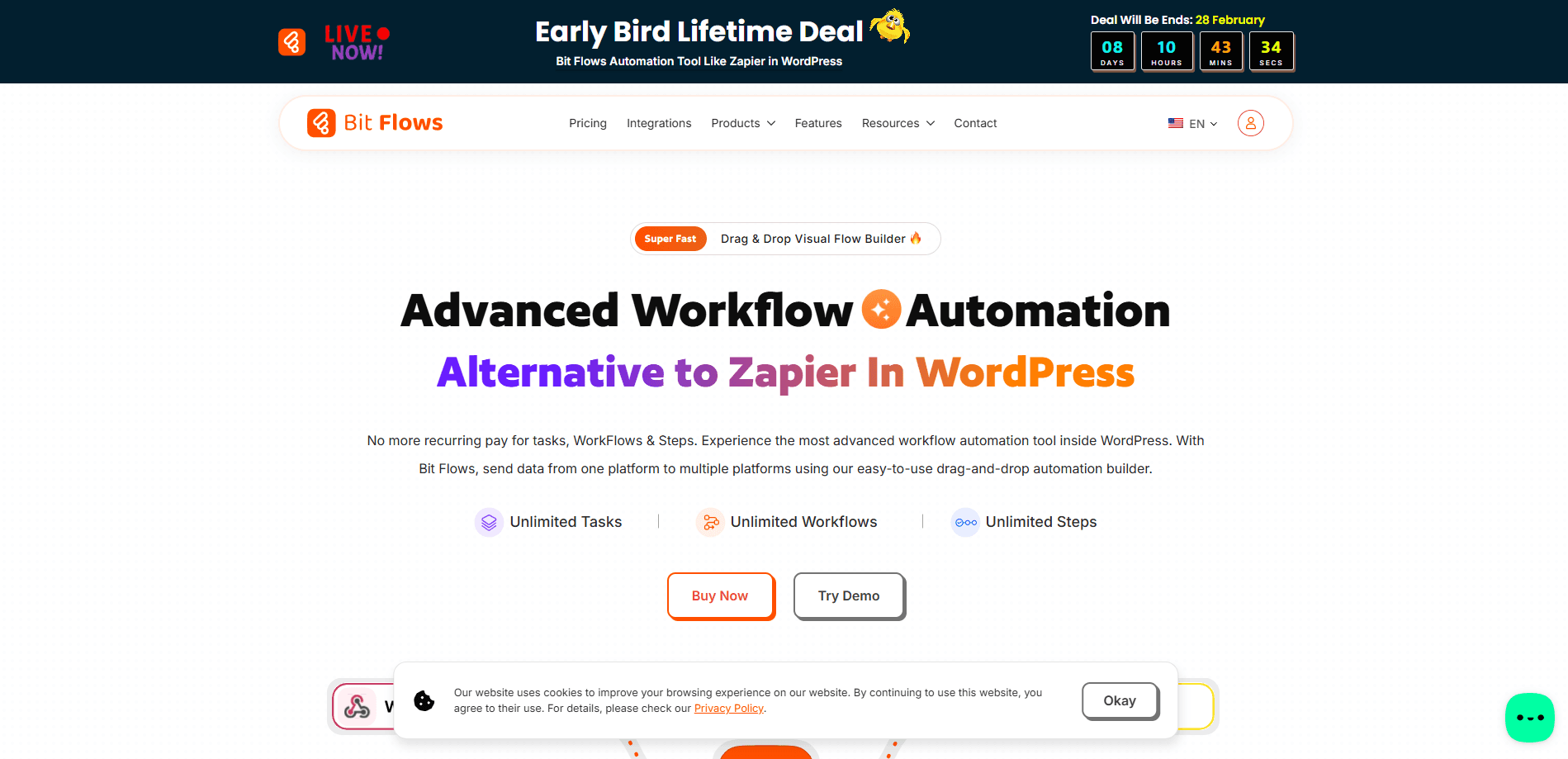
Bit Flows is a self-hosted WordPress automation plugin from Bit Apps. You install it like any other plugin, then build no-code workflows on a drag-and-drop canvas. It connects your site to more than 320 third-party platforms, so a form entry, a WooCommerce order, or a scheduled event can trigger a chain of actions across Google Sheets, HubSpot, Slack, and plenty more.
The idea is to skip the monthly bill that comes with a hosted tool like Zapier or n8n. As a Zapier alternative that lives in your own dashboard, Bit Flows keeps your data on your server and you pay once instead of per task. There are no caps on workflows, steps, or tasks in any plan.
It suits site owners, agencies, and small teams that already live in WordPress. It won't replace a full data-engineering platform, and heavy real-time workloads can strain shared hosting. For everyday form routing, e-commerce follow-ups, and CRM syncing, it keeps everything in one place.
Getting Started
- In your WordPress dashboard, go to Plugins, click Add New, search for Bit Flows, then install and activate it.
- Open the Bit Flows menu and create a new workflow to reach the visual canvas.
- Pick a trigger, such as a new form entry, a WooCommerce order, or a schedule, then drag in the actions you want to run next.
- Map the fields between steps so each action receives the right data, and add conditions or a router if the flow needs to branch.
- Turn on the AI Agent if you want the workflow to read data and decide the next step, then test and publish the flow.
Product Information
A quick look at Bit Flows's pricing, supported platforms, and performance.
Best for
The users, tasks, and scenarios where this tool fits best.
Users
- WordPress site owners
- Agencies managing client sites
- Small teams on a budget
Tasks
- Routing form entries
- WooCommerce automation
- Autoblogging with AI
Scenarios
- Growing a client roster
- Content operations at scale
- Support triage
Key features
Drag-and-drop workflow canvas
Bit Flows puts triggers, actions, routers, conditions, and API calls on one visual canvas. You drag each step into place and link them in order, so building a multi-step workflow feels like drawing a diagram rather than writing code. The editor includes a dark theme and a quick test runner, which lets you watch data move through the flow before it goes live.
AI Agent inside the workflow
The built-in AI Agent reads data, understands context, and decides what happens next. Instead of a fixed rule for every case, you give it a prompt and a goal, and it picks the path, calls a tool, or drafts output using models like ChatGPT, Claude, and Gemini. It's the feature that turns a rigid automation into something closer to a helping hand.
MCP Client support
Bit Flows can connect to MCP-compatible servers from inside an AI Agent step. You add the server URL, choose a connection method, and the agent can reach the tools that server exposes during a run. It's an early way to pull outside capabilities into a WordPress workflow without building a custom integration.
320+ app integrations
More than 320 services connect directly, spanning Google Sheets, HubSpot, Mailchimp, Slack, Shopify, Telegram, Notion, and dozens of WordPress plugins like Fluent Forms, Elementor, and Tutor LMS. When a tool isn't on the list, the custom app builder lets you wire up any API endpoint or webhook yourself.
WooCommerce automation and flow tools
You control the path data takes with conditions, routers, repeaters, iterators, and delays. A router splits one flow into separate branches, a condition checks values before the next step runs, and an iterator works through a list one item at a time. Together they handle the messy, real-world logic that simple trigger-action tools can't.
Background processing and logs
Bit Flows runs tasks asynchronously, so a long workflow doesn't slow your pages. A queue spreads the work out and pauses when server load is high, then resumes later. Every step gets a detailed log, failed tasks trigger email alerts, and you can re-run a workflow once you've fixed the problem.
Pros and cons
Pros
- Unlimited workflows, steps, and tasks on every plan, so there's no per-task meter to watch.
- Self-hosted on WordPress, which keeps your data on your own server instead of a vendor's cloud.
- The AI Agent and MCP Client add decision-making and outside tools without code.
- Lifetime licenses are available, so you can pay once instead of a recurring subscription.
- 320+ integrations plus a custom app builder cover most stacks and fill the gaps.
Cons
- WordPress-only, so it's useless if your site runs on another CMS or platform.
- Heavy real-time or high-volume workflows can strain shared hosting, and delays or off-peak scheduling help.
- It lags behind Zapier and n8n on the most advanced edge cases, and some features like PHP functions are still marked coming soon.
- The AI Agent and MCP Client sit behind the paid plans, so the free version leaves those out.
Frequently asked questions
Bit Flows is a WordPress automation plugin that connects your site to more than 320 apps and runs multi-step workflows without code. It handles form routing, e-commerce follow-ups, CRM syncing, and AI-driven tasks from a drag-and-drop canvas inside your dashboard.
Related content
Explore related tools, skills, and articles for Bit Flows.
Bit Flows Alternatives
Forefront
Forefront · CodingForefront is a web platform for building with open-source AI. It lets you fine-tune leading open-source language models on your own data, evaluate how they perform, and run them through an API or export them to host yourself. Developers who want the convenience of a closed-source platform but insist on owning their models and data are the target audience here.

Startkit
StartKit.AI · CodingStartkit is a boilerplate for building AI SaaS and AI wrapper products. Think of it as an AI startup boilerplate with the boring parts already wired up: authentication, Stripe and Lemon Squeezy payments, usage limits, transactional email, and an AI API starter that talks to OpenAI, Anthropic, Groq, or Llama. You clone the repo, set your price, and start on the part of your product that people actually pay for. It's Next.js under React and Tailwind, so most of the boilerplate code already feels familiar.
Testim
Tricentis · CodingTestim is an AI-powered test automation platform for building and running end-to-end tests across web, mobile, and Salesforce applications. It leans on machine learning to keep tests stable when an interface changes, so teams spend less time fixing broken selectors. Not bad for an automated testing tool you can start using today. You create tests by recording actions in a browser, then optionally add JavaScript when you need more control. It's a solid pick for busy QA teams.