

Bith.ai
Bith.AI · Video
Bith.ai is an AI video generator and editor that turns text prompts, images, and scripts into short videos, with voiceovers, subtitles, and avatars built in.
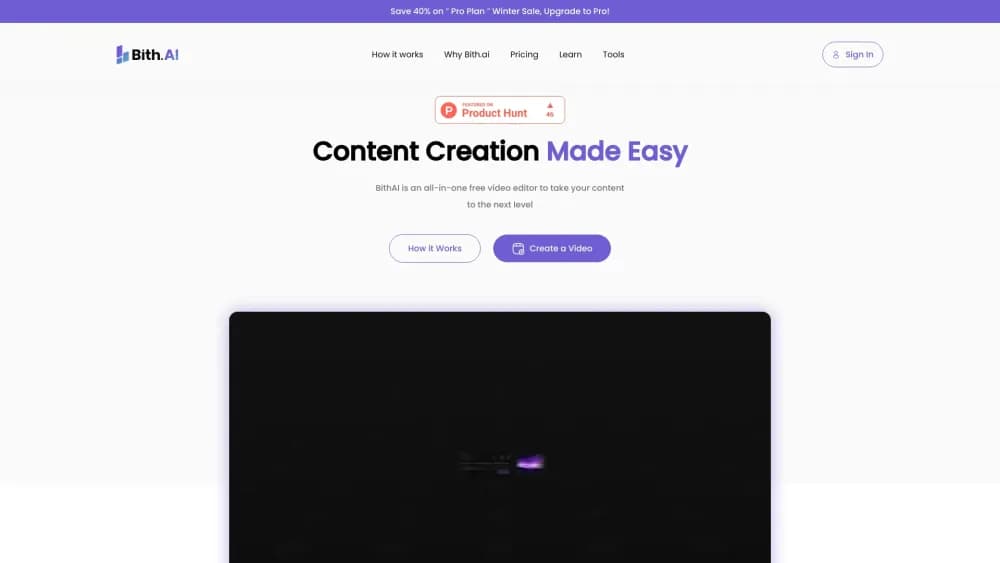
About Bith.ai
What Is Bith.ai
Bith.ai is a browser-based AI studio for making and editing video without a heavy production setup. You can start from a text prompt, drop in an image, or paste a script, and the platform assembles a short video you can trim, restyle, and publish. It also ships a set of editing tools like image-to-video conversion, subtitle generation, and AI avatars, so the whole workflow stays in one place.
As a video editing platform, the product targets people who post to Reels, Shorts, and TikTok but don't want to learn desktop editing software. Its framing is simplicity: type an idea, get a draft, then adjust it. That lower ceiling is also the main limitation. For frame-level control, professional color grading, or complex multi-track edits, a dedicated editor will still beat a template-driven tool.
Pricing runs on credits. Each generation, from a video clip to an image upscale, spends credits, and the monthly allowance scales with your plan. Understanding how credits map to output is the key part of choosing a plan, because heavier projects burn through them faster than light promo clips.
Getting Started
- Create an account with email or a social login and open the AI studio dashboard.
- Pick a starting point: Quick Ads templates, Text To Video, Image To Video, or upload your own media.
- Enter a prompt or script, then select aspect ratio, style, and voice or avatar settings.
- Generate the draft, review it, and apply edits such as subtitles, resizing, or image tweaks.
- Export at the resolution your plan allows and publish through the platform or download the file.
Product Information
A quick look at Bith.ai's pricing, supported platforms, and performance.
Best for
The users, tasks, and scenarios where this tool fits best.
Users
- Social media creators
- Small business owners
- Marketers running frequent campaigns
Tasks
- Turning a written idea into a first video draft
- Adding subtitles to spoken clips
- Generating voiceovers in multiple languages
Scenarios
- Producing daily short-form content on a tight schedule
- Animating a still product photo
- Repurposing one concept across platforms
Key features
Text To Video
Describe a scene or paste a script and Bith.ai generates a short video from it. This is the entry point for creators who start with an idea rather than footage, and it handles the first assembly so you only edit what comes back.
Image To Video
Upload a still image and the tool turns it into an animated scene. It suits product shots and single-photo posts where you want motion without filming anything new.
AI Shorts
The AI Shorts flow turns a concept into a short, social-ready clip with a few inputs. It is built for fast turnaround, so it covers the common format rather than fine control.
Subtitle Generator
This feature turns speech into subtitles in one click. Anyone captioning talking-head clips or voiceovers can skip manual transcription and get captions that match the audio.
Generate Voiceover
The platform produces professional voiceovers in multiple languages. You can build a spoken track for localized content without hiring a narrator or setting up a mic.
AI Avatars
AI Avatars create lifelike presenter figures for videos. Teams that want a talking-head style without recording a person can place an avatar in the scene instead.
AI Image Editor
The AI Image Editor transforms images with generative edits. It handles background and visual changes so creators can prep stills inside the same studio they use for video.
Quick Ads Templates
Quick Ads offers instant ad templates that need no prompting. Small businesses can pick a layout, drop in a product, and get an ad-style video without writing a prompt or editing frame by frame.
Pros and cons
Pros
- Combines generation and editing in one browser tool, so you don't bounce between apps
- Templates and AI Shorts speed up the path from idea to a postable clip
- Voiceover and subtitle features cover two of the most time-consuming parts of short-form video
- Credit-based plans let light users start small and scale up without a big upfront cost
- Multiple aspect ratios make cross-posting to Reels, Shorts, and TikTok easier
Cons
- Credit costs add up fast on heavy projects, which makes budgeting harder for teams that generate a lot
- Template-driven output can look similar across users, so distinctive branding takes extra work
- Fine control is limited compared with desktop editors, which matters if you need frame-level edits
- No API is documented, so automated or high-volume pipeline use isn't an option today
Frequently asked questions
Bith.ai is used to generate and edit short videos. You can turn a prompt, image, or script into a video clip, then add voiceovers, subtitles, or avatars and export it for social platforms.
Related content
Explore related tools, skills, and articles for Bith.ai.
Bith.ai Alternatives

ngram 2.0
ngram · Video · Marketingngram 2.0 is an AI video generator for teams. It turns a prompt, a screen recording, or a product URL into a narrated explainer, product demo, or AI avatar video, and every scene stays editable.

OpenScreen 2
OpenScreen (open-source project) · Video · ProductivityOpenScreen 2 is a free, open-source screen recorder and demo video editor for Windows, macOS, and Linux, with automatic zooms, styled frames, local captions, and agent edits.

Skreno
Skreno · Video · ProductivitySkreno is a browser screen recorder that captures a tab, a window or your whole display, then attaches AI transcripts, summaries and console logs to one share link.