

Bito AI
Bito (Bito Inc., Menlo Park, California) · Coding
Bito AI is a code review assistant that runs in VS Code, JetBrains IDEs, Cursor and Windsurf, plus GitHub, GitLab and Bitbucket. It catches bugs and risky code before you open a pull request.
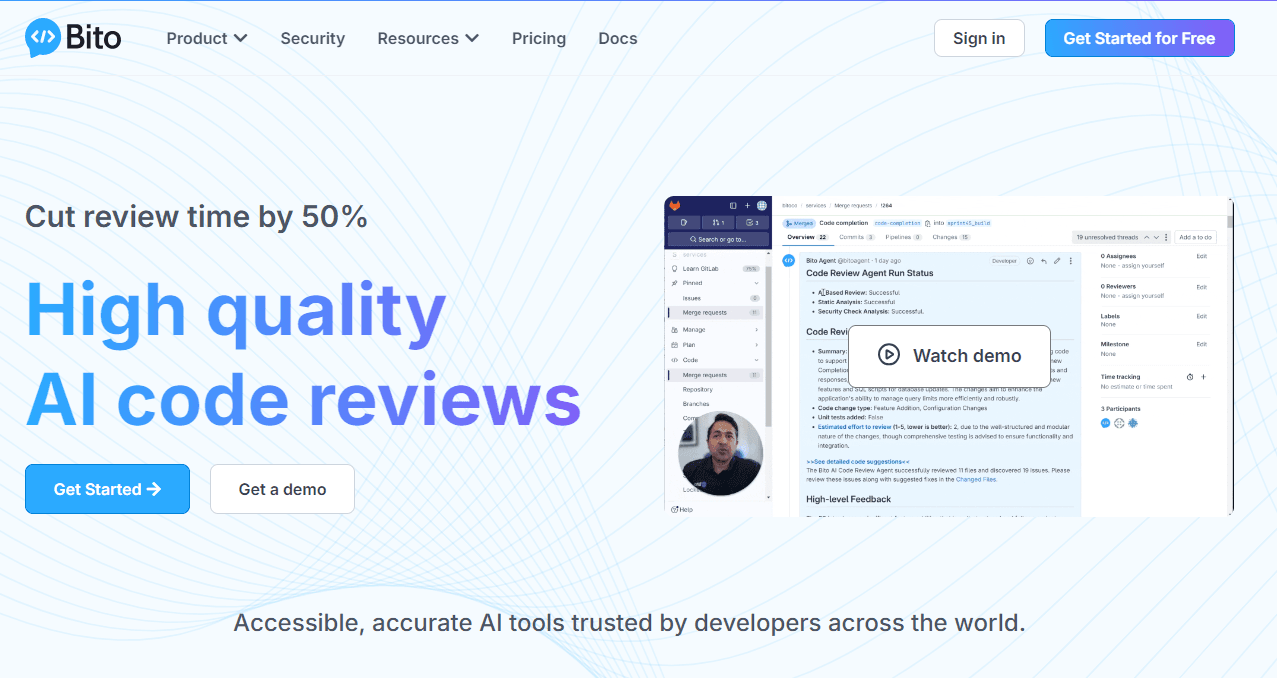
About Bito AI
What Is Bito AI
Bito AI started as a way to put a ChatGPT-style assistant inside the editor. Instead of copying code into a browser tab and pasting answers back, you select a function and ask about it in place. The product has since narrowed around one job: reviewing code before a human ever sees it.
The assistant reads your repository, not just the open file. When it flags a changed function, it also knows which services call that function, which tests cover it and what the surrounding modules expect. That context is the difference between a generic warning and a fix you can accept.
Bito is an AI coding assistant built for teams that already pay for these tools and want fewer defects reaching review. Its pricing is per seat, its reviews run either in Bito's cloud or in your own Docker environment, and it supports GitHub, GitLab and Bitbucket on both cloud and self-hosted plans.
The main limit is scope. Bito reviews and explains code, and it writes fixes when you ask. It doesn't try to be a full agentic editor that plans features and rewrites whole directories, so anyone shopping for an autonomous coding environment should look at Cursor or Claude Code instead. The company also sells Governor, a model router that sits between coding agents and model providers, which is a separate purchase.
Getting Started
- Create a Bito account with GitHub, GitLab or a work email, then pick the workspace you want to connect.
- Install the IDE plugin from the VS Code Marketplace or the JetBrains plugin repository, and sign in from the sidebar panel.
- Connect a repository for the Git side of the product, which enables pull request review on GitHub, GitLab or Bitbucket.
- Open a file, select a block of code, and choose a review scope: uncommitted edits, staged files, a commit or a specific path.
- Accept the suggestions you agree with, or ask follow-up questions in the chat panel before you commit.
Product Information
A quick look at Bito AI's pricing, supported platforms, and performance.
Best for
The users, tasks, and scenarios where this tool fits best.
Users
- Individual developers who want a second pair of eyes before pushing
- Tech leads who review more pull requests than they have time for
- Teams in regulated industries
- Engineers joining an unfamiliar codebase
Tasks
- Pre-PR cleanup
- Writing tests for existing code
- Explaining legacy logic
Scenarios
- A release week where the team is short on reviewers
- Onboarding onto a service with thin documentation
- Security-sensitive repositories
Key features
Line-by-line review inside the editor
The IDE plugin reviews code as you write it, without waiting for a pull request. You choose what to review: uncommitted edits, staged files, a specific commit or a file path. Feedback lands on the line that caused it, which makes a difference when you're fixing something small and don't want a full report.
Codebase-aware context
Reviews pull in the rest of the repository, including callers, related services and existing patterns. A renamed function that breaks three call sites gets flagged, and the suggested fix reflects how the codebase already does that kind of work. This is the part that separates Bito from assistants that only see the open buffer.
One-click fixes and follow-up chat
Each suggestion comes with a patch you can apply directly, and you can ask the agent to explain or rewrite a fix before accepting it. The chat supports more than 20 spoken languages, so a team spread across regions can keep the discussion in the language each reviewer prefers.
Pull request review across Git providers
Connect the repository and the agent reviews pull requests on GitHub, GitLab and Bitbucket, including self-hosted enterprise installs. Each pull request gets a summary, an estimated review effort and a changelist table that lists impacted files, so a reviewer knows where to look first.
Static analysis, linters and security checks
Model output alone misses things that deterministic tools catch. Bito runs Mypy, fbinfer, ESLint, golangci-lint and Ruff alongside its own review, and pulls in Snyk, Whispers and detect-secrets for vulnerability and secret scanning. The findings arrive in the same comment thread rather than a separate dashboard.
Custom review rules and Jira validation
Teams can supply their own guidelines, and the agent adjusts later suggestions based on accepted and rejected feedback. With the Jira and Confluence integrations, a pull request gets checked against the linked ticket or specification, which catches work that drifted from what was asked.
Pros and cons
Pros
- Reviews run in the editor and in Git, so the same rules apply before and after a pull request opens.
- Repository-level context produces AI code suggestions that reference real call sites instead of guessing at them.
- The free tier is usable for solo work, and the 14-day Professional trial needs no credit card.
- Self-hosted Docker deployment and a documented no-training policy fit teams with strict code handling rules.
- Custom guidelines plus accepted-fix feedback make the reviews less generic after a few weeks of use.
Cons
- Every plan includes 5K lines per seat each month, then charges $5 per 1K lines. Heavy review habits on large diffs will hit that ceiling.
- Per-seat pricing at $12 to $25 per month gets expensive for a large team, and the Enterprise tier requires a sales conversation.
- The product reviews and explains code but doesn't plan multi-file features or run long autonomous tasks, so it complements rather than replaces an agentic editor.
- API availability isn't documented publicly, which matters if you wanted to wire reviews into an internal dashboard.
Frequently asked questions
Bito AI reviews code before and during pull request review. It flags bugs, security risks and style problems, explains unfamiliar code, drafts tests and applies fixes with one click, all from inside the editor or the Git provider's pull request view.
Related content
Explore related tools, skills, and articles for Bito AI.
Bito AI Alternatives
Forefront
Forefront · CodingForefront is a web platform for building with open-source AI. It lets you fine-tune leading open-source language models on your own data, evaluate how they perform, and run them through an API or export them to host yourself. Developers who want the convenience of a closed-source platform but insist on owning their models and data are the target audience here.

Startkit
StartKit.AI · CodingStartkit is a boilerplate for building AI SaaS and AI wrapper products. Think of it as an AI startup boilerplate with the boring parts already wired up: authentication, Stripe and Lemon Squeezy payments, usage limits, transactional email, and an AI API starter that talks to OpenAI, Anthropic, Groq, or Llama. You clone the repo, set your price, and start on the part of your product that people actually pay for. It's Next.js under React and Tailwind, so most of the boilerplate code already feels familiar.
Testim
Tricentis · CodingTestim is an AI-powered test automation platform for building and running end-to-end tests across web, mobile, and Salesforce applications. It leans on machine learning to keep tests stable when an interface changes, so teams spend less time fixing broken selectors. Not bad for an automated testing tool you can start using today. You create tests by recording actions in a browser, then optionally add JavaScript when you need more control. It's a solid pick for busy QA teams.