

Blaxel Agent Drive
Blaxel · Coding
Blaxel Agent Drive is a distributed shared filesystem for AI agents. It gives many sandboxes one shared file tree, so agents can read and write the same files concurrently instead of copying data around. Think of it as AI agent storage built for multi-agent collaboration rather than for a single machine. It's aimed at teams running agent fleets that need to hand off work and share context in real time. At the time of writing, it's in private preview, so you'll need to request access before you can use it. Ready to see how it works? It's a simple idea, done well.
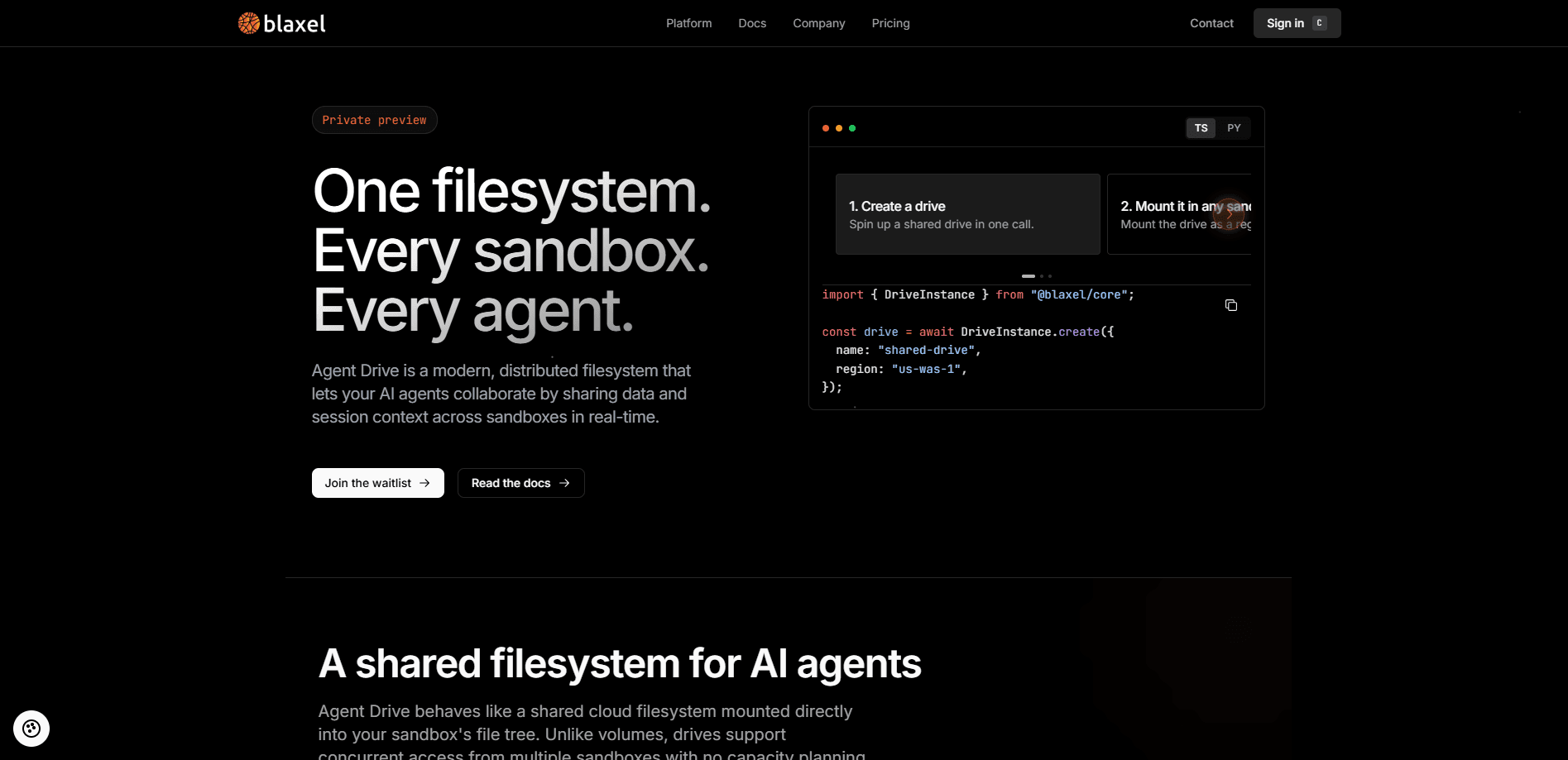
About Blaxel Agent Drive
What Is Blaxel Agent Drive
Blaxel Agent Drive is the storage layer in Blaxel's platform that lets agents collaborate over shared data. Picture a normal folder that several sandboxes mount at the same time. One agent writes a file, every other mounted sandbox sees it as it happens. No sync service, no polling loops, no duplicate copies drifting out of step.
The problem it solves is a familiar one for anyone running more than one agent. Agents that hand work to each other usually pass files through some middle layer, and that middle layer becomes a bottleneck, especially once a fleet grows and several agents want the same dataset at once. Agent Drive skips it. Many sandboxes, one file tree. That shared file system for agents is the whole idea in one line.
It won't suit everyone. It's a distributed system, not a consumer cloud drive, so you need to be comfortable with sandboxes and mounts. You also can't walk in off the street yet: private preview means access comes through a request and a review, and teams that want a shared file tree for agents across dozens of sandboxes should expect to explain their setup before they get the keys.
Getting Started
- Request private preview access through the Blaxel contact form, or sign in and get started for free if your account already has it enabled.
- Create a drive and mount it as a path inside the sandboxes you want to connect.
- Set scoping so you control which workloads can mount which drives.
- Have your agents read and write files through the mounted path using standard file operations.
- Watch changes propagate to every mounted sandbox as they happen.
Product Information
A quick look at Blaxel Agent Drive's pricing, supported platforms, and performance.
Best for
The users, tasks, and scenarios where this tool fits best.
Users
- AI engineers building multi-agent systems
- Platform and infrastructure teams at startups
- Teams already on Blaxel
Tasks
- Handing work between agents
- Sharing context and artifacts
- Concurrent processing on a shared state
- Keeping a pipeline's state alive
Scenarios
- A fleet of agents reviewing documents in parallel
- Long-running pipelines where steps restart
- Multi-stage build and eval workflows
Key features
One shared file tree across sandboxes
Agent Drive presents a single drive that many sandboxes mount at once. Each one sees it as a normal directory, so your agents use ordinary read and write calls. The payoff is that a fleet can build on the same state without moving files between machines, which means an agent that finishes a step writes to a location its peers already watch, and the next agent simply finds the result waiting there instead of chasing it across a sync job. One tree. Zero copies.
Concurrent read and write with consistent views
Multiple agents can read and write to the drive at the same time, and everyone gets a consistent view of the data. That matters when agents are working in parallel, because stale copies are the usual source of bugs in hand-off pipelines. It holds up even when a large fleet mounts one drive at once, and the platform says it supports tens of thousands of agents writing to a single drive. That claim is worth testing against your own workload before you commit, because concurrency behavior under real contention is the kind of thing that looks fine in a demo and only shows its edges once a hundred agents are hammering the same directory at the same moment.
Real-time visibility
Changes show up in every mounted sandbox as they happen. You don't wait for a sync job to run. For agent workflows where one step depends on another's output, that immediacy is the whole point. Fast matters.
Scoped access controls
You decide which workloads can mount which drives. Teams can keep sensitive drives to the agents that need them, and give broad access to the ones that don't. That's basic hygiene for agent fleets.
Mount as a path with POSIX and FUSE semantics
The drive appears as a path. If your tooling expects POSIX-style file operations, it works without a rewrite, which keeps the integration cost down for existing agent code. That POSIX FUSE filesystem behavior is what lets ordinary file calls just work.
Elastic storage without capacity planning
Storage grows and shrinks with usage, so you're not provisioning volumes ahead of demand. That fits agent sandbox storage well, since agent workloads are spiky by nature.
Pros and cons
Pros
- Removes the copy-and-sync layer between agents, which is often the slowest part of a hand-off pipeline.
- Concurrent access with consistent views is the right default for parallel agent work.
- Mounts as a plain path, so it fits code that already does normal file operations.
- Scales without capacity planning, which suits unpredictable agent traffic.
- Sits inside the same platform as Blaxel sandboxes and volumes, so there's less to integrate.
Cons
- It's in private preview, so you can't just sign up and start using it today.
- It's meant for teams comfortable with sandboxes and mounts, not for casual users.
- You're tied to Blaxel's platform, which is a real consideration if you run agents elsewhere.
- As with any young product, the details can shift. Still early.
Frequently asked questions
It's a shared filesystem for AI agents. Teams use it so multiple sandboxes can read and write the same files at once, instead of passing data through a separate sync layer. It's built for agent fleets that hand work between steps. Simple as that.
Related content
Explore related tools, skills, and articles for Blaxel Agent Drive.
Blaxel Agent Drive Alternatives
Forefront
Forefront · CodingForefront is a web platform for building with open-source AI. It lets you fine-tune leading open-source language models on your own data, evaluate how they perform, and run them through an API or export them to host yourself. Developers who want the convenience of a closed-source platform but insist on owning their models and data are the target audience here.

Startkit
StartKit.AI · CodingStartkit is a boilerplate for building AI SaaS and AI wrapper products. Think of it as an AI startup boilerplate with the boring parts already wired up: authentication, Stripe and Lemon Squeezy payments, usage limits, transactional email, and an AI API starter that talks to OpenAI, Anthropic, Groq, or Llama. You clone the repo, set your price, and start on the part of your product that people actually pay for. It's Next.js under React and Tailwind, so most of the boilerplate code already feels familiar.
Testim
Tricentis · CodingTestim is an AI-powered test automation platform for building and running end-to-end tests across web, mobile, and Salesforce applications. It leans on machine learning to keep tests stable when an interface changes, so teams spend less time fixing broken selectors. Not bad for an automated testing tool you can start using today. You create tests by recording actions in a browser, then optionally add JavaScript when you need more control. It's a solid pick for busy QA teams.