
Bleepify
Bleepify · Video · AI Detection
Bleepify is an AI profanity filter that bleeps, mutes, or replaces swear words in video and audio, built for podcasters, streamers, and video editors.
About Bleepify
What Is Bleepify
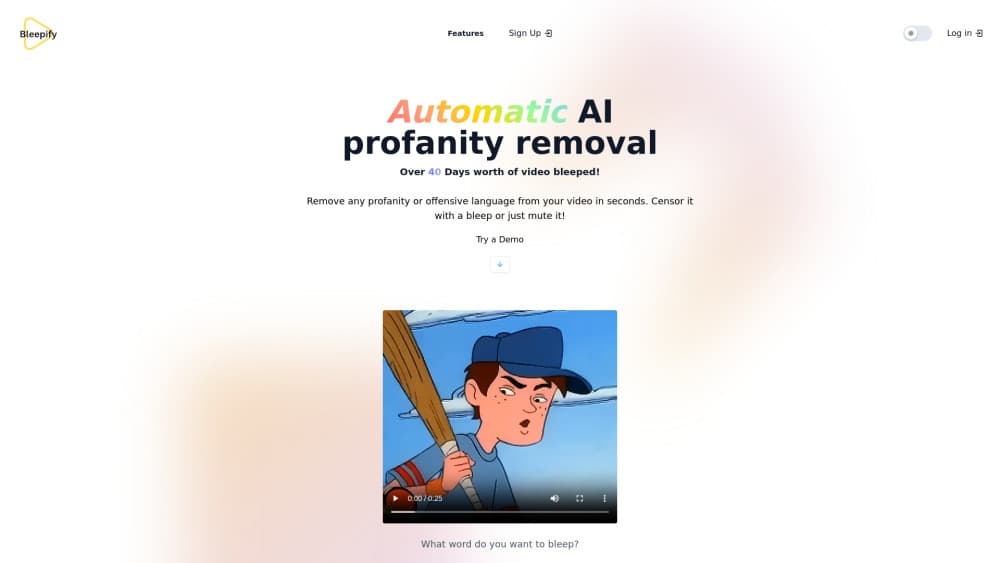
Bleepify is a browser-based AI profanity filter for video and audio. You drop in a file, the tool builds a timed transcript, flags the words most likely to be profanity, and then you decide what to cover. Nothing gets censored until you approve it and choose the exact effect you want, which keeps the final call in your hands rather than the model's.
Why does that matter? Because the review step is the whole point. Most creators won't hand a blunt on/off switch to a language model and ship the result, since a wrong bleep mid-sentence sounds worse than the swear. Bleepify shows every flagged word with its timestamp, so you can jump to the exact moment, keep a term that fits your audience, or add a name the detector missed.
The same engine also runs an AI nudity censor. It scans supported videos, blurs likely nudity with rounded pixelation or a black box, and lets you check the finished export before you share it. If you work with client footage or sponsors, that review pass is often the difference between signing off and starting over.
The main limit is scope. Bleepify edits recorded files, not live broadcasts, and the free plan stops at 10 processing minutes per file. Longer clips, batch uploads, and the smarter detection models sit behind a paid plan.
Getting Started
- Open bleepify.me and drop in a video or audio file (MP4, MOV, MP3, or WAV, up to 2 GB), or paste a YouTube link.
- Wait while Bleepify generates the timed transcript and highlights likely swear words and other terms.
- Review the transcript, jump to any timestamp, and toggle the censor on or off for each word. Add anything the detector missed.
- Pick your censor effect: a classic bleep, silence, a custom sound, or an AI-generated spoken replacement.
- Preview the export, then download the clean file or grab cleaned subtitles as an SRT.
Product Information
A quick look at Bleepify's pricing, supported platforms, and performance.
Best for
The users, tasks, and scenarios where this tool fits best.
Users
- Podcasters
- Streamers and gaming creators
- Production studios and agencies
- Independent musicians
Tasks
- Bleeping swear words in a video
- Cleaning a podcast or interview
- Making a clean version of a song
- Blurring nudity in a video
- Exporting cleaned subtitles
Scenarios
- Preparing a YouTube upload
- Handing client or sponsor footage back on a deadline
- Republishing an old episode or stream replay without the raw language.
Key features
Profanity detection in 40+ languages
Bleepify's swear word remover covers English, Spanish, French, German, Japanese, and dozens more. The detector flags likely profanity while building the transcript, so you're editing a short list of words rather than scrubbing a timeline by ear.
Video and audio censor in one pass
You can upload MP4, MOV, MP3, or WAV directly, no need to strip the audio out first. Bleepify processes the file and returns a cleaned copy. That saves a round trip through a video editor for a task that's really only about sound. Want to censor video online without installing anything? That's the default here, since everything runs in the browser.
Transcript viewer with per-word control
Every detected word shows up with a timestamp. Click one to jump to that moment, then toggle the censor on or off. You can also select names or phrases the model didn't flag. That control matters when a word is fine in context but the model doesn't know your audience.
Custom censor sounds
The default is a classic bleep, but you can also drop to silence or upload your own sound effect. It's a small setting that ends up shaping the tone of the whole clip, especially for comedy or branded content.
Batch processing
Studios and creators working through a queue can upload and clean multiple files at once. Think of it as a curse word remover that runs on your whole backlog, not one clip at a time. For channels that publish daily, that's the difference between a nightly chore and a few minutes of review.
Music Mode
Music Mode separates a track's vocals from its instrumental, lets you cover selected lyrics, then mixes the parts back together. It's aimed at making a clean version of a song without pulling the whole file apart manually. Not every remix survives it. Heavy vocal effects are the usual problem.
AI Word Replacement
For supported projects, Bleepify can swap a selected word for a generated spoken alternative instead of muting it. The new voice may differ from the original speaker, so it's worth listening in context before you commit to it. It's clever. It's also uneven.
AI nudity censor and SRT export
The nudity censor scans supported videos and blurs likely nudity with rounded pixelation or a black box, with a full review before export. Separately, cleaned subtitles export as an SRT file, which helps with reach and accessibility.
Pros and cons
Pros
- Per-word review with timestamps means you catch false positives before exporting, not after.
- 40+ language support covers most podcast and creator audiences without a second tool.
- Batch uploads suit teams processing many files a day.
- Music Mode handles songs in a way general video editors don't.
- Free plan and a $9 Project Pass let you test real work before committing to a subscription.
Cons
- The free plan caps files at 10 processing minutes, so long podcasts need a paid tier.
- It edits recorded files only.
- It can't censor a live stream as it happens.
- AI Word Replacement can sound unlike the original speaker, which limits it in dialogue-heavy footage.
- Cleaning audio alone won't guarantee YouTube monetization, since the content you publish around that audio, including captions, title, and thumbnail, also gets reviewed against current platform guidance.
Frequently asked questions
Bleepify is an AI profanity filter for video and audio. It builds a timed transcript, highlights likely swear words, and lets you choose what to bleep, mute, or replace before exporting a clean copy.
Related content
Explore related tools, skills, and articles for Bleepify.
Bleepify Alternatives
Griffin by Tavus
Tavus · Voice & Language · Video · ChatbotGriffin by Tavus is the first Human Interaction Model: a full-duplex, video-to-video system that watches, listens, and answers during a live video call in real time.

Syllaby AI Avatar 2.0
Syllaby · Video · MarketingSyllaby AI Avatar 2.0 turns a script into a presenter-led video with a reusable AI avatar, natural voice, B-roll and automatic subtitles, all in one browser workflow.

Vitra.ai
Vitra.ai · Voice & Language · Video · MarketingVitra.ai is an agentic content platform that creates, translates, reviews, and publishes video, images, documents, and app content in 120 languages from one shared brief.