

Blockit AI
Blockit · Productivity · Business
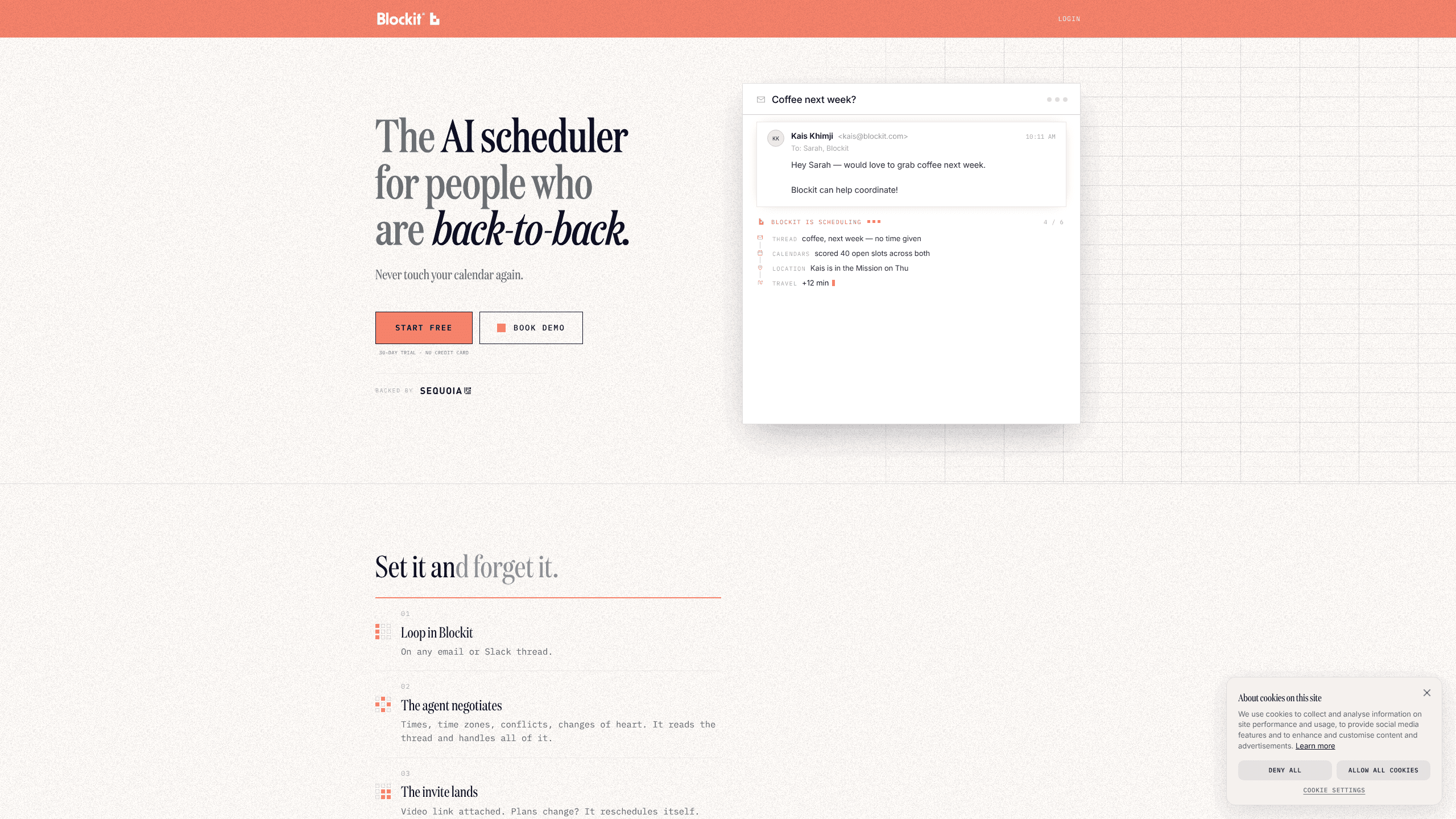
Blockit AI is an AI scheduling agent that lives inside your email and Slack threads instead of in a separate booking page. CC it on a message like "coffee next week?" and it reads the thread, proposes times, handles time zones, and sends the invite once someone agrees. It works with Google Calendar and Outlook. Think of it as an AI scheduler you can try free before paying for a plan.
About Blockit AI
What Is Blockit AI
Blockit AI is a self-driving calendar tool for people whose days run back-to-back. The core idea is that scheduling shouldn't require a chain of emails. You loop the agent into a thread, it reads what everyone said, suggests times that actually fit, and books the meeting. When plans change, it reschedules without you having to start over.
It connects to the calendars you already use, so it can see your real availability rather than guessing. On emails and Slack, you CC or mention the bot and it takes over the coordination from there. No reply-all chains. That's the whole pitch: fewer scheduling emails, fewer conflicts, and invites that land without a human chasing them down.
The main catch is that the agent works best when it has calendar access, and the free tier caps you at 15 meetings a month. Pricing also sits at the premium end once you move past the free plan, so it's aimed at professionals and teams for whom booking time is a constant drain rather than an occasional task.
Getting Started
- Sign up at app.blockit.com with your email address.
- Connect your Google or Outlook calendar so the agent can read your availability.
- Set your defaults, like working hours, meeting templates, and which blocks are allowed to move.
- Loop Blockit into an email or Slack thread by copying it on the message.
- Let it propose times and send the invite once both sides agree.
Product Information
A quick look at Blockit AI's pricing, supported platforms, and performance.
Best for
The users, tasks, and scenarios where this tool fits best.
Users
- Executives and founders
- Executive assistants
- Small teams
Tasks
- Auto schedule meetings for recurring coffee or catch-ups
- Coordinating across time zones
- Rescheduling after a conflict
Scenarios
- A week of back-to-back client calls
- Booking with people outside your company
- Handling quiet counterparties
Key features
Email and Slack Scheduling Agent
Blockit AI plugs into the threads you already write. Copy it on an email or mention it in Slack, and it reads the conversation to figure out who wants to meet, when, and where. You don't switch to a separate meeting scheduling tool or send a booking link.
Automatic Time Negotiation
The agent proposes workable times instead of asking everyone to reply with options. It reads the thread, checks conflicts, and suggests a slot. When someone counters, it adjusts without a human running the exchange.
Time Zone Handling
Cross-time-zone scheduling is where a lot of coordination falls apart. Blockit AI does the conversion for you and proposes times that make sense in both parties' local hours. Nobody double-checks the math. That's a real time saver.
Self-Rescheduling
Plans shift, and the invite follows. If a meeting needs to move, the agent reworks the schedule and updates the event rather than leaving you to send a fresh round of emails. It also handles late flights and declines as they come up. Late flight? The invite moves.
Group Scheduling
The tool distinguishes between colleagues whose calendars it can read directly and outside guests it has to propose to. Required and optional attendees are counted differently, so one pass covers the group without a poll.
Calendar Preferences
You define how you like to book, and the agent follows. Saved templates, rules you state once, mornings you protect, and blocks that are allowed to move all feed into how it schedules your meetings.
Trust and Data Controls
Blockit reads only what it needs to schedule and doesn't cross calendars. The platform lists SOC 2 Type II compliance, encryption at rest and in transit, and granular calendar permissions, which matters if you're handing an agent access to your work calendar.
Pros and cons
Pros
- Works inside email and Slack, so there's no separate booking page to send.
- Handles time zones, conflicts, and reschedules automatically.
- Reads colleague calendars directly when both sides use the tool.
- Free plan lets you test the agent with 15 meetings a month.
- Strong privacy positioning with SOC 2 Type II and granular permissions.
Cons
- The free tier only covers 15 meetings a month, which runs out fast for busy schedules.
- Paid plans start at $83/mo and climb to $395/mo, a real cost for individuals.
- Some admin features, like delegate access and custom domains, are locked to Enterprise.
Frequently asked questions
Blockit AI schedules meetings on your behalf. You copy it on an email or Slack thread, and the agent negotiates times, handles time zones, and sends the invite. It's built for people who book meetings constantly and want to stop the email back-and-forth.
Related content
Explore related tools, skills, and articles for Blockit AI.
Blockit AI Alternatives

Swms
Swms AI · Writing · Productivity · BusinessSwms is an AI safety compliance tool that turns a plain description of a job into ready-to-use safety documents. Describe your project, trade, and known hazards, and it writes a safe work method statement, job hazard analysis, safe work procedure, RAMS, or safety data sheet in seconds. It also ships with Oscar, a chat assistant that answers workplace safety questions in any language. Teams in construction, mining, transport, and warehousing use it to cut the paperwork that usually eats into a workday.

Wordly AI Translation
Wordly · Voice & Language · ProductivityWordly AI Translation is a real-time AI translation and captioning platform built for meetings, conferences, and events. It delivers live translation, captions, transcripts, and summaries in more than 60 languages, and attendees join by scanning a QR code or opening a link instead of using dedicated headsets. The platform works with Zoom, Microsoft Teams, Google Meet, and Webex, and it's designed for organizations that want multilingual access without hiring human interpreters for every session. Simple as that.

Rows
Rows (Superhuman) · Productivity · BusinessRows is an AI spreadsheet and data analysis tool that imports live data from more than 50 sources, then lets you work with it using plain language instead of SQL queries or nested formulas. You can pull numbers out of PDFs, connect ad platforms, databases, and bank accounts, and ask the AI to build reports, merge datasets, or set up models that recalculate themselves. It runs in the browser, works like a spreadsheet, and now sits under the Superhuman umbrella.