

bolt
StackBlitz · Coding
Bolt is an AI app builder that turns plain-English prompts into working full-stack websites and apps right in your browser, aimed at builders of any skill level.
About bolt
What Is Bolt
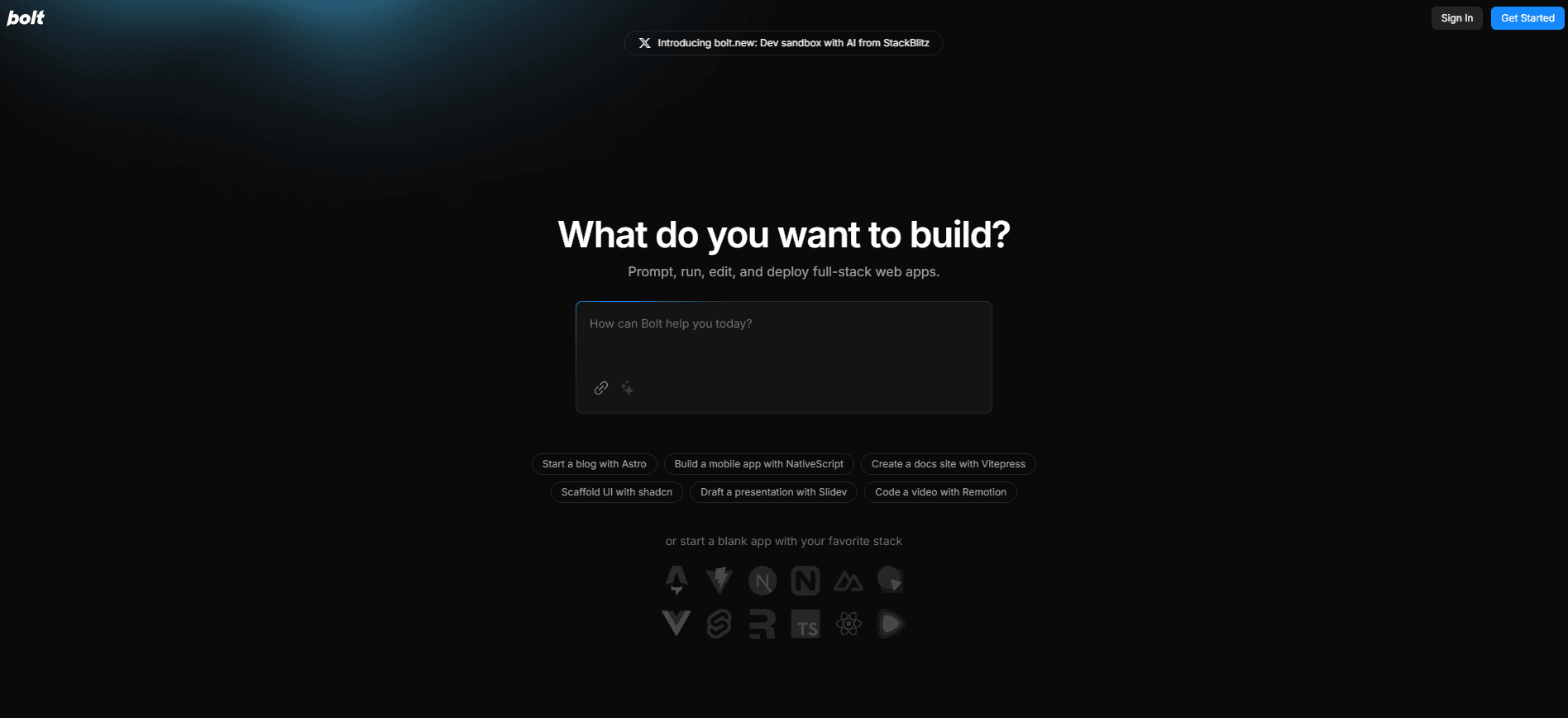
Bolt is an AI app builder from StackBlitz that lives entirely in your browser. You describe what you want in a chat box, and it writes the code, sets up the project, and runs it for you. There's nothing to install and no local environment to configure.
The tool handles many kinds of projects. You can spin up a landing page, a SaaS dashboard, an e-commerce shop, or a mobile app through the Expo integration. Think of it as an AI website builder and an AI code generator under one roof. Need a booking system by Friday? Prompt it. Need a landing page for a launch next week? Prompt that too. If you're new to coding, you describe the idea and let Bolt handle the rest. If you're an experienced developer, you can drop into code view and edit directly, connect source control, or pick your own agents and models.
The main limitation is that the free plan runs on a shared token budget, and heavier builds eat through it faster than you'd expect. Complex projects still benefit from a developer who can read the code. That's not a dealbreaker. It's just the honest tradeoff.
Getting Started
- Go to bolt.new and sign in with a GitHub, Google, or email account.
- Type a description of what you want to build into the prompt box and click Build now.
- Review the generated site, then refine it by chatting with Bolt and asking for changes.
- Open code view if you want to edit files by hand or connect source control.
- Deploy from Bolt Cloud, add a custom domain, and share the link.
Product Information
A quick look at bolt's pricing, supported platforms, and performance.
Best for
The users, tasks, and scenarios where this tool fits best.
Users
- Beginners with no coding background
- Product managers and founders
- Experienced developers
Tasks
- Prototyping a web app
- Launching a marketing or landing page
- Building internal tools
Scenarios
- Testing an idea before you spend money on contractors.
- Shipping a campaign page on a tight deadline.
- Learning to code by watching real, working output instead of tutorials.
Key features
Browser-Based Coding
Nothing to install, nothing to configure locally. Bolt sets up the whole development environment inside the browser, so browser-based coding works on any machine you sign into. The upside is obvious: you start building in seconds, not hours.
Prompt to Working App
The core of the product is simple: type a description and Bolt writes, runs, and iterates on the code for you. This is browser-based coding at its most direct. Because it tests and refactors as it goes, you spend less time hunting down errors than you would hand-writing the same feature from a blank file. It uses a range of JavaScript-based web frameworks, so the output is real code you can take anywhere, not a locked-down template. For newcomers, this removes the setup work that usually kills a first project.
Automatic Model Routing
Bolt picks the AI model that fits each task instead of making you choose. You get a strong default without wrestling with settings. It balances quality and cost on its own, which means you don't have to juggle platforms or guess which assistant handles a given job best. That routing also means the tool adapts as better models come out.
Bolt Cloud
Bolt Cloud bundles hosting, databases, user authentication, and integrations into the same project. You get unlimited databases, custom domains, and built-in analytics without opening separate accounts elsewhere. For a solo builder, this is the difference between shipping and stalling on infrastructure. No extra accounts. No configuration hell.
Code View and Source Control
You can open the code at any time and edit files directly. Bolt connects to source control, lets you choose languages and frameworks, and plays nicely with private NPM registries on team plans. It's a genuine escape hatch for developers who don't want to give up control. Edit by hand. Prompt instead. Switch whenever you like.
Expo Integration for Mobile Apps
Web projects are built in the browser, but mobile apps go through the Expo integration. That opens up games, productivity tools, and social apps for the same prompt-driven workflow. It's a newer path than the web builder, so expect to lean on the docs. Still worth trying.
Teams and Design Systems
Team plans add shared workspaces, centralized billing, and admin controls for members and integrations. You can define a team prompt and package prompts so every project follows the same conventions. The design system support keeps on-brand work consistent across a team. Agencies love this. So do in-house teams juggling five projects at once.
Pros and cons
Pros
- Output is standard code you own and can use for commercial projects.
- Hosting, databases, and domains are built in through Bolt Cloud.
- Free plan is real and usable, with 300K daily tokens.
- Works for beginners and experienced developers in the same interface.
Cons
- Token limits bite on complex builds, and the free daily cap runs out fast.
- Automatic model routing means you can't always choose exactly which model you use.
- Large or unusual projects still need a developer who can review the code.
- Mobile app support depends on the Expo integration and is less mature than the web path.
Frequently asked questions
Bolt builds websites, web apps, and mobile apps from text prompts. You describe the idea, and it writes and runs the code, then hosts it. It's aimed at anyone who wants a working product without the usual setup work.
Related content
Explore related tools, skills, and articles for bolt.
bolt Alternatives
Forefront
Forefront · CodingForefront is a web platform for building with open-source AI. It lets you fine-tune leading open-source language models on your own data, evaluate how they perform, and run them through an API or export them to host yourself. Developers who want the convenience of a closed-source platform but insist on owning their models and data are the target audience here.

Startkit
StartKit.AI · CodingStartkit is a boilerplate for building AI SaaS and AI wrapper products. Think of it as an AI startup boilerplate with the boring parts already wired up: authentication, Stripe and Lemon Squeezy payments, usage limits, transactional email, and an AI API starter that talks to OpenAI, Anthropic, Groq, or Llama. You clone the repo, set your price, and start on the part of your product that people actually pay for. It's Next.js under React and Tailwind, so most of the boilerplate code already feels familiar.
Testim
Tricentis · CodingTestim is an AI-powered test automation platform for building and running end-to-end tests across web, mobile, and Salesforce applications. It leans on machine learning to keep tests stable when an interface changes, so teams spend less time fixing broken selectors. Not bad for an automated testing tool you can start using today. You create tests by recording actions in a browser, then optionally add JavaScript when you need more control. It's a solid pick for busy QA teams.