

Boords
Boords · Video
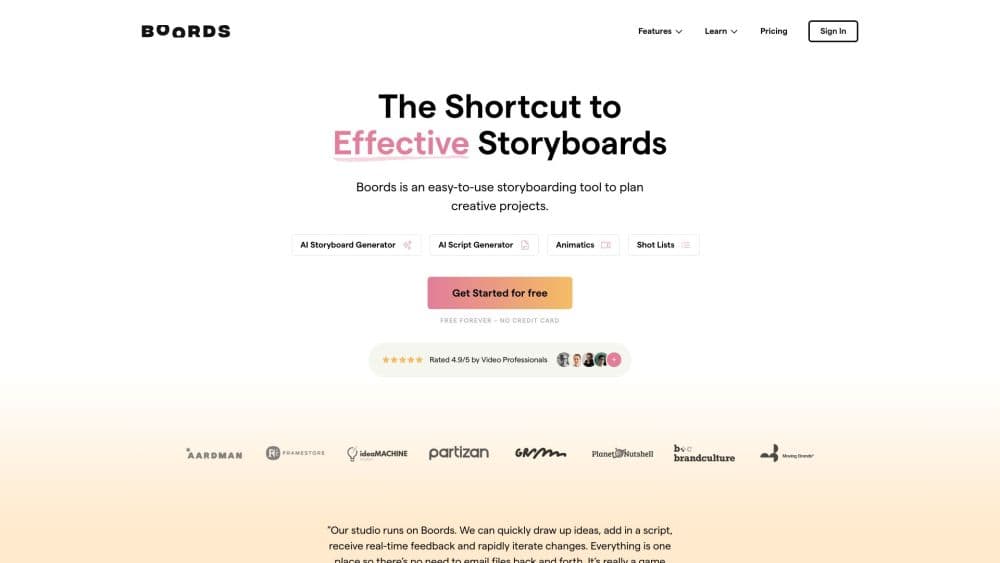
Boords is a web-based video pre-production platform where teams write scripts, build storyboards with AI or uploaded images, create animatics, and collect client sign-off in one place.
About Boords
What Is Boords
Boords is AI storyboard software for video agencies, brand teams, and freelancers who plan videos before anyone rolls a camera. You write a script, turn it into storyboard frames, arrange those frames in sequence, add audio to build an animatic, and share the whole thing with a client for approval. Everything lives in one project instead of five files across five folders.
The product comes from a working animation studio. Its founder co-founded Animade in London, got tired of rebuilding boards from blank templates and hunting for the real approved version, and built Boords in 2015 to fix that. It stays independent and small, which shows in where it focuses: keeping every version, comment, and sign-off on the record rather than piling on features.
Two limits shape how you use it. Free and lower tiers cap how many storyboards and AI images you get per month, and changing a script after you convert it to a storyboard creates a snapshot. Later script edits don't push through to existing frames, so you re-convert when the script changes.
Getting Started
- Sign up at boords.com and start a project, or begin from the free plan with no credit card required.
- Write your script in Boords or paste a screenplay, treatment, or client brief.
- Convert the script into storyboard frames, then generate images with AI, upload your own stills, or pull from the stock library.
- Rearrange frames by dragging, add audio to build an animatic, and test the pacing.
- Share one link, collect frame-level comments from your client, and lock sign-off before production.
Product Information
A quick look at Boords's pricing, supported platforms, and performance.
Best for
The users, tasks, and scenarios where this tool fits best.
Users
- Video agencies
- Brand and in-house marketing teams
- Freelance videographers and animators
Tasks
- Turning a script into a storyboard
- Building an animatic
- Collecting client feedback
Scenarios
- Pitching a commercial concept
- Locking a version before a shoot
- Keeping a distributed team aligned
Key features
AI Storyboard Generation from a Script
Paste a script, treatment, or brief and this Boords AI storyboard generator converts it into structured storyboard frames, so you start from a sequence instead of a blank page. From there you generate images with AI or upload your own stills. The conversion takes a snapshot, so if you change the script later you re-convert to refresh the frames.
AI Image Generation with Character and Location Consistency
The AI storyboard generator keeps your cast and settings consistent across frames. You build characters, locations, and props into a library once, then mention them by name with an @ mention to drop the same faces and places into any prompt. That continuity is what separates a purpose-built board from a generic image tool, and it means the board your client approves matches what you shoot.
In-Place Refinement and Camera Angle Changes
Mark the part of a frame you want to change and AI regenerates just that area, leaving the rest exactly as approved. Switch the camera angle on a frame without rebuilding the shot, keeping style and character context intact. Small client notes stop turning into full redoes.
Real-Time Collaboration and Client Sign-Off
Teams edit storyboards together in real time, and clients review through a shared link with no account or login. Every comment, version, and sign-off stays on the record, so no one scrolls back through chat to check who approved what. Unlimited guest commenting is standard.
Animatics and Production Export
Turn a board into a timed animatic with audio to sign off pacing before the edit. Export storyboards as PDFs and images or as MP4 animatics, and keep every version tracked so feedback never gets lost between rounds.
Integrations, Public API, and Webhooks
Boords ships an MCP server so you can work with stories and storyboards from Claude and ChatGPT, a Slack integration that pushes board comments to your DMs, a public API for building boards from your own pipeline, and signed webhooks that fire when projects, frames, or comments change.
Pros and cons
Pros
- Script, storyboard, animatic, and client approval live in one project, which ends the file-hunting between tools.
- Versioning and in-context comments put every approval on the record, so nobody guesses which cut is final.
- AI generation with character and location consistency keeps frames related across a board without redrawing.
- Unlimited guest commenting lets clients give feedback without creating accounts or resending links.
Cons
- Free and entry tiers limit active storyboards and monthly AI images, so heavy users hit the paid plans quickly.
- Converting a script creates a snapshot, and later script edits don't update existing frames, so you re-convert each time the script moves.
- The published plans run $39/mo to $250/mo before enterprise pricing, which is a real cost for a solo creator testing storyboard tools.
Frequently asked questions
Boords is video pre-production software for writing scripts, building storyboards with this AI storyboard generator and animatic maker, and collecting client sign-off in one place. Teams plan a video shot by shot, share it for feedback, and lock the approved version before production starts.
Related content
Explore related tools, skills, and articles for Boords.
Boords Alternatives

ngram 2.0
ngram · Video · Marketingngram 2.0 is an AI video generator for teams. It turns a prompt, a screen recording, or a product URL into a narrated explainer, product demo, or AI avatar video, and every scene stays editable.

OpenScreen 2
OpenScreen (open-source project) · Video · ProductivityOpenScreen 2 is a free, open-source screen recorder and demo video editor for Windows, macOS, and Linux, with automatic zooms, styled frames, local captions, and agent edits.

Skreno
Skreno · Video · ProductivitySkreno is a browser screen recorder that captures a tab, a window or your whole display, then attaches AI transcripts, summaries and console logs to one share link.