

BrainrotAI
BrainrotAI · Video · Leaning
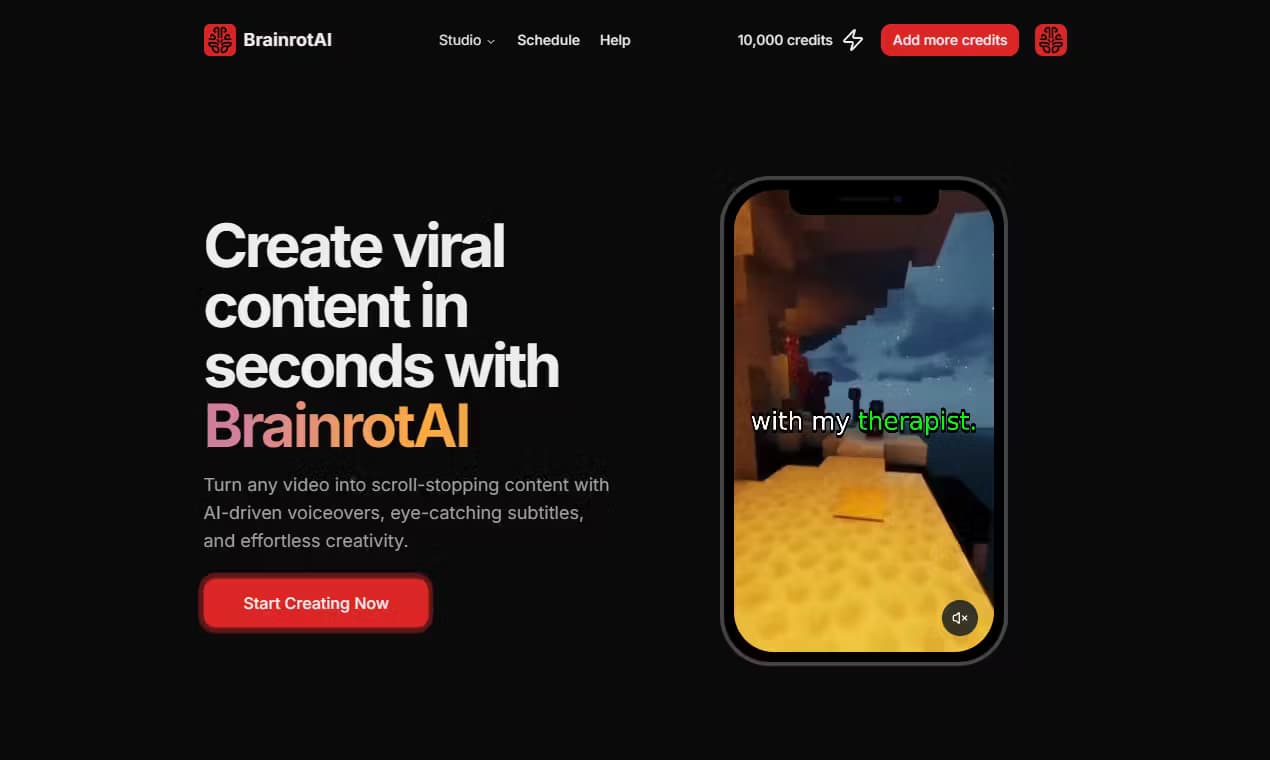
BrainrotAI is an AI short-form video generator that turns a rough idea into a ready-to-post clip, drafting an editable script then adding voiceover, looping gameplay footage, and animated captions.
About BrainrotAI
What Is BrainrotAI
BrainrotAI is a web app for people who want to post faceless video without touching a timeline. You feed it a rough thought or paste your own script, and it builds the parts of a short for you: a spoken AI voiceover, looping background footage from games, and animated captions that move on beat.
The product targets the format that fills TikTok, Shorts, and Reels feeds, where a hook lands in the first second and the visual repeats behind the voice. BrainrotAI keeps the creative calls with you. You pick the idea, the voice, the background, and the caption style, then approve each piece before anything renders.
The main catch is scope. Everything runs in the browser, there is no mobile app, and every render burns credits that you buy in packs. There is no monthly subscription you can leave running, and no promise that a video goes viral. It also does not offer a public API, so you cannot wire it into another product. Signing in takes a Google account, and that is the only way in.
Getting Started
- Sign in with your Google account to open the workspace.
- Drop a rough idea or paste a finished script into the editor, then let the tool draft or rewrite it.
- Pick an AI voice, choose a background, and set your caption style and highlight color.
- Check the credit estimate, hit render, and download the finished short from your library.
Product Information
A quick look at BrainrotAI's pricing, supported platforms, and performance.
Best for
The users, tasks, and scenarios where this tool fits best.
Users
- Faceless creators
- Social media managers
- Hobbyist posters
Tasks
- Turning a shower thought into a post
- Voiceover for an existing script
- Caption styling
Scenarios
- Daily posting on a fixed schedule
- Testing a hook before you commit
- Filling a gap in a content plan
Key features
Idea to Script Drafting
Type a rough thought and BrainrotAI expands it into a full script you can rewrite line by line. The draft keeps your angle instead of flattening it into generic copy, so the finished voiceover still sounds like something you would say. You approve the words before any credit is spent on a render.
AI Voiceover
Pick from a set of AI voices to read your script aloud. The voice sets the energy of the whole short, and you can trade it out and re-render if the first pick feels off. Because the read is generated, you never record your own audio.
Background Footage
The app drops looping gameplay or satisfying visuals behind the voice so there is always something moving on screen. Styles range from parkour runs to subway-surfer motion to oddly calming scenes, which is the look most faceless shorts lean on. No stock footage hunting or clip trimming is involved.
Animated Captions
Captions are not a static subtitle block. BrainrotAI previews three delivery styles, including background highlights, a subtle pulse, and one bold word at a time, so you can match the rhythm of the read. Previews play in motion without spending credits.
Credit-Based Rendering
Every render costs credits, and the app shows an estimate before you commit. A single pool of credits covers all lengths and options, so you decide per video rather than locking into a plan. New accounts get 1,100 credits to test the workflow.
Browser-Based Library
Finished shorts stay in a library you reach from the same browser session. You can re-download an old clip or revisit the settings that produced it, which cuts down on re-rendering the same video twice.
Pros and cons
Pros
- Handles the tedious parts of a short, so you skip timeline editing and audio recording.
- Script stays editable, which means you keep the creative direction and only outsource the busywork.
- Caption styles preview in motion before you render, so you see the look before spending credits.
- Credit packs are one-time buys, so there is no subscription quietly renewing.
- Google sign-in removes the sign-up form and gets you into the workspace fast.
Cons
- No mobile app means you cannot build a short from your phone, only from a browser.
- Credits run out and must be bought again, so heavy posting adds up over time.
- There is no public API, so you cannot automate publishing or plug the tool into your own stack.
- Background and voice options are fixed sets, which limits how far you can push a unique style.
Frequently asked questions
It makes vertical short-form videos built around a spoken script, with AI voiceover, looping background footage, and animated captions. The output is the kind of clip that fills TikTok, Shorts, and Reels feeds.
Related content
Explore related tools, skills, and articles for BrainrotAI.
BrainrotAI Alternatives
Griffin by Tavus
Tavus · Voice & Language · Video · ChatbotGriffin by Tavus is the first Human Interaction Model: a full-duplex, video-to-video system that watches, listens, and answers during a live video call in real time.

Syllaby AI Avatar 2.0
Syllaby · Video · MarketingSyllaby AI Avatar 2.0 turns a script into a presenter-led video with a reusable AI avatar, natural voice, B-roll and automatic subtitles, all in one browser workflow.

Vitra.ai
Vitra.ai · Voice & Language · Video · MarketingVitra.ai is an agentic content platform that creates, translates, reviews, and publishes video, images, documents, and app content in 120 languages from one shared brief.