

buildarc
Leonardo M. (leonardomjq) · Coding · Productivity
buildarc is an open-source command line tool that reads your Claude Code conversation transcripts and turns them into shareable content. Run one command in your project folder and it pulls out the decisions, pivots, and dead ends from sessions that already happened, then shapes them into an X thread, a LinkedIn post, or a build journal. It keeps everything local, needs no configuration, and ships as a small Node.js package you can run with npx. Think of it as a build in public tool for people who never get around to posting.
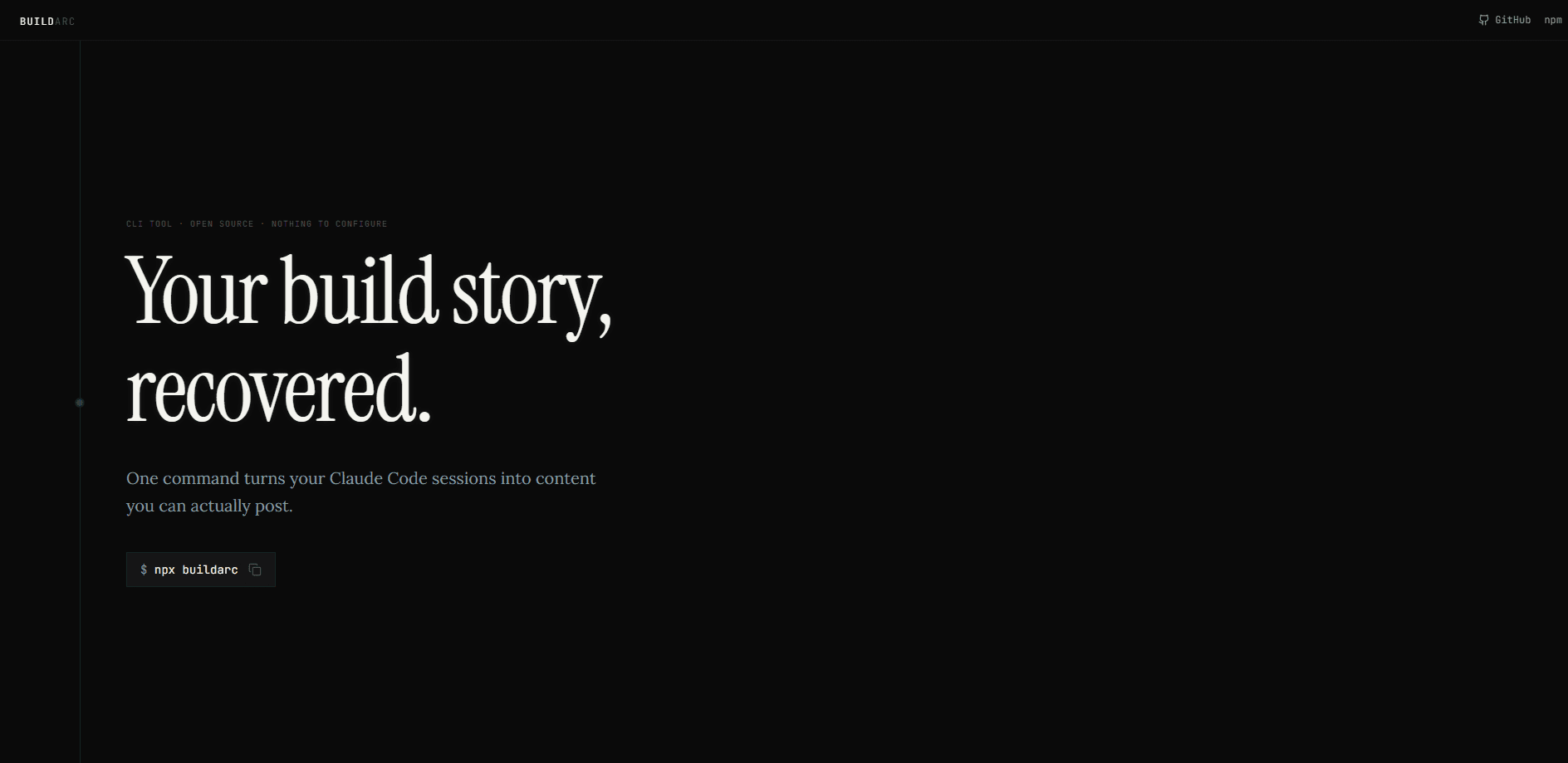
About buildarc
What Is buildarc
buildarc is a CLI content tool built for developers who use Claude Code and want to share what they're building. It recovers a Claude Code build story straight from the transcripts Claude Code already writes to disk. Nothing new to install. No session you need to start recording.
The problem it solves is a familiar one. You finish a project, think "I should post about this," and then never do it, because pasting fifty chat logs into a chatbot or manually writing a thread is more work than the payoff. buildarc treats your existing Claude Code sessions as the source material and recovers the story from them. According to the project's own README, its origin was a SaaS build called ScoutAgent that spanned 45+ sessions; the story of that build nearly vanished into unread .jsonl files before buildarc recovered it.
The catch is that the AI storytelling step depends on Claude Code itself. buildarc uses your existing Claude installation to write the post in your voice, so if you don't have Claude Code set up, you still get the extraction summary but not the polished text. It also only reads Claude Code transcripts, not sessions from other coding assistants.
Getting Started
- Build something with Claude Code as you normally would. buildarc reads the transcripts it leaves behind, so there's no separate capture step.
- Open a terminal in your project directory and run
npx buildarc. The tool auto-detects the project on its own, and no config file is required. - Let it read your sessions. It parses the
.jsonlfiles, most often in seconds, and classifies the key moments it finds. - Choose a format from the menu: X thread, LinkedIn post, build journal, all of the above, or just the summary.
- Copy the generated files from the
.buildarc/folder in your project root. Each one is ready to paste into the platform it was written for.
Product Information
A quick look at buildarc's pricing, supported platforms, and performance.
Best for
The users, tasks, and scenarios where this tool fits best.
Users
- Indie developers who build in public
- Solo founders using Claude Code
- Developer advocates and technical writers
Tasks
- Drafting an X thread from a week of coding
- Writing a LinkedIn update about a launch
- Keeping a build journal
Scenarios
- Wrapping up a project and wanting to post about it
- Reviewing how a project actually went
- Sharing a build without leaking secrets
Key features
One-command workflow
The whole tool runs behind a single command: npx buildarc. It auto-detects your project from the current directory, reads the relevant transcripts, and walks you through a short menu. No setup. No account. No config file to maintain.
Three output formats
buildarc writes X threads, LinkedIn posts, and build journals, and it can produce all three in one run. It doubles as an X thread generator and a LinkedIn post generator: the thread option builds a multi-tweet thread rather than a single post, and the journal format lands as a dated entry you can keep adding to.
Two-layer pipeline
Extraction is instant and local, while storytelling is handled by AI. The first layer parses your .jsonl files and classifies moments into decisions, pivots, emotions, directives, and questions. The second layer sends that summary to Claude to write the post in your voice. That split is what keeps the slow part optional.
Project-aware context
The tool reads your package.json and git remote to pull in real specifics for CTAs. That means the generated thread can name your project and link to it instead of describing a generic app. That matters. Posts that don't point anywhere tend to get ignored.
Privacy and secret scrubbing
Everything runs on your machine, with no data transmitted and no telemetry. Before anything becomes shareable, a scrubber replaces API keys, Bearer tokens, connection strings, and .env-style secrets with a visible [REDACTED] marker. You can see exactly what was removed.
Zero dependencies
buildarc is built on Node.js built-ins only and pulls in no runtime packages. It installs in seconds. That's a real difference from tools that drag a large dependency tree behind them for a task you'll run occasionally.
Retroactive by design
The tool works on sessions that already happened, so there's no reason to change how you work going forward. Been using Claude Code for months? The story of that work is already sitting on disk waiting to be read.
Pros and cons
Pros
- Turns a task most developers skip, writing about their work, into a single command.
- Runs fully offline with no telemetry, so sensitive project details stay on your machine.
- The secret scrubber marks redactions visibly instead of silently, letting you check what changed.
- Zero runtime dependencies keep the install small and the tool fast.
- Works retroactively on existing Claude Code sessions with no new recording step.
Cons
- Only reads Claude Code transcripts, so users of Cursor, Copilot, or other assistants get nothing.
- The AI storytelling step needs Claude Code installed; without it you only get the raw extraction summary.
- The generated content still reads as AI-assisted unless you edit it, which some audiences notice.
Frequently asked questions
It reads your Claude Code transcripts and turns them into shareable content: X threads, LinkedIn posts, and build journals. You run npx buildarc in a project directory and pick a format from the menu.
Related content
Explore related tools, skills, and articles for buildarc.
buildarc Alternatives
Forefront
Forefront · CodingForefront is a web platform for building with open-source AI. It lets you fine-tune leading open-source language models on your own data, evaluate how they perform, and run them through an API or export them to host yourself. Developers who want the convenience of a closed-source platform but insist on owning their models and data are the target audience here.

Startkit
StartKit.AI · CodingStartkit is a boilerplate for building AI SaaS and AI wrapper products. Think of it as an AI startup boilerplate with the boring parts already wired up: authentication, Stripe and Lemon Squeezy payments, usage limits, transactional email, and an AI API starter that talks to OpenAI, Anthropic, Groq, or Llama. You clone the repo, set your price, and start on the part of your product that people actually pay for. It's Next.js under React and Tailwind, so most of the boilerplate code already feels familiar.
Testim
Tricentis · CodingTestim is an AI-powered test automation platform for building and running end-to-end tests across web, mobile, and Salesforce applications. It leans on machine learning to keep tests stable when an interface changes, so teams spend less time fixing broken selectors. Not bad for an automated testing tool you can start using today. You create tests by recording actions in a browser, then optionally add JavaScript when you need more control. It's a solid pick for busy QA teams.