

Burp
Burp · Video · Marketing
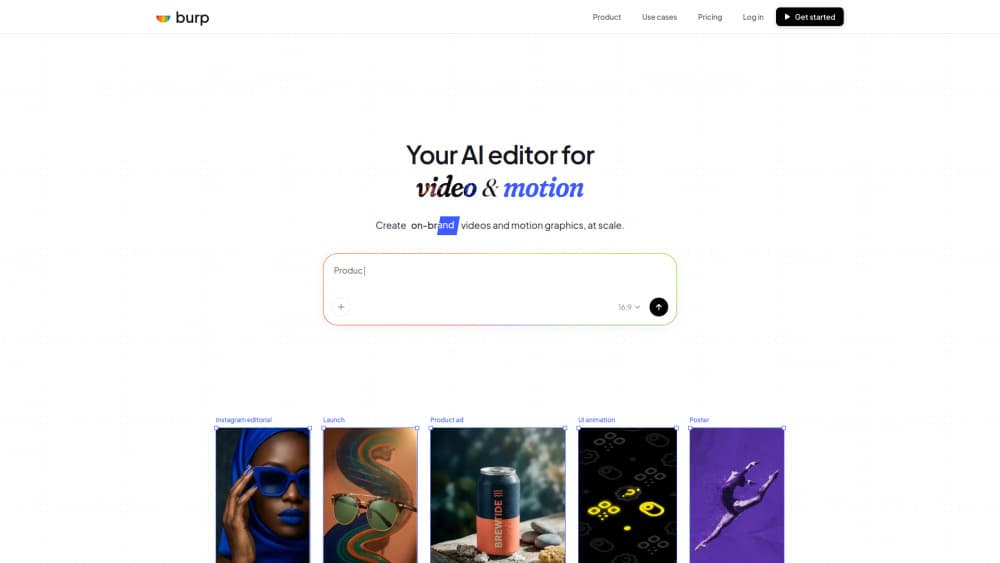
Burp is an AI video editor and motion graphics tool that builds on-brand videos from a text prompt, then lets you refine them by chatting with the editor instead of dragging clips around a timeline. It's aimed at marketing and product teams that need to ship campaign clips, social posts, UI animations, and stat cards without a dedicated motion designer on hand. You type an idea, get a video in seconds, then fine-tune layers, keyframes, and timing by hand or through conversation.
About Burp
What Is Burp
Burp sits somewhere between a prompt-based AI video generator and a full manual motion design suite. Most AI video tools stop at generation, so anything the model gets wrong means starting over. Burp keeps the edit. You can ask it to trim a clip, ease in a logo, or swap footage in a scene, and it retimes the existing layers rather than regenerating the whole thing from scratch.
The main problem it solves is speed for teams that produce a lot of branded motion. Marketing ships a campaign, the product team ships a feature band, and both need clips that look like they came from the same design system. Burp keeps that system underneath so different people produce consistent output.
Most AI video tools stop at generation. Anything the model gets wrong means starting over. Not this one.
The biggest limitation is where it lives. Burp runs in the browser, so it's tied to your internet connection and can't be used offline. It also depends on AI credits, so heavy generation runs into monthly caps unless you move up a plan. There's no Android or iOS app either, which rules it out for anyone editing on a phone.
Getting Started
- Go to burp.com and create an account, then open the editor from the dashboard.
- Type a prompt for the video you want. Include the subject, the text, and the mood, then let Burp generate a first cut.
- Refine the result by chatting with the editor. Name the layer, color, or timing you want changed.
- Fine-tune anything remaining by hand, adjusting layers, keyframes, and timing directly.
- Export the finished piece as MP4, GIF, or 4K video.
Product Information
A quick look at Burp's pricing, supported platforms, and performance.
Best for
The users, tasks, and scenarios where this tool fits best.
Users
- Marketing teams
- Product teams
- Small studios and freelancers
Tasks
- Turning a written idea into a first-cut video in seconds, so you can judge a concept before committing production time.
- Editing by chatting
- Exporting at different formats, from lightweight GIFs for messaging to 4K for placement on large screens.
Scenarios
- A product launch where the campaign and the in-app feature announcement need to feel like one system.
- A season announcement or year-in-review card where animated counters and stat strips do the work.
- A website hero band or interface state animation that has to live inside the page rather than in a standalone clip.
Key features
Prompt-to-Video Generation
You describe what you want in plain language and Burp returns a video in seconds. A prompt like a floating sneaker with bold typography and a dreamy ad-spot mood produces a usable first cut, not a static frame. That's the fastest path from an idea to something you can react to. Wait, is it really that fast? For a first cut, yes. The output still needs your eye, but you're reacting to motion instead of imagining it.
Edit by Chatting
Instead of hunting for the right control, you tell Burp what to change. Ask it to trim the opening clip to two seconds and ease the logo in after it, and it trims the clip and animates the logo on an ease-out. The useful part is that it keeps your existing layers, so a change doesn't wipe out the work you already approved.
Manual Layer Control
When you want precision, the full toolkit is there. You can work with layers, keyframes, and timing directly, which matters for anything brand-critical where the AI's guess isn't quite right. Chatting gets you close; the manual controls let you land it exactly.
Multi-Format Export
Burp exports MP4, GIF, or 4K depending on where the video is going. A GIF for a chat thread and a 4K master for a large display come from the same project, so you're not rebuilding the piece for each destination.
Team Library and Shared Files
On higher plans you get a shared library and file access across the team. That's what keeps output consistent when marketing and product are both producing clips. Same assets, same look.
Branded Motion at Scale
The premise is a single video and motion system underneath every piece of content. Social posts, ads, pack shots, and stat cards all inherit the same brand rules, which is hard to maintain when each clip is made in isolation by a different person.
Pros and cons
Pros
- Prompt-to-video gets a usable first cut in seconds, which shortens the distance between idea and feedback.
- Editing by chat preserves existing layers instead of regenerating, so refinement doesn't undo approved work.
- Manual layer, keyframe, and timing controls are available when precision matters more than speed.
- Multiple export formats (MP4, GIF, 4K) mean one project serves several destinations.
- Shared team library on paid tiers keeps branding consistent across marketing and product.
Cons
- No free plan, so you have to pay before you can genuinely test whether the workflow fits your team.
- Monthly AI credit caps mean heavy generation can stall until the next cycle unless you upgrade.
- Browser-only with no mobile app, so you can't edit on a phone or work offline.
Frequently asked questions
Think of it as a video editing tool that starts from a prompt instead of a blank timeline. Burp generates on-brand videos and motion graphics from a text prompt, then lets you refine them by chatting with the editor or editing layers and keyframes by hand. It's built for teams that produce a lot of branded motion and want to move faster than a manual timeline allows. In a sense it works as lightweight motion design software, minus the steep learning curve.
Related content
Explore related tools, skills, and articles for Burp.
Burp Alternatives

Vadu AI
Vadu AI · Image · VideoVadu AI is a web-based AI video generator that turns written prompts or still images into short clips, and it can also generate images on its own. You type what you want, pick a model and style, and the platform renders the result in minutes. A free plan covers light testing, while paid tiers run from $9 to $77.40 per month based on how many credits you burn.

Mykaraoke Video
MyKaraoke Video · VideoMykaraoke Video is an online karaoke video maker and lyric video maker that turns any song into a finished, lyrics-synced video right in your browser. It handles the slow part for you. The AI pulls vocals out of the mix and locks the lyrics to the beat, then lets you customize background, fonts, and colors before exporting in 1080p MP4. If you make lyric videos for social media, party nights, or music promotion, it skips the software installs and manual timing work entirely. Want a karaoke video generator that doesn't eat your whole evening? That's the pitch here.

Finalframe
Finalframe · VideoFinalframe is a set of free, browser-based tools for grabbing exact frames out of a video clip. Its best-known feature, the Final Frame Extractor, lets you extract the last frame of any video so you can use it as the starting image for AI video tools like Luma Dream Machine, Runway, or Kling. Want to keep a clip going? That last frame is your starting point. The tool runs locally in your browser, needs no sign-up, and costs nothing. A separate paid AI video-generation app from the same team is currently offline while it's rebuilt.