

ByDesign: Notes,Tasks,Calendar
IdealistApp · Productivity
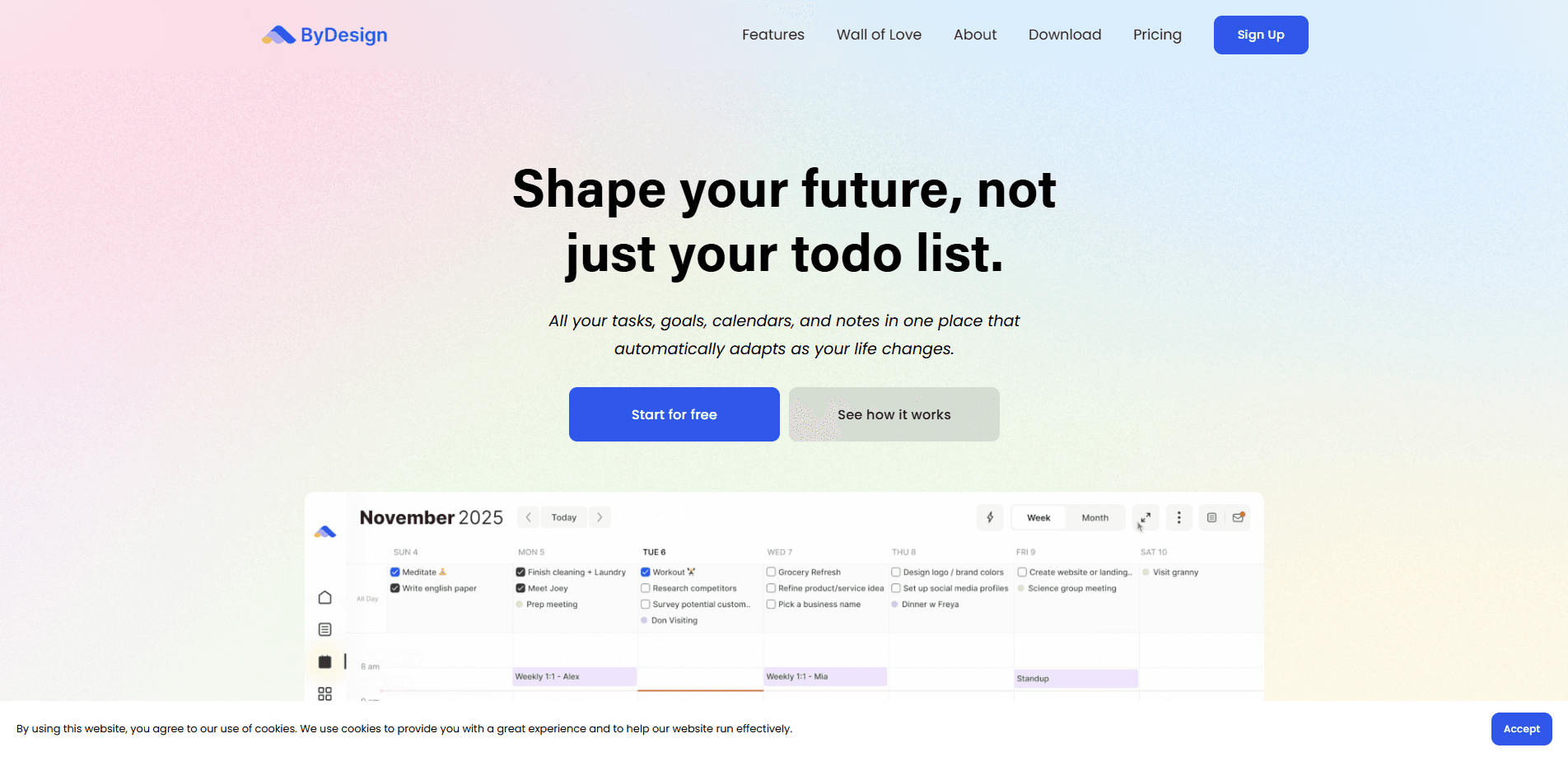
ByDesign: Notes,Tasks,Calendar is an all-in-one planner that pulls tasks, a calendar, notes, and habits into a single workspace. It works as a task and calendar app first, then adds AI scheduling and goal planning on top, so it can arrange your work around the time you actually have. It runs on iPhone, iPad, Mac, and the web, with a free tier and paid subscriptions, and it's positioned for people who want one planner for both work and personal life rather than two separate systems that never quite talk to each other.
About ByDesign: Notes,Tasks,Calendar
What Is ByDesign: Notes,Tasks,Calendar
ByDesign is a digital planner built by IdealistApp, a Boston team that started the project at Dartmouth College and later went through the Techstars accelerator. The pitch is simple: stop juggling Notion for notes, Todoist for tasks, Google Calendar for events, and a separate habit tracker. ByDesign puts all of those in one app and then lets an auto-schedule feature line up your tasks based on when you're free. One window. Less switching.
That last part is where the AI angle shows up. You can type a phrase like "Meeting tomorrow at 10AM" into the quick-capture console, and natural language processing reads the date and time and books it for you. Goal plans and templates take a longer view. They break a target into steps and slot them into your calendar. It's aimed at people who like structure but don't want to spend their Sunday night building it by hand, and that crowd is bigger than the productivity blogosphere usually admits.
The main limitation is depth. ByDesign is a general-purpose planner, not a project management tool. Teams that need dependencies, Gantt charts, or resource planning will hit a ceiling fast. It's also tied to the Apple side of life. There's a web app for logging in from anywhere. The polished experience, including the widgets, lives on iPhone, iPad, and Mac. If you're deep in the Windows or Android world, this isn't built for you. That's a real dealbreaker for some.
Getting Started
- Sign up at bydesign.io or download the app from the App Store for iPhone, iPad, or Mac.
- Start a 7-day trial of the full feature set. No card is required to explore everything first.
- Connect your existing calendars so personal, work, and school events all show in one timeline.
- Add a few tasks and a note, then let the auto-schedule feature arrange them around your open slots.
- Set up one goal plan or a habit to keep running, and decide whether to keep the paid plan after the trial ends.
Product Information
A quick look at ByDesign: Notes,Tasks,Calendar's pricing, supported platforms, and performance.
Best for
The users, tasks, and scenarios where this tool fits best.
Users
- Students
- Freelancers
- Parents
- People who bounce between apps
Tasks
- Scheduling recurring tasks
- Capturing ideas fast
- Planning a goal
- Tracking daily habits
Scenarios
- Planning a busy week on Sunday night
- Managing a school term
- Running a side project
- Staying on top of household chores
Key features
Auto-Scheduling and Goal Plans
The centerpiece is an auto-scheduling planner that reads your availability and places tasks where they fit. You set goals from customizable templates, and it spreads the required work across your open time. The upside is less manual planning. The trade-off is that you're trusting the app's judgment over your own instincts about what to do first, and anyone who has watched an algorithm triage their day knows that can feel strange at first.
Natural Language Quick Capture
A console accepts plain phrases like "Meeting tomorrow at 10AM" and turns them into scheduled events. Type it, and it's booked. This is the fastest way to get a thought onto your calendar. It's also the feature that makes this AI scheduling app feel effortless. It works well for short, clear phrasing. Long or ambiguous input still needs a manual fix on the rare occasions the parser misreads the intended date or time.
Unified Calendar and Tasks
You can connect multiple calendars, personal, work, or school, and manage ByDesign tasks inside the same view. Tasks can be color-coded, dragged onto specific times, and marked as all-day events. Sync runs in real time, so an appointment added on your phone shows on your Mac within seconds. No refresh required.
Notes With Attachments and Linking
Notes support attachments like PDFs, photos, audio, and web links, plus checklists, tables, and headings. Pages can link to each other, so a project note can point to a meeting note or a reference doc. It's a lightweight Notion-style setup rather than a full document editor, which means power users who rely on databases, relations, and advanced queries will find it too simple for serious knowledge work.
Habits and Overview Widgets
A habit tracker sits alongside your tasks, so routines and one-off work share the same dashboard. iOS widgets show tasks and habits right on the home screen without opening the app. Timeline, daily, weekly, and someday views keep the schedule readable at a glance. Glanceable beats clever here.
Dark Mode and Drag-and-Drop Everywhere
You can move tasks, notes, and whole pages with drag and drop, which makes reorganizing a workspace quick. Dark mode is there for late-night planning sessions and is easier on the eyes than a bright white screen. Neither is exotic, and both are done well, which matters more than any single headline feature when you open the same planner every morning for months.
Pros and cons
Pros
- Combines tasks, calendar, notes, and habits in a single productivity app, cutting the number of subscriptions you juggle.
- Auto-scheduling and goal plans turn a vague to-do list into a placed, dated plan.
- Natural language capture makes adding a task as fast as typing a sentence.
- A 7-day full-feature trial needs no card, so you can test it before paying.
- Clean interface that reviewers on the App Store repeatedly call simple and uncluttered.
Cons
- No API, so you can't wire it into other tools or automate custom workflows.
- The best experience is Apple-first; Windows and Android users get a web app at most.
- Not built for teams that need dependencies, Gantt charts, or heavy project tracking.
- Importing from older single-purpose apps is limited, which means some manual re-entry.
Frequently asked questions
ByDesign is a planner that keeps your tasks, calendar, notes, and habits in one place, with AI scheduling to arrange work around your free time. It suits individuals and small households rather than large teams. Does it replace a dedicated notes app like Obsidian? Not quite.
Related content
Explore related tools, skills, and articles for ByDesign: Notes,Tasks,Calendar.
ByDesign: Notes,Tasks,Calendar Alternatives

Swms
Swms AI · Writing · Productivity · BusinessSwms is an AI safety compliance tool that turns a plain description of a job into ready-to-use safety documents. Describe your project, trade, and known hazards, and it writes a safe work method statement, job hazard analysis, safe work procedure, RAMS, or safety data sheet in seconds. It also ships with Oscar, a chat assistant that answers workplace safety questions in any language. Teams in construction, mining, transport, and warehousing use it to cut the paperwork that usually eats into a workday.

Wordly AI Translation
Wordly · Voice & Language · ProductivityWordly AI Translation is a real-time AI translation and captioning platform built for meetings, conferences, and events. It delivers live translation, captions, transcripts, and summaries in more than 60 languages, and attendees join by scanning a QR code or opening a link instead of using dedicated headsets. The platform works with Zoom, Microsoft Teams, Google Meet, and Webex, and it's designed for organizations that want multilingual access without hiring human interpreters for every session. Simple as that.

Rows
Rows (Superhuman) · Productivity · BusinessRows is an AI spreadsheet and data analysis tool that imports live data from more than 50 sources, then lets you work with it using plain language instead of SQL queries or nested formulas. You can pull numbers out of PDFs, connect ad platforms, databases, and bank accounts, and ask the AI to build reports, merge datasets, or set up models that recalculate themselves. It runs in the browser, works like a spreadsheet, and now sits under the Superhuman umbrella.