

Cadence
Cadence · Video
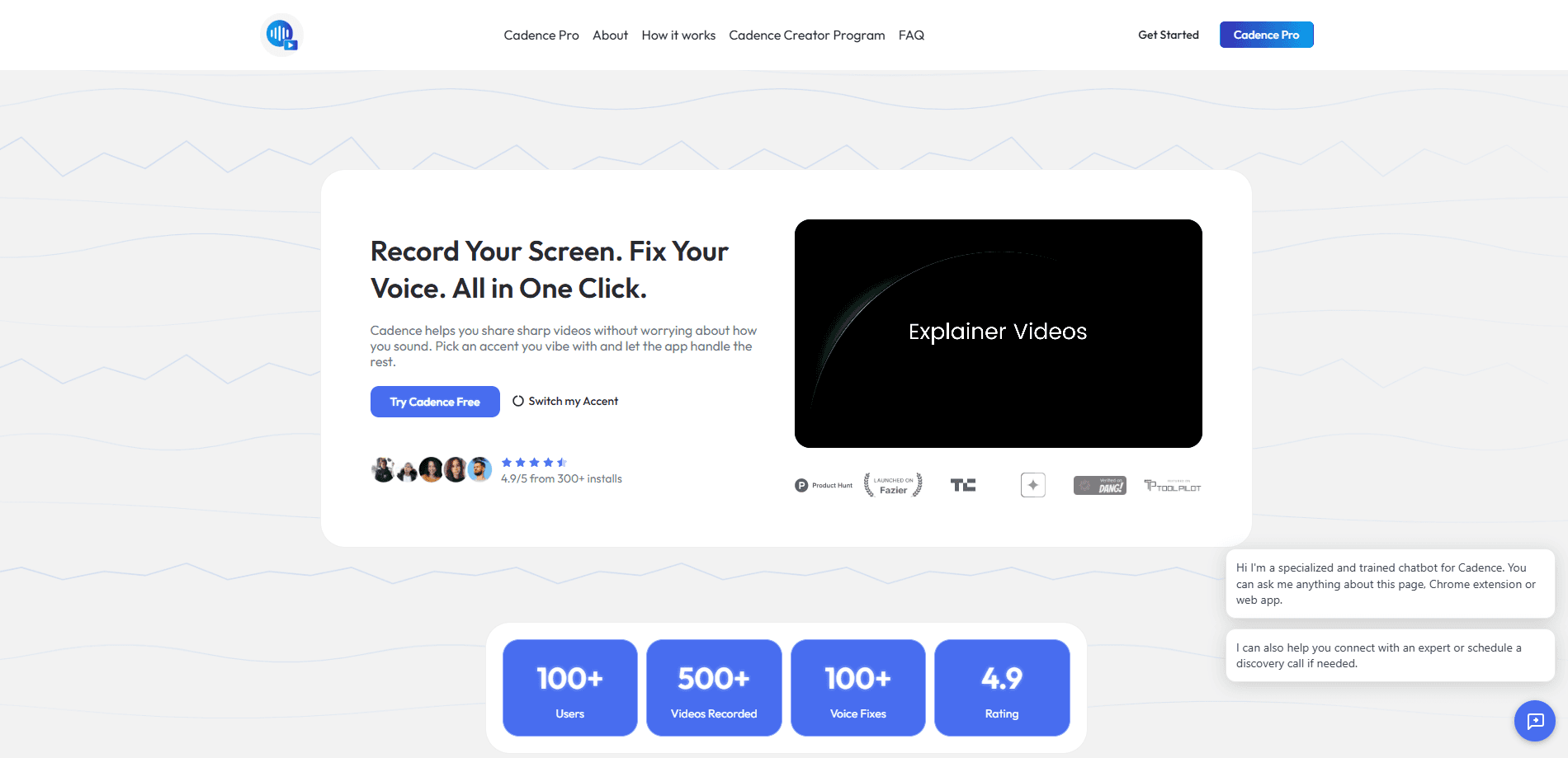
Cadence is an AI screen recorder built as a Chrome extension, and its hook is audio rather than video. You capture a tab, a window, or your whole screen in one click, then Cadence rebuilds your voiceover so it sounds cleaner and more confident. Think of it as a screen recorder with voice changer built in. It can swap your accent, cut background noise, translate your narration into 25+ languages, and even drop a lip-synced AI avatar into the corner of the recording. The pitch is simple: record once, sound like your best take, and send a link.
About Cadence
What Is Cadence
Cadence is a screen recording app for people who make good videos but hate how they sound in them. The Chrome extension handles the capture side, with drawing tools, live blur, and cursor highlights built in, while the AI voice layer does the part most recorders ignore. Instead of asking you to re-record until your accent lands right, Cadence rebuilds the audio from your original take. It keeps your exact words, pace, and pauses.
That combination matters because the usual workflow is painful. You record a demo, cringe at a shaky breath or an accent that doesn't match your audience, then record it again. And again. Cadence folds the cleanup into the same tool you record with, so one pass is usually enough.
The trade-off is scope. Cadence is Chrome-first. If you work on a desktop app outside the browser or on mobile, this isn't the recorder for you yet, and the web version is still listed as coming soon. The free tier also caps AI accent polish at 60 seconds per clip, so longer voiceovers push you toward the paid plan.
Getting Started
- Install the Cadence Chrome extension from the Chrome Web Store and create your account.
- Choose what to capture: a single tab, a window, or your entire screen, with your mic and optional camera.
- Record your take, using the pen, arrows, and shapes to annotate and the live blur tool to hide anything private.
- Open the editor and let Cadence rebuild the audio, picking an accent such as Neutral American or British RP if you want one.
- Export the file locally or copy a shareable link like usecadence.co/v/8b2c1f to send to anyone.
Product Information
A quick look at Cadence's pricing, supported platforms, and performance.
Best for
The users, tasks, and scenarios where this tool fits best.
Users
- Product teams and founders
- Course creators and tutorial makers
- Support and sales staff sending async updates
Tasks
- Recording a browser-based product demo
- Fixing a voiceover you already recorded
- Translating narration for a global audience
Scenarios
- Sending a fast internal update instead of booking a meeting
- Building onboarding videos at volume
- Presenting when you'd rather stay off camera
Key features
AI Accent Polish
This is the feature Cadence is built around. After you record, you pick an accent such as Neutral American or British RP, and the tool rebuilds the audio to match it. Your words, pace, and pauses stay intact. It doesn't sound like a synthetic voice reading your script, either. In practice it works as an accent changer and a voice enhancer at the same time. The free tier gives you 60 seconds per clip, while Cadence Pro raises that to a 30-minute monthly bank.
One-Click Screen Recording
The extension records a single tab, a window, or your full screen, with your microphone and camera included when you want them. There's no separate capture app to launch, since the recorder sits in the browser you're already working in. That keeps the path from idea to finished clip short. One click, and you're rolling.
Live Blur and Cursor Highlights
You can drag a box over names, emails, API keys, or revenue numbers and Cadence blurs them on the fly, before the frame is saved. The blur stays locked to the area even as the page scrolls. That matters for walkthroughs and confidential demos. Cursor highlights pick up your clicks and pointer movement so viewers can follow along without you narrating every move.
Drawing Tools
A pen, arrows, shapes, and text are available live while you record. For tutorials and support videos, this means you can circle the button you're describing instead of explaining it in words. It's a small thing that cuts a lot of viewer confusion. Small tools, big payoff.
Global Translation and Dubbing
Cadence Pro dubs your narration into more than 25 languages, which lets a single recording serve audiences across several markets without you sitting down to record each version separately. Combined with accent polish, you can sound consistent across languages without hiring separate voice talent for each one. So what happens to your original delivery? The words get translated, but your pacing and tone carry over.
AI Avatar Generation
If you're camera-shy, Cadence can generate a lifelike avatar that presents inside your recording, lip-synced word-for-word to your real voiceover. It sits in the corner of the frame and can be restyled, resized, and repositioned in the editor. It's generated in seconds straight from the extension, so you never need a webcam or a second take. No webcam needed.
The Editor and Shareable Links
Recording is only half the job. The editor handles the audio rebuild and the avatar placement, then lets you export locally or publish a public link that anyone can open in a browser without downloading a file first. Recipients just open a web address. That beats sending a file. That last step is what turns a raw capture into something you're happy to send.
Pros and cons
Pros
- Fixes the audio problem most screen recorders ignore, so you improve tone and clarity without re-recording.
- Accent swapping and translation let one recording work for several audiences.
- Live blur and drawing tools are built into the recorder, so there's no second editing pass for annotations.
- The AI avatar gives a clean on-screen presence for people who don't want to appear on camera.
- Chrome extension install makes the entry point nearly frictionless. No setup headaches.
Cons
- It's Chrome-first, so anyone recording desktop apps outside the browser or on mobile can't use it yet.
- The free tier caps AI accent polish at 60 seconds per clip, which is short for longer tutorials.
- The web app is still marked as coming soon, so cross-device workflows aren't there yet.
- Public pricing for Cadence Pro isn't listed, so you have to sign up to confirm the cost.
Frequently asked questions
Cadence records your screen and cleans up your voice in the same tool. You use it to make demos, tutorials, and internal updates that sound professional without recording multiple takes.
Related content
Explore related tools, skills, and articles for Cadence.
Cadence Alternatives
Griffin by Tavus
Tavus · Voice & Language · Video · ChatbotGriffin by Tavus is the first Human Interaction Model: a full-duplex, video-to-video system that watches, listens, and answers during a live video call in real time.

Syllaby AI Avatar 2.0
Syllaby · Video · MarketingSyllaby AI Avatar 2.0 turns a script into a presenter-led video with a reusable AI avatar, natural voice, B-roll and automatic subtitles, all in one browser workflow.

Vitra.ai
Vitra.ai · Voice & Language · Video · MarketingVitra.ai is an agentic content platform that creates, translates, reviews, and publishes video, images, documents, and app content in 120 languages from one shared brief.