

Cantina AI
Cantina, Inc. · Video · Chatbot
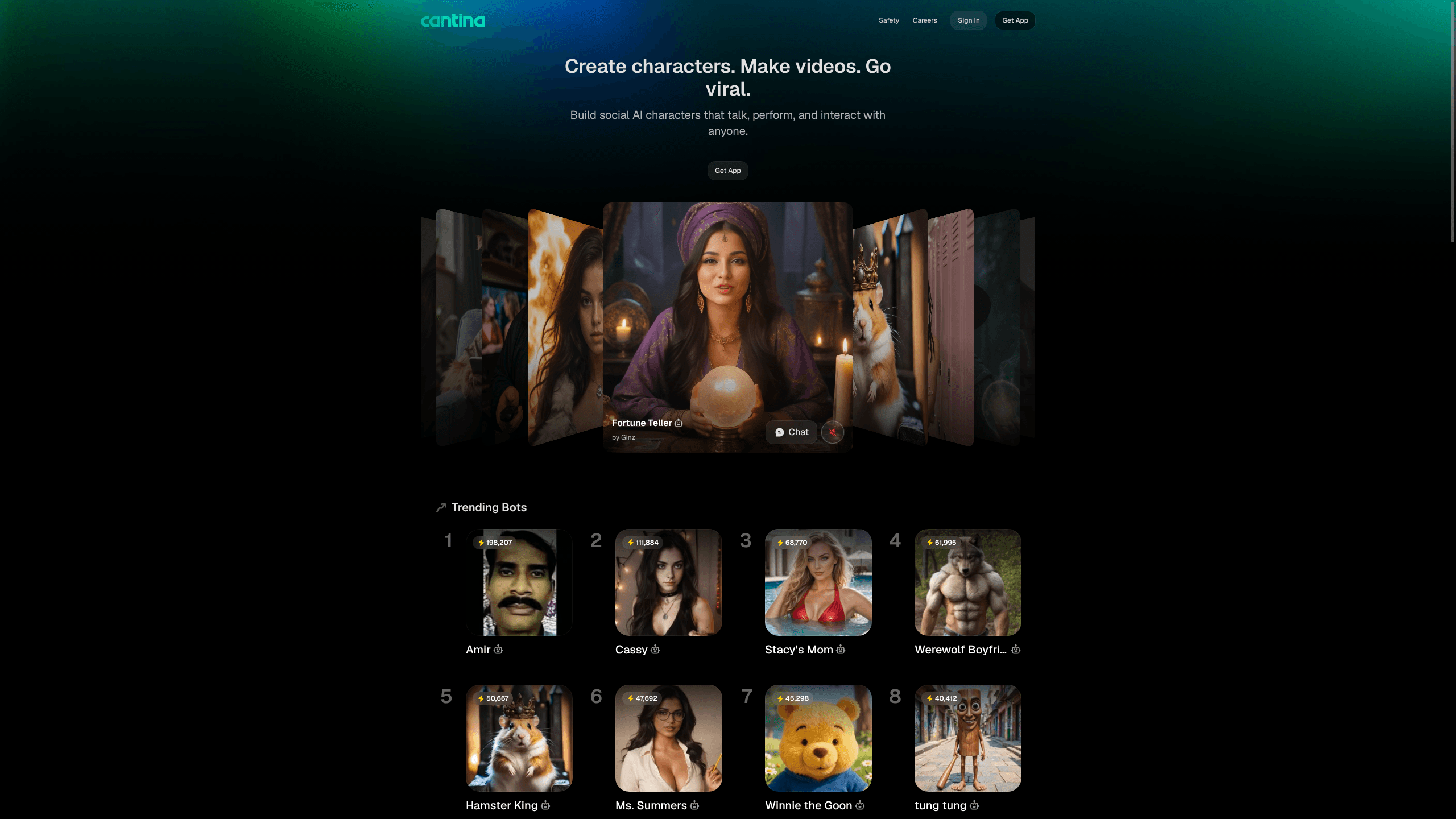
Cantina AI is an AI social platform where you build lifelike characters, or bots, and drop them into live group chats with your friends. The bots talk over voice, join video calls, and make their own art and selfies. One room holds people and AI at once. It comes from Cantina, Inc. and runs on iPhone, Android, Windows, and the web.
About Cantina AI
What Is Cantina AI
Cantina AI isn't a private assistant. It's an AI chatbot platform that treats characters as members of the group. You can shape a bot's look, personality, and backstory, or pick one from a library of thousands of ready-made characters. Then you invite it into a room next to your real friends.
The difference from most AI companion apps is who shares the space. Cantina AI bots hang out in rooms with several people and several other bots at once, and they keep up with a fast conversation instead of waiting for a direct prompt. Voice, video, and text all work in the same room, and bots can fire off generated art when a chat calls for it. That part is fun.
That openness is also the catch. Any AI chat app where characters talk freely with strangers leans hard on moderation. Cantina AI handles age checks through a third-party service plus its own room controls. You need an account. Some features sit behind a paid tier. Parents should look closely before handing it to younger teens.
Getting Started
- Download Cantina AI on iPhone, Android, or Windows, or open it in a browser.
- Create an account and finish the age check, which asks for a short selfie video.
- Build a character: choose or generate a look, write its personality, and set how it speaks.
- Join a room or start your own, then add friends and your new bot to the same space.
- Chat by text, voice, or video, and let the bots make art or selfies when the room wants them.
Product Information
A quick look at Cantina AI's pricing, supported platforms, and performance.
Best for
The users, tasks, and scenarios where this tool fits best.
Users
- Roleplay and story fans who want more setup than a plain chatbot gives them, as long as they're okay with an account and the age check.
- Friend groups that want a shared hangout rather than a solo activity, since a room holds several people and several bots together.
Tasks
- Keeping a quiet group chat going. Bots carry conversation, post generated art, and react when the room stalls.
- Testing a character idea in public, since you can build a persona, run it in a real chat, and see how it holds up before sharing it.
Scenarios
- A weekend watch party with friends, where you add a bot that comments on the video and makes images between scenes.
- Late-night solo brainstorming, where one or two characters riff on a story idea with you in a private room.
Key features
Build a Character From Scratch
You can define a bot's appearance, personality, and backstory, then set how it talks and behaves. The aim is a character that stays consistent across a long chat instead of resetting every few messages. If writing a full persona sounds like work, you can start from an existing character and tweak it. Good for the impatient.
Rooms With People and Bots Together
Rooms hold multiple humans and multiple bots in one chat, with text, voice, and video all supported, which means nobody has to leave the room or open a second app just to switch how they talk. Bots answer the room as a whole rather than one person, so a conversation can bounce between everyone. You can start a room and apply your own privacy and moderation settings.
Voice and Video Interaction
Bots can speak and take part in voice chats, and video rooms let characters show up next to your friends. This is what separates Cantina AI from text-only character apps: the bots are meant to be present, not just typed at. It also means the experience depends on a decent connection. No connection, no party.
AI Art and Selfies
Characters can make art on the spot, including selfies that stay visually consistent with the bot's design, which matters because a character that looks different in every post quickly stops feeling like one character. You can use this mid-chat to illustrate a story beat or just to keep a room amused. The images stay tied to the character, so the same bot looks like itself across posts.
Share Bots Across the Web
You can keep a bot private, share it inside Cantina AI, or push it out to other social platforms. A character you build isn't trapped in one app. That makes Cantina AI useful as a creation tool and not only as somewhere to hang out. Hand it off, and it keeps working.
Pros and cons
Pros
- Bots join group rooms with real people, which is rarer than one-on-one AI chat.
- Voice and video support make characters feel genuinely present.
- You can build custom characters or borrow from a large ready-made library.
- Bots generate art and selfies that match their own design.
Cons
- The age check asks for a selfie video, which won't suit everyone, and you must be old enough to use it.
- The free tier has limits, and heavier use pushes you toward paid plans that vary by region.
- A platform full of open AI chat depends on active moderation, so parents should review it before letting younger teens join.
Frequently asked questions
Cantina AI is a social app for chatting with AI characters, or bots, in shared rooms. You can talk to them by text, voice, or video, and mix them into group chats with friends.
Related content
Explore related tools, skills, and articles for Cantina AI.
Cantina AI Alternatives

Vadu AI
Vadu AI · Image · VideoVadu AI is a web-based AI video generator that turns written prompts or still images into short clips, and it can also generate images on its own. You type what you want, pick a model and style, and the platform renders the result in minutes. A free plan covers light testing, while paid tiers run from $9 to $77.40 per month based on how many credits you burn.

Mykaraoke Video
MyKaraoke Video · VideoMykaraoke Video is an online karaoke video maker and lyric video maker that turns any song into a finished, lyrics-synced video right in your browser. It handles the slow part for you. The AI pulls vocals out of the mix and locks the lyrics to the beat, then lets you customize background, fonts, and colors before exporting in 1080p MP4. If you make lyric videos for social media, party nights, or music promotion, it skips the software installs and manual timing work entirely. Want a karaoke video generator that doesn't eat your whole evening? That's the pitch here.

Finalframe
Finalframe · VideoFinalframe is a set of free, browser-based tools for grabbing exact frames out of a video clip. Its best-known feature, the Final Frame Extractor, lets you extract the last frame of any video so you can use it as the starting image for AI video tools like Luma Dream Machine, Runway, or Kling. Want to keep a clip going? That last frame is your starting point. The tool runs locally in your browser, needs no sign-up, and costs nothing. A separate paid AI video-generation app from the same team is currently offline while it's rebuilt.