

Canvid AI Screen Recorder
CANVID · Video
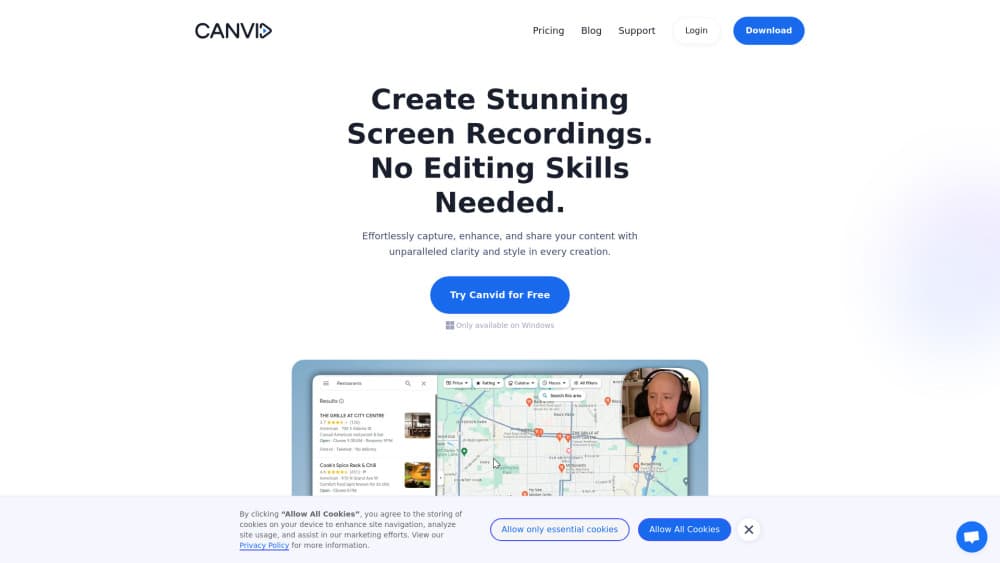
CANVID is an AI screen recorder for Windows and Mac that captures screen, webcam, mic, and system audio, then adds automatic zooms, cleaner voice, and captions in one pass.
About Canvid AI Screen Recorder
What Is CANVID
CANVID is a desktop screen recording app built around a narrow promise: you shouldn't need to learn video editing to ship a decent demo. It captures the screen, webcam, microphone, and system audio together, then handles zooms, voice cleanup, background treatment, and captions inside the same window.
As screen recording software, CANVID targets demos, tutorial channels, support replies, and internal hand-offs. Speed matters more than editing depth here. Clicks turn into keyframes while you record, so a rough capture already looks deliberate by the time you stop.
The limits are worth knowing before you buy. CANVID runs only as a desktop app, with no Linux build and no browser version. The Mac release asks for macOS 15 or newer on Apple Silicon. Local AI work also wants a recent GPU, and some features fall back to cloud processing when your machine can't keep up.
Getting Started
- Download the installer from canvid.com and run it on Windows or macOS.
- Grant screen capture, accessibility, camera, and microphone permissions when the app asks for them.
- Choose a capture mode (full screen, one window, or a selected region), switch on the webcam and audio sources you want, and start recording.
- Record your walkthrough. Every click gets marked as you go, which is what drives the automatic zoom later.
- Trim on the timeline, adjust captions, voice, cursor, and background, then export an MP4 or GIF or send a Quick Share link.
Product Information
A quick look at Canvid AI Screen Recorder's pricing, supported platforms, and performance.
Best for
The users, tasks, and scenarios where this tool fits best.
Users
- Product and marketing teams
- Course creators and tutorial hosts
- Customer support and success teams
- Developers writing bug reports
Tasks
- Recording a product demo
- Turning a support answer into a short video
- Producing a lesson or workshop segment
- Reporting a bug with a replay
Scenarios
- Sprint review hand-off
- Onboarding a new hire
- Social how-to posts
Key features
Click-Driven Automatic Zooms
CANVID watches where you click during a screen recording and turns those moments into smooth zoom keyframes. Viewers see the part of the interface that matters without you cutting between shots. You can still add manual zooms when the action happens somewhere a click can't detect, such as a hover state or a scroll.
AI Voice Clarity
The AI voice clarity filter removes hum, fan noise, and room echo from microphone audio. It runs in real time, so the recording sounds usable before you open the editor. On weaker hardware the same cleanup can be handled in the cloud, which means the result depends on your connection.
Webcam Background Without a Green Screen
The webcam tools blur, remove, or replace your background without a physical green screen. Camera shape, size, and position are adjustable, so the inset doesn't cover the interface you're demonstrating. Edge quality still depends on lighting, and a dim room will show more artifacts than a bright one.
Captions and Editable Transcripts
Captions are generated automatically and can be edited as plain text, so fixing a misheard word takes seconds. The transcript doubles as a searchable record of what you said. Caption styling and word highlighting are adjustable, which matters if your brand has a fixed look.
Quick Share Links and Cloud Library
Quick Share uploads a finished recording and copies a link to your clipboard, ready for Slack, email, or a social post. Cloud collections keep recordings organized without exporting files. Sharing needs an internet connection, and cloud storage limits depend on your plan.
4K 60fps Export with Flexible Aspect Ratios
Recordings can be exported in 4K at 60 frames per second, as MP4 or GIF. Aspect ratio presets cover widescreen, square, and vertical formats, so one project can serve YouTube, Instagram, and TikTok. Rendering time scales with resolution, and 4K exports on a laptop will take a while.
Presets, Cursor Controls, and Timeline
Presets store a look and apply it to any project in one click, which keeps a series consistent. Cursor size, style, smoothing, and click animation are all editable. The timeline covers trim, split, drag, and zoom, which is enough for a clean cut but not a substitute for a full editing suite.
Pros and cons
Pros
- Records screen, webcam, microphone, and system audio in one app, so you skip a separate capture and edit toolchain.
- Automatic zoom, voice cleanup, and auto captions remove the tedious second pass that makes most screen recordings feel unfinished.
- A lifetime desktop license is available for a one time payment, which is cheaper than years of subscription for solo creators.
- Quick Share links make it easy to send a recording to a colleague without uploading to a third party video host.
- 4K screen recording at 60fps, plus vertical and square presets, covers both documentation and social channels.
Cons
- There's no free plan or feature limited tier, so you have to pay before you can judge the editor on your own hardware.
- macOS support requires Apple Silicon and macOS 15, which locks out Intel Macs and older systems.
- AI features that run locally need a recent GPU, and cloud fallback only works with a stable connection.
- Team workspaces and centralized license management are still listed as coming soon, which limits admin control for larger buyers.
Frequently asked questions
No. CANVID sells a Desktop lifetime license and a Pro subscription, with no free tier. The Desktop license lists at $159 and is often discounted to $75. Pro costs $7 per month when billed yearly at $84, and adds unlimited cloud storage plus priority support.
Related content
Explore related tools, skills, and articles for Canvid AI Screen Recorder.
Canvid AI Screen Recorder Alternatives
Griffin by Tavus
Tavus · Voice & Language · Video · ChatbotGriffin by Tavus is the first Human Interaction Model: a full-duplex, video-to-video system that watches, listens, and answers during a live video call in real time.

Syllaby AI Avatar 2.0
Syllaby · Video · MarketingSyllaby AI Avatar 2.0 turns a script into a presenter-led video with a reusable AI avatar, natural voice, B-roll and automatic subtitles, all in one browser workflow.

Vitra.ai
Vitra.ai · Voice & Language · Video · MarketingVitra.ai is an agentic content platform that creates, translates, reviews, and publishes video, images, documents, and app content in 120 languages from one shared brief.