

Canvs AI
Canvs AI · Marketing
Canvs AI is a feedback analytics platform that turns open-ended survey responses, social posts, and live audience reaction into coded themes and emotions for insight teams.
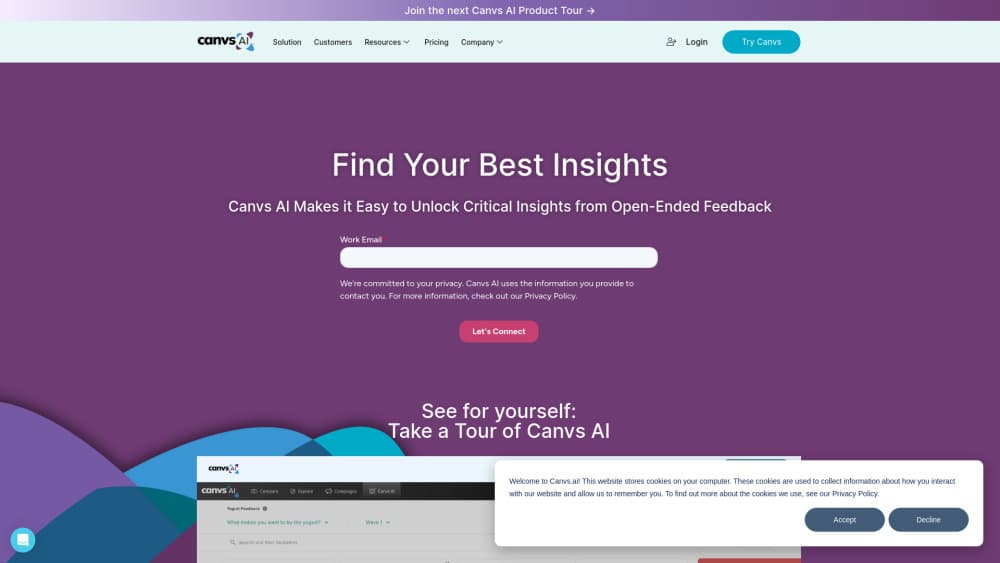
About Canvs AI
What Is Canvs AI
Canvs AI is a feedback analytics platform built for teams that swim in text. It reads open-ended survey answers, social posts, and live audience comments, then labels each response by theme, emotion, and behavior. The output is a structured picture of what people said and how they felt about it.
The company started in television audience measurement, where reaction moves in seconds and a misread costs a sponsorship. That origin still shapes the product: speed matters, and so does explaining the reason behind a score. Today the same engine, called CanvsIQ, works on customer experience research, product feedback, brand tracking, and employee surveys.
The catch is access. Canvs AI sells to organizations through a sales team, so there is no self-serve signup and no published price list. You also need a real dataset to get value. A 40 response survey will not tell you much, and small teams may find the enterprise setup heavier than their workload.
Getting Started
- Book a demo with the Canvs team and describe the feedback sources you want to analyze.
- Connect the data, either by uploading an export from your survey tool or by wiring up a live event feed, social stream, or enterprise data system.
- Upload the first batch of open-ended responses. Canvs builds a code frame automatically, with no template or training step.
- Review the generated themes, emotions, and segments, then filter down to the audiences or questions you care about.
- Ask follow-up questions in plain language and export the Executive Brief as a stakeholder ready summary.
- If your team lives in Claude, ChatGPT, Gemini, or Microsoft Copilot, add the Canvs MCP connector and query the same data without opening another tab.
Product Information
A quick look at Canvs AI's pricing, supported platforms, and performance.
Best for
The users, tasks, and scenarios where this tool fits best.
Users
- Consumer insights teams at brands
- Media and sports audience teams
- CX and product researchers
- Research agencies
Tasks
- Coding thousands of open-ended survey answers
- Comparing survey waves
- Tracking reaction during a live event
- Building an executive summary
Scenarios
- Post campaign brand tracking
- Concept testing
- Live broadcast or launch monitoring
- Social narrative checks
Key features
Automatic Code Frame Generation
Upload open-ended responses and Canvs proposes a structured code frame on the spot. It detects themes, topics, and emotions without a template, and it adapts as new responses arrive. For a research team, that removes the slowest part of survey response coding: building and maintaining a manual codebook.
CanvsIQ Emotion and Behavior Modeling
CanvsIQ is the layer that does the interpretation. It combines linguistics, behavioral science, and machine learning, and the company says it is trained on more than three billion expressions of consumer feedback. Instead of counting keywords, it reads intent and emotional tone, which is the difference between knowing that people mentioned a price and knowing that they were angry about it.
Verbatim Search With Intent
The search box understands meaning, not just strings. You can query for a feeling or a theme, then filter the results by segment or question. That makes it practical to audit a claim, pull quotable lines for a report, or check whether a spike in negative comments reflects a real problem or a handful of repeat posters.
Conversational Analysis and Executive Brief
The platform includes an AI agent, called Asa, that answers direct questions about the data. Ask what moved this week, compare two segments, or request a quantified breakdown. The Executive Brief takes those findings and assembles a stakeholder ready presentation, which saves the step most insight teams lose a day to.
MCP Connector for Major AI Assistants
Canvs ships an MCP connector that brings its analysis into Claude, ChatGPT, Gemini, and Microsoft Copilot. Teams ask questions in the assistant they already use and get answers grounded in their feedback data, with quotes attached. No new login, no second dashboard, which matters for adoption more than another feature usually does.
Advanced Filters and Segment Comparison
Filters cut across question types, themes, emotions, behaviors, custom tags, and metadata such as brand, region, or persona. You can isolate a trend by audience or by emotional tone, then compare it against another cut. For a consumer insights platform, this is where the analysis stops being a summary and starts answering a business question.
Live Event and Social Reaction Tracking
Canvs tracks audience response in real time and aligns it to the exact moment that caused the shift, whether that is a broadcast segment, an announcement, or a social thread. Media, sports, and sponsorship teams use it to catch a problem while there is still time to respond, not in a report delivered next week.
Enterprise Integrations and Governance
The platform connects to live event feeds, social platforms, survey and feedback tools, and enterprise data systems. Canvs also markets the product as compliant by design and built for enterprise scale, which is the reason procurement conversations usually start before a trial does.
Pros and cons
Pros
- Open-ended response analysis runs on the full dataset at once, including millions of responses, without sampling down to a manageable file.
- Emotion analysis goes beyond sentiment, so a report can say which feeling drove a shift, not only that it was negative.
- The MCP connector puts the same data inside the AI assistant a team already pays for, which lowers the training burden.
- Automatic code frames remove the manual tagging cycle that usually delays survey reporting by days.
Cons
- No free plan and no published pricing, so a small team cannot test the tool without a sales conversation.
- The product assumes enterprise data sources and volume, which makes it a poor fit for one-off studies with a few hundred responses.
- Live event and social monitoring depend on the connected feeds, so coverage gaps in your sources will show up in the analysis.
Frequently asked questions
It reads text feedback such as open-ended survey answers, social posts, and live audience comments, then codes each response by theme, emotion, and behavior. Teams use the result to explain why a score moved and what to do next.
Related content
Explore related tools, skills, and articles for Canvs AI.
Canvs AI Alternatives

Tractionwave
TractionWave · Image · MarketingTractionWave is an AI attention heatmap tool for static ads. Upload a PNG or JPG and it returns predicted attention, ranked hotspots, and fixes before you spend budget.

OpenSEO - AI Visibility
EveryApp · Coding · Marketing · BusinessOpenSEO is an open source SEO platform for keyword research, backlinks, rank tracking, site audits, and AI visibility, with usage-based pricing and MCP access for AI agents.

Plugins Radar
Plugins Radar · Marketing · BusinessPlugins Radar tracks where your ChatGPT plugin ranks in directory and in-chat search, which competitors outrank it and what changed, with hourly checks on 9,885 listings.