

Casablanca
Casablanca.AI GmbH · Video · Productivity
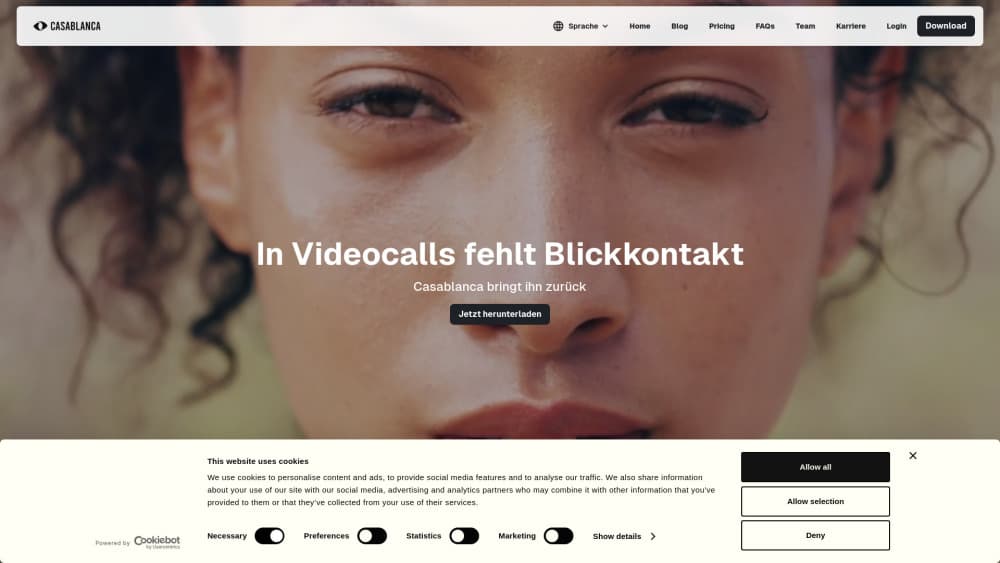
Casablanca is AI software that gives you natural eye contact in video calls. It runs as a virtual camera inside Zoom, Teams, Meet, and Webex, so you can look at the lens while reading the screen.
About Casablanca
What Is Casablanca
Casablanca is a desktop application from Casablanca.AI GmbH, a German company founded in 2020 and based in Pforzheim. The product fixes one specific annoyance of video conferencing: on a laptop, the camera sits above the screen, so when you look at the person you are talking to, you appear to stare at their chin.
Positioned as AI video call software for sales, hiring, and client work, it redraws the eye area in every frame and points your pupils at the lens. The result looks like a small camera in the middle of your display, minus the camera. The company says the gaze correction is patent protected and is careful to describe it as a nudge, not a mask: the rest of your face and your expression stay as they are.
Two things matter before you buy. First, everything runs locally. Image data stays on your machine and nothing is uploaded, which is the main argument for client work. Second, the app leans on your graphics chip, so an older laptop may not keep up with a live call.
Getting Started
- Download the Windows or macOS build from the Casablanca site and create an account. There is no hardware to order.
- Open the app and let the camera check finish. It compares your raw feed with the corrected one side by side.
- In Zoom, Microsoft Teams, Google Meet, or Webex, open the video settings and select Casablanca as the camera.
- Join the call and watch the preview window. Adjust your seating until the corrected gaze looks level, then leave the app running in the background.
Product Information
A quick look at Casablanca's pricing, supported platforms, and performance.
Best for
The users, tasks, and scenarios where this tool fits best.
Users
- Sales and account teams
- Recruiters and hiring managers
- Consultants and coaches
- Online teachers and tutors
Tasks
- Client pitches in Zoom
- Job interviews
- Recorded demos and webinars
- Daily standups
Scenarios
- Back-to-back meetings from a laptop
- Hybrid meetings with half the room on camera
- Remote onboarding and training
Key features
Real-Time Gaze Correction
The core function runs frame by frame, not after the call. Casablanca repaints the eye region so the pupils line up with the lens, and it keeps your blinks and micro expressions intact. You can see the raw and corrected feeds side by side in the app before anyone else does.
Works Inside Your Existing Video Tool
Casablanca registers as a virtual camera, which is the same mechanism as a capture card or a phone used as a webcam. Zoom, Microsoft Teams, Google Meet, Webex, and other clients pick it from the camera list, so you don't install plugins per app or move meetings to a new platform.
On-Device Image Processing
Video never leaves the laptop. The company states that all image data is processed on your computer, and the technology page repeats the point for the underlying face model. For agencies, law firms, and anyone under an NDA, that removes the usual objection to cloud video filters.
No Extra Camera or Rig
The pitch is a camera in the middle of the screen without the camera. There is no second webcam to mount, no tripod on the desk, and no change to how you sit. The setup is software only, which also means it travels with the laptop.
Runs on Laptop Hardware
Casablanca does not need a server or a dedicated GPU box. The published Windows baseline is an Intel Core i5 or i7 with Iris Xe graphics or a Ryzen 7640HS, plus a Radeon RX 5600M or GTX 1650 class graphics card. On Mac, the app requires Apple silicon, so M1 and later.
Team and Enterprise Licensing
The terms describe a single-user license and a company license with multi-seat access, and the vendor offers an enterprise plan with a custom quote, a partner program, and priority support. Casablanca also says the software can be integrated into existing systems, which matters for support desks and sales floors that standardize their tools.
Pros and cons
Pros
- Every major meeting app accepts it as a camera, so there's no per-app plugin and no new meeting client to learn.
- Footage stays on your laptop, which is the difference between usable and blocked in client work under confidentiality.
- The correction is subtle. Colleagues notice you seem more present, not that your eyes were edited.
- No extra hardware. No tripod, no second webcam, no desk rebuild.
- The live preview lets you check the result before you join, so a bad angle gets fixed in seconds.
Cons
- Older laptops struggle. Without a recent graphics chip, the frame rate drops and the corrected feed looks soft next to your usual camera.
- At €20 per month for a single seat, occasional users pay for a feature they may need twice a week.
- Mac support starts at Apple silicon, so Intel Macs, including several still-common office models, are excluded.
- It changes what your camera sends. Some clients and employers want that disclosed, and the app doesn't handle that conversation for you.
Frequently asked questions
It shifts your gaze in real time so you appear to look into the camera while your eyes rest on the screen. The output is a normal webcam feed that any meeting app can use.
Related content
Explore related tools, skills, and articles for Casablanca.
Casablanca Alternatives
Griffin by Tavus
Tavus · Voice & Language · Video · ChatbotGriffin by Tavus is the first Human Interaction Model: a full-duplex, video-to-video system that watches, listens, and answers during a live video call in real time.

Syllaby AI Avatar 2.0
Syllaby · Video · MarketingSyllaby AI Avatar 2.0 turns a script into a presenter-led video with a reusable AI avatar, natural voice, B-roll and automatic subtitles, all in one browser workflow.

Vitra.ai
Vitra.ai · Voice & Language · Video · MarketingVitra.ai is an agentic content platform that creates, translates, reviews, and publishes video, images, documents, and app content in 120 languages from one shared brief.