
Chandler
Shannon AI · Image · AI Assistant · Chatbot
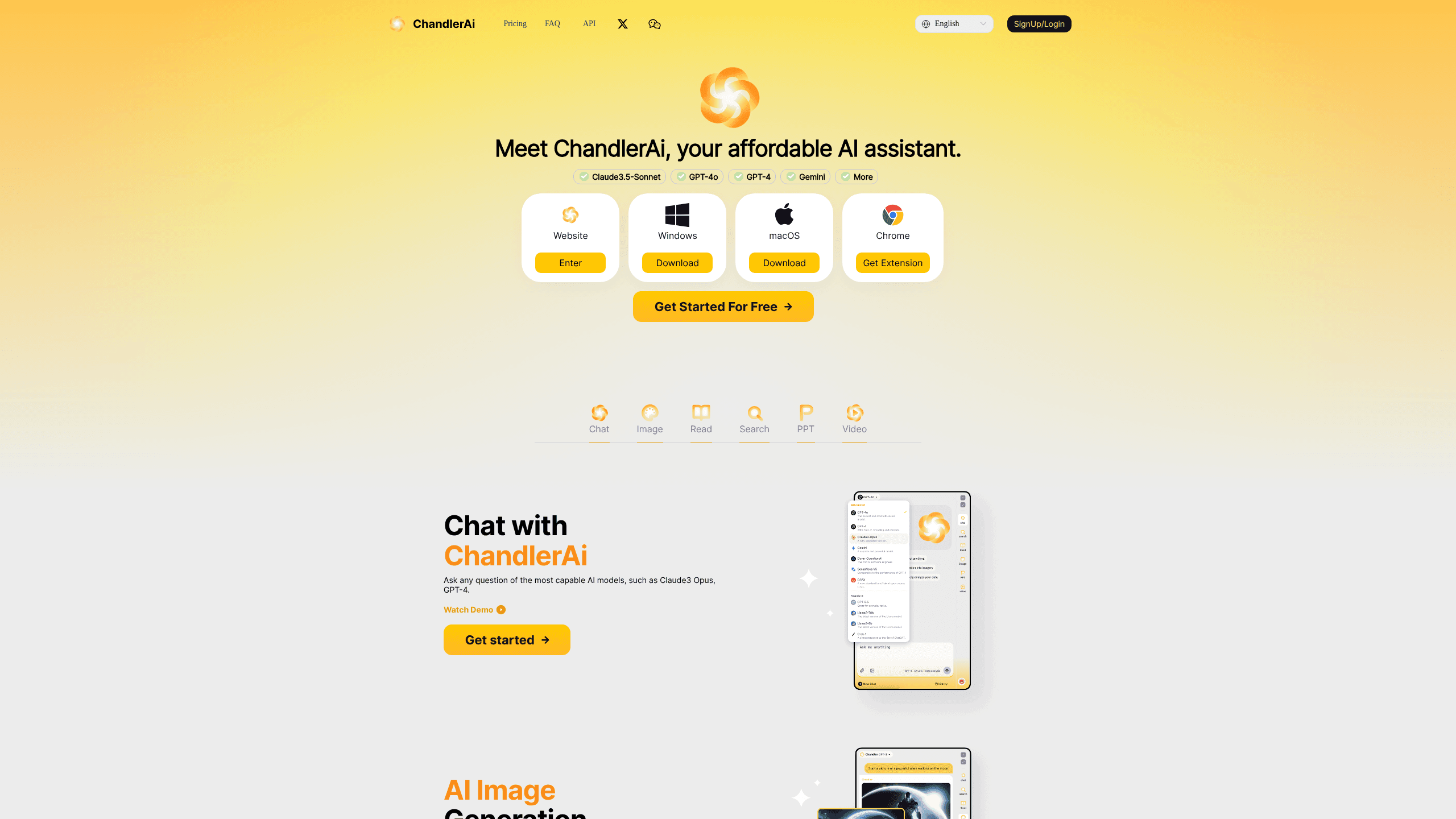
Chandler is an all-in-one AI assistant that puts several top models behind one login. You can chat with GPT-4, Claude, Gemini, and Llama, run live web searches, generate images and short videos, read PDFs and YouTube links, and turn rough notes into slide decks. It works as a web AI assistant app, a Chrome extension, and a desktop program, so the same account follows you between the browser and your desktop. Instead of paying for three or four separate subscriptions, you pay once and switch models whenever a task calls for it.
About Chandler
What Is Chandler
Chandler is a web-based AI assistant built by Shannon AI. The pitch is simple: you get one workspace where the strongest models from OpenAI, Anthropic, Google, and Meta sit side by side, and you pick whichever one fits the job. Ask a coding question, and you might reach for a model that's good at code. Ask for a rewrite, and another handles it better. You don't manage separate accounts or juggle several tabs.
The bigger draw is the price. Chandler costs a fraction of a single premium ChatGPT or Claude plan, and the free tier still gives you a monthly bucket of queries on the top models plus unlimited chats on the lighter ones. For students, freelancers, and small teams that want broad AI access without stacking subscriptions, that math is hard to ignore.
The catch is depth. Chandler aggregates other companies' models rather than training its own, so the ceiling on any single task is set by whichever model you're using, not by Chandler itself. That's a real limit. The interface stays simple, and you don't get the deep customization some power users expect from a first-party tool.
Getting Started
- Go to chandler.bet and create an account with an email address or a linked login.
- Pick a model from the switcher at the top of the chat, or leave it on the default for general questions.
- Type a prompt, upload a file, or paste a link, then review the answer and refine it with follow-up messages.
- Move to the image, video, or slide tools when you need visuals instead of text.
- Install the Chrome extension or desktop app if you want the same assistant outside the browser tab.
Product Information
A quick look at Chandler's pricing, supported platforms, and performance.
Best for
The users, tasks, and scenarios where this tool fits best.
Users
- Students
- Freelancers and solo creators
- Small teams
Tasks
- Multi-model research
- Document and video summaries
- Slide building
- Image and video generation
Scenarios
- Working through a dense report on a deadline and needing the key points fast.
- Preparing a class presentation the night before and needing a usable slide draft, not a blank page.
- Translating or polishing a message into another language before you hit send.
Key features
Multiple Models in One Place
Chandler's core feature is the model switcher. GPT-4, Claude, Gemini, and Llama all live in the same chat window, and you move between them without opening new tabs or paying for separate plans. One model stumbles? Try another. That matters when the first answer isn't good enough.
AI Search With Live Results
The assistant pulls current information from the web and folds it into its answer, then summarizes what it found. Great for real-time questions. For anything time-sensitive, like prices or recent news, that beats a model working from a fixed training cutoff. You get one combined answer instead of a page of links to sort through.
File, Image, and Video Reading
You can upload PDFs, Word files, Excel sheets, and images, then ask questions about the content. There's also link reading for web pages and YouTube videos, which returns a summary so you can skip the full watch. Buried in material? This is the feature most people reach for.
Image and Video Generation
The built-in AI image generator turns text prompts into pictures you can refine across styles, including logos and avatars that use an uploaded photo. Video generation builds short clips from text or animates a still image into a sequence. Both run inside the same workspace. A writing session can shift into visual work without switching apps.
Slide Creation From Notes
The AI PPT maker converts rough ideas into a structured deck, complete with content it fills in for you. You then edit the result through plain back-and-forth chat rather than hunting through design menus. It kills the blank-page problem. Review every slide before you present it anyway.
Chat-Based Learning and Coding Help
Beyond straight Q&A, Chandler handles language practice with corrections and code help with explanations of what a snippet does and why. It reads more like a tutor than a search box on these tasks. Good fit for beginners who want the reasoning, not just the answer.
Browser Extension and Desktop Apps
A Chrome extension and native apps for macOS and Windows let you call the assistant without leaving whatever you're working on. In practice that means summarizing a page mid-research or drafting a reply without opening the site in another tab. The account and history carry across all of them. No re-login, no lost threads.
Pros and cons
Pros
- Several top-tier models behind one login and one bill, which costs far less than separate subscriptions.
- A free tier with a monthly allowance of premium-model queries plus unlimited basic-model chats.
- Handles text, images, video, and slide decks in one place, so you rarely need a second tool.
- Chrome extension and desktop apps keep the assistant available outside the browser tab.
Cons
- It aggregates other companies' models, so output quality on any task is capped by the underlying model, not by Chandler.
- The free tier limits how many queries you can run on the premium models each month, and heavy users will hit that wall quickly.
- No public API means you can't wire Chandler into your own apps or workflows, so it stays a manual, browser-first tool.
Frequently asked questions
It's an all-in-one AI assistant for chatting with GPT-4, Claude, Gemini, and Llama, running live web searches, generating images and short videos, summarizing files and videos, and building slide decks. Think of it as a single workspace for writing, research, and quick visuals instead of several paid tools.
Related content
Explore related tools, skills, and articles for Chandler.
Chandler Alternatives

X Ray Interpreter
X-ray Interpreter · ImageX Ray Interpreter is a web-based AI radiology tool that turns X-rays, CT scans, MRI, ultrasound, and PET images into plain-language reports. You upload a scan, get a preliminary X-ray interpretation in moments, then ask follow-up questions if something needs explaining. It works as a second opinion and a learning aid, not as a medical diagnosis.

Aieasypic
AIEasyPic · ImageAIEasyPic is an AI image generator that turns plain text prompts into finished artwork in seconds. You can also train custom models on your own photos, swap faces in existing images, and create short video clips from text, all from a browser. It suits casual creators who want quick visuals and hobbyists who want to build a personal model without touching any code.

Chargen
Chargen · ImageChargen is an AI character generator and worldbuilding toolkit built for Dungeons & Dragons and other tabletop RPGs. It turns a one-line idea into a painted character portrait, spins up NPCs, monsters, maps and encounters from the same session, and keeps every creature's details close at hand. The tabletop RPG art side runs on a credit system called Gold, while the text generators stay free for everyone.