

Chat Data
Chat Data LLC · Coding · Marketing · Chatbot
Chat Data is a customer support automation platform. Train a custom chatbot on your own docs, then deploy it to your website, WhatsApp, Slack, and 10 more channels.
About Chat Data
What Is Chat Data
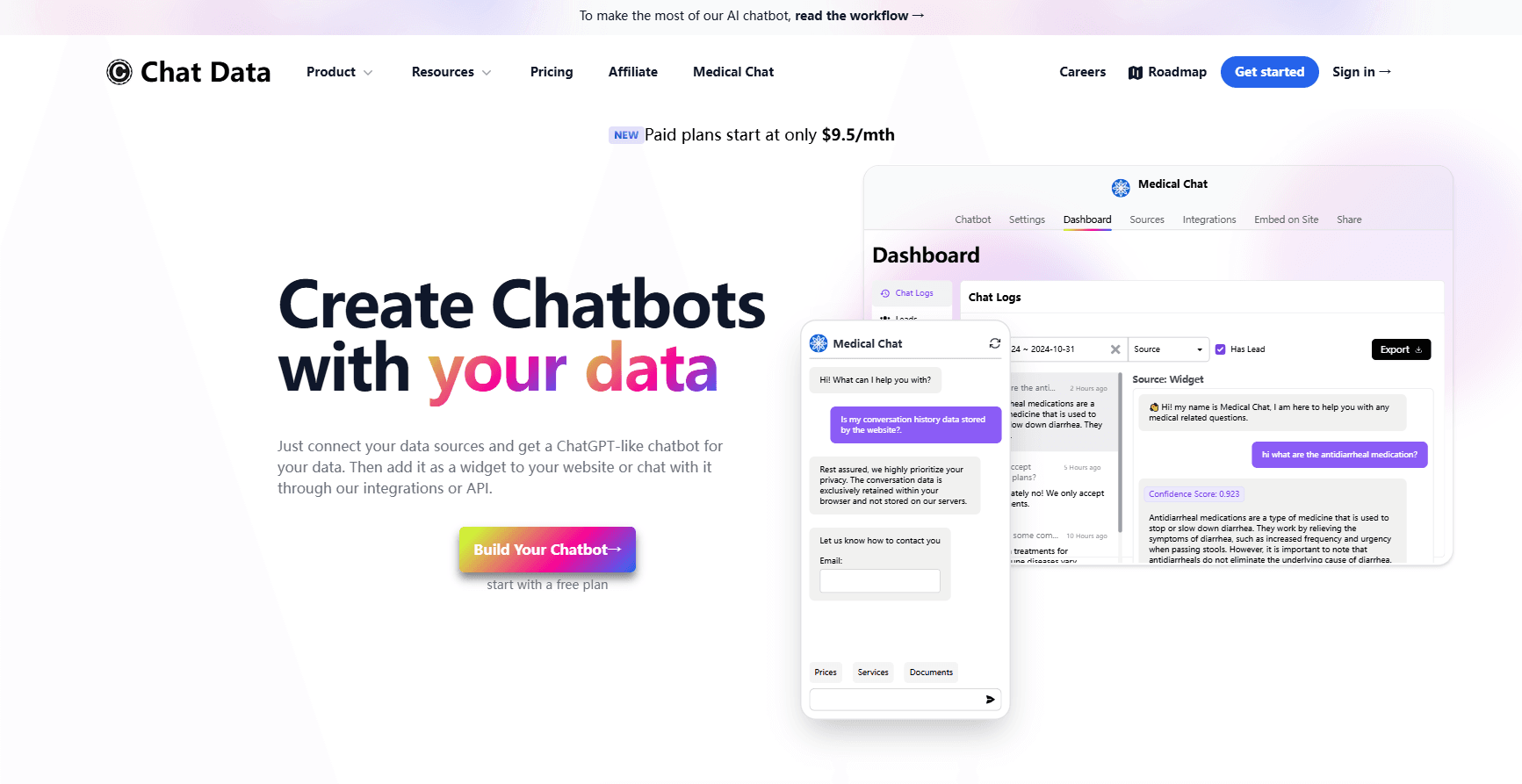
Chat Data is an AI agent platform for customer support. You feed it your documents, help center pages, or product catalog, and it builds a chatbot that answers customer questions from that material instead of guessing. The pitch is a trained agent, not a generic bot that repeats canned replies.
The platform covers two jobs at once. The AI handles the repeat questions, and when a conversation needs a person, it hands off to live chat. That combination is why support teams use it rather than a plain FAQ widget.
The catch is scope. Chat Data is built for support and sales conversations, not as a general content tool, so teams wanting writing help or image generation should look elsewhere. Data lives on servers in Switzerland, and the HIPAA BAA that medical users need only comes with the Standard plan and above.
Getting Started
- Sign up and create an agent from your website URL, uploaded files, Google Drive, or Notion.
- Pick a language model, from the GPT-4o tier on the free plan up to the GPT-5.4 and Claude families on paid tiers.
- Test the agent in the dashboard and adjust its tone, greeting, and knowledge sources.
- Embed the widget on your site, or connect WhatsApp, Slack, Messenger, or Instagram.
- Set a rule for live chat escalation so a human takes over when the AI gets stuck.
Product Information
A quick look at Chat Data's pricing, supported platforms, and performance.
Best for
The users, tasks, and scenarios where this tool fits best.
Users
- Customer support teams
- Ecommerce sellers
- Clinics and health services
Tasks
- Answering repeat support questions
- Automating sales conversations
- Rerouting to a human
Scenarios
- Running support across five channels
- Onboarding a new product line
- Launching a multilingual help desk
Key features
Train on your own data
You point the agent at your help center, PDFs, Google Drive, or Notion and it learns from those sources. Because answers come from your material, a RAG chatbot built this way cites your policies instead of inventing them.
Multi-channel deployment
One agent runs on your website, WhatsApp, Messenger, Instagram, Telegram, Line, Slack, and Discord. Teams that answer on five channels no longer maintain five separate bots.
Live chat escalation
When the AI can't close a conversation, it hands the thread to a person, and it decides the timing on its own. That fallback is what makes a support agent safe to leave unattended overnight.
AI workflow automation
You describe a multi-step task in plain language and save it as an AI action. The agent then runs that workflow, which suits reproducible procedures like issuing a refund or generating a PDF.
834 built-in MCP apps
The platform ships with connections to 834 MCP apps covering 10,000+ tools, from Gmail and Google Calendar to Slack and GitHub. Your agent can pull context from the tools your team already uses.
Complex workflows and AI actions
Beyond simple Q&A, the agent can search the web, trigger buttons, collect leads, send images, and call your own API endpoints. That turns a support bot into something closer to a task assistant.
Real-time voice and custom voices
Paid tiers add real-time voice conversations, and you can set the output voice from ElevenLabs. A phone-style support agent can speak in a voice that matches your brand.
PII anonymization
Before a message reaches the LLM, the platform detects and masks personally identifiable information, then restores the real values in the reply. That reduces what sensitive data leaves your environment.
Pros and cons
Pros
- One agent covers website, WhatsApp, Slack, and 10 more channels, so you aren't running a different bot per platform.
- Live chat escalation and the AI agent share one inbox, which avoids a second help desk tool.
- The free plan runs a real agent with 100 message credits, enough to test before paying.
- 834 MCP integrations let the agent act on tools like Gmail and Shopify, not just answer questions.
- HIPAA BAA on Standard plans covers medical use cases that cheaper chatbot tools can't.
Cons
- Message credits cap usage, so a busy support desk can burn through the Entry tier's 1,500 monthly credits quickly.
- Most channels and voice features sit behind higher tiers, so the free plan is mainly for testing.
- Live chat seats are limited by plan, which constrains how many human agents can share the inbox.
- The BAA for medical work starts at the Standard plan, so small clinics pay the higher rate for compliance.
Frequently asked questions
Chat Data builds AI support agents you train on your own documents, then deploys them to your website, WhatsApp, Slack, and other channels. It combines the chatbot with live chat escalation in one platform.
Related content
Explore related tools, skills, and articles for Chat Data.
Chat Data Alternatives

HeyPi
Proactive Intelligence Ltd. · Coding · Productivity · BusinessHeyPi is an AI meeting platform where an assistant called Pi listens to the call, remembers context from earlier sessions, works inside your connected apps, and builds pages, decks, and videos live.

Opposable
Reval Labs · Coding · ProductivityOpposable connects Claude, ChatGPT or Codex to an Android phone, so an AI agent can open apps, read the screen and tap through a task while signed in as you.

OpenCharm
OpenCharm Labs · Voice & Language · Coding · ProductivityOpenCharm is an open-source AI agent companion that gives the agent you already run a glyph face, a voice and one key, on a Mac, a Windows PC or a $32 ESP32 board.