ChatGPT

ChatGPT

OpenAI · Other · Chatbot

Trending

ChatGPT is OpenAI's AI assistant for writing, research, images, voice, and coding. It runs on the GPT-6 model family across web, desktop, and mobile, with free and paid tiers.

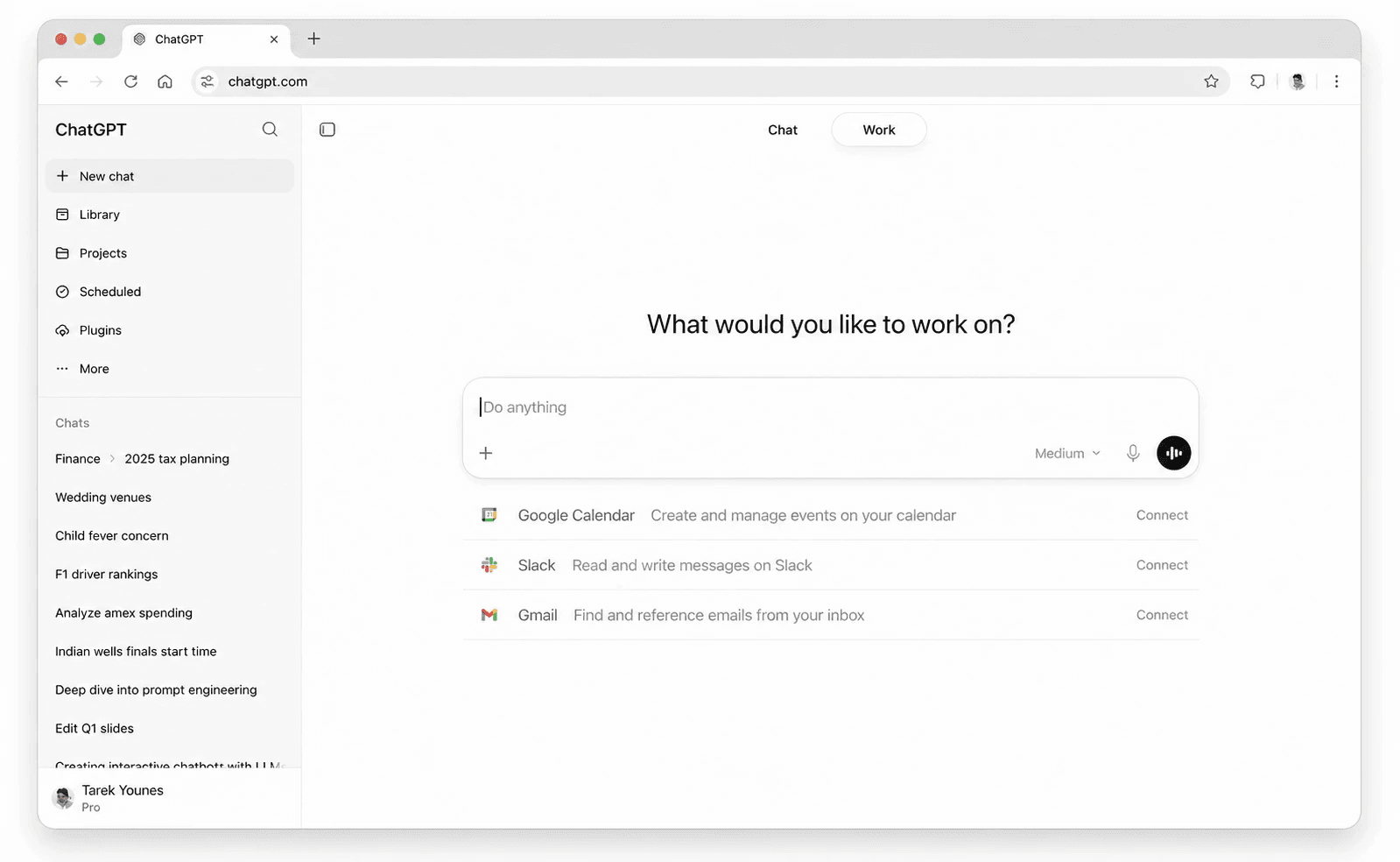
Interface preview of ChatGPT

About ChatGPT

What Is ChatGPT

ChatGPT is OpenAI's AI assistant, and it does far more than answer questions. You use it to draft and edit writing, dig through long documents, generate and edit images, hold a spoken conversation, and write or debug code. It's the assistant most people mean when they say "AI chatbot," and OpenAI says more than 1.2 billion people now use it every week.

The product isn't one model, it's a family. On the current lineup, paid accounts run GPT-6 Sol and free and Go users run GPT-6 Luna, both built for everyday conversation. Plus unlocks advanced reasoning models, and Pro adds Pro reasoning on GPT-6 Astra plus higher usage tiers. You pick a model per task, and the lighter ones keep costs down.

Two things set ChatGPT apart from a plain chat box. First, the interface now adapts to the question: with its Intelligent UI, GPT-6 can build a calculator, a chart, or a small tool right inside the reply instead of returning only text. Second, reach: the same assistant shows up in the browser, the desktop and mobile apps, and the API for developers. The main catch is usage. Free and Go tiers cap uploads, image creation, and voice, and heavy work burns through them fast, which is why daily users often end up on Plus or Pro.

Getting Started

  1. Go to chatgpt.com and sign up with an email address, a Google account, or a phone number.
  2. Start a chat and attach files or images when you need the assistant to work with them.
  3. Turn on a Project to keep files, instructions, and context in one place for repeat work.
  4. Use voice, image creation, or deep research from the tools menu as your plan allows.
  5. Move to Go, Plus, or Pro when the free limits slow you down.

Product Information

A quick look at ChatGPT's pricing, supported platforms, and performance.

Free PlanYes
Paid Plans$8 - $200/mo
PlatformWeb, iOS, Android, macOS, Windows
DeveloperOpenAI
CategoryOther · Chatbot
Release DateNov 2022
Latest UpdatedOct 2025
Website Visits5.6B
Website Global Rank7
API AvailabilityYes

Best for

The users, tasks, and scenarios where this tool fits best.

Users

  • Everyday users
  • Students and researchers
  • Developers

Tasks

  • Writing and editing
  • Image creation and editing
  • Coding help
  • Research and analysis

Scenarios

  • A quick answer mid-task
  • Planning something with numbers
  • Turning notes into a first draft

Key features

The GPT-6 Model Family

ChatGPT runs on GPT-6, with Sol for paid accounts and Luna for free and Go users. Plus adds advanced reasoning models for harder logic and multi-step work, and Pro unlocks Pro reasoning on GPT-6 Astra. You switch models per task, so a quick summary doesn't carry the same cost as a deep analysis.

An Interface That Adapts

Intelligent UI lets GPT-6 choose how to answer. Explain a concept and it can build a clickable diagram, compare options and it lays them side by side, and need a tool and it generates a calculator or a small game inside the chat. OpenAI says this cuts the average wait for a first answer by 44% on web-search questions.

Image, Voice, and Video Input

You can generate and edit images, hold a spoken conversation with voice, and, on newer plans, bring in video and screen sharing. File and image uploads let the assistant read documents, spreadsheets, and screenshots, with higher limits as you move up the plans.

Deep Research and Data Analysis

Deep research pulls from many sources and returns a structured report, which suits market scans and literature reviews. Data analysis runs code against your spreadsheets to find trends and build charts, and both tools scale up on Plus and Pro.

Projects, Memory, and Custom GPTs

Projects bundle files, instructions, and context for repeat work. Memory carries useful details across conversations so you repeat yourself less, and custom GPTs let Plus and Pro users build tailored assistants for a specific job.

Desktop App and Developer API

A desktop app brings ChatGPT to macOS and Windows with shortcuts for work in other apps, including a Work mode for multi-step jobs. For teams, the OpenAI API exposes the same models behind usage-based pricing, so you can build ChatGPT into your own product.

Pros and cons

Pros

  • One assistant covers writing, images, voice, research, and coding, so you rarely switch tools.
  • The free tier is genuinely useful, and Go adds headroom for a low monthly price.
  • Intelligent UI turns plain questions into diagrams, charts, and small tools you can use on the spot.
  • A separate API lets developers build on the same models without a subscription.
  • Voice, file uploads, and deep research live in the same app, so a single subscription covers most of what you'd otherwise split across tools.

Cons

  • Free and Go tiers cap uploads, image creation, voice, and data analysis, so heavy users hit limits fast.
  • The strongest reasoning models and longest agent sessions sit behind Plus and Pro, which raises the monthly cost for power users.
  • Pro pricing runs from $100 a month upward across usage tiers, which is steep for anyone who isn't using it daily.
  • Free and Go plans may show ads in some countries, which some users won't want in a paid-adjacent tool.

Frequently asked questions

ChatGPT is a general AI assistant for writing, research, analysis, image creation, voice conversation, and coding. People use it to draft documents, question long files, generate images, and hand routine engineering tasks to its Codex agent.

Related content

Explore related tools, skills, and articles for ChatGPT.

ChatGPT Alternatives

BinkBink

BinkBink

BinkBink · Other
Editor's pick

BinkBink is a free online game platform and AI game maker that lets anyone turn a short text description into a playable browser game. You can jump into hundreds of community-made games. Or describe your own idea and play it in seconds, then share it with friends. Want to create your own game? You don't need to code. No engine setup, no download, no hassle.

Free / $0View details
Audiogen

Audiogen

Audiogen Inc. · Other

Audiogen is an AI music generator built by Audiogen Inc., a small research team that spent about 2.5 years training its own generative music model and designing a web interface around it. Instead of a plain text box, this AI music tool turns the timeline into a beginner-friendly Generative Audio Workstation, or GAW, where inpainting, extending, remixing and stem editing work more like painting on a canvas. The product is still in beta, so access runs through a waitlist or an invite. Paid plans aren't published yet.

Free / Free (beta)View details
Aiml API

Aiml API

AIMLAPI OÜ · Other

Aiml API is a unified AI model API that puts more than 1000 models from OpenAI, Google, Anthropic, and others behind one endpoint and one bill. You write code against a single OpenAI-compatible schema, then switch between chat, image, video, and audio models by changing a model string. It suits developers and small teams who want multi-model access without juggling a dozen separate provider accounts, and it removes the usual billing headache that comes with testing several vendors. One key covers it all.

Free / $0 - $200/moView details

Related AI News

Eight US States Sue OpenAI, Saying ChatGPT Harms Children
Business & Industry

Eight US States Sue OpenAI, Saying ChatGPT Harms Children

Eight states filed separate lawsuits against OpenAI, alleging ChatGPT harms minors and that safety claims deceived parents. OpenAI says age-specific protections are already in place.

Heat: 1,700
xAI Ships Grok Voice 3.0 at the Same Price, Tops Voice Index
Models

xAI Ships Grok Voice 3.0 at the Same Price, Tops Voice Index

xAI's new voice model lands at the same price as the last one, takes the top spot on an independent speech index, and quietly upgrades anyone already pointed at its latest alias. Here's what Grok Voice 3.0 changes for voice agents.

Heat: 1,400
OpenAI Engineer Arrested Over Hidden Recorder in Conference Room
Business & Industry

OpenAI Engineer Arrested Over Hidden Recorder in Conference Room

Federal prosecutors say an OpenAI engineer hid an encrypted recorder in a tissue inside an executive conference room. The case lands as the company and its rivals face growing scrutiny over security and national interest in AI.

Heat: 1,600