

ChatWithAnyone
ChatWithAnyone · Chatbot · Prompts
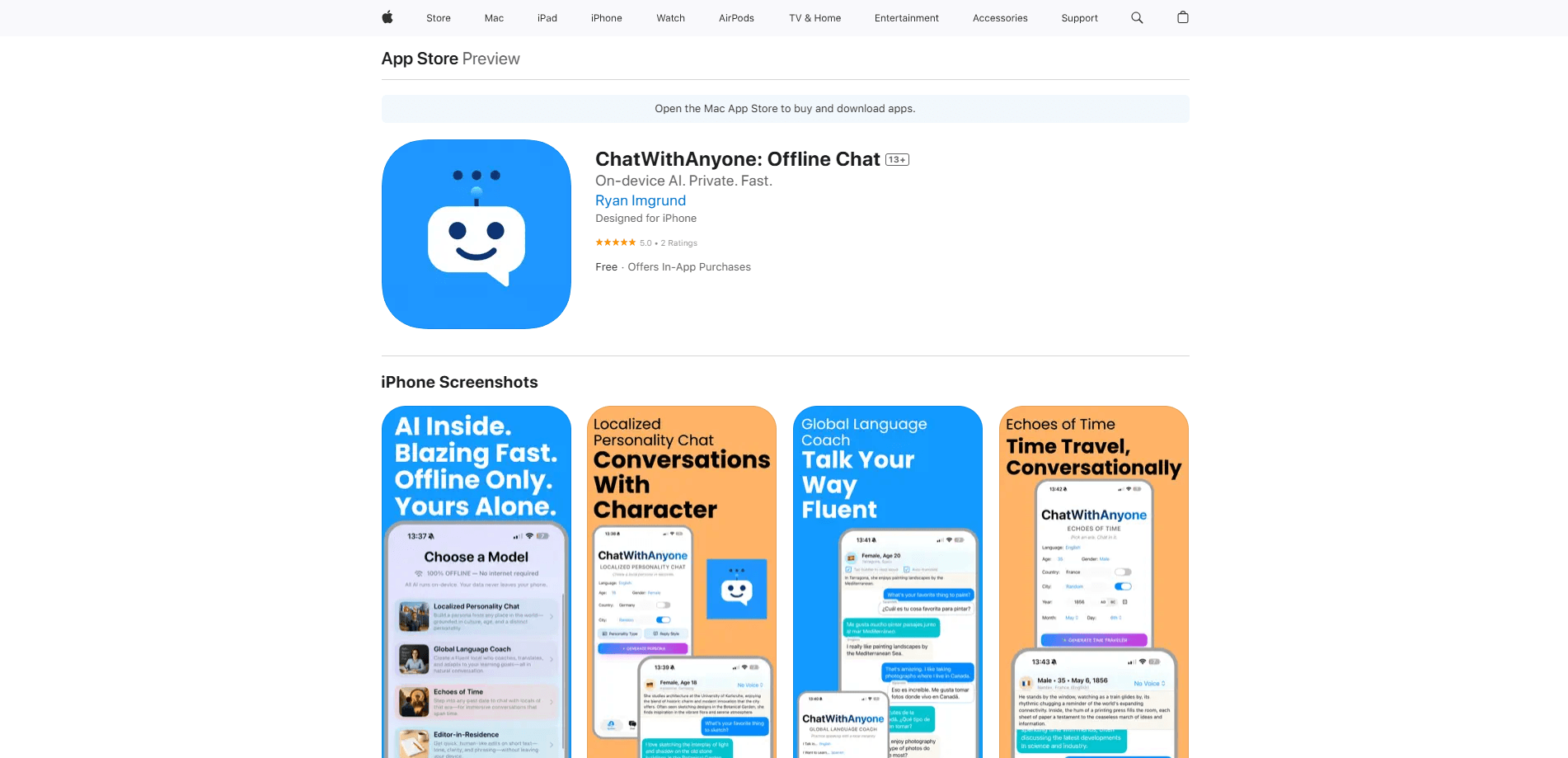
ChatWithAnyone is an offline AI chat app for iOS that lets you build custom virtual personalities and talk to them without an internet connection. It targets people who want private AI conversations that never leave the device, no matter where they happen to be when the idea strikes or the network dies. Chat on a plane. Chat in a basement. It works anywhere the signal drops. Every character you create runs locally, which means no account round-trips and no server keeping your chat history.
About ChatWithAnyone
What Is ChatWithAnyone
ChatWithAnyone is a privacy-focused AI chat app built for iPhone and iPad. Instead of sending your messages to a cloud server that logs them and keeps copies you can't inspect or delete, it runs conversations on the device itself, so your chats stay offline and out of a data center you can't see. You create your own characters, give them a personality, and start talking.
The main problem it solves is trust. A typical offline chatbot needs a constant connection and logs everything you type. ChatWithAnyone flips that. There's no internet requirement, so nothing you write gets relayed to a remote model. That appeals to people who want an AI companion app but don't want their private thoughts sitting on someone else's servers.
The trade-off is scope. Because everything runs locally, responses depend on the on-device model rather than a giant cloud system, so quality and speed vary by device. It's also iOS only, which leaves Android users out in the cold. If you're on Android or want a web version, this app won't help you. And since the store listing doesn't spell out a published pricing sheet, treat any cost question as something to confirm in the App Store before you commit.
What makes offline chat worth the local-model trade-off? Control. If you've wanted a private AI chat that doesn't depend on someone else's servers, keeping the whole conversation on your own hardware is a fair reason to accept a smaller model and slightly slower replies from time to time.
Getting Started
- Download ChatWithAnyone from the App Store on your iPhone or iPad.
- Open the app and let any local model or character data finish setting up on the device.
- Create a personality: give your virtual character a name, a background, and a tone of voice.
- Start a chat and send your first message. No sign-in or connection is needed.
- Keep the conversation going offline, and revisit saved characters whenever you want to pick it back up.
Product Information
A quick look at ChatWithAnyone's pricing, supported platforms, and performance.
Best for
The users, tasks, and scenarios where this tool fits best.
Users
- Privacy-minded chat users
- Frequent travelers
- Companion-app fans
Tasks
- Creating custom virtual personalities
- Offline brainstorming
- Private journaling-style chat
Scenarios
- Long flights and road trips
- Spotty coverage
- Sensitive late-night talks
Key features
Offline AI Chat
The core of ChatWithAnyone is that it works without an internet connection. Once the app and its on-device model are ready, you can send messages and get replies in airplane mode. That's the difference between a cloud chatbot that dies when the signal drops and one that keeps working in a dead zone.
Custom Virtual Personalities
You build the characters yourself rather than picking from a fixed set. Give each one a name, a background, and a way of talking, then save it for later. That flexibility is the draw for people who want a specific type of companion instead of a generic assistant.
Privacy by Design
Conversations stay on your iPhone or iPad instead of being relayed to a remote server. For users who don't want their private messages logged in a data center, that local-first approach is the whole point. There's no account sign-in standing between you and a quick chat.
iOS-Native Experience
ChatWithAnyone is built for iPhone and iPad, so it fits the way you already use your device. There's no web dashboard or Android build to juggle. If your phone is an iPhone, the app is right where your other apps live.
On-Device Model
Because the model runs locally on the device, replies don't depend on a server round-trip, so you won't sit through the variable network lag that slows cloud chatbots down and breaks the flow of a conversation. The flip side is that response quality and speed track your device's hardware, which is worth knowing before you expect cloud-level answers.
Pros and cons
Pros
- Works fully offline, so it keeps running in airplane mode and dead zones
- Chats stay on your device instead of a remote server
- Lets you create and save your own virtual personalities
- No account or sign-in needed to start chatting
- Fits iPhone and iPad natively
Cons
- iOS only, so Android and desktop users are left out
- Response quality depends on the on-device model, not a large cloud system
- The store listing doesn't lay out pricing clearly, so you'll want to confirm cost in the App Store
Frequently asked questions
It's an offline AI chat app for iOS. You create virtual personalities and talk to them without an internet connection, and the conversations stay on your device.
Related content
Explore related tools, skills, and articles for ChatWithAnyone.
ChatWithAnyone Alternatives

Emma AI
Emma AI · Business · ChatbotEmma AI is a no-code AI assistant builder for creating custom assistants that answer questions from your own business data. You connect the tools your team already uses, like Slack, Notion, Google Sheets, or Zendesk, upload documents, or let Emma train the assistant through a Q&A process. It's fast. Each assistant you create can be scoped to a specific team, project, or workflow, so a marketing assistant and an accounting assistant never see the same sources.

Chatgbot
Chatgbot · Image · Productivity · ChatbotChatgbot is a multi-model AI chat platform that gathers OpenAI GPT models, Anthropic's Claude Sonnet, and open-source options like GLM and Qwen behind one login. Instead of juggling separate subscriptions, you pick a model per conversation, upload PDFs to question them, generate images, and search the web, all inside a single interface and a single membership.

Validator AI
ValidatorAI · Business · ChatbotValidator AI is an AI idea validation tool for founders who want a straight answer before they build anything. Think of it as a startup idea validator and an AI startup mentor rolled into one. You describe your startup, product, or small business concept, and the tool scores it, analyzes the competitive field, suggests who the ideal customer is, and points to next steps. It leans on behavioral data gathered from hundreds of thousands of founder sessions. The core check is free to run. It suits solo founders, indie makers, and small teams testing a concept in the earliest stage, not companies that have already shipped.