

Chillin - Next-Gen AI Video & Animation Editor
Chillin · Video
Chillin is a browser-based AI video and animation editor with a conversational agent, 3D scene tools, Lottie support, and free 4K 60fps exports without watermarks.
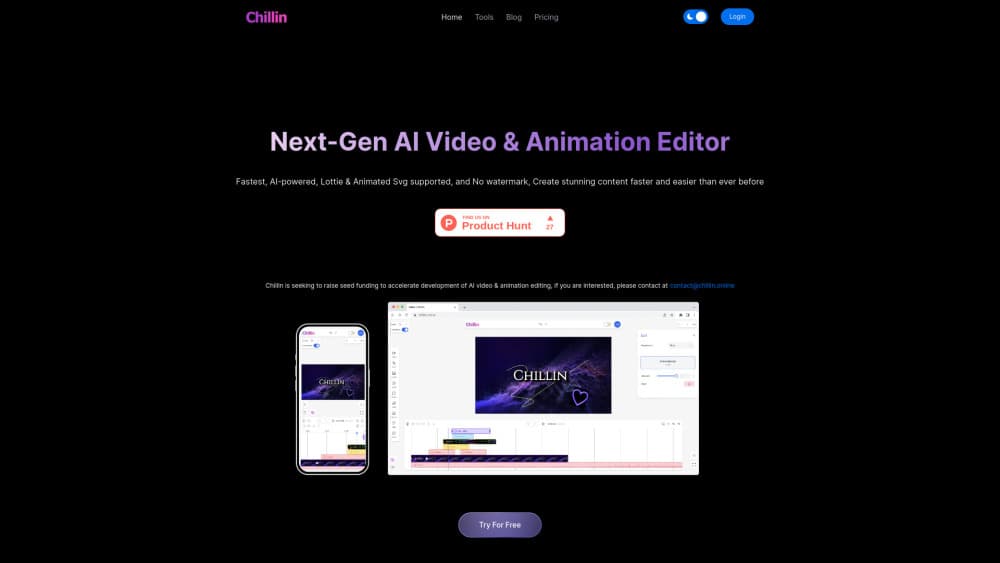
About Chillin - Next-Gen AI Video & Animation Editor
What Is Chillin
Chillin is a browser-based video and animation editor built on WebGPU, the newer graphics layer that lets a web page use your local GPU for heavy rendering work. It works as a motion graphics editor and a cutting tool on one timeline, with vector and 3D animation built in. You open a tab, drag in footage, and cut it the way you would in desktop software. Nothing gets installed.
The case for it starts with export limits. Most free editors stamp a watermark or cap you at 720p, and paid tiers often meter how many videos you can make each month. Chillin exports up to 4K at 60fps with no watermark on the free plan, with no time or video count limit. The same editor runs on phones and tablets, which is rare for a tool with keyframes and multi-track video.
The tradeoff is scope. Free projects stay local to one browser, so your work lives on that machine until you pay for cloud storage. AI features run on credits, and the agent works best when you give it a clear brief rather than a vague one. The 3D workspace is also a separate skill to learn. If you need broadcast-grade color pipelines or shared team libraries, a desktop suite still fits better.
Getting Started
- Open chillin.online in a desktop or mobile browser. There's no download step, and the editor loads straight into a project.
- Sign up for a free account if you want drafts saved and access to credits for AI features.
- Bring in media by dragging video, audio, images, SVG, or Lottie files onto the timeline, or start from a published project and inspect how it was built.
- Build the edit with keyframes, transitions, LUTs, masks, captions, and soundwave effects. Up to three video tracks are supported.
- Export at 1080p or 4K in the ratio you need, or describe the job in agent mode and let it assemble the first cut.
Product Information
A quick look at Chillin - Next-Gen AI Video & Animation Editor's pricing, supported platforms, and performance.
Best for
The users, tasks, and scenarios where this tool fits best.
Users
- Short-form creators
- Motion designers testing ideas
- Small marketing teams
Tasks
- Captioning talking-head clips
- Building animated UI demos
- Making 3D product shots
Scenarios
- Turning a written brief into a first cut
- Repurposing one edit across platforms
- Last-minute fixes away from your desk
Key features
Conversational Editing Agent
Agent mode takes a plain-language brief and breaks it into steps: import assets, smart edit, add captions, place graphics, then hand back a timeline. You can adjust any step after the run, so the output stays editable. It suits repeatable formats like product explainers or social cutdowns more than one-off artistic edits.
WebGPU Timeline with Keyframes and 3D Preview
The timeline runs on WebGPU, which keeps playback, undo, and scrubbing responsive even with several layers on screen. Keyframes cover position, scale, easing curves, and gradients, with a live 3D preview next to the tracks. In practice, this is what makes a browser-based video editor feel close to a desktop one.
Built-In 3D Workspace
Chillin includes 3D video editing inside the same project: import GLB models, rotate them, change lighting, and animate a camera along a path. Published examples on the site range from a mineral museum to a modular product configurator. You don't need a separate 3D app for a simple turntable or an exploded product view.
Lottie and SVG Animation Support
Lottie and SVG files import with live preview, so vector animations keep their sharp edges at any export size. The editor ships with sample animations for common moves like fade, rise, and glow. Lottie and SVG export are available on paid plans, which matters if the clip has to run inside an app or a website.
AI Captions with SRT and VTT Import
Captions can come from an SRT or VTT file, or from Chillin's AI caption tool, which charges two minutes of audio per credit. Subtitles sync to the waveform, and caption animation presets are built for vertical video. Editing text happens on the timeline, so a fix doesn't require a round trip through another app.
Color, Masks, and Audio Tools
LUTs cover cinematic, vintage, studio, and high-contrast looks, and tone controls sit beside them for manual correction. Shape and text masks, transitions, and a soundwave visualizer round out the set. Audio extraction and background removal run as free built-in utilities before you start editing.
Free 4K Export and Browser Utilities
Free exports reach 4K at 60fps with no watermark, no duration cap, and no monthly video count. Desktop and mobile share the same export options, aside from a 1080p ceiling on some mobile browsers. Separate GIF, image, caption, and Lottie exports are listed on paid tiers.
Pros and cons
Pros
- Free exports at 4K 60fps with no watermark or duration limit, which removes the usual reason to upgrade.
- Full editing on mobile and tablet, including keyframes and multi-track video, so you can finish a cut away from a desk.
- Native Lottie and SVG support with live preview and export, a combination most browser editors skip.
- 3D scenes sit in the same timeline as flat video, which saves a hop into a separate 3D tool.
- Agent mode produces an editable timeline, so automation doesn't lock you out of manual changes.
Cons
- The free plan keeps projects in local browser storage with a five project cap, so switching devices or clearing browser data risks the work.
- AI features depend on credits, and the entry plan includes 300 credits, which runs out quickly on avatar or image heavy projects.
- The 3D workspace and agent prompts both need practice, and vague instructions produce generic results.
- Cloud storage tops out at 100GB on the $99 plan, which is tight for teams working with 4K footage.
Frequently asked questions
Chillin is an online video editor for cutting footage, animating text and vector graphics, and building simple 3D scenes in a browser. It covers social clips, product explainers, captioned interviews, and motion graphics work.
Related content
Explore related tools, skills, and articles for Chillin - Next-Gen AI Video & Animation Editor.
Chillin - Next-Gen AI Video & Animation Editor Alternatives
Griffin by Tavus
Tavus · Voice & Language · Video · ChatbotGriffin by Tavus is the first Human Interaction Model: a full-duplex, video-to-video system that watches, listens, and answers during a live video call in real time.

Syllaby AI Avatar 2.0
Syllaby · Video · MarketingSyllaby AI Avatar 2.0 turns a script into a presenter-led video with a reusable AI avatar, natural voice, B-roll and automatic subtitles, all in one browser workflow.

Vitra.ai
Vitra.ai · Voice & Language · Video · MarketingVitra.ai is an agentic content platform that creates, translates, reviews, and publishes video, images, documents, and app content in 120 languages from one shared brief.