

chowder.dev
chowder · Coding
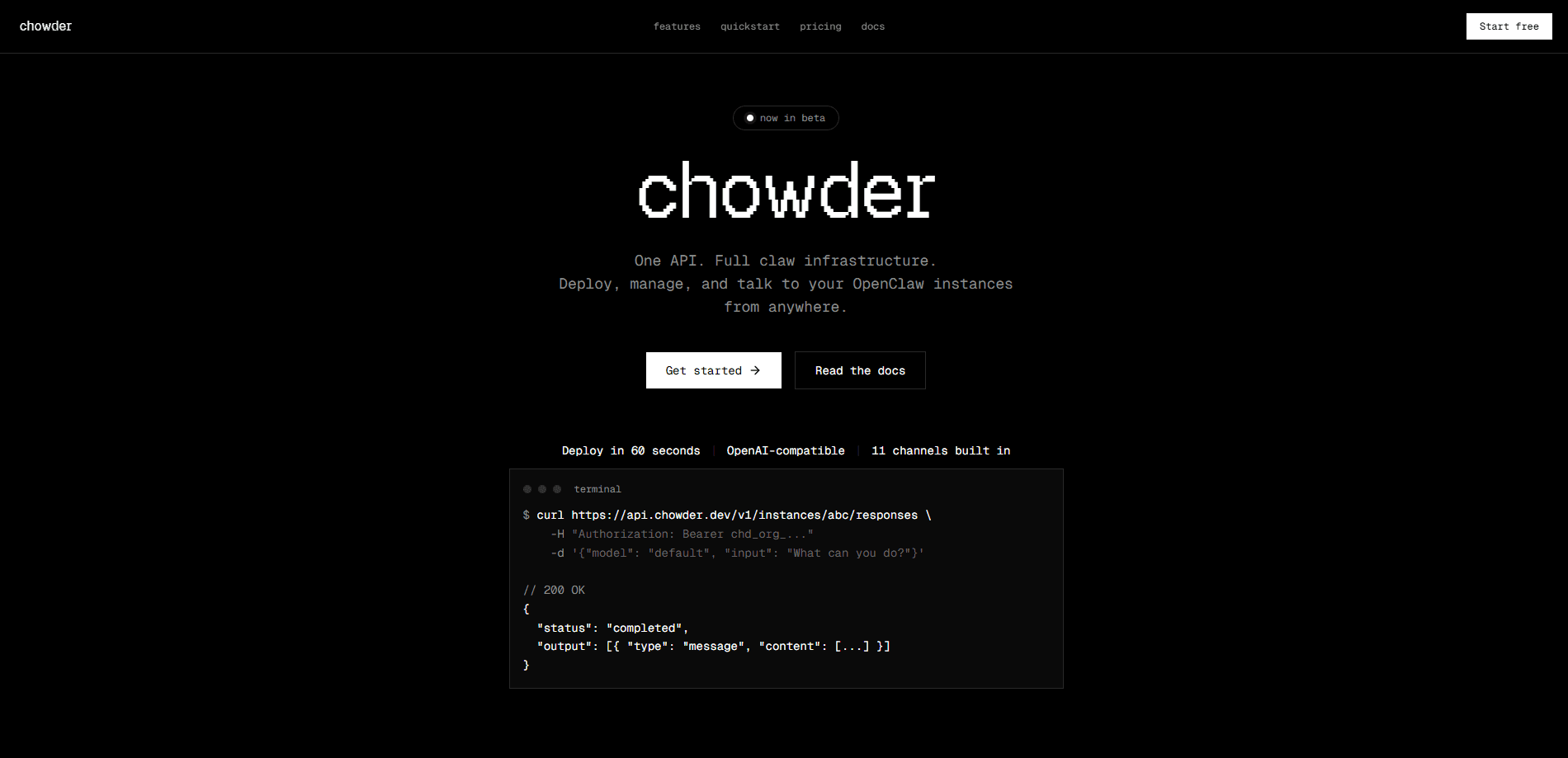
chowder.dev is a unified API layer for deploying, managing, and talking to OpenClaw instances. You deploy OpenClaw agents with a single request, connect them to chat channels like Telegram or Slack, and reach them through an OpenAI-compatible endpoint that most existing code already understands. It's AI agent infrastructure for developers who don't want to run gateways, sandboxes, and auth middleware themselves. Pricing starts free, then scales per instance.
About chowder.dev
What Is chowder.dev
chowder.dev is a hosted control plane for OpenClaw instances. Instead of installing the agent on your own machine, wiring up a gateway, and bolting on authentication, you sign up and get isolated instances managed behind one API. Each instance gets its own sandbox, workspace, and gateway.
The service leans on an OpenAI-compatible surface, so if you already build against the Responses API with sessions, tools, and structured output, the request format looks familiar enough to drop into your existing client without much rework. The bigger draw is operational: organization keys, scoped instance keys, and automatic key rotation mean you skip writing your own auth layer.
The catch is control. Because chowder.dev hosts the instances, you don't get the full hands-on flexibility of a self-managed OpenClaw deployment, and the product is still in beta. Configs and features can shift.
Getting Started
- Sign up with the organization endpoint (
POST /v1/organization/signup) and save the returnedchd_org_...API key. - Create an instance with a name and a model provider, then wait for its status to move from
provisioningto running. - Connect one or more channels such as Telegram, Discord, or Slack so your agent can receive messages where your users already chat.
- Install any skills your agent needs from the marketplace, then send a request to the instance's responses endpoint to talk to it.
Product Information
A quick look at chowder.dev's pricing, supported platforms, and performance.
Best for
The users, tasks, and scenarios where this tool fits best.
Users
- Backend and platform developers who want to ship an AI agent without maintaining gateway servers, with the tradeoff that they hand instance hosting to a vendor.
- Small product teams testing an OpenClaw-based assistant across several chat apps, useful once they outgrow a single locally hosted instance.
- Solo builders prototyping a chatbot on a side project, since the free tier covers a single instance.
Tasks
- Spinning up isolated agent instances per customer or per workspace so conversations and files never mix.
- Routing incoming messages from chat channels into stateful sessions so the agent remembers context across turns.
- Calling an agent from existing code that already speaks the OpenAI Responses API, without rewriting request logic.
Scenarios
- A support bot that lives in Slack and Telegram at the same time, answering from one shared agent.
- An internal tooling assistant that needs browsing or file access, added by installing a skill rather than building the integration.
- A weekend prototype where you want to test channel integrations before committing to real infrastructure.
Key features
Managed claw instances
Each OpenClaw instance runs in its own isolated sandbox with a dedicated workspace and gateway. You launch one with a single API call. The platform handles provisioning. No server to patch, no gateway to restart, no downtime at 2am.
Eleven built-in channels
Telegram, Discord, Slack, WhatsApp, Signal, and others connect out of the box. This matters if your users are spread across apps, because you point the agent at several channels instead of building a separate integration for each.
Skills marketplace
Agents install skills from ClawHub with a single request. Browsing, file access, and code execution come as add-ons, which keeps the core small and lets you extend an agent as its job grows.
Authentication without the middleware
Organization keys and scoped instance keys carry granular permissions, and keys rotate automatically. That removes a chunk of security plumbing you'd otherwise write and maintain on your own.
OpenAI-compatible endpoint
chowder.dev acts as a drop-in replacement for the OpenAI Responses API, and it speaks the same session, tool, and structured-output format that most teams have already written their request code against. That means existing code often works with little more than a new base URL and a fresh key, which saves the kind of rewrite that kills a migration before it starts.
Sessions and memory
Conversations are stateful from the start. You can route messages to isolated sessions, which means each user or thread keeps its own context without leaking into others.
Pros and cons
Pros
- One API covers deployment, chat channels, and agent calls, so there's less glue code to write.
- Scoped keys with automatic rotation cut down the authentication work a self-hosted setup demands.
- OpenAI-compatible requests lower the cost of adopting it if you already build against the Responses API.
- The free tier and per-instance pricing let you start small and scale up as you add agents.
Cons
- Hosting sits with chowder.dev, so you give up the fine-grained control that comes with running OpenClaw on your own hardware.
- Pricing scales per instance, which means running many agents at once gets expensive fast ($100/mo each).
- Still in beta, so features and configuration options can change without much warning.
Frequently asked questions
It's a hosted API layer that deploys and manages OpenClaw instances for you. You create an instance, connect chat channels, and talk to the agent through an OpenAI-compatible endpoint. No infrastructure to run yourself. Ever wonder what that saves? A lot of setup.
Related content
Explore related tools, skills, and articles for chowder.dev.
chowder.dev Alternatives
Forefront
Forefront · CodingForefront is a web platform for building with open-source AI. It lets you fine-tune leading open-source language models on your own data, evaluate how they perform, and run them through an API or export them to host yourself. Developers who want the convenience of a closed-source platform but insist on owning their models and data are the target audience here.

Startkit
StartKit.AI · CodingStartkit is a boilerplate for building AI SaaS and AI wrapper products. Think of it as an AI startup boilerplate with the boring parts already wired up: authentication, Stripe and Lemon Squeezy payments, usage limits, transactional email, and an AI API starter that talks to OpenAI, Anthropic, Groq, or Llama. You clone the repo, set your price, and start on the part of your product that people actually pay for. It's Next.js under React and Tailwind, so most of the boilerplate code already feels familiar.
Testim
Tricentis · CodingTestim is an AI-powered test automation platform for building and running end-to-end tests across web, mobile, and Salesforce applications. It leans on machine learning to keep tests stable when an interface changes, so teams spend less time fixing broken selectors. Not bad for an automated testing tool you can start using today. You create tests by recording actions in a browser, then optionally add JavaScript when you need more control. It's a solid pick for busy QA teams.