

Claude Code auto-fix
Anthropic · Coding
Claude Code auto-fix is a feature inside Claude Code on the web that keeps an eye on your pull requests after you push them. When a CI job fails or a reviewer leaves a comment, the agent reads the logs and the feedback, edits the code, and pushes a new commit without you asking. It's built for developers who want the boring repair loop handled while they move on to the next task. No babysitting required.
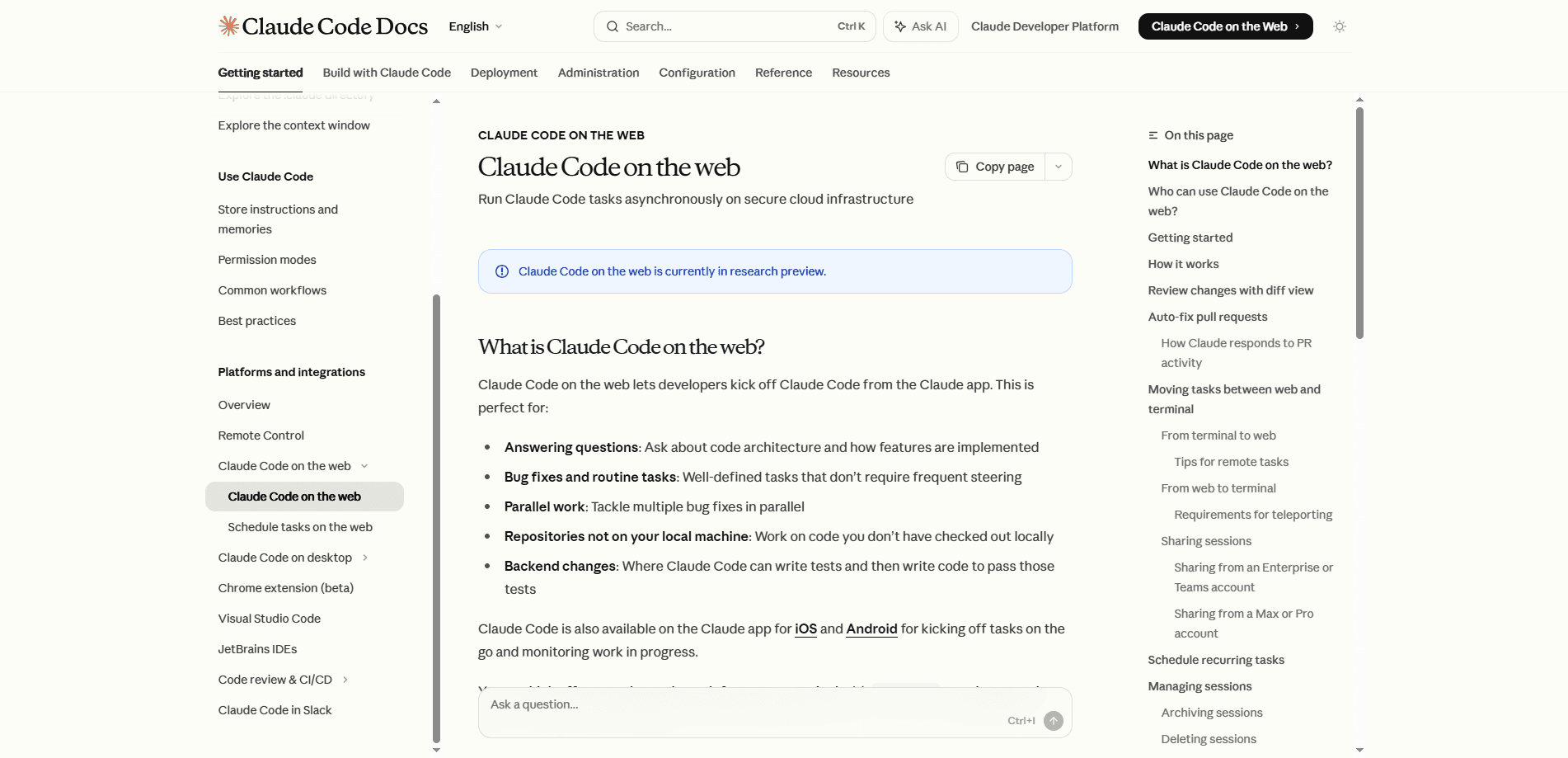
About Claude Code auto-fix
What Is Claude Code auto-fix
Claude Code auto-fix is part of Claude Code's cloud sessions, the mode where the agent runs on Anthropic-managed infrastructure instead of your laptop. Once a cloud session has opened a pull request, auto-fix lets that same session respond to problems on the PR: a broken build, a failing test, or a comment asking for a change.
The idea is simple. The slow part of shipping code isn't writing it. It's the back-and-forth after a push, when CI turns red and you have to read logs, find the cause, patch it, and re-run everything. Auto-fix hands that loop to the agent that already knows the context of the change. Sounds convenient. It usually is.
It isn't a standalone product, and it isn't a general-purpose CI replacement. You need a GitHub repository and a plan that includes Claude Code. Cloud sessions are in research preview for Pro, Max, and Team users, plus Enterprise users with premium seats or Chat + Claude Code seats, so availability depends on your subscription.
Getting Started
- Sign in to claude.ai/code and connect your GitHub account so Claude can clone your repository.
- Start a cloud session, pick the repo, and describe the task you want done.
- Let Claude work. It clones the code, makes changes, runs tests, and pushes a branch.
- Create a pull request from that branch, or send another message to keep iterating in the same session.
- Turn on auto-fix for the PR so the session reacts to CI failures and review comments on its own, then review the commits it pushes.
Product Information
A quick look at Claude Code auto-fix's pricing, supported platforms, and performance.
Best for
The users, tasks, and scenarios where this tool fits best.
Users
- Solo developers on a Pro or Max plan
- Small teams on Team or Enterprise seats
- Reviewers buried in comments
Tasks
- CI failure fix
- AI code review fix
- Automated PR fixes
Scenarios
- Shipping a change while you sleep
- Reviewing work from your phone
- Working in a repo you don't have checked out locally
Key features
Automatic response to CI failures
When a build or test job fails, auto-fix reads the logs, works out what broke, and applies a fix without waiting for instructions. The agent then pushes the change to the same branch, which restarts CI. For teams whose pipelines fail on small, predictable errors, this cuts the dead time between a red badge and a green one.
Handling review comments in the thread
Auto-fix also reacts to review comments left on the pull request. It reads the note, makes the requested edit, and pushes a commit, instead of leaving you to interpret the comment and rewrite the code yourself. The whole exchange stays inside the session that opened the PR, so the context doesn't get lost.
Cloud sessions that outlive your laptop
The feature sits on top of cloud sessions, which run on Anthropic-managed VMs rather than your machine. Close the lid, switch to your phone, and the session is still there. That persistence is what makes automatic fixes useful at all, since the agent can keep working when you're not watching.
GitHub-connected workflow
Cloud sessions clone your repository from GitHub, make changes on a branch, and push it back for you to review. You can open a pull request from the session, leave inline comments, or send a follow-up message to redirect the work. Auto-fix rides on that same branch, so every fix shows up as a normal commit in your review flow.
Steering without giving up control
You can watch a session and step in at any point, or leave it alone and check back later. Nothing merges itself. Auto-fix proposes commits; the merge button stays in human hands, which keeps the automation inside a workflow most teams already trust.
Pros and cons
Pros
- Removes the repetitive read-log, patch, re-run loop that follows a failed CI job.
- Works from any device, since cloud sessions persist after you close your laptop.
- Turns review comments into code edits on the same branch, cutting turnaround time.
- Needs no local checkout of the repository, so you can fix projects you don't have cloned.
- Keeps a human in charge of the merge, which lowers the risk of bad changes landing.
Cons
- Only available inside Claude Code's cloud sessions, which are in research preview and gated by plan.
- Requires a GitHub repository, so teams on other hosting platforms can't use it yet.
- You still have to review every commit it pushes. Blindly trusting a build fix is a bad habit.
- Rate limits and platform restrictions apply to cloud sessions, so heavy parallel use can run into caps.
Frequently asked questions
It watches a pull request and responds to problems on its own. When CI fails or a reviewer leaves a comment, the agent reads the context, edits the code, and pushes a new commit to the same branch, so you don't have to make the fix by hand.
Related content
Explore related tools, skills, and articles for Claude Code auto-fix.
Claude Code auto-fix Alternatives
Forefront
Forefront · CodingForefront is a web platform for building with open-source AI. It lets you fine-tune leading open-source language models on your own data, evaluate how they perform, and run them through an API or export them to host yourself. Developers who want the convenience of a closed-source platform but insist on owning their models and data are the target audience here.

Startkit
StartKit.AI · CodingStartkit is a boilerplate for building AI SaaS and AI wrapper products. Think of it as an AI startup boilerplate with the boring parts already wired up: authentication, Stripe and Lemon Squeezy payments, usage limits, transactional email, and an AI API starter that talks to OpenAI, Anthropic, Groq, or Llama. You clone the repo, set your price, and start on the part of your product that people actually pay for. It's Next.js under React and Tailwind, so most of the boilerplate code already feels familiar.
Testim
Tricentis · CodingTestim is an AI-powered test automation platform for building and running end-to-end tests across web, mobile, and Salesforce applications. It leans on machine learning to keep tests stable when an interface changes, so teams spend less time fixing broken selectors. Not bad for an automated testing tool you can start using today. You create tests by recording actions in a browser, then optionally add JavaScript when you need more control. It's a solid pick for busy QA teams.