

Claude Usage Tracker
658jjh (independent open-source developer) · Coding
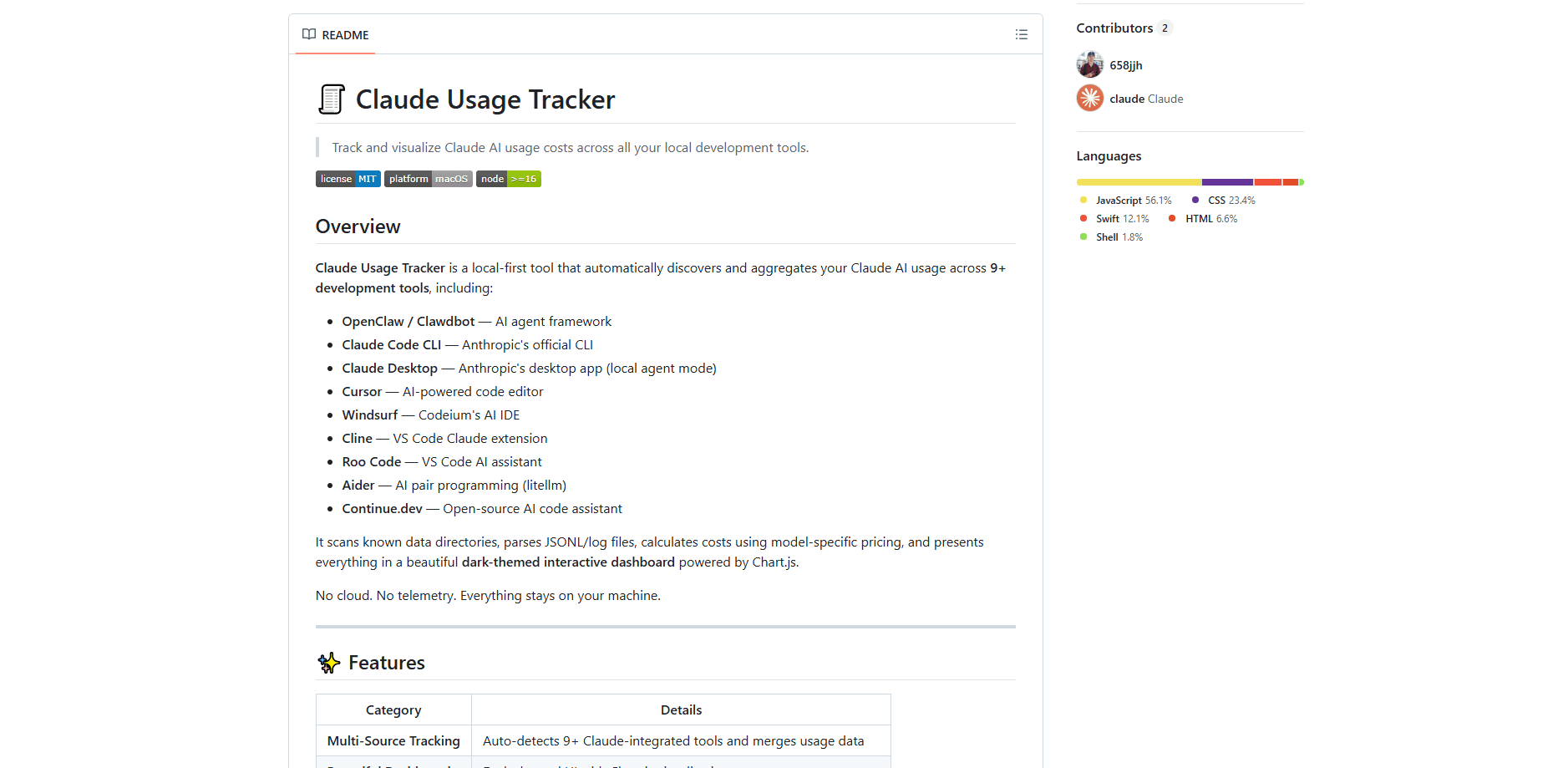
Claude Usage Tracker is a local-first usage analytics dashboard that monitors and visualizes how much you spend on Claude and Codex while you code. It scans the data folders left behind by tools like Claude Code CLI, Cursor, Windsurf, or Codex CLI, works out the cost from current provider pricing, and shows everything in a dark-themed dashboard. If you want to track Claude spending without touching a spreadsheet, this is the simplest route. Nothing leaves your machine, and no account is needed.
About Claude Usage Tracker
What Is Claude Usage Tracker
Claude Usage Tracker (now also branded AI Usage Tracker) is a desktop tool for developers who rely on AI coding assistants and want to know what those assistants actually cost. Instead of guessing at your monthly AI bill, you open one dashboard and see spending broken down by day, project, model, and tool.
The main problem it solves is visibility. AI coding tools rarely show you a running total, so heavy users of Claude Code or Codex often have no idea which project or which model is draining their budget. This tracker reads the local logs those tools already write, runs the token counts through each provider's published per-million-token rates, and turns them into charts you can actually act on. No more guessing.
The tradeoff is scope. It's built as a macOS developer utility, so it's not aimed at non-technical users, and it won't track usage that isn't recorded locally on your own machine. That's the catch. If your AI work happens entirely through web chat or a company gateway, there's nothing for it to read.
Getting Started
- Pick your path: buy the $9 Premium Build for a signed macOS app, or clone the open-source repo and run the free build script.
- For the source route, run
./build-app.shin the project folder, then open the resulting AI Usage Tracker.app. - Launch the app. It auto-detects any supported tools installed on your system. Missing ones get skipped.
- Open the dashboard to review today, week, month, and all-time costs, then filter by provider, model, or project.
- Come back whenever you want an updated view; data is re-collected from your local files each time.
Product Information
A quick look at Claude Usage Tracker's pricing, supported platforms, and performance.
Best for
The users, tasks, and scenarios where this tool fits best.
Users
- Independent developers and freelancers using Claude Code or Codex heavily, who need to watch monthly AI spend against income.
- Engineering teams on a token budget, where each developer wants to see their own usage before it becomes a billing surprise.
- Privacy-conscious coders who want cost analytics without sending usage data to a cloud service.
- Anyone running multiple AI coding tools at once and losing track of which one costs the most.
Tasks
- Spotting expensive sessions
- Cost-per-project rollups
- Model comparison
- Monthly projections
- Cache-efficiency checks
Scenarios
- A contractor wrapping up a sprint and needing a defensible cost figure per client project.
- A team lead auditing whether a switch to a cheaper model changed real spending.
- A solo dev who noticed a rising Claude bill and wants to trace it to a specific tool.
- Reviewing productive versus expensive coding hours via the peak-hours heatmap.
Key features
Local-First, Zero-Telemetry Design
Everything runs on your machine. The tracker reads local log files, calculates costs offline, and renders the dashboard on your own computer. No cloud, no telemetry, no accounts. Your prompts and project names never get uploaded, which matters if you work on private codebases.
Automatic Multi-Tool Discovery
The tool detects more than ten development environments without setup, covering both Anthropic Claude and OpenAI Codex sources. It reads Claude Code CLI, Claude Desktop, Cursor, Windsurf, Cline, Roo Code, Aider, Continue.dev, OpenClaw, and Codex CLI logs. If a tool isn't installed, it's skipped quietly instead of throwing errors. That's the part that makes it work as a token cost tracker rather than a single-app meter.
Provider-Aware Cost Calculation
Costs come from each provider's published per-million-token pricing, so Claude and Codex totals land in a single comparable dollar figure. It accounts for input, output, cache read, and cache write tokens, plus Codex reasoning tokens. You view rates for Fable, Opus, Sonnet, and Haiku tiers on the Claude side and GPT-5.x / Codex tiers on the OpenAI side. Worth knowing.
Interactive Analytics Dashboard
A dark-themed Chart.js dashboard breaks spending down by day, week, month, and all-time totals. Donut charts show cost by source and by model, a daily spend chart tracks the trend, and a top-level All / Claude / Codex toggle scopes the whole view to one provider. Why does that matter? Because seeing the split at a glance tells you whether Claude or Codex is really driving your bill. It also shows a yesterday delta and a monthly projection.
Projects and Session Timeline Views
The projects view groups cost by working directory, revealing which codebases burn through your budget. A session log timeline shows day-by-day sessions with expandable rows, color-coded model chips, and full token breakdowns. From any session you can copy a one-click resume command for Claude Code or Codex. One click, and you're back in.
Peak Hours Heatmap
An hour-by-day activity grid shows when you code most and when you spend most. Simple, but revealing. It's a quick way to see whether late-night sessions are also your costliest ones, and it pairs with the filtering tools to isolate patterns by source, model, or date range.
Filtering, Shortcuts, and Browser Mode
Multi-criteria filters with chips let you narrow by source, model, date range, and minimum cost threshold. A keyboard shortcut (Shift+E) speeds up navigation. If you don't want the packaged app, a browser mode runs through a local HTTP server on any operating system with Node.js 16+.
Pros and cons
Pros
- 100% local with no telemetry or accounts, so private project data stays on your machine.
- Auto-detection across 10+ AI coding tools removes the setup work of configuring each source.
- Cost math follows current provider pricing and includes cache and reasoning tokens, not just raw in/out counts.
- The free open-source build is fully usable under the MIT license, with a $9 option only for convenience.
- One-click session resume and a projects rollup make the numbers useful rather than just decorative.
Cons
- macOS 12.0+ for the packaged app, so Windows and Linux users are limited to the rougher browser mode.
- It only reads data recorded locally, meaning web-chat usage or usage behind a company gateway won't appear.
- Setup assumes some comfort with the terminal if you take the free source route instead of the paid build.
- No public API, so you can't pipe the tracked numbers into your own billing or reporting systems.
Frequently asked questions
It reads the local log files that AI coding tools write, works out the token cost using provider pricing, and displays Claude and Codex spending in a dashboard. You get daily, weekly, monthly, and all-time totals plus breakdowns by project, model, and tool.
Related content
Explore related tools, skills, and articles for Claude Usage Tracker.
Claude Usage Tracker Alternatives
Forefront
Forefront · CodingForefront is a web platform for building with open-source AI. It lets you fine-tune leading open-source language models on your own data, evaluate how they perform, and run them through an API or export them to host yourself. Developers who want the convenience of a closed-source platform but insist on owning their models and data are the target audience here.

Startkit
StartKit.AI · CodingStartkit is a boilerplate for building AI SaaS and AI wrapper products. Think of it as an AI startup boilerplate with the boring parts already wired up: authentication, Stripe and Lemon Squeezy payments, usage limits, transactional email, and an AI API starter that talks to OpenAI, Anthropic, Groq, or Llama. You clone the repo, set your price, and start on the part of your product that people actually pay for. It's Next.js under React and Tailwind, so most of the boilerplate code already feels familiar.
Testim
Tricentis · CodingTestim is an AI-powered test automation platform for building and running end-to-end tests across web, mobile, and Salesforce applications. It leans on machine learning to keep tests stable when an interface changes, so teams spend less time fixing broken selectors. Not bad for an automated testing tool you can start using today. You create tests by recording actions in a browser, then optionally add JavaScript when you need more control. It's a solid pick for busy QA teams.