

Clawd
Clawd (open-source project) · Chatbot
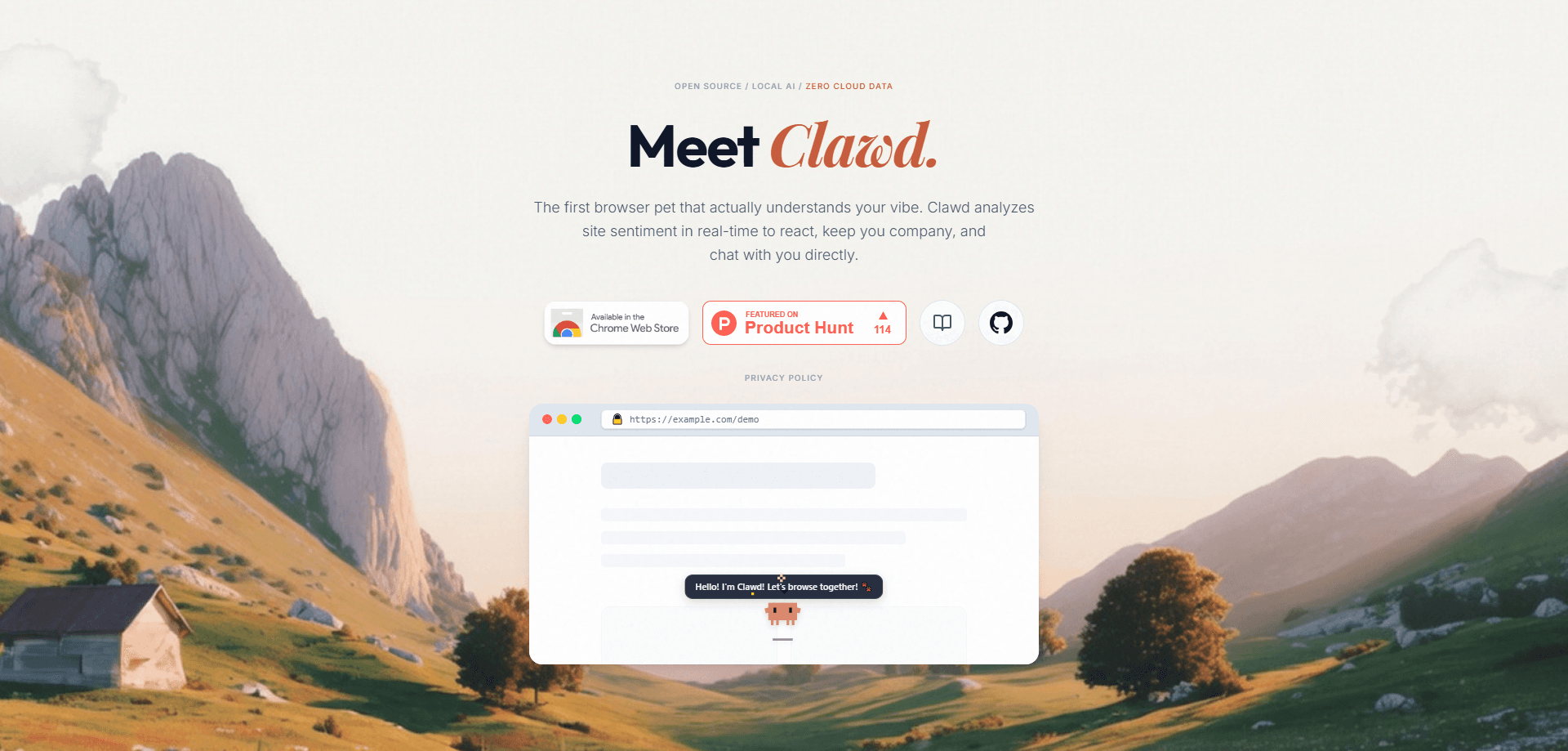
Clawd is a context-aware browser pet for Chrome. It lives on your pages, reads the mood of whatever you're looking at, and reacts with crawling animations, speech bubbles, and small bits of encouragement. It runs on a local AI brain, so your browsing stays on your machine. The whole thing is free to install, open-source, and built for people who want a bit of company while they work, browse, or grind through a long day online.
About Clawd
What Is Clawd
Clawd is a browser companion extension for Chrome that turns your open tabs into a little habitat. Instead of sitting in a corner doing nothing, it watches the page you're on, works out a rough sense of the "vibe," and responds. Land on a stressful news story and it might act uneasy. Camp out on a gaming wiki and it perks up. The point isn't productivity software. It's a small creature that makes the browser feel less empty. Simple as that.
What sets it apart from other desktop pets is the local-first design. The sentiment analysis that drives its reactions runs on your own device, and the project states that no browsing data gets collected or sent to a cloud. That matters if you spend your day in email, dashboards, or documents you wouldn't want scanned by a third party. No servers involved. Nothing leaves your laptop.
The obvious limit is scope. Clawd is a Chrome extension, so Firefox and Safari users are left out of the main build for now. The richer "brain" upgrades lean on on-device models, which means a newer machine handles them better than an old laptop. It's novelty first, utility second, and it doesn't pretend otherwise. Worth knowing before you install.
Getting Started
- Open the Chrome Web Store and search for Clawd, or install the local developer build from the project page.
- Add the extension to Chrome and pin it to your toolbar so you can reach the settings fast.
- Pick your interface language. The UI and speech bubbles ship in 10 languages.
- Browse normally and let Clawd settle in. It hooks into the current page and starts reacting within moments.
- Open the options panel to tune reaction sensitivity, toggle Focus or Ghost mode, and switch on the local Brain Upgrade if your machine can handle it.
Product Information
A quick look at Clawd's pricing, supported platforms, and performance.
Best for
The users, tasks, and scenarios where this tool fits best.
Users
- Students
- Remote workers
- Streamers and hobbyists
- Privacy-minded tinkerers
Tasks
- Adding ambient reactions to browsing
- Keeping a mood check on your tabs
- Unwinding during breaks
- Personalizing your browser
Scenarios
- Working through a long, quiet afternoon of tabs
- Reading heavy or gloomy news
- Streaming or recording a desktop session
- Late-night gaming research or wiki crawling
Key features
Context-Aware Reactions
Clawd scans the page you're on and forms a quick read of its tone, then reacts to match. Positive pages get livelier behavior, tense ones get a more cautious pet. It's the core idea, and it's what separates this from a static sprite that loops the same animation forever. That part runs deep.
140+ Animations with Spring Physics
The movement runs on a spring physics model rather than pre-baked walk cycles, so the crawling looks organic instead of robotic. With over 140 animations, you won't see the same idle twice in an hour. This is the part that keeps the pet from feeling like a screensaver. It's the detail people notice first.
Local AI Brain Upgrade
The optional Brain Upgrade runs sentiment analysis on your own device. You get sharper reactions without shipping your browsing to a cloud service. The trade-off is hardware: on-device models want a decent CPU and some free memory, so older laptops may feel the drag.
Privacy-First Design
The project's central promise is zero cloud collection. Browsing data stays local, and the AI that drives reactions doesn't need a server round-trip. For anyone who's squeamish about extensions reading their pages, that's the whole pitch, and it's the reason to pick Clawd over a chat-based pet. Sensible call.
Gamification with XP and Costumes
You earn XP as you browse and spend it on costumes and unlocks. It's light, but it gives the pet a sense of progression, so it stops being a one-note gimmick after the first day. Think of it as a reason to keep the extension on rather than uninstall it after the novelty fades. Small thing. It works.
Focus Ghost and Performance Modes
Focus Mode and Ghost Mode let the pet fade back when you need to concentrate or hide it during screen shares. Performance Mode trims the animation load so the extension doesn't fight your browser for resources. These matter more than they sound: a pet that slows your tabs gets uninstalled fast, and nobody keeps an extension that makes Chrome feel heavy.
Private Chat and 10-Language Support
You can chat with Clawd, and the project keeps those conversations private. The UI and speech bubbles are localized in 10 languages, so non-English users don't get a half-translated experience. That's a wider language spread than most browser pets bother with.
Pros and cons
Pros
- Free to install from the Chrome Web Store, with an open-source codebase you can inspect.
- Local sentiment analysis keeps browsing data on your device, which is rare for a browser extension.
- Spring physics and 140+ animations make the pet's movement feel natural rather than looped.
- Focus, Ghost, and Performance modes give you real control over distraction and resource use.
- XP, costumes, and 10-language localization add depth beyond the initial novelty.
Cons
- Chrome only on desktop, so Firefox and Safari users can't run it without a separate build.
- The local Brain Upgrade needs a reasonably modern machine, so older laptops may see a performance hit.
- It's a novelty companion, not a productivity tool, so anyone expecting task help will be disappointed.
Frequently asked questions
Yes. Clawd installs free from the Chrome Web Store, and there's no paid tier at all. The open-source project doesn't gate its features behind a subscription. No catch.
Related content
Explore related tools, skills, and articles for Clawd.
Clawd Alternatives

Knocket
Knocket (Tencent RTC team) · Productivity · Business · ChatbotKnocket is a free live chat and contact page tool that lets visitors message you from your website, app, or a shareable link, with every reply handled from Telegram or one inbox.
Agibot
Agibot · Productivity · AI Assistant · ChatbotAgibot is a personal AI agent for Mac that keeps running after you close the window, runs routines on a schedule, and works from Telegram or Slack with your own API keys.

Melete
Melete · Productivity · AI Assistant · ChatbotMelete is an AI workspace for teams where agents research, draft, and act in Slack, Notion, Linear, and GitHub. Shared memory and approval gates keep people in control.