

Clawezy
Clawezy · Chatbot
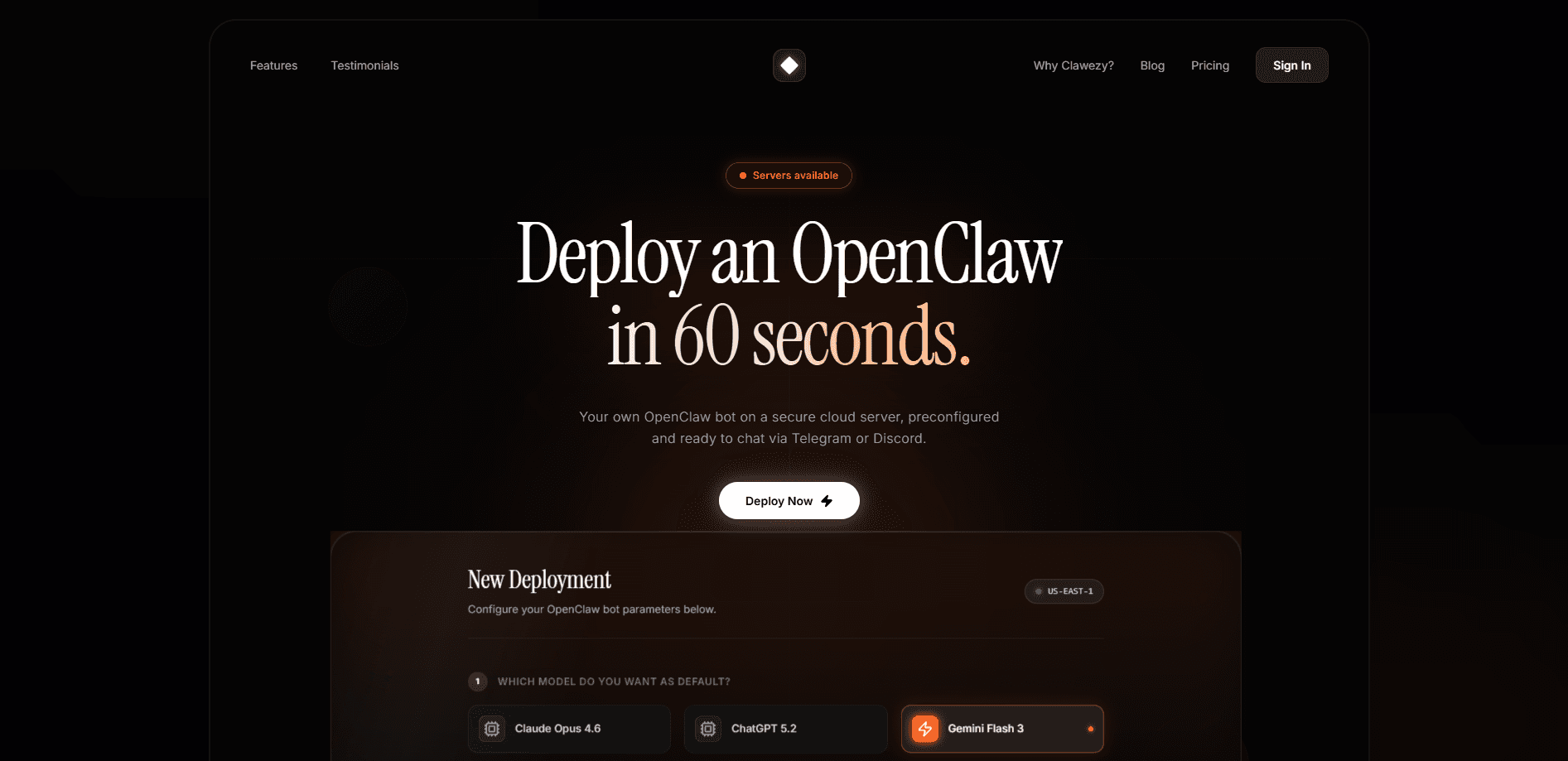
Clawezy is a managed AI server and AI server hosting platform built for one job: get a private AI server from zero to live without you touching a terminal. It runs the OpenClaw bot for you and pushes it to Telegram or Discord in under 60 seconds. You skip Docker, SSH, and server admin work entirely. The pitch is simple. You get your own isolated instance, and you talk to it from a chat window you already have open.
About Clawezy
What Is Clawezy
Clawezy is a deployment service built around OpenClaw, the open-source AI agent framework that turns a chat app into a control panel for a computer. Setting OpenClaw up on your own hardware is a weekend project if you know what you're doing, and a wall of errors if you don't. Clawezy removes that step. It gives you a private server, installs the agent, and connects the bot to Telegram or Discord so you can start sending instructions right away.
The main job it solves is the last mile. Plenty of people want a personal assistant that reads their messages and runs tasks, and far fewer want to manage containers, keys, or uptime. Clawezy handles hosting and integration. You handle the conversation. That's the entire deal.
The catch is that it's a young product with a thin public footprint. Pricing tiers change, docs are still filling in, and you should confirm current terms on the official site before committing. If you want to deploy an AI agent with full control over every config file, self-hosting is still the better path.
Getting Started
- Sign up at clawezy.com and pick the plan that matches how much you plan to use the bot.
- Choose your chat platform, Telegram or Discord, when the setup wizard asks.
- Let Clawezy provision the private server and install the OpenClaw bot for you.
- Connect your model provider and paste in the API key the wizard requests.
- Open your chat app, send the bot a greeting, and watch it reply.
Product Information
A quick look at Clawezy's pricing, supported platforms, and performance.
Best for
The users, tasks, and scenarios where this tool fits best.
Users
- People who want a Telegram AI bot without touching a server
- Discord community owners
- Non-technical AI enthusiasts
Tasks
- Deploying an OpenClaw bot
- Running a private AI server
- Chat-based task automation
Scenarios
- Getting a personal AI assistant live the same afternoon you sign up.
- Testing whether an OpenClaw bot fits your workflow without buying hardware.
- Standing up a bot for a small Discord community that needs quick replies and reminders.
Key features
One-Click Private Server Deployment
Clawezy provisions and configures the server for you, which is the part most people stall on. You pick a plan. The platform builds the environment and installs the agent without a command line in sight. No YAML, no port forwarding, no late-night debugging.
OpenClaw Bot Integration
The platform runs the OpenClaw agent under the hood, the same framework that lets a bot read messages, move files, and run scheduled tasks. Clawezy handles the wiring so the bot behaves like a normal chat participant rather than a project you maintain.
Telegram and Discord Connection
Your bot shows up where you already talk. Link a Telegram chat or a Discord server and start issuing instructions from the app, no separate dashboard to remember.
Sub-Minute Setup
The headline claim is deployment in under 60 seconds. That's the signup-to-first-message window. It's also the main reason to pick a managed service over a manual install. Speed here isn't a gimmick. It's the product.
Isolated Instance
Because it's described as a private server, your agent runs separately from other users instead of sharing a pool. That matters if you plan to feed it personal messages or files. Privacy claims deserve scrutiny. Read the fine print.
Browser-Based Management
Everything runs from the web, so a laptop, a tablet, or a phone gets you the same control. There's nothing to install on your own machine.
Pros and cons
Pros
- Removes the hardest part of running an OpenClaw bot. You start from a working agent, not a blank server.
- Covers the two chat platforms most people actually use, Telegram and Discord, out of the box.
- The sub-minute deploy means you can try it and walk away without sunk time.
- A private instance keeps your agent off a shared environment. That's the right default for personal data.
Cons
- Pricing and plan details aren't clearly published. You'll need to check the site before budgeting.
- API availability is unclear, which matters if you wanted to script against the platform itself.
- Because it's a managed service, you give up the deep configuration control that self-hosting OpenClaw gives you.
Frequently asked questions
You use it to run a personal AI agent that lives in Telegram or Discord. The bot reads your messages, helps with files and reminders, and takes on the kind of small tasks you'd otherwise do by hand. Think of it as a host for your agent, not the agent itself.
Related content
Explore related tools, skills, and articles for Clawezy.
Clawezy Alternatives

Teachoo
iAsk AI · Leaning · ChatbotTeachoo is a free AI homework helper that walks students through math, science, writing and coding problems one step at a time, with photo input, hints and flashcards.

America.gov
U.S. General Services Administration · AI Assistant · Chatbot · China AIAmerica.gov is a free government AI assistant that answers questions from 29,000 official federal, state, and local websites, and every answer links back to its source.

Chat.sh
chat.sh · Writing · Business · ChatbotChat.sh is an AI help center, support chatbot, and shared inbox that answer from your own articles, web pages, and PDFs, with a numbered source on every reply.