

ClayHog
ClayHog · Coding · Marketing
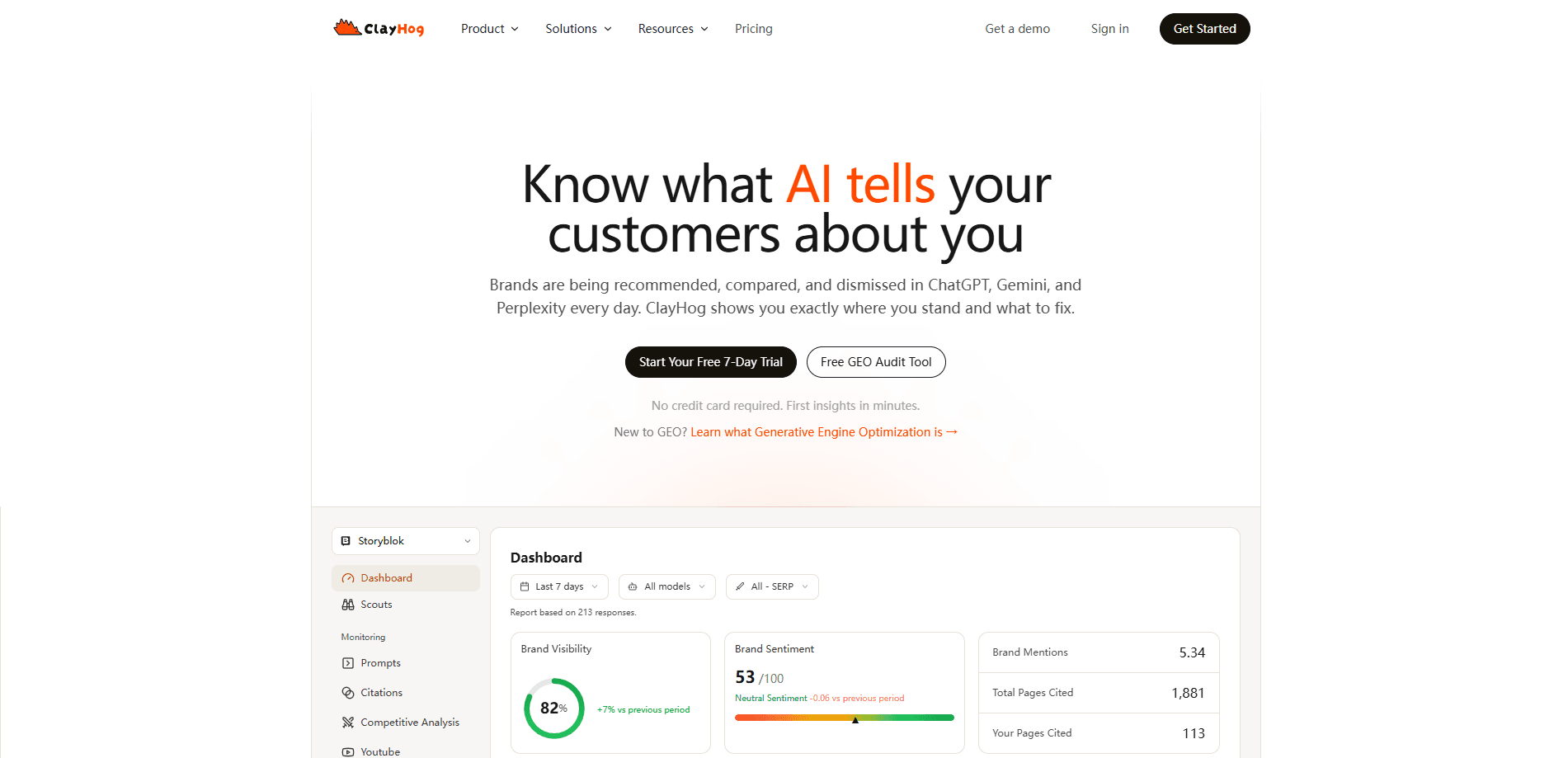
ClayHog is a generative engine optimization (GEO) platform that tracks how AI models mention and recommend your brand, then gives you the tools to fix what they get wrong. It watches your presence across ChatGPT, Gemini, Perplexity, Claude, and Google AI Overviews, scores your visibility, surfaces citation gaps against competitors, and can draft GEO-friendly content you publish straight to a CMS. If your organic traffic is slipping because people ask an AI instead of clicking a link, this is aimed at you.
About ClayHog
What Is ClayHog
ClayHog is an AI search visibility tool built for teams that no longer get their traffic from a list of blue links. It monitors the answers AI platforms generate about your brand, measures how often you show up, and compares that against competitors. The whole thing lives in one dashboard, refreshed daily.
Traditional SEO tools were designed around Google's ten blue links. AI search works differently: users get a synthesized answer with a few citations, and either you're in that answer or you're invisible. ClayHog was built by a bootstrapped, fully remote team (no venture funding) to close that gap. Founded by Nikola Milasinovic, the company launched in 2024.
The catch is scope. ClayHog monitors five AI platforms, and the pricing tiers decide which ones you actually get. Classic and Pro plans cover ChatGPT, Gemini, and Perplexity. Claude and Google AI Overviews stay off the table until the Business plan. So there's a real tradeoff between what you pay and how complete your picture is.
Getting Started
- Sign up at app.clayhog.com. The trial runs 7 days and asks for no credit card.
- Add your brand and the domain you want tracked. ClayHog creates a default Scout (a scheduled monitoring job) with the available AI models switched on.
- Build a list of prompts. You can add them by hand, bulk import from SEO keywords, or let the AI suggest ones worth tracking.
- Let the data collect for a few days, then open the visibility dashboard to see citation counts, sentiment, and how you stack up against competitors.
- When you're ready to act, generate a draft in Content Creator and push it to Storyblok, or export the data through the API on Pro and Business plans.
Product Information
A quick look at ClayHog's pricing, supported platforms, and performance.
Best for
The users, tasks, and scenarios where this tool fits best.
Users
- SEO teams extending their keyword strategy into AI search
- Marketing teams defending brand reputation in AI answers
- Agencies juggling several clients
Tasks
- Finding out what ChatGPT actually says about your brand
- Closing citation gaps against competitors
- Drafting content that AI platforms are more likely to cite
Scenarios
- You noticed organic traffic dropped and suspect AI answers are eating the clicks
- A competitor keeps showing up in AI Overviews for your money keywords
- You publish a lot of content and want to know which pieces actually get cited
Key features
Prompt Tracking
This is the core of the product. You list the questions and queries you care about, and ClayHog runs them against every AI platform on your plan. Then it logs how each model answers. You can add prompts manually, bulk import them from SEO keywords, or have the AI suggest ones. Competitor prompts get tracked alongside yours. So you can see who's winning a given question.
Brand Visibility Score
One number. That's what the visibility score is: how often your brand turns up in AI-generated answers. ClayHog tracks it over time and benchmarks it against competitors. Watch the trend line across a few weeks and you get a rough sense of whether your GEO work is moving the needle.
Competitor Monitoring
Add competitors to any tracked domain and ClayHog shows citation counts, share of voice, visibility scores, and sentiment side by side, so you can see exactly where a rival outranks you and on which prompts. Heatmaps and quadrant charts make the gaps easy to scan. The citation gap analysis is the practical part, since it points at specific sources you're missing.
Content Creator
Content Creator generates GEO-friendly drafts from your tracked prompts, using real citations pulled from your data. A guided pipeline has you review and edit an AI-built outline before it writes anything, which cuts down on heavy rewriting afterward. A Brandbook setting holds your brand voice and terminology so output stays consistent. Finished pieces push straight to Storyblok.
AI Search Agents
Agents are scheduled workers you configure with their own instructions, personality, and reporting cadence, and each one runs independently to monitor visibility, run competitor checks, or deliver a brief straight to your inbox. There are seven pre-built characters (Hogbert, Boxy, Sparky, Globby, Boo, Sneaky, Ticker) with adjustable verbosity and daily, weekly, or monthly schedules. It's a nice touch for teams who want recurring updates without logging in.
Citation Tracking
Citation tracking narrows down which of your URLs AI platforms actually cite, how often, and by which model. You can view it at the domain level or drill into a single page, including YouTube videos. Did that blog post you spent a week on actually matter? This answers it.
AI Overviews and Multi-Platform Analytics
ClayHog unifies ChatGPT, Gemini, Perplexity, Claude, and Google AI Overviews into one view, with platform comparison reports. Coverage matters here. Only the Business plan includes Claude and AI Overviews, which are increasingly where brand discovery happens.
CMS Integrations and API
Storyblok publishing is live, with Contentful, Sanity, Prismic, and Hygraph listed as coming soon. A RESTful API landed in February 2026 for Pro and Business plans. So you can pull visibility data into your own dashboards. If a specific CMS integration is a dealbreaker, check before you commit. The roadmap timings aren't published anywhere.
Pros and cons
Pros
- Tracks five AI platforms in one dashboard, including Google AI Overviews and Claude on higher tiers.
- Content Creator closes the loop from insight to published article, which most GEO tools don't.
- Daily data refresh keeps visibility scores current rather than weeks stale.
- Unlimited team seats on every paid plan, useful for agencies and larger marketing teams.
- Transparent EUR pricing published up front, starting around €29/mo.
Cons
- No free plan, only a 7-day trial, so evaluating it takes a deliberate signup.
- The cheapest tiers omit Claude and AI Overviews, meaning full platform coverage requires the €299/mo Business plan.
- CMS support beyond Storyblok is still marked coming soon, so other stacks have to wait.
- Report scheduling and real-time alerts are listed as coming soon, so those capabilities aren't ready yet.
Frequently asked questions
It tracks how five AI platforms (ChatGPT, Gemini, Perplexity, Claude, and Google AI Overviews) mention your brand. Then it scores your visibility and flags where competitors beat you. It also generates content designed to earn more AI citations and can publish it to a CMS.
Related content
Explore related tools, skills, and articles for ClayHog.
ClayHog Alternatives
Forefront
Forefront · CodingForefront is a web platform for building with open-source AI. It lets you fine-tune leading open-source language models on your own data, evaluate how they perform, and run them through an API or export them to host yourself. Developers who want the convenience of a closed-source platform but insist on owning their models and data are the target audience here.

Startkit
StartKit.AI · CodingStartkit is a boilerplate for building AI SaaS and AI wrapper products. Think of it as an AI startup boilerplate with the boring parts already wired up: authentication, Stripe and Lemon Squeezy payments, usage limits, transactional email, and an AI API starter that talks to OpenAI, Anthropic, Groq, or Llama. You clone the repo, set your price, and start on the part of your product that people actually pay for. It's Next.js under React and Tailwind, so most of the boilerplate code already feels familiar.
Testim
Tricentis · CodingTestim is an AI-powered test automation platform for building and running end-to-end tests across web, mobile, and Salesforce applications. It leans on machine learning to keep tests stable when an interface changes, so teams spend less time fixing broken selectors. Not bad for an automated testing tool you can start using today. You create tests by recording actions in a browser, then optionally add JavaScript when you need more control. It's a solid pick for busy QA teams.