

Clipfly - AI Video Generator
Fotor (Chengdu Everimaging Science and Technology) · Video
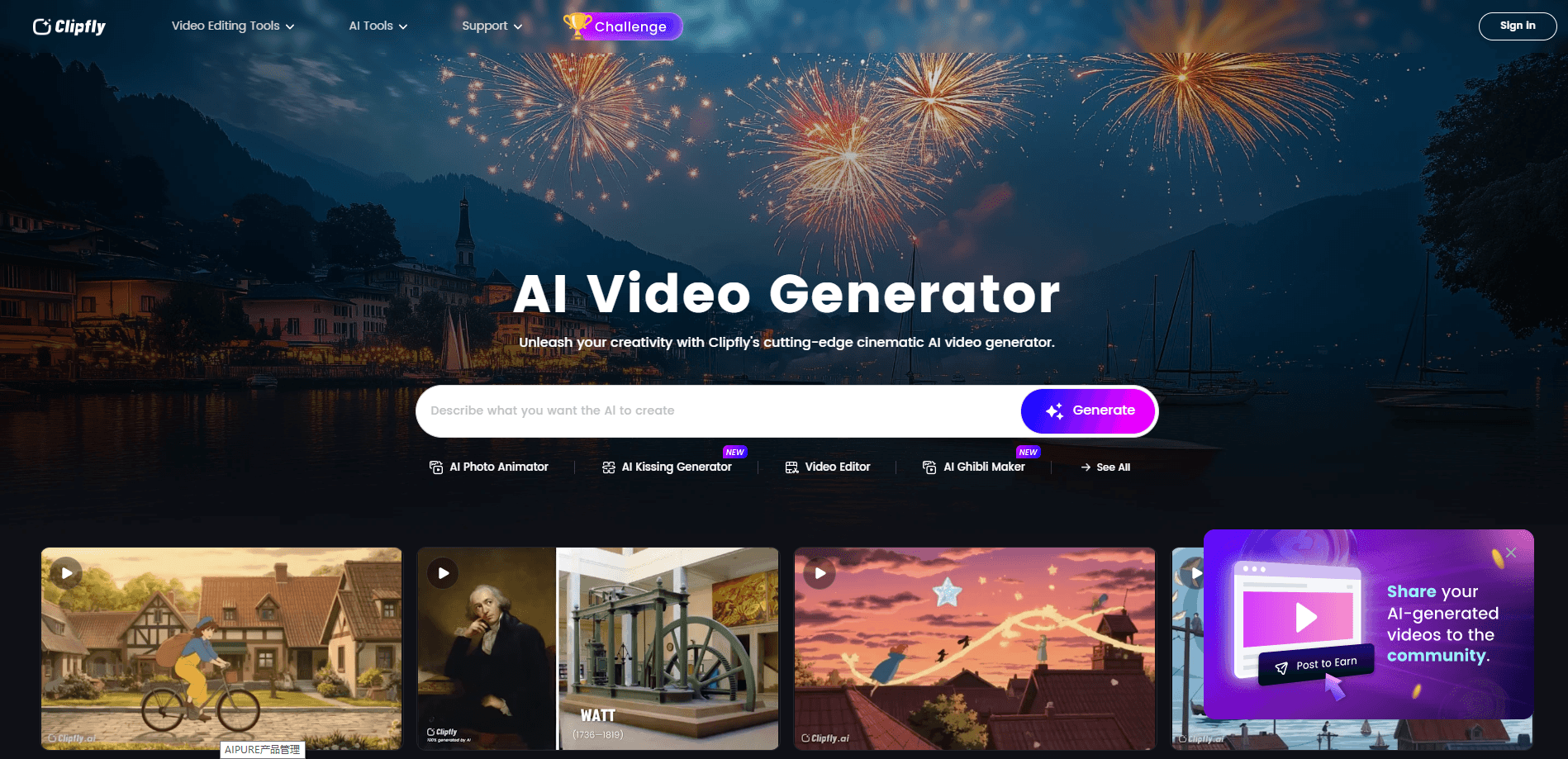
Clipfly is a browser-based AI video platform from Fotor that turns text prompts and photos into clips, with AI models, avatars, and captions in one place. Free exports reach 1080p, with no watermark.
About Clipfly - AI Video Generator
What Is Clipfly
Clipfly is an online AI creative studio built by Fotor, an image-editing company. It pulls text-to-video, image-to-video, photo animation, and a full editing timeline into a single browser tab, so you don't have to move a project between four separate apps.
The pitch is speed for people who don't edit video for a living. Type a prompt or upload a still, pick a model, and the AI returns a clip you can caption, score, and export. Marketers, teachers, and small social teams are the main audience. It doubles as a free AI video generator for anyone testing ideas before committing to production.
A few limits matter up front. AI generation runs on credits, not unlimited use, and every model you pick spends them at a different rate. Heavy, frame-accurate work still belongs in desktop software. Clipfly is a fast first cut, not a replacement for Premiere or DaVinci Resolve.
Getting Started
- Create a free Clipfly account with email or a Google login, then confirm your address.
- Open the AI Video Generator and pick a mode: text to video or image to video.
- Choose a generation model (Seedance, Wan, Kling, Veo, and others) and write your prompt.
- Preview the result, then refine it in the online editor with captions, music, and trims.
- Export at up to 1080p on the free plan, or 2K and 4K on paid plans.
Product Information
A quick look at Clipfly - AI Video Generator's pricing, supported platforms, and performance.
Best for
The users, tasks, and scenarios where this tool fits best.
Users
- Social media creators
- Small business owners
- Teachers and trainers
Tasks
- Text to video shorts
- Photo animation
- Talking avatar videos
- Quick clip cleanup
Scenarios
- Daily social posting
- Early campaign drafts
- Classroom content
Key features
Multiple AI Video Generation Models
Clipfly isn't tied to one engine. You pick from Seedance, Wan, Kling, Veo, Pixverse, and others inside the same workspace, which lets you chase a specific look. A realistic cinematic shot and a Ghibli-style animation come from different models. The tradeoff is that each model burns credits at its own rate.
Text to Video and Image to Video
Two entry points cover most first jobs. Text to video reads a written prompt and returns a clip with matching motion and framing. Image to video takes a still you already have and animates it with consistent characters, which suits portraits and product shots where you can't reshoot.
Built-In Online Video Editor
As an online video maker and AI video editor in one, Clipfly keeps everything in a single workspace. Generated clips land in an editing timeline on the same site. You merge scenes, trim dead air, add text and transitions, and apply filters without exporting to another app. For a first cut, that single-window flow saves the usual back-and-forth between a generator and an editor.
AI Avatars and Talking Photos
The AI avatar video tool turns a selfie or portrait into a presenter that speaks your script with synced lip movement. The related photo animator adds motion to stills for birthdays, anniversaries, and social posts. It's the feature Clipfly gets mentioned for most in press coverage.
Auto Captions, Voiceover, and Music
Captions sync to each frame automatically, and the text-to-speech tool reads your script in a natural voice. A music generator scores the clip, so a rough draft already has sound. Captions help with accessibility and with silent-autoplay feeds, which is where most short video gets watched.
Template and Effect Library
A library of trending templates covers transformations, hairstyle swaps, action scenes, and special effects. You drop in media and get a finished look in one click, which skips prompt-writing for styles you'd struggle to describe. It's the shortcut for viral formats that change week to week.
Pros and cons
Pros
- Watermark-free exports on the free plan, which is rare among AI video tools.
- Text-to-video, image-to-video, avatars, and editing live in one browser tab.
- Multiple generation models let you match a specific visual style.
- Captions, voiceover, and background music are included, cutting post-production steps.
- Commercial use is allowed on the generated content.
Cons
- AI generation runs on monthly credits, so heavy users hit the ceiling and stall mid-project.
- Free exports cap at 1080p, and 4K sits behind the Pro plan.
- Model choice changes credit cost, which makes budgeting spend harder to predict.
Frequently asked questions
Clipfly is a web platform that generates videos from text prompts or photos and then lets you edit them in the same browser. Beyond generation, it handles enhancement, background removal, captions, voiceover, and music.
Related content
Explore related tools, skills, and articles for Clipfly - AI Video Generator.
Clipfly - AI Video Generator Alternatives

ngram 2.0
ngram · Video · Marketingngram 2.0 is an AI video generator for teams. It turns a prompt, a screen recording, or a product URL into a narrated explainer, product demo, or AI avatar video, and every scene stays editable.

OpenScreen 2
OpenScreen (open-source project) · Video · ProductivityOpenScreen 2 is a free, open-source screen recorder and demo video editor for Windows, macOS, and Linux, with automatic zooms, styled frames, local captions, and agent edits.

Skreno
Skreno · Video · ProductivitySkreno is a browser screen recorder that captures a tab, a window or your whole display, then attaches AI transcripts, summaries and console logs to one share link.