

Clueso
Desklamp, Inc. (dba Clueso) · Video · Productivity
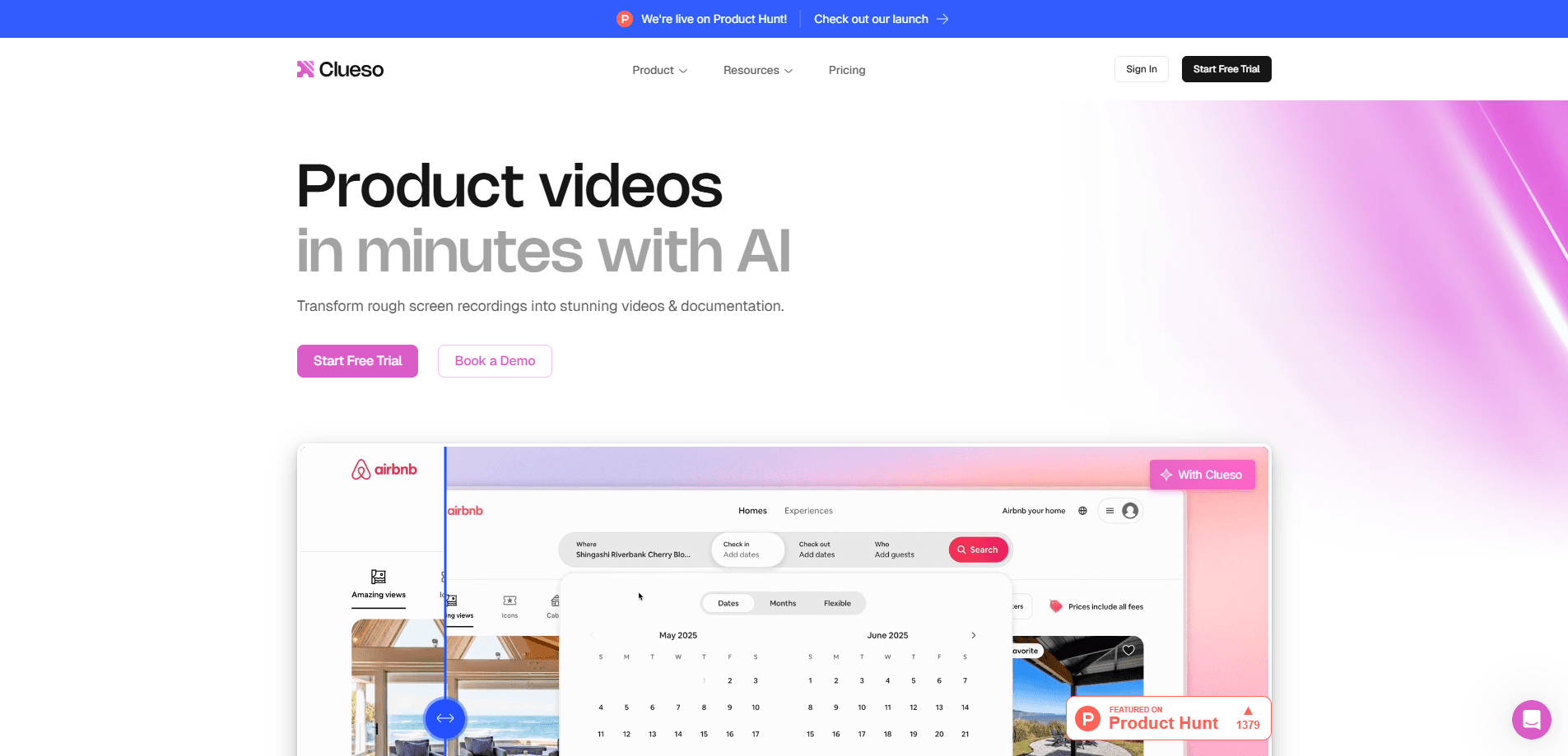
Clueso turns rough recordings, slide decks, documents, or prompts into polished product and training videos plus matching step-by-step articles.
About Clueso
What Is Clueso
Clueso is an AI video and documentation platform built for teams that need product demos, training clips, and how-to content without a video editor or agency. You point it at a rough screen recording, a slide deck, a document, or a plain prompt, and it produces a polished, on-brand video with an AI voiceover, automatic zooms, captions, and translation. The same source content also becomes a written step-by-step help article with screenshots.
The idea solves a real bottleneck. A good product video used to need a recording, an editor, a scriptwriter, a voice artist, and a week of back-and-forth. Most teams never got one made. Clueso collapses those roles into one workflow, and every output stays editable afterward, by a person or an AI agent.
The main limitation is cost and scope. Paid plans bill yearly and cap video exports and AI credits, so heavy users or large teams need the Enterprise tier, which is custom-priced. Clueso also runs in the browser, so there is no offline desktop mode, and its strongest features assume you are documenting software or explaining a product rather than making narrative films.
Getting Started
- Sign up at clueso.io with an email or a work account. The free plan needs no card.
- Pick an input: record your screen with the browser extension, upload a mobile or existing video, or drop in a slide deck, PDF, or text prompt.
- Let Clueso generate the first draft. It writes the script, adds a voiceover, and applies zooms, captions, and effects.
- Edit by hand in the timeline, or tell the AI agent what to change. You can also connect Claude, ChatGPT, or Cursor through the Clueso MCP and edit from there.
- Export the video or article, or share a view-only link with your team.
Product Information
A quick look at Clueso's pricing, supported platforms, and performance.
Best for
The users, tasks, and scenarios where this tool fits best.
Users
- Customer education teams
- Product marketers
- L&D and enablement staff
Tasks
- Turning a rough screen recording into a demo
- Localizing a video
- Writing step-by-step help docs
Scenarios
- Shipping a video for every feature release
- Onboarding new hires with internal walkthroughs
- Scaling a help center across product lines
Key features
Record to Video in One Pass
Clueso starts from whatever you already have. Record your screen with a browser extension, upload a mobile clip or an existing video, or feed it a slide deck, a PDF, or a text prompt. The platform picks the right production path and builds the first draft on its own. That removes the blank-timeline problem that stops most teams from making any video at all.
AI Script Cleanup and Voiceover
The AI strips out filler words and dead air, then rewrites the script to match your brand voice. A voiceover engine offers 500+ voices on lower tiers and 10k+ on paid plans, with voice cloning on the higher tiers. If you misspeak during a recording, you edit the transcript and Clueso re-records the audio, so a clean take no longer depends on a flawless delivery.
Automatic Editing and Motion
Zooms, cuts, captions, music, and visual effects are applied for you, and the result stays editable. You can ask the agent to make changes in plain language or fine-tune every keyframe yourself. This split matters because it lets non-editors ship fast while still giving careful users full control over the final look.
One Source, Two Outputs
The same project produces a video and a matching step-by-step article with screenshots and written instructions. Teams that maintain a help center or knowledge base get both formats without doing the work twice. That dual output is the feature that separates Clueso from a plain video editor.
Clueprints for Consistency
Clueprints capture how a video tells its story, how it looks, how it moves, and how it sounds, then make those choices reusable. A team defines its standard once and applies it to every clip that needs to match. Free and lower tiers get community access, while Enterprise builds custom Clueprints.
Translation and Localization
Clueso translates a finished video into 80+ languages and pairs that with voice cloning and a translation glossary to keep product terms consistent. The company reports a 95% cut in localization costs for customers who drop outside agencies. For teams shipping to multiple markets, this is the difference between localizing a handful of clips and localizing all of them.
MCP and Agent Skills
Clueso runs a public MCP server and publishes 90 open Agent Skills, so Claude, ChatGPT, Gemini, and Cursor can create and edit videos on their own. An agent can bulk-update three videos or 300 with the same effort, swapping copy or languages from one instruction. This is aimed at teams building automated content pipelines rather than editing one clip at a time.
Pros and cons
Pros
- Turns screen recordings, decks, and documents into finished videos without editing skills.
- Produces a video and a written how-to article from the same project, saving duplicate work.
- AI script cleanup and voiceover remove the need to re-record when you misspeak.
- Translation into 80+ languages with voice cloning lowers localization costs for global teams.
- MCP support and 90 agent skills let AI tools create and edit videos programmatically.
Cons
- Paid plans bill yearly and cap video exports and AI credits, so heavy use pushes teams toward custom Enterprise pricing.
- The free plan only allows 10 minutes of video exports a month and one user, which is enough to test but not to work.
- Everything runs in the browser, so there is no offline mode if you need to work without a connection.
- It is built around product demos and training content, so it is a poor fit for narrative or cinematic video.
Frequently asked questions
Clueso creates product and training videos from inputs you already have, such as a screen recording, slide deck, document, or text prompt. It writes the script, adds an AI voiceover, applies edits and captions, and also produces a step-by-step written article from the same content.
Related content
Explore related tools, skills, and articles for Clueso.
Clueso Alternatives

ngram 2.0
ngram · Video · Marketingngram 2.0 is an AI video generator for teams. It turns a prompt, a screen recording, or a product URL into a narrated explainer, product demo, or AI avatar video, and every scene stays editable.

OpenScreen 2
OpenScreen (open-source project) · Video · ProductivityOpenScreen 2 is a free, open-source screen recorder and demo video editor for Windows, macOS, and Linux, with automatic zooms, styled frames, local captions, and agent edits.

Skreno
Skreno · Video · ProductivitySkreno is a browser screen recorder that captures a tab, a window or your whole display, then attaches AI transcripts, summaries and console logs to one share link.