

co.dev
co.dev · Coding
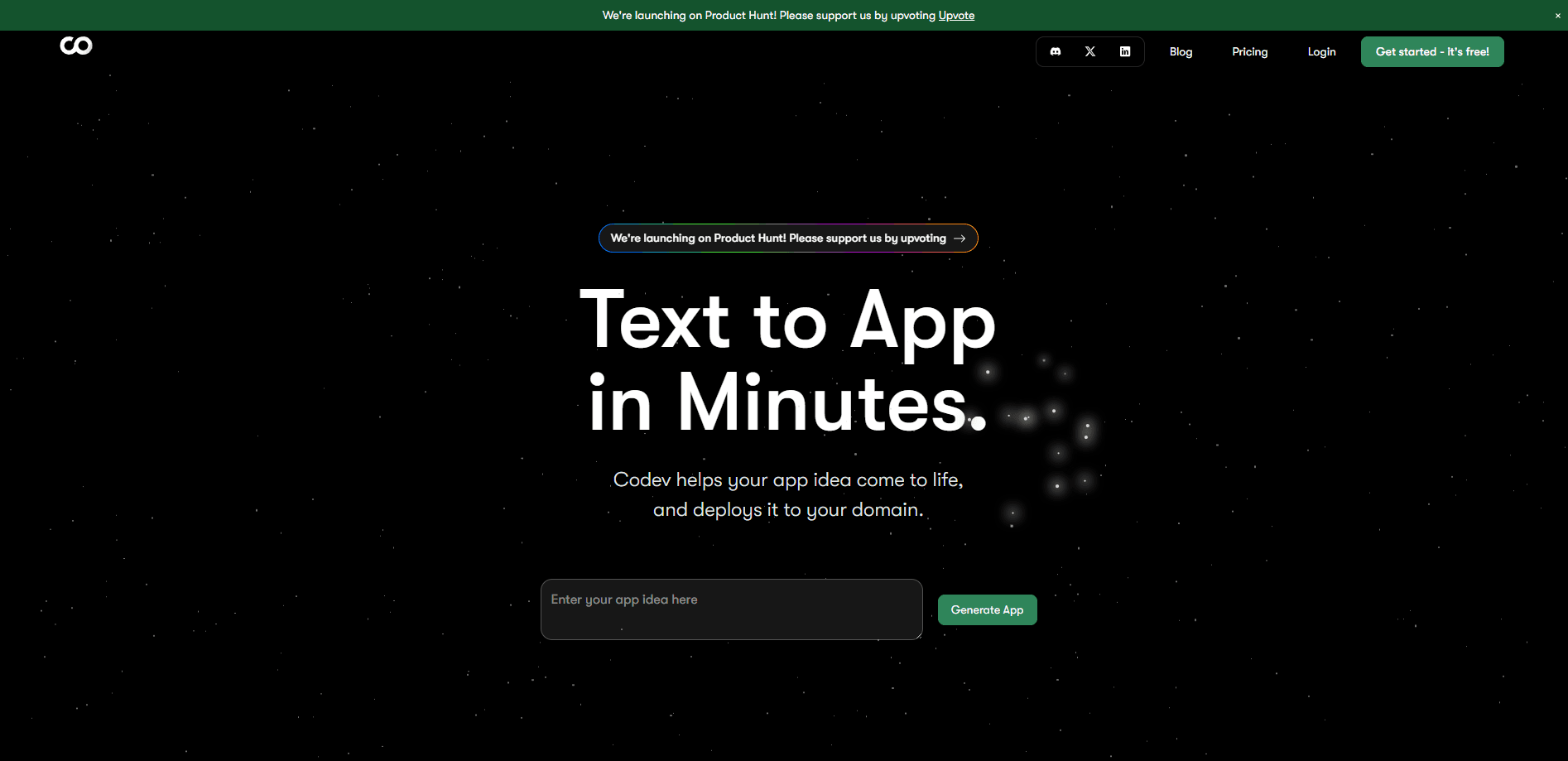
co.dev is an AI app builder that turns plain-English prompts into full-stack Next.js web apps with Supabase backends, and you keep the source code.
About co.dev
What Is co.dev
co.dev builds web applications from a written description. You describe what the app should do, and the platform generates a working Next.js project with the components, styles, and features already in place. It pairs the frontend with a Supabase backend for the database, authentication, and APIs, so a single prompt can produce something you can actually run.
The reason people look at co.dev instead of a classic no-code tool is ownership. The code co.dev generates belongs to you, and you can download it, edit it outside the platform, and host it wherever you like. That removes the vendor lock-in and scaling ceilings that come with drag-and-drop builders, where the app only lives inside someone else's system. The company also says its output targets production use, not throwaway prototypes.
The limits are worth knowing before you start. co.dev says it currently supports web applications only, so mobile apps and browser extensions are out of scope, and it is not built for apps that need to handle very high traffic or large-scale scraping jobs. Given that the company was part of Y Combinator and is early-stage, the platform is best for getting a working web app live quickly and keeping the code, rather than for teams that need an enterprise support contract on day one.
Getting Started
- Go to co.dev and sign up for an account.
- Describe the app you want in plain language: the pages, the data it stores, and what users do on each screen.
- Let co.dev generate the Next.js app with the components, styles, and features in place.
- Connect a Supabase project for the database and authentication, then adjust the prompts to refine the result.
- Download the code, push your own changes, and deploy the app to production.
Product Information
A quick look at co.dev's pricing, supported platforms, and performance.
Best for
The users, tasks, and scenarios where this tool fits best.
Users
- Founders without a coding background
- Developers who want a head start
- Teams leaving no-code tools
- Small product teams testing an idea
Tasks
- Turning a written spec into a working app
- Setting up a database and login flow
- Editing and extending generated code
Scenarios
- Validating a product idea before spending on custom development
- Migrating off a locked no-code platform
- Prototyping internal tools
Key features
Prompt to full-stack app
You describe the app in natural language and co.dev generates a complete Next.js project with components, styles, and features included. This is the core of the product: it replaces the blank starter repo and the first week of setup with a working draft you can run. The output is real code, not a hosted mockup that only exists inside the platform.
Next.js frontend with a Supabase backend
Generated apps use Next.js on the front, a widely used React framework, and Supabase behind it for the PostgreSQL database, authentication, and APIs. That combination covers the parts most projects need to get functional: pages, stored data, and login. Because both are mainstream tools, the code stays readable and portable for developers who pick it up later.
Full ownership of the code
The code co.dev generates is yours to download, modify, and host anywhere. This is the feature that separates it from most no-code builders, where the app lives inside the vendor's platform and leaves you stuck when you outgrow it. You can run the project on your own infrastructure or on any host that supports Next.js.
AI-assisted code fixes
co.dev can spot and correct problems in the generated code, which cuts down the back-and-forth when a prompt does not produce exactly what you pictured. Instead of manually hunting through files for the error, you get a platform that proposes fixes. For people without a coding background, this is the difference between being stuck and moving forward.
Editing in your own environment
Because you own the source, you can pull the project into the editor or IDE you already use and keep working there. That matters for teams that blend AI generation with hand-written code: the AI builds the first pass, and developers refine it in a normal workflow. The project is not trapped behind a proprietary editor.
Custom modification and deployment
co.dev supports modifying and extending the generated apps, then deploying them to production on your own terms. You are not limited to a single hosting option or a fixed set of plugins. This is the practical payoff of owning the code: you can change the stack, add services, and deploy where it makes sense for your project.
Pros and cons
Pros
- Generates a working full-stack Next.js app from a plain-language description, so the first draft is something you can run.
- You keep full ownership of the code and can download it, edit it, and host it anywhere.
- Built on mainstream tools (Next.js and Supabase), so the output stays readable for developers.
- Avoids the vendor lock-in that comes with closed no-code platforms.
- Handles the common setup work, including database and authentication, without hand-written plumbing.
Cons
- Web apps only, so mobile apps and browser extensions are not supported.
- The company says it is not designed for apps with very high traffic or large-scale scraping needs.
- It is an early-stage product, so the feature set and roadmap can shift, and paid pricing is not clearly published.
- AI-generated code still needs review, and complex or unusual requirements may need a developer to finish them.
Frequently asked questions
co.dev is an AI app builder that turns plain-English descriptions into full-stack Next.js web applications with Supabase backends. You describe the app, and it generates the code, which you then own and can deploy yourself.
Related content
Explore related tools, skills, and articles for co.dev.
co.dev Alternatives
Forefront
Forefront · CodingForefront is a web platform for building with open-source AI. It lets you fine-tune leading open-source language models on your own data, evaluate how they perform, and run them through an API or export them to host yourself. Developers who want the convenience of a closed-source platform but insist on owning their models and data are the target audience here.

Startkit
StartKit.AI · CodingStartkit is a boilerplate for building AI SaaS and AI wrapper products. Think of it as an AI startup boilerplate with the boring parts already wired up: authentication, Stripe and Lemon Squeezy payments, usage limits, transactional email, and an AI API starter that talks to OpenAI, Anthropic, Groq, or Llama. You clone the repo, set your price, and start on the part of your product that people actually pay for. It's Next.js under React and Tailwind, so most of the boilerplate code already feels familiar.
Testim
Tricentis · CodingTestim is an AI-powered test automation platform for building and running end-to-end tests across web, mobile, and Salesforce applications. It leans on machine learning to keep tests stable when an interface changes, so teams spend less time fixing broken selectors. Not bad for an automated testing tool you can start using today. You create tests by recording actions in a browser, then optionally add JavaScript when you need more control. It's a solid pick for busy QA teams.