

Coddo
Coddo · Coding
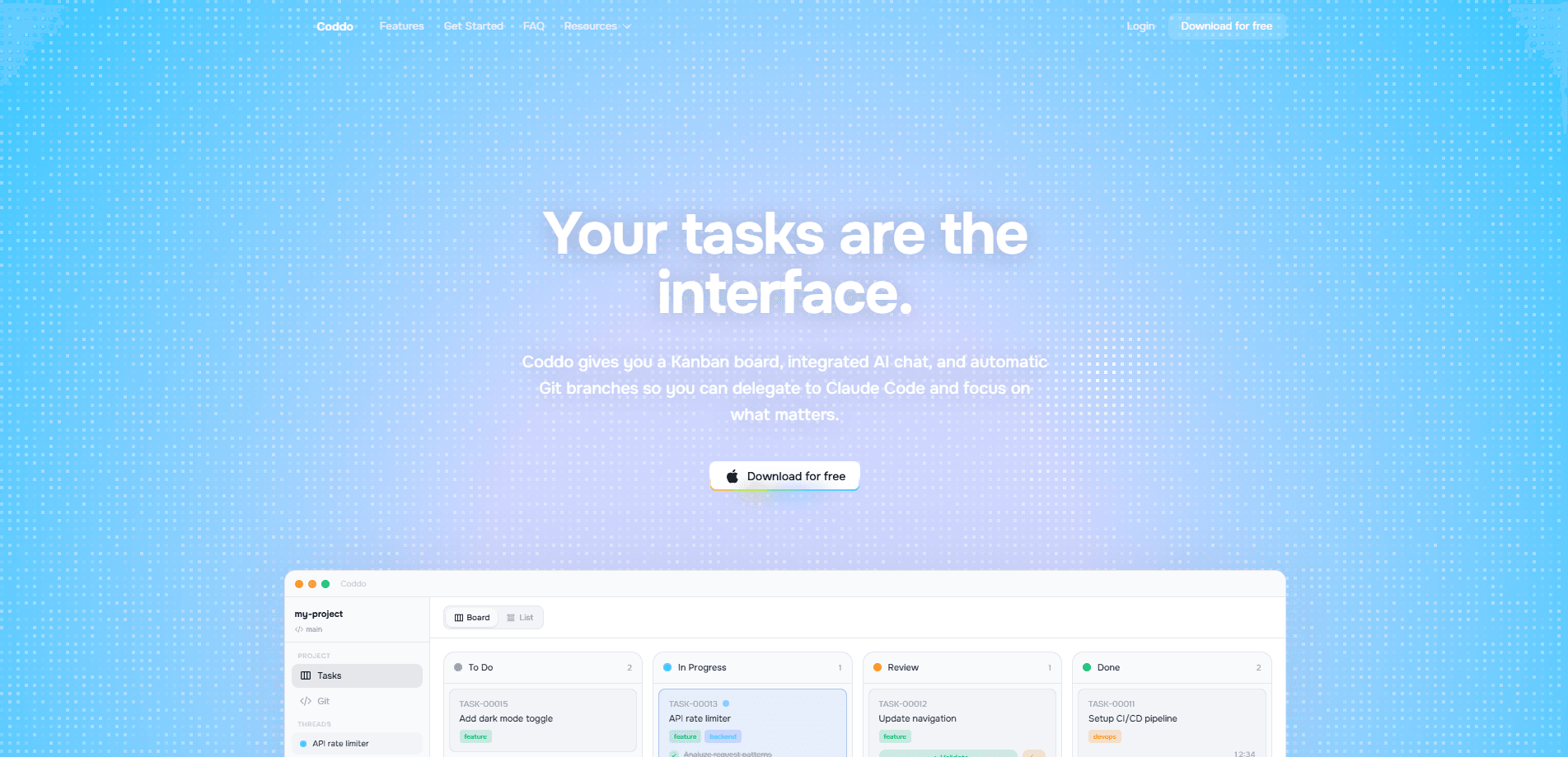
Coddo is a desktop app for macOS and Windows that turns AI-assisted coding into a visual workspace. You chat with Claude Code and Codex on one side, then drag that work across Kanban boards on the other. It also reads your files, projects, and Git repos, so the assistant works on your real code instead of a blank chat window. The free plan covers unlimited boards and full Git integration, and the paid Basic tier lifts the weekly word limits. Setup takes minutes.
About Coddo
What Is Coddo
Coddo is a visual desktop application built for people who already use AI coding agents but want a cleaner way to manage them. Most coding tools live in a terminal or an editor panel, which makes it hard to see what's queued, what's in progress, and what's done. Coddo moves that work into a board you can see at a glance. That's the whole idea.
The product bundles three things: an AI coding chat for Claude Code and Codex, unlimited Kanban boards, and native Git integration. It runs on macOS and Windows as a local app, so it can open your files, projects, and repositories directly. That's the real difference. Instead of pasting code into a browser tab, you point Coddo at a folder and let the agent work in place.
The catch is scope. Coddo isn't a model. It doesn't train anything, and it doesn't host your data in some custom cloud. You still need access to Claude Code or Codex, since the app leans on those tools for the actual reasoning. It also comes from a small, France-based team, so the feature set is younger than what you'd find in a large IDE that has years of plugin development behind it. Heavy enterprise setups, especially team permissions and audit controls, aren't the focus here.
Getting Started
- Download the desktop app from the official site and install it on macOS or Windows.
- Sign in and connect your Claude Code or Codex account so the chat has a model to call.
- Open a local project or Git repository so Coddo can read your files.
- Create a Kanban board and add your tasks as cards, then chat with the assistant to work each one.
- Move cards across the board as work lands, and commit changes through the built-in Git tools that sit right beside the conversation.
Product Information
A quick look at Coddo's pricing, supported platforms, and performance.
Best for
The users, tasks, and scenarios where this tool fits best.
Users
- Indie developers who bounce between several side projects and want them all visible in one workspace.
- Solo builders who already pay for Claude Code or Codex and want a friendlier front end than a terminal.
- Product-minded makers who plan tasks in a board but still want the AI to touch the real code base.
Tasks
- Turning a loose backlog into structured cards, then letting the agent draft the code for each one.
- Running multi-step changes across a repo while keeping Git commits tidy in the same app.
- Switching between Claude Code and Codex on the same task to compare how each one handles it.
Scenarios
- Planning a weekend feature and coding it in one window, from first card to first commit.
- Keeping a client project and a personal project open at once without mixing their repos.
- Reviewing what the AI changed before you push, using Git's diff view inside the app.
Key features
AI Chat With Claude Code and Codex
The chat panel talks to two of the most popular coding agents instead of locking you into one vendor. You can ask Claude Code to explain a function, then hand the same task to Codex and compare how each one handles it, which is useful when one agent keeps missing the point on a specific file. For teams that already pay for either tool, this avoids a second subscription just to get a nicer interface.
Kanban Boards for Coding Work
Every task becomes a card you can move across columns, which is a big shift from the usual chat log. You get unlimited boards on both the free and paid plans, so you can keep a personal board and a work board running at the same time. It's a small thing, but seeing the whole pipeline beats scrolling back through messages to remember where you left off.
Native Git Integration
Coddo reads your local repositories directly, so commits, diffs, and branches live next to the chat that produced them. Review first. Push later. If you've ever let an AI overwrite a file and only noticed it after the fact, this is the safety net you want.
Works With Your Files and Projects
The app opens real folders rather than a sandboxed prompt window. Multi-project support lets you keep several code bases mounted and switch between them without reconfiguring the tool each time, which matters when a client project and a personal project need very different setup conventions. For freelancers juggling clients, that alone saves a chunk of setup time.
Custom Skills
You can define your own skills to shape how the assistant behaves on repeat tasks, like a specific commit message format or a house style for comments. Think of them as reusable instructions. It's the kind of customization that pays off once you're doing the same review pass over and over.
Pros and cons
Pros
- Combines AI chat, task planning, and Git in one desktop app, which cuts the window-switching.
- Free plan includes unlimited Kanban boards and full Git integration, so you can test it properly before paying.
- Works with both Claude Code and Codex, giving you a choice of agent without a second app.
- The $7/mo Basic tier is cheap compared to most developer subscriptions, and it removes the word limits.
Cons
- macOS and Windows only. Linux users are left out for now.
- No public API, which rules it out if you want to script against it or wire it into a pipeline.
- You still need your own Claude Code or Codex access, so it's an add-on rather than a standalone tool.
- The free plan caps you at 1,000 words per week, which runs out fast on a real project.
Frequently asked questions
It's a desktop workspace that puts an AI coding chat next to Kanban boards and your Git repos. You plan tasks as cards, chat with Claude Code or Codex to do them, and commit the results without leaving the app.
Related content
Explore related tools, skills, and articles for Coddo.
Coddo Alternatives
Forefront
Forefront · CodingForefront is a web platform for building with open-source AI. It lets you fine-tune leading open-source language models on your own data, evaluate how they perform, and run them through an API or export them to host yourself. Developers who want the convenience of a closed-source platform but insist on owning their models and data are the target audience here.

Startkit
StartKit.AI · CodingStartkit is a boilerplate for building AI SaaS and AI wrapper products. Think of it as an AI startup boilerplate with the boring parts already wired up: authentication, Stripe and Lemon Squeezy payments, usage limits, transactional email, and an AI API starter that talks to OpenAI, Anthropic, Groq, or Llama. You clone the repo, set your price, and start on the part of your product that people actually pay for. It's Next.js under React and Tailwind, so most of the boilerplate code already feels familiar.
Testim
Tricentis · CodingTestim is an AI-powered test automation platform for building and running end-to-end tests across web, mobile, and Salesforce applications. It leans on machine learning to keep tests stable when an interface changes, so teams spend less time fixing broken selectors. Not bad for an automated testing tool you can start using today. You create tests by recording actions in a browser, then optionally add JavaScript when you need more control. It's a solid pick for busy QA teams.