

CodeBreak
CodeBreak · Coding
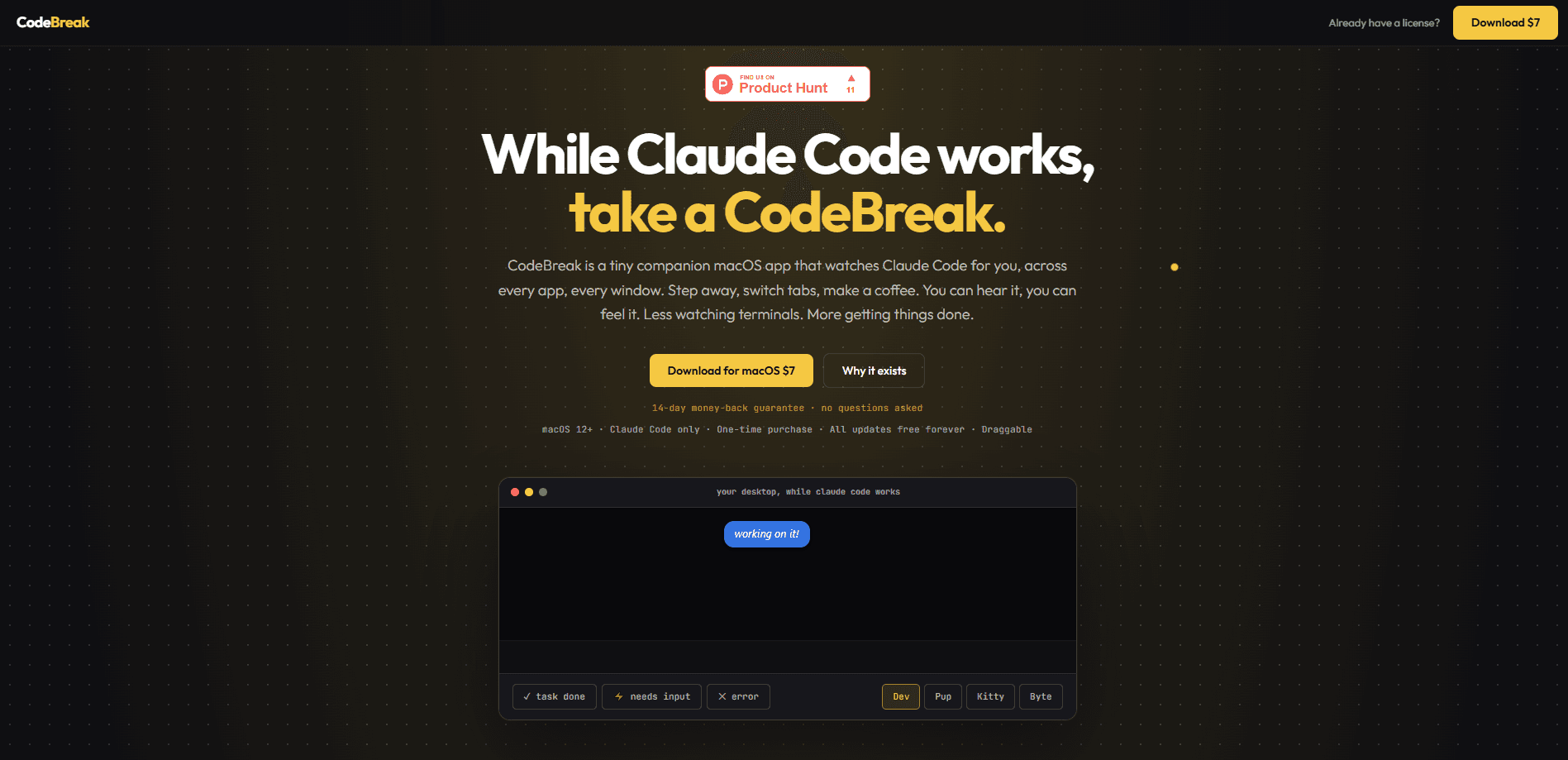
CodeBreak is a small macOS companion app that watches Claude Code for you across every app and every window. It's a status monitor, not an editor. Instead of refreshing your terminal every half minute, you get a character that walks your screen and five visual states plus three distinct sounds, so you can step away, switch tabs, or grab a coffee and still know the moment Claude needs input, finishes a task, or hits an error. It works with Terminal, iTerm2, Claude Desktop, and VS Code on macOS 12 or later.
About CodeBreak
What Is CodeBreak
CodeBreak is a Claude Code notification app for macOS that solves a very specific annoyance: the tab-switching loop. Claude Code runs long tasks, and while it works you keep glancing back at the terminal to check whether it's still going. This companion replaces that habit with a visual and audio signal that sits on top of every window.
The app doesn't run your code or replace Claude Code. It watches for state changes and translates them into something you can notice from across the room. Five states are covered: thinking, processing, needs input, task done, and error. Each one looks different and sounds different, so you don't need to read anything to know what happened. Think of it as a Claude Code status monitor that lives on your desktop.
The main limit is scope. CodeBreak is macOS only, and it's built around Claude Code specifically rather than a general terminal monitor. If you run your coding agent somewhere else, or you're on Windows or Linux, it won't help you. It's a focused tool. That's the whole idea.
Getting Started
- Download the app from the official site and install it on a Mac running macOS 12 or newer.
- Launch CodeBreak and drag the companion character anywhere on your screen so it stays out of the way of your work.
- Pick a companion from the four included characters and choose a sound pack, since all of them ship with the app.
- Start a Claude Code task in Terminal, iTerm2, Claude Desktop, or VS Code and let it run.
- Watch the companion change state, or just listen, and come back only when it signals that you're needed.
Product Information
A quick look at CodeBreak's pricing, supported platforms, and performance.
Best for
The users, tasks, and scenarios where this tool fits best.
Users
- Developers running long Claude Code tasks
- Anyone who works across multiple apps while an agent runs
- People who leave the desk mid-task
Tasks
- Monitoring an unattended Claude Code run
- Catching errors early
- Working on a second monitor or in another window
Scenarios
- Grabbing a coffee while a refactor runs
- Switching to email or a browser mid-build
- Running a batch of file edits and stepping away
Key features
Stop Watching the Terminal
CodeBreak shows thinking, processing, needs input, task done, and error as separate visual states. The companion waits silently while Claude thinks, keeps moving while it works, speeds up with an urgent sound when input is needed, and reacts with a distinct tone when a task finishes or fails. Want to know its status without looking? Just listen. You read the state in a glance, not by parsing log output.
Distinct Sounds for Done, Input, and Error
The app pairs each important moment with its own sound instead of one generic chime. A finish sounds different from a request for input, and both sound different from an error. Those Claude Code alerts are the point: with three distinct cues you can tell what happened without looking at the screen at all. No chime guessing.
Watches Claude Code Everywhere You Run It
CodeBreak tracks Claude Code across Terminal, iTerm2, Claude Desktop, and VS Code rather than only one editor. The companion sits over every window. It stays visible no matter which app has focus. That's what makes stepping away practical: the signal follows you, not the terminal.
Four Companions and Eight Sound Packs
Every companion ships with the app: Dev, Pup, Kitty, and Byte, plus sound packs that range from classic tones to chaotic picks like air horns and goat screams. You can mix a character with any sound pack freely. Nothing here is locked behind an extra purchase, which keeps the one-time price simple.
Drag It Anywhere
The character is a floating overlay you drag to any spot on screen, including a second monitor. It stays out of your way. If you hate clutter, tuck it into a corner and rely on the sounds instead.
Lifetime Access on Two Macs
One purchase covers lifetime access and licenses the app for two Macs. There's no subscription. The cost doesn't recur month after month. For a single-purpose utility, that's a straightforward model, and it means you're not paying again when a new version lands.
Pros and cons
Pros
- Removes the reflex to refresh the terminal every 30 seconds, which is the whole reason the app exists.
- Visual states plus distinct sounds mean you can tell thinking from blocked from done without reading anything.
- One-time pricing with lifetime access and a two-Mac license, so no recurring subscription.
- Ships with all four companions and all eight sound packs, no upsells inside the app.
- Works across Terminal, iTerm2, Claude Desktop, and VS Code in one place.
Cons
- macOS 12 or newer only, so Windows and Linux users are out entirely.
- Built specifically for Claude Code, which means it won't monitor other coding agents or general terminal jobs.
- A floating overlay and sound cues won't suit people who want a silent, fully minimal desktop.
- It's a notification layer rather than a control tool, so it can't retry a failed task or answer Claude's prompt for you.
Frequently asked questions
It watches Claude Code and tells you what state it's in. The app shows a companion character that changes appearance and plays a sound for thinking, processing, needs input, task done, and error, so you don't have to keep checking the terminal. Simple as that.
Related content
Explore related tools, skills, and articles for CodeBreak.
CodeBreak Alternatives
Forefront
Forefront · CodingForefront is a web platform for building with open-source AI. It lets you fine-tune leading open-source language models on your own data, evaluate how they perform, and run them through an API or export them to host yourself. Developers who want the convenience of a closed-source platform but insist on owning their models and data are the target audience here.

Startkit
StartKit.AI · CodingStartkit is a boilerplate for building AI SaaS and AI wrapper products. Think of it as an AI startup boilerplate with the boring parts already wired up: authentication, Stripe and Lemon Squeezy payments, usage limits, transactional email, and an AI API starter that talks to OpenAI, Anthropic, Groq, or Llama. You clone the repo, set your price, and start on the part of your product that people actually pay for. It's Next.js under React and Tailwind, so most of the boilerplate code already feels familiar.
Testim
Tricentis · CodingTestim is an AI-powered test automation platform for building and running end-to-end tests across web, mobile, and Salesforce applications. It leans on machine learning to keep tests stable when an interface changes, so teams spend less time fixing broken selectors. Not bad for an automated testing tool you can start using today. You create tests by recording actions in a browser, then optionally add JavaScript when you need more control. It's a solid pick for busy QA teams.