

CodeGuide
CodeGuide · Coding · Leaning
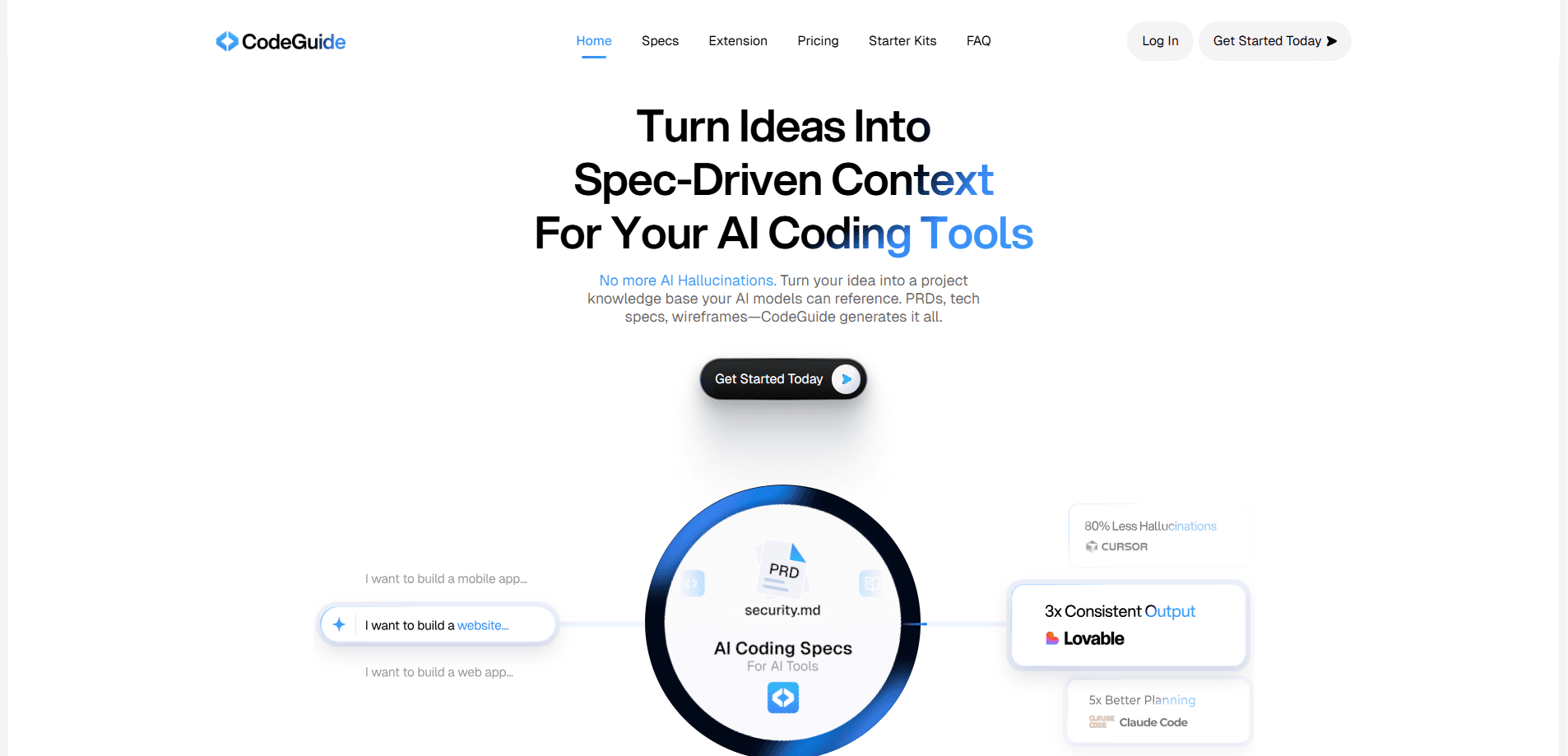
CodeGuide is an AI documentation tool that turns a short written idea into a full project kit: product requirement documents, a tech stack, wireframes and structured specs. It also reads an existing GitHub codebase and writes the missing documentation for it, so AI coding tools stop guessing about a project they've never seen. If you build software with Cursor, Claude Code or a similar assistant, CodeGuide is the layer that gives those tools real context.
About CodeGuide
What Is CodeGuide
CodeGuide is a web-based documentation generator built around one idea: AI coding assistants write better code when someone hands them a clear specification first. You describe what you want to build in plain English, and CodeGuide produces a complete documentation set, including PRDs, the recommended tech stack, wireframes and the individual specs that a coding agent can actually follow.
Why does that matter? Because the alternative is a guessing game.
The product targets a real gap. Most developers start with a vague prompt and get a mountain of generated code. Then they spend hours untangling assumptions the model made along the way. CodeGuide moves that work to the front. According to CodeGuide, feeding a generated spec to your AI tool reduces hallucinations and keeps the output aligned with what you actually intended.
There's a second use case that's often more valuable than the first, and it's the one that tends to surprise people who've only ever used spec generators on greenfield projects. Legacy repositories are a black box to AI tools, since the model has no memory of why the code looks the way it does. CodeGuide maps an existing GitHub codebase and generates the specs that explain it, so your assistant understands what it's building on rather than rewriting or breaking things it doesn't understand.
The limits are worth knowing up front. The free tier is a one-time credit grant, not a monthly allowance, so it runs out. The higher tiers cap projects per month and meter usage through credits. And the spec quality depends on how clearly you describe your idea. A one-line prompt produces a thinner kit. A detailed brief does better.
Getting Started
- Sign up at codeguide.dev and open a new project.
- Describe your idea in plain English, or connect an existing GitHub repository if you're documenting code that already exists.
- Review the generated kit: product requirements, tech stack recommendations, wireframes and the individual specs.
- Export or copy the specs into your coding tool, such as Cursor or Claude Code, and start building against them.
- Refine prompts with the built-in AI helper as the project evolves, then regenerate any spec that drifted from your goals.
Product Information
A quick look at CodeGuide's pricing, supported platforms, and performance.
Best for
The users, tasks, and scenarios where this tool fits best.
Users
- Solo developers and indie hackers who want a clear plan before they let an AI agent loose on a new project, working from the free tier or a low-cost Pro seat that covers a handful of builds each month.
- Small product teams that need shared specs and wireframes so designers, developers and AI tools all work from the same brief.
- Developers inheriting an unfamiliar codebase, since CodeGuide can generate documentation for an existing GitHub repo rather than only handling greenfield ideas that haven't been written yet.
Tasks
- Writing a PRD from a rough concept
- Choosing a tech stack
- Documenting legacy code
- Drafting wireframes
Scenarios
- Starting a new side project on a weekend and wanting structure before writing code.
- Onboarding an AI coding assistant onto a repo that has little or no documentation.
- Kicking off a team sprint where everyone needs the same written source of truth.
- Preparing a client or stakeholder brief that has to look like a real product plan, not a chat log.
Key features
Idea to Full Documentation Kit
You type a description of what you want to build and CodeGuide returns a complete kit: a PRD, a recommended tech stack, wireframes and the separate specs that cover the project. The point is to move decision-making to the start. That's where it's cheap. It beats discovering mismatches after the code already exists. Every artifact is written to be handed to a coding agent rather than read by a human and translated.
Context for AI Coding Tools
CodeGuide's core claim is about hallucination reduction. AI assistants invent APIs, misremember conventions and quietly fill gaps with guesses when they lack context. By generating explicit specs, CodeGuide gives those tools something concrete to follow. The result is code that matches your intent more often. You also spend fewer hours reading diffs to work out what the model assumed. Anyone who's debugged a confident, wrong API call knows the pain.
Documentation for Existing GitHub Codebases
Connect a repository and CodeGuide generates the documentation it never had. The output covers architecture, components and intent. This matters most on inherited or legacy projects, where the original author is gone and the code is the only record. This is spec-driven development in practice: your AI assistant stops treating unfamiliar modules as blank slates.
Starter Kits That Skip the Setup
CodeGuide ships six starter kits for common stacks, including Next.js with Tailwind and shadcn/ui, React with Firebase or Supabase, and React Native with Expo. Each kit comes with authentication, database integration and dark mode already wired up. You save the token-heavy scaffolding phase and go straight to the features that make your product different.
Sv2 Autonomous Coding Agent
Sv2 is CodeGuide's coding agent, sitting behind a single interface for command-line tools and routing work across multiple models. It has access to a large pool of models from OpenAI, Anthropic and open-source providers, and picks among them for the task at hand. Under the hood a model router matches the job to the model. That's a sensible response to a simple fact: no single model wins at everything.
Chrome Extension for In-Browser Specs
The CodeGuide Chrome extension generates PRDs, technical specs and documentation straight from your browser. You don't have to leave the tab you're working in to start a spec. That matters when the idea arrives mid-research. It's available on every tier, free plan included.
In-Browser UI Editor with Parallel Agents
The paid editor lets you work on screens visually, leave comments and run several agents at once to fix UI issues or add features. Instead of writing a spec by hand, you annotate what you want changed and let the agents act on it. For teams juggling many small UI tweaks during a busy release cycle, the parallel approach cuts a lot of the back-and-forth that usually slows a sprint down.
Pros and cons
Pros
- Generates the full documentation set, not just a PRD, so your coding tool gets specs, stack and wireframes together.
- Handles existing GitHub repositories, which most spec generators ignore entirely.
- Free tier is genuinely usable for one project, with access to five LLMs and the Chrome extension.
- Starter kits with auth and database already wired up save real setup time.
- Sv2 routes across many models instead of locking you into one vendor.
Cons
- The free plan's 120 credits are a one-time grant, so it works for a single project and then stops.
- Paid tiers meter usage through credits and cap monthly projects, which is tight if you ship often.
- Spec quality tracks your input: a thin prompt produces a thin kit, so unclear ideas get little help.
- There's no public API, so you can't wire CodeGuide into an existing automated pipeline.
Frequently asked questions
CodeGuide generates software documentation from a plain-English description. It produces PRDs, tech stack recommendations, wireframes and specs, and it can also document an existing GitHub repository. The output is designed to be fed to AI coding tools as context.
Related content
Explore related tools, skills, and articles for CodeGuide.
CodeGuide Alternatives
Forefront
Forefront · CodingForefront is a web platform for building with open-source AI. It lets you fine-tune leading open-source language models on your own data, evaluate how they perform, and run them through an API or export them to host yourself. Developers who want the convenience of a closed-source platform but insist on owning their models and data are the target audience here.

Startkit
StartKit.AI · CodingStartkit is a boilerplate for building AI SaaS and AI wrapper products. Think of it as an AI startup boilerplate with the boring parts already wired up: authentication, Stripe and Lemon Squeezy payments, usage limits, transactional email, and an AI API starter that talks to OpenAI, Anthropic, Groq, or Llama. You clone the repo, set your price, and start on the part of your product that people actually pay for. It's Next.js under React and Tailwind, so most of the boilerplate code already feels familiar.
Testim
Tricentis · CodingTestim is an AI-powered test automation platform for building and running end-to-end tests across web, mobile, and Salesforce applications. It leans on machine learning to keep tests stable when an interface changes, so teams spend less time fixing broken selectors. Not bad for an automated testing tool you can start using today. You create tests by recording actions in a browser, then optionally add JavaScript when you need more control. It's a solid pick for busy QA teams.